


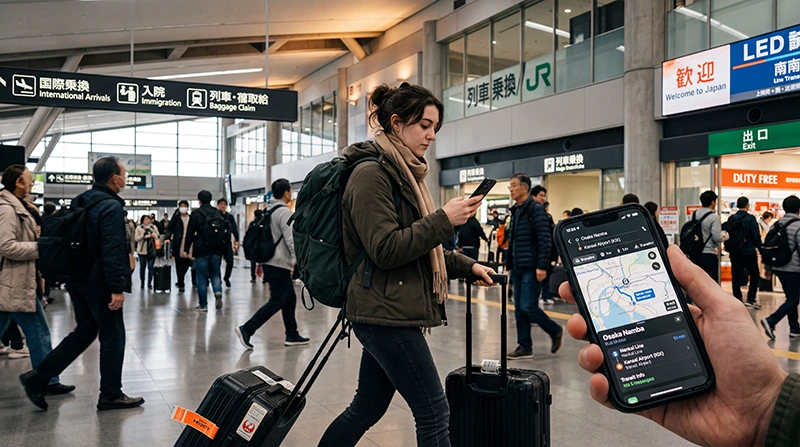

Internet at Kansai Airport is important before beginning an onward journey to Osaka, Kyoto or another part of the region. Available options include airport Wi-Fi, a travel eSIM, prepaid SIM products and pocket WiFi.
A travel eSIM prepared before departure can provide mobile data without adding a counter stop to the arrival. Airport Wi-Fi is a useful fallback for checking transport changes, accommodation messages and setup instructions.
NoveSIM travel eSIMs are data-only. They support maps and internet communication but do not provide a Japanese number, traditional calls or SMS.
Quick answer: Install the Japan eSIM before flying and activate it according to the plan conditions after landing at Kansai. Confirm your complete Osaka or Kyoto route while still at the airport, and keep tickets, addresses and transfer instructions saved offline.
Top Japan eSIMs


How can you get internet at Kansai Airport?
| Option | Main advantage | Arrival consideration |
|---|---|---|
| Travel eSIM | Prepared before the flight | Requires an unlocked compatible phone |
| Airport Wi-Fi | Immediate temporary access | Not a continuous connection beyond the airport |
| Prepaid SIM | Works with a suitable non-eSIM phone | Product and counter availability can vary |
| Pocket WiFi | Several devices can share | Collection, battery and return must be managed |
What should you prepare for the onward journey?
- The accommodation address in Japanese and English.
- The complete route, including any transfer point.
- Ticket or reservation details and a screenshot backup.
- A message channel for accommodation or travel companions.
- An alternative route if the planned service is unavailable.
This preparation matters when arriving late or travelling beyond central Osaka. Use the connection before leaving the terminal rather than waiting until a transfer becomes unclear.
How do you activate an eSIM at Kansai?
- Turn off aeroplane mode when permitted.
- Switch on the Japan eSIM.
- Select it as the mobile-data line.
- Enable data roaming on the travel profile if required.
- Keep roaming disabled on the primary SIM.
- Test both a webpage and the navigation application.
Complete the profile preparation earlier with the Japan eSIM installation guide.
Should you buy a physical SIM after landing?
A physical SIM can suit an unlocked phone without eSIM support. Check data, validity, phone-number inclusion and activation requirements. Services and opening hours may change, so verify current airport information when an arrival purchase is essential.
Compare the format and service differences in the Japan SIM card guide.
When does pocket WiFi make sense?
Pocket WiFi can work for a family or group that shares the same Kansai itinerary. It becomes a constraint when travellers split between Osaka, Kyoto or separate accommodation.
Check where the device must be returned and whether the return plan still works if departure is from another airport. See the Japan pocket WiFi versus eSIM comparison.
What if the connection fails before departure from the airport?
Use airport Wi-Fi to check the travel profile, selected data line, roaming and plan validity. For NoveSIM, use data.esim if manual APN entry is required. Do not delete the profile; follow the Japan troubleshooting guide.
Related Articles
- Mobile Internet in Japan
- Internet at Narita Airport
- Internet at Haneda Airport
- Japan Mobile Networks
FAQ
Does Kansai Airport have Wi-Fi?
Airport Wi-Fi provides temporary access. Arrange personal mobile data for the onward journey through the Kansai region.
Can I use an eSIM on the way to Kyoto?
Yes, once the profile is active and connected. Coverage depends on the selected plan, device and local network conditions.
Can I buy a SIM card at Kansai Airport?
SIM services may be available, but products and opening hours change. Verify current airport information before relying on them.
Is pocket WiFi practical if I leave from another airport?
Only when the rental return options fit that departure. Confirm the return location and deadline before collection.
Final Recommendation
For internet at Kansai Airport, prepare an eSIM before departure when compatible and use airport Wi-Fi to confirm the onward Osaka or Kyoto journey.
Choose a physical SIM for a non-eSIM phone or pocket WiFi for a group that will remain together and can manage the return.
Do not leave the airport without an accessible route, accommodation address and offline backup of the essential travel details.