


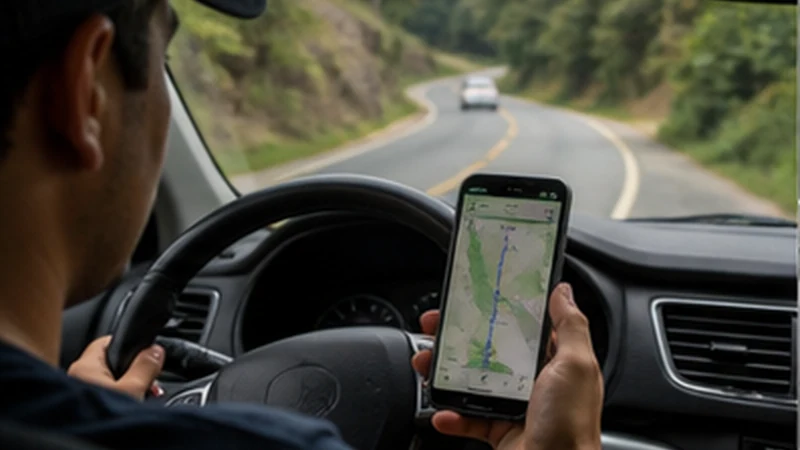

A Guatemala road trip mobile internet plan should not try to maintain a perfect connection on every kilometre. Its purpose is to keep each driving day operational when signal changes, while using mobile data for current information whenever it is genuinely available.
A multi-day itinerary adds dependencies that a single transfer does not have: new accommodation each night, changing routes, vehicle support, battery management and repeated departure checks. These should be organised as a daily cycle.
NoveSIM Guatemala plans are data-only. They provide internet access without a local number, ordinary calls or SMS. Confirm an internet-based contact method with accommodation and vehicle providers, plus a separate calling option if conventional voice is essential.
Quick answer: Start every driving day from a verified connection, download the full corridor and destination, confirm fuel, accommodation and vehicle-support details, and preserve battery for arrival. End each day by testing the next route and charging every device.
Top Guatemala eSIMs

Guatemala eSIM
Fixed
1 GB, 7 days6.50$2 GB, 15 days10.50$3 GB, 30 days13.50$Unlimited
Unlimited, 1 day6.00$Unlimited, 3 days20.00$Unlimited, 5 days28.00$
Central America eSIM
Fixed
1 GB, 7 days8.00$2 GB, 15 days13.00$3 GB, 30 days17.50$Unlimited
Unlimited, 1 day7.50$Unlimited, 3 days18.50$Unlimited, 5 days29.50$Design Guatemala Road Trip Mobile Internet as Daily Cycles
For each day, identify four points: the connected departure, the road stage, the offline arrival and the evening reset. This produces a repeatable process without assuming that the middle of the route will remain online.
| Stage | Connection task | Offline requirement |
|---|---|---|
| Before departure | Check current route and messages | Download the whole corridor |
| During the drive | Use traffic or updates where available | Keep navigation and stops visible |
| Final approach | Contact the host if data works | Use written address and entrance notes |
| At accommodation | Verify Wi-Fi and synchronise essentials | Prepare the next day’s complete stage |
Audit the Route Before Choosing the Data Plan
List the cities, mountain corridors, lake destinations, forest stages and border crossings in the actual itinerary. Country-level availability cannot prove indoor or road-level performance, but it helps identify where mobile data is a reasonable live layer and where offline preparation carries more weight.
Check that the plan’s validity covers the complete road trip and that the allowance fits maps, messaging and any tethering. Additional gigabytes do not improve radio coverage.
The Guatemala eSIM coverage guide explains the difference between broad availability, a partner network and the result at a specific route or building.
Prepare the Vehicle and Provider Information
Save the rental agreement, vehicle inspection record, roadside-assistance procedure, return branch and fuel or charging terms offline. Record how to contact the provider when the eSIM supplies data but not conventional calls.
If using a private driver or several shuttles instead, store each company, booking reference, vehicle information and missed-pickup process separately. Do not keep all transport details inside one online application.
The Guatemala eSIM rental-car guide covers the collection desk, contract, roadside contact and return in greater detail.
Download a Complete Route for Every Driving Day
Save the origin, destination, alternative-road area and streets around the final property. Include planned fuel stops and any confirmed safe stopping or transfer points appropriate to the itinerary.
Give each pin a functional name such as “Night 3 entrance” or “Rental return”, then store the same written address in an offline note. Test search, zoom and route display with Airplane Mode enabled.
Use the Guatemala offline-maps guide for the complete map-region and backup-navigation process.
Configure and Test the eSIM Before Moving
- Switch the Guatemala eSIM on.
- Select it under Mobile Data or Cellular Data.
- Enable Data Roaming on the travel line.
- Disable Data Roaming on the home SIM.
- Turn automatic mobile-data switching off.
- Keep network selection on Automatic.
Turn Wi-Fi off and load a lightweight page at the accommodation. This confirms that the independent road connection works before departure.
If the phone has signal without data, check the allowance and enter data.esim only when manual APN configuration is required.
Keep Navigation Separate from Route Decisions
The map can show a route, but the driver must evaluate the actual road, signs, barriers and current guidance. Offline data may not include temporary closures, weather effects or access restrictions.
Question unusual detours and confirm them through a reliable current source where possible. Do not enter an unsuitable road merely because the application recalculated after a missed turn.
A passenger can compare routes and contact accommodation. A solo driver must wait for an appropriate safe stop before changing the destination or phone settings.
Use Mobile Data Deliberately on the Road
Prioritise traffic changes, accommodation messages and vehicle support. Pause cloud photo backup, application updates and automatic media downloads so they do not consume allowance when service returns briefly.
A phone hotspot may support a passenger or laptop when the product permits tethering, but connected devices share one allowance and connection. Switch it off after the task and prevent background computer updates.
Do not perform repeated speed tests while travelling. Test the actual required task and let Automatic selection manage changes between supported coverage areas.
Build a Power Plan for the Entire Day
Use a tested vehicle cable and carry a charged power bank. Do not depend on one vehicle socket: it may be unavailable, incompatible or unable to keep up with navigation and hotspot use.
Mount the phone where it does not obstruct the driver’s view and keep it ventilated. Charging, direct sun and continuous navigation can heat the device.
Reserve enough power for the final approach and property check-in. The arrival address and host instructions are least useful if the phone battery was consumed earlier by entertainment or background uploads.
Prepare Each Accommodation as an Offline Destination
Save the full written address, entrance or gate instructions, booking reference and latest check-in procedure. A property name or online pin may not identify the correct access point.
Ask what the traveller should do if unable to send an arrival message. If reception closes or a host meets guests, store the approved fallback before driving.
Once checked in, verify the official Wi-Fi name directly. Test it from the actual room if it will be used for route preparation or work.
Adjust for Different Guatemala Stages
Highland stages need wider offline regions and terrain-related signal expectations. Lake Atitlán journeys may include a road-to-boat handoff and exact landing point. Petén or jungle stages require more battery reserve and fully offline return arrangements.
Do not reuse one generic checklist without the destination details. The same phone can be well connected in a city and offline later that day.
Use the Guatemala Highlands guide and Guatemala jungle connectivity guide for those different operating environments.
End Every Day with a Connectivity Reset
Charge the phone and power bank, verify remaining data and download the next stage. Save new host messages and update the shared itinerary if the route has changed.
Check that the eSIM remains the selected data line after any restart. Pause large synchronisation until the next day’s critical maps and documents are safely stored.
Confirm the following day’s departure time, destination entrance, planned stops and arrival fallback before going offline again.
If Signal Disappears During the Drive
Continue with the downloaded route and let Automatic network selection reconnect. Do not stop in an unsuitable place or leave an appropriate route to chase reception.
At the next suitable stationary stop, use Airplane Mode for about 30 seconds if service has not returned. Recheck the travel data line, roaming and allowance.
Do not delete the installed eSIM because of a road-level gap. If it remains offline across locations where service is expected, contact NoveSIM Support with the order, phone model, route location and exact symptom.
Related Articles
FAQ
Will an eSIM cover every road in Guatemala?
No. Mobile performance changes with location, terrain and network conditions. Use the eSIM for live information where available and keep every stage navigable offline.
How much data does road-trip navigation use?
Usage depends on the application and live features. Offline maps reduce map downloads; video, backups and laptop tethering generally consume far more than basic navigation.
Who should manage the phone while driving?
A passenger should handle messages and changes. A solo driver should review the device only after reaching an appropriate safe stop.
Should I reinstall the eSIM after a rural signal gap?
No. Continue with the offline route and test again in expected coverage. Reinstallation cannot create a network signal and may lose a single-use profile.
Final Recommendation
Build Guatemala road trip mobile internet as a daily cycle: verified departure, offline road stage, prepared property arrival and evening reset.
Use mobile data for current traffic, messages and support while maintaining complete maps, addresses and transport information outside the connection.
Keep the driver focused, protect power and retain the installed eSIM through normal route gaps. Troubleshoot only from a suitable stationary location.