


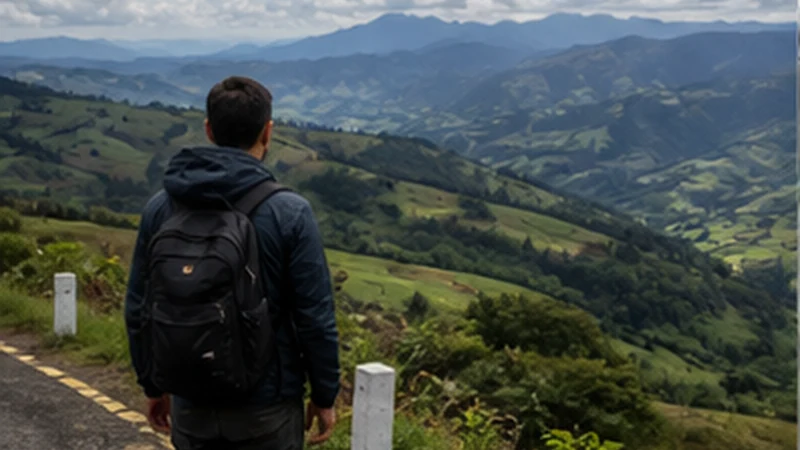

Guatemala Highlands mobile internet is not one continuous layer spread evenly over a mountain map. It behaves more like a sequence of useful town connections, building-specific results and uncertain road sections. The traveller’s task is to identify where online work is realistic and make the spaces between those points survivable offline.
This regional pattern affects navigation, accommodation arrival, market coordination and remote work differently. Strong service in Quetzaltenango cannot verify a rural lodge; a successful test in Panajachel cannot represent another Lake Atitlán village; and signal bars on a ridge cannot promise stable data in the valley below.
NoveSIM Guatemala plans are data-only. They provide maps and app communication without a Guatemalan number, conventional calls or SMS. Providers who rely on ordinary telephone contact need a separate arrangement.
Quick answer: Divide the highland itinerary into connected bases, transfer corridors and final-property approaches. At each base, test mobile data, download the next broad route, confirm the destination in local written terms and define what happens if the next check-in message cannot be sent.
Top Guatemala eSIMs

Guatemala eSIM
Fixed
1 GB, 7 days€ 5.772 GB, 15 days€ 9.323 GB, 30 days€ 11.98Unlimited
Unlimited, 1 day€ 5.32Unlimited, 3 days€ 17.75Unlimited, 5 days€ 24.85
Central America eSIM
Fixed
1 GB, 7 days€ 7.102 GB, 15 days€ 11.543 GB, 30 days€ 15.53Unlimited
Unlimited, 1 day€ 6.66Unlimited, 3 days€ 16.42Unlimited, 5 days€ 26.18Plan Guatemala Highlands Mobile Internet by Segment Type
| Segment type | Reasonable planning assumption | Required fallback |
|---|---|---|
| Large city or established town | Several connection opportunities may exist | Test the exact room and mobile line |
| Mountain road between towns | Reception may change during movement | Offline corridor and destination details |
| Market or crowded event | Capacity and physical coordination may matter | Fixed meeting point and return rule |
| Village or rural property | Building and terrain dominate the result | Host instructions and agreed no-signal arrival |
| Trail, volcano or isolated route | Ordinary mobile service is not safety equipment | Appropriate guide, procedure and dedicated equipment |
Do not apply the most optimistic category to the entire day. A journey can begin in a city, cross a weak road, pass through a busy market and end at a property where only one common area has Wi-Fi.
Understand What Terrain Changes
Mobile service depends on a usable radio path to supported infrastructure. Ridges, valleys, road bends and distance from populated areas can produce rapid changes even when two points appear close on a flat map. A larger data allowance does not alter that physical path.
The phone’s position matters too. A result inside a vehicle, behind masonry or in a rear room may differ from a safe outdoor test nearby. Compare locations before deciding the whole town lacks service.
Country coverage information can show broad availability but cannot guarantee an individual road, viewpoint or building. The Guatemala eSIM coverage guide explains that distinction at national level.
Distinguish Four Different Connection Problems
A weak experience should be classified before settings are changed:
- Terrain gap: service disappears on a road or in a valley and returns near another settlement.
- Indoor attenuation: data works outside but fails behind the property’s walls.
- Local congestion: signal remains visible but ordinary tasks slow during a busy period.
- Configuration or plan issue: failure persists across several expected coverage locations.
Only the fourth pattern strongly suggests that profile settings, allowance or support need attention. Reinstalling an eSIM cannot repair the first three.
Choose Connectivity Checkpoints Deliberately
A checkpoint is a place where the traveller expects enough connectivity and power to prepare the next stage. Suitable examples may include a verified city hotel, school, coworking space or known accommodation — not merely a random café symbol on a map.
At each checkpoint, perform the same cycle: charge devices, test the eSIM with Wi-Fi off, confirm the next provider, download the route and open the destination instructions offline. Record when and where the test succeeded.
If the next planned checkpoint cannot be verified, shorten the stage or strengthen the offline and communication plan. Do not treat hope as a network layer.
Use Evidence Appropriate to the Next Location
A recent room-level result from the accommodation is stronger evidence than a town-wide review. A message from the current transport operator is stronger than an old blog timetable. An official access notice is stronger than a social-media comment about a mountain route.
Ask rural hosts where mobile service normally works, which network their own phone uses and whether Wi-Fi depends on power or particular hours. Treat the answer as planning evidence, not a guarantee.
When internet is essential, request a recent test from the actual room or common area. “Wi-Fi available” does not establish upload, latency or call stability.
Write Destinations in Locally Usable Terms
Save the municipality or village, property name, written address, entrance pin and a fixed landmark supplied by the host. Small communities and rural properties may use references that a driver understands better than an imported map label.
Keep the original Spanish wording and any locally used spelling rather than relying only on an English translation. If pronunciation is difficult, a saved text can be shown without needing live translation.
Download the relevant language pack and essential phrases offline. Automated translation may not support every local language or cultural context, so confirm important numbers, times and locations explicitly.
Plan a Town-to-Town Corridor, Not a Blue Line
Download a map region wide enough to include the origin streets, destination streets, surrounding roads and useful alternatives. A route cached as one narrow line may become useless after a diversion or changed drop-off.
Mark the vehicle pickup, planned stop, destination, accommodation entrance and return point separately. Store the same information in an offline note so a map-account or saved-place failure does not remove it.
The Guatemala offline-maps guide provides a detailed Airplane Mode test. The highlands page explains when and why to apply it.
Prepare Public or Shared Transport for Uncertain Reception
Confirm the operator, vehicle identification, pickup window, luggage process and exact drop-off while still at the connected base. Ask whether the driver announces the stop and what happens if a passenger is delayed.
A live-location dot may stop updating while the vehicle continues normally. Keep a written destination and monitor the offline route as a passenger only when appropriate.
Do not ask the driver to read messages, adjust settings or follow an unverified online detour while driving. Troubleshooting belongs at a suitable stop.
Handle a Market Day as a Capacity and Coordination Problem
A populated town can still feel poorly connected when many people use the same local capacity or when the visitor is inside a dense market. Send transport confirmations before entering and use short text for necessary updates.
Agree on a physical group meeting point, time, waiting period and return plan. Each traveller should hold the details offline rather than depending on one organiser’s phone.
The Chichicastenango market-day guide applies this method to a specific highland visit without making it the model for every town.
Evaluate a Rural Stay at Property Level
Ask whether guests arrive entirely by road, on foot after a drop-off or through a locally arranged vehicle. A property pin may show the building without showing the gate, final path or practical passenger entrance.
Clarify where Wi-Fi works and whether charging depends on limited electricity. Save check-in hours, meal deadlines and the procedure for arriving when no message can be sent.
After arrival, test fixed Wi-Fi and mobile data separately. A shared router and a mobile eSIM are independent only if both actually work at that location.
Configure the eSIM for Repeated Reconnections
| Control | Recommended state | Highland reason |
|---|---|---|
| Mobile data line | Guatemala eSIM | Keeps travel data on the intended plan |
| Travel-line Data Roaming | On | Allows partner-network access |
| Home-line Data Roaming | Off | Reduces unintended roaming charges |
| Automatic data switching | Off | Prevents silent fallback during a terrain gap |
| Network selection | Automatic | Supports registration as served areas return |
| Manual APN | data.esim only if required | Avoids changing a working profile after a local gap |
Test with Wi-Fi off before entering the mountain section. A signal icon is not enough; load uncached content or send a small test message.
Budget Battery for Network Searching
A phone may consume more power while searching and handing over between cells. Begin each travel day with the phone and power bank charged, a tested cable and appropriate protection from rain and cold.
During a known unsupported section, Airplane Mode can preserve power while offline maps, documents and the camera remain available. Set a reminder to reconnect before the next agreed check-in point.
Pause photo backup, application updates and automatic media downloads. When coverage briefly returns, those tasks can consume both the connection window and battery before an operational message is sent.
Maintain a Simple Connection Log
For a multi-day highland trip, note the date, place, indoor or outdoor position, network state and whether maps, messages or calls worked. This prevents one successful test from becoming a false general claim.
The log also improves troubleshooting. “No data anywhere” is less useful than “worked outdoors in Xela, failed on the road, returned in the next town, but not inside the room”.
Do not use repeated speed tests simply to fill the log. Record results from real tasks and protect the allowance.
Know When a Data-Only Plan Is Not Enough
If accommodation and transport accept internet apps, data may cover routine coordination. If a service requires conventional local calls or SMS, a larger eSIM allowance will not add that function.
For a safety-critical remote activity, ordinary mobile service of any kind may be insufficient. Ask the authorised operator what procedure, guide or dedicated communication equipment is appropriate.
The decision is based on the communication requirement, not on whether a phone once displayed signal near the route.
Run the End-of-Day Highland Reset
At the next connected base, charge devices, review the remaining allowance and download the following day. Confirm any changed pickup and property arrival before going to sleep.
Open every new ticket and route in Airplane Mode. Move large uploads to trusted Wi-Fi and keep the mobile allowance for the next corridor.
For a long stay in the regional city, the Quetzaltenango mobile-internet guide covers room, school and remote-work testing separately.
Recover after a Highland Signal Gap
Wait until a suitable expected coverage location and allow Automatic selection time to reconnect. Compare outdoors, near a window and inside before classifying the problem.
- Confirm the Guatemala eSIM is on and selected for mobile data.
- Check Data Roaming on that line and disable data switching.
- Use Airplane Mode for 30 seconds, then reconnect.
- Restart once if service does not return where expected.
- Check the allowance and enter data.esim only when manual APN setup is required.
Do not delete the installed eSIM. Some profiles cannot be installed again from the same code. If failure persists across several connected bases, contact NoveSIM Support with the order number, phone model, location log and safe screenshots.
Related Articles
FAQ
Is mobile coverage continuous across the Guatemala Highlands?
No. Treat the region as connected bases separated by roads and properties with different conditions. Keep every transfer corridor and arrival available offline.
How can I tell a terrain gap from an eSIM problem?
A terrain gap often changes with the road and returns near another settlement. A configuration or plan problem persists across several expected coverage locations and controlled tests.
Will a larger data package improve a weak mountain signal?
No. Allowance controls how much data can be used where access exists; it cannot create a supported radio path behind terrain or inside a building.
Should I select networks manually between highland towns?
Keep Automatic selection first. It supports normal reconnection as served areas return, while forcing one temporary network can leave the phone on an unsuitable choice.
Final Recommendation
Plan Guatemala Highlands mobile internet by segment type and evidence, not by distance or a country-level map. Establish verified checkpoints and prepare the complete next stage at each one.
Distinguish terrain, indoor and congestion problems before changing the phone. Keep destinations locally understandable, transport handoffs offline and network selection automatic.
Protect battery during searching, log real results and recognise when data-only service is not the required tool. Retain the installed eSIM through local gaps and escalate only after failure persists across connected bases.