


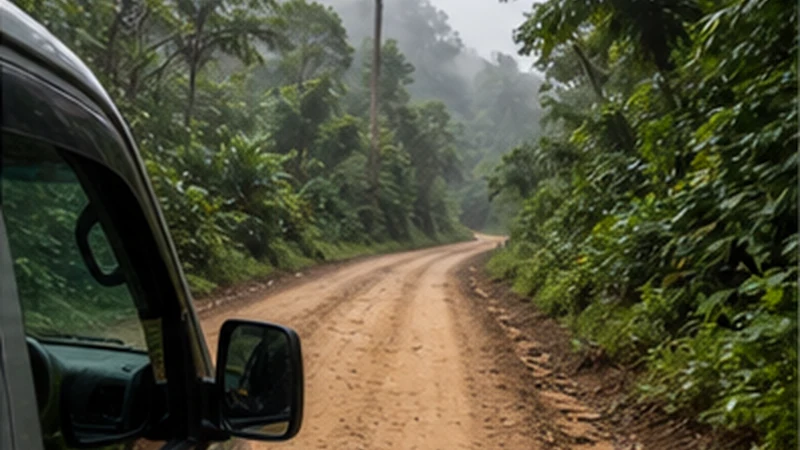

Guatemala jungle mobile internet should be treated as a resource available at particular places, not as a continuous companion. A phone may work in a gateway town, lose service during a road or boat stage, connect briefly at a lodge and remain offline inside a protected area.
The practical goal is not to eliminate every signal gap. It is to complete all tasks that require the internet before the gap begins, preserve enough power for the return and give the group a procedure that does not collapse when one phone becomes unreachable.
NoveSIM Guatemala plans are data-only. They support maps and internet messaging but provide no Guatemalan number, conventional calls or SMS. A terrestrial eSIM is not a satellite communicator and cannot create service beyond supported mobile infrastructure.
Quick answer: Identify the last verified gateway, the final transport handoff and the first expected return connection. Download the host’s access instructions, documents and route; confirm a missed check-in procedure; protect phone and power from water and heat; and use any remote signal only for short operational messages.
Top Guatemala eSIMs

Guatemala eSIM
Fixed
1 GB, 7 days€ 5.772 GB, 15 days€ 9.323 GB, 30 days€ 11.98Unlimited
Unlimited, 1 day€ 5.32Unlimited, 3 days€ 17.75Unlimited, 5 days€ 24.85
Central America eSIM
Fixed
1 GB, 7 days€ 7.102 GB, 15 days€ 11.543 GB, 30 days€ 15.53Unlimited
Unlimited, 1 day€ 6.66Unlimited, 3 days€ 16.42Unlimited, 5 days€ 26.18Define the Remote Period for Guatemala Jungle Mobile Internet
“Going into the jungle” is too vague for a connectivity plan. Write down when the traveller leaves the last verified connection, which road, boat or walking stage follows, where the night is spent and when another dependable connection is expected.
A day visit to an organised site, a two-night river lodge and a multi-stage expedition require different battery, document and check-in plans. Do not copy the longest or shortest plan without matching the real itinerary.
Separate routine inconvenience from safety-critical isolation. A missing restaurant message is not the same as an overdue group on a remote route, and the response procedure should reflect that difference.
Find the Last Verified Gateway
The gateway is the last place where the traveller has personally tested a connection, can charge devices and has time to resolve an incomplete booking. It may be Flores, Cobán, Lanquín, Fronteras or another location specific to the route; the town name alone does not prove readiness.
At the gateway, disable Wi-Fi and test the eSIM, then reconnect to trusted Wi-Fi for large downloads. Confirm the next operator, property and return stage before leaving.
If the supposed gateway cannot support these tasks, move the preparation earlier. The last place on the map is not automatically the last dependable place in practice.
Create a Remote-Stage Manifest
Keep one offline note listing every person, provider and transfer in chronological order. Include:
- traveller and group names used in bookings;
- driver, guide, captain or lodge contact;
- vehicle or boat identification where supplied;
- departure and expected arrival windows;
- each physical meeting point;
- the next accommodation and access method;
- the fixed return point and waiting rule.
This manifest is not a public itinerary. Store it securely, provide only the necessary portion to each party and avoid exposing access codes, passport details or eSIM credentials.
Save What a Consumer Map Cannot Describe
An offline map may show a road, river or property pin without identifying a private landing, locked gate, trail junction or locally named meeting point. Retain the host’s original wording, landmark photograph and final access sequence.
Download a broad region around the route, not only a narrow line. Then test the map, images and notes in Airplane Mode. A chat thumbnail or cloud preview can disappear when the original file was never stored.
The Guatemala offline-maps guide explains the technical verification. Jungle preparation adds the provider instructions that the map cannot supply.
Make the Final Handoff Physical
Before leaving the gateway, establish how the traveller recognises the correct vehicle, boat, guide or lodge representative. A live-location link is optional evidence, not the meeting plan.
Agree on a fixed place, waiting period and next action after a delay. Ask who owns the connection when one operator hands passengers to another. An independently booked second provider may not monitor the first.
If luggage changes vehicle or boat, confirm who handles it and retain the claim or booking evidence. Keep passports, medication and critical devices with the traveller where permitted.
Ask a Remote Lodge Operational Questions
Replace “Do you have Wi-Fi?” with questions that change the plan:
- Where exactly does Wi-Fi work?
- Which hours is it normally available?
- Does it depend on solar, generator or another limited power source?
- Can guests charge phones and power banks, and when?
- Does staff normally receive any mobile network outdoors?
- Which arrival and return steps must be completed online beforehand?
A visible Wi-Fi name does not prove that the lodge’s upstream link works. Treat the answer as planning evidence and retain an offline method for check-in and payment.
Design a Charging Budget, Not Just a Data Budget
List the devices, their battery capacity, the number of remote nights and the tasks that must remain possible. A phone used for navigation, photography and hotspot service needs more reserve than one used only for an occasional check-in.
Charge the phone and power bank fully, test every cable and carry only equipment compatible with the property’s stated power system. Do not assume vehicle sockets or lodge outlets are continuously available.
Keep a protected return reserve that is not consumed for entertainment. When charging opportunities are limited, prioritise the communication and navigation device before accessories.
Protect Electronics from Water, Heat and Humidity
Use protection appropriate to the actual boat, rain and trail conditions. A bag marketed as splash-resistant is not necessarily safe for immersion. Keep ports dry and never connect a cable while moisture may be present.
Avoid leaving the phone or power bank in direct sun or a closed hot vehicle. Heat can reduce performance and charging safety. Store equipment where it remains protected but accessible at the next handoff.
During boarding, slippery paths or difficult terrain, secure the device and focus on movement. Connectivity settings can wait for a stable location.
Configure the eSIM Before the Remote Stage
| Control | Recommended state | Remote-stage purpose |
|---|---|---|
| Mobile data | Guatemala eSIM | Keeps travel use on the selected plan |
| Travel-line Data Roaming | On | Allows supported partner access |
| Home-line Data Roaming | Off | Reduces unintended roaming charges |
| Automatic data switching | Off | Prevents silent fallback during a gap |
| Network selection | Automatic | Supports normal registration when service returns |
| Manual APN | data.esim only if required | Avoids changing a working profile after local loss |
Load uncached content with Wi-Fi off at the gateway. A profile listed in settings or a signal icon alone does not prove that mobile data is passing.
Prioritise Remote Connection Windows
When service appears, use it in this order: safety or changed transport message, arrival confirmation, next provider instruction, then non-essential communication. Send short text before photographs or video.
Pause photo backup, app updates, podcast downloads and group-chat media before departure. Otherwise a brief connection may be consumed by background traffic before the operational message leaves.
Do not run repeated speed tests. The useful question is whether the required small task completed, not whether a transient reading can be published.
Share Critical Information Across the Group
Every adult who may become separated should know the meeting point, accommodation, return time and operator. Do not make one organiser’s phone the only copy of the plan.
Where appropriate, distribute an offline note or printed card. Keep sensitive access information limited to the people who need it. A group chat is not a substitute when several devices lose service together.
Agree who sends the external check-in and who confirms that it was delivered. Multiple contradictory updates can create confusion for the contact monitoring the trip.
Set a Missed Check-In Escalation Rule
Tell a suitable contact the route, expected check-in time and normal reasons for delay. Then define what they should do after a missed check-in and how long they should wait before escalating through the agreed operator or official channel.
The time should reflect the activity and provider guidance. A vague “call someone if I disappear” instruction is neither proportionate nor actionable.
Mobile data is only the delivery path for a routine check-in. For an activity where communication is safety-critical, ask the authorised provider what dedicated equipment and procedure are required. The Guatemala emergency-connectivity guide separates those layers.
Follow Protected-Area Rules Offline
Guatemala’s jungle itineraries can enter national parks and other protected areas. Check the current official access, guide, ticket, route and behaviour rules before leaving the gateway. Save the information, but follow staff instructions and current conditions on site.
Do not leave a designated route, group or safe location to search for mobile signal. A connectivity objective never overrides conservation, access or safety restrictions.
Keep the phone unobtrusive around wildlife and other visitors. Download interpretive material in advance rather than streaming it in a quiet or sensitive setting.
Separate Destination Guides from the Jungle Framework
Tikal requires a ticket, park map, guide meeting and return plan; use the Tikal mobile-internet guide. Semuc Champey requires a Cobán–Lanquín–monument sequence and wet-environment preparation; use the Semuc Champey guide.
Río Dulce involves docks, boats, marinas and river lodges; use the Río Dulce connectivity guide. This jungle page supplies the general remote-stage model and should not flatten those destinations into one experience.
Plan the Return Before Going Offline
Record the return date, local time, physical pickup, vehicle or boat, waiting period and next road or flight connection. Confirm whether the outward operator also owns the return.
Keep the next accommodation or terminal address offline. If weather or access conditions can change the return, ask how the provider communicates and what physical fallback is authorised.
Reserve battery, water protection and enough mobile allowance for the first expected reconnection. Do not spend the final reserve on uploading the trip before it is complete.
Reconnect at the First Expected Service Point
Leave Airplane Mode at the agreed point and allow Automatic network selection several minutes. Compare a suitable outdoor position with the lodge interior or vehicle before diagnosing failure.
- Confirm the Guatemala eSIM is on and selected for mobile data.
- Check Data Roaming on that line and disable data switching.
- Use Airplane Mode for 30 seconds, then reconnect.
- Restart once if expected service does not return.
- Check the allowance and enter data.esim only when manual APN setup is required.
Do not delete the installed eSIM. Some profiles cannot be installed again from the same code. If it fails at several verified gateway locations, contact NoveSIM Support with the order number, exact phone model, route points tested and safe screenshots.
Related Articles
FAQ
Will a Guatemala eSIM work throughout a jungle route?
No continuous result should be assumed. It works only where a supported terrestrial partner is available; the remote period must remain operational offline.
Is advertised lodge Wi-Fi enough for remote work?
Not without testing. Ask where and when it works, how it is powered and whether upload and calls are realistic. Keep critical work offline and maintain an appropriate fallback.
Should every person carry the full group itinerary?
Each relevant traveller should know the meeting point, accommodation and return procedure, but sensitive codes and personal data should be shared only with those who need them.
Can an eSIM replace an emergency communicator?
No. A travel eSIM uses ordinary terrestrial networks. For safety-critical remote communication, follow the authorised operator’s procedure and equipment guidance.
Final Recommendation
Define the Guatemala jungle mobile internet period from the last verified gateway to the first expected return connection. Build the transport, lodge and group plan so it remains usable throughout that interval.
Protect documents, phone and charging capacity; prioritise short operational messages during connection windows; and follow protected-area rules without searching for signal.
Use a proportionate missed check-in procedure and dedicated communication where the activity requires it. Retain the installed eSIM through remote gaps and troubleshoot only after reaching a verified service point.