


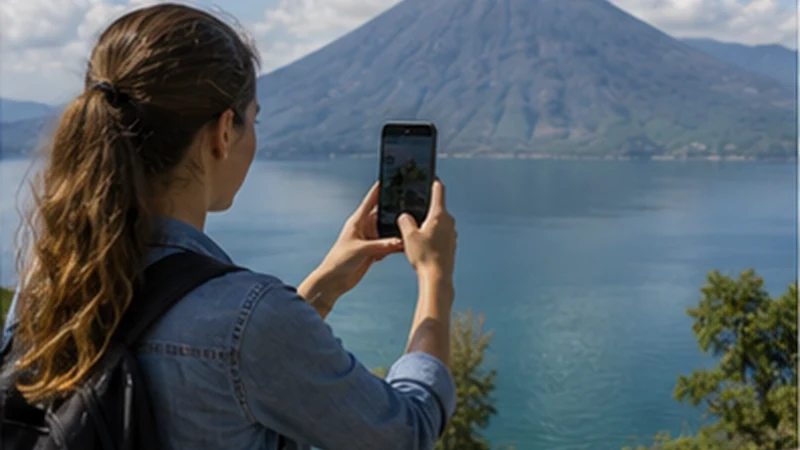

Guatemala eSIM coverage is strongest as a planning question: where can you reasonably expect data, and where must the trip work offline? Urban areas provide more connection opportunities, while Lake Atitlán, mountain roads, Petén and Alta Verapaz can change sharply over short distances.
That combination changes between a city street, a hotel room, a lakeside village, a moving shuttle and a forest or volcano route. Coverage should therefore be checked against the itinerary stage where losing data would have a consequence.
NoveSIM Guatemala plans are data-only. They support internet applications where a partner connection is usable but provide no Guatemalan number, standard calls or SMS. Country inclusion does not mean uninterrupted physical coverage.
Quick answer: Current national evidence shows meaningful coverage from both Claro and Tigo but different strengths by metric. Expect more connectivity opportunities in populated corridors and greater uncertainty in mountainous, forested and remote settings. Check the exact plan’s partner access, verify the phone, test at connected bases and make tickets, transport, maps and emergency arrangements independent of mobile data.
Top Guatemala eSIMs

Guatemala eSIM
Fixed
1 GB, 7 days€ 5.772 GB, 15 days€ 9.323 GB, 30 days€ 11.98Unlimited
Unlimited, 1 day€ 5.32Unlimited, 3 days€ 17.75Unlimited, 5 days€ 24.85
Central America eSIM
Fixed
1 GB, 7 days€ 7.102 GB, 15 days€ 11.543 GB, 30 days€ 15.53Unlimited
Unlimited, 1 day€ 6.66Unlimited, 3 days€ 16.42Unlimited, 5 days€ 26.18The Four Layers of Guatemala eSIM Coverage
A coverage claim is useful only when its layer is clear:
- Destination entitlement: Guatemala must appear in the exact product’s included-country list.
- Partner permission: the eSIM can register only on networks authorised for that product.
- Radio footprint: at least one supported network must provide usable service at the location.
- Device and conditions: the handset, building, terrain, congestion and configuration must permit working data.
A failure at one layer cannot be repaired by another. Buying more gigabytes does not extend a mast’s footprint. A phone can see a network but be forbidden to register. A registered line can have signal bars yet no data because the wrong SIM is selected or the data session is not configured.
What the Current National Evidence Says
Opensignal’s February 2026 Guatemala report used measurements collected from 1 October to 29 December 2025. Its coverage results show why one “best coverage” sentence is inadequate:
| Metric | Claro | Tigo | What it helps explain |
|---|---|---|---|
| Coverage Experience (0–10) | 7.0 | 8.6 | Geographic extent in places where users reasonably expect service |
| 5G Coverage Experience (0–10) | 1.1 | 0.4 | Places where measured 5G users experienced an active 5G connection |
| Time on Network | 98.4% | 97.6% | Share of time users had a 3G, 4G or 5G connection |
| 5G Availability | 25.9% | 34.9% | Share of time 5G users had 5G available, regardless of use |
Tigo’s higher Coverage Experience is relevant to a varied itinerary, while Claro’s higher Time on Network and 5G Coverage Experience describe other aspects of reach. Tigo’s higher 5G Availability is a time-based measure and does not negate Claro’s geographic 5G result. None of these numbers predicts an individual address or guarantees a travel eSIM the same experience as a local subscriber.
The dedicated Guatemala network comparison evaluates Claro and Tigo as choices. This page uses the evidence to decide how much of an actual route can safely depend on connectivity.
Check the eSIM’s Partner Access Separately
The NoveSIM Guatemala product information checked on 2 September 2026 lists potential access through Claro and Comunicaciones Celulares S.A. with 5G, plus Movistar with 3G. Comunicaciones Celulares S.A. is associated with Tigo. Network names and technology labels on a roaming product can change, so verify the current product page before purchase.
Partner access is permission, not guaranteed selection. The profile, network and device determine whether registration succeeds. A manually scanned operator can appear on screen even when the product cannot use it. Conversely, an unfamiliar legal name may represent a known commercial network.
A travel eSIM can also be routed or prioritised differently from a local prepaid SIM. Do not assume that a friend’s local Claro or Tigo result is an exact test of a roaming eSIM on the same phone screen.
Turn the Itinerary into Coverage Questions
List the trip as fixed locations and movement segments. A useful audit might look like this:
- La Aurora Airport terminal and pickup area;
- drive to Guatemala City or Antigua;
- the exact accommodation room, not only the town;
- shuttle or road section towards the next base;
- Lake Atitlán village and boat transfer;
- Flores base and the separate journey to Tikal;
- Lanquín base and the separate journey to Semuc Champey;
- any trail, volcano or other remote activity.
For each stage, state what data must accomplish. Navigation after landing has a different tolerance for failure from uploading photographs at night. If loss of data would block transport, entry or safe return, create an offline or physical fallback before reaching that stage.
Use Three Practical Coverage Tiers
| Planning tier | Typical Guatemala context | Correct assumption |
|---|---|---|
| Connected base | Guatemala City, central Antigua, Flores, Cobán or another populated centre | Test mobile data and accommodation Wi-Fi, while allowing for indoor gaps |
| Variable transition | Roads, shuttles, lake crossings, smaller towns and mountain corridors | Use available data for updates but keep the entire segment navigable offline |
| Offline-first destination | Tikal interior, Semuc Champey, volcano routes and remote nature areas | No essential task should require live mobile service |
These are planning categories, not a declaration that every city is covered or every remote site is disconnected. A well-positioned rural settlement can have useful service, while a lower-floor urban room can have none.
Urban Coverage Still Fails Indoors
Guatemala City and Antigua provide more network infrastructure and alternatives than remote attractions, but building materials, interior position and congestion affect the result. If data works outdoors and disappears inside, that is evidence about the building—not necessarily the country plan.
Move near a window or permitted open area before changing configuration. For work, test the actual room and the property’s Wi-Fi under the real workload. A mobile coverage map cannot show an individual wall, and a hotel listing cannot prove mobile signal.
Use the detailed Guatemala City internet guide or Antigua connectivity guide for local arrival and accommodation decisions.
Lake Atitlán Must Be Checked Village by Village
Lake Atitlán’s steep volcanic slopes and separated settlements create strong local variation. Panajachel is not a proxy for San Pedro, San Marcos, Santa Cruz or a property reached by a path above the shore. A phone can change conditions over a short boat journey or after moving behind a slope.
Ask the accommodation for recent mobile-network experience inside the exact room and for Wi-Fi information. Download the correct village, landing point, boat instructions and onward transfer before leaving the previous connected base. The Lake Atitlán mobile internet guide handles the lake as a transport-and-property problem rather than a single coverage dot.
Moving Coverage Is Not Continuous Coverage
A route shown inside a broadly covered region can still cross gaps. The phone hands over between cells, passes through terrain shadows and moves at a speed that changes registration conditions. A live map that loaded at departure may stop retrieving traffic or rerouting data later.
Download every driving or shuttle segment, save the destination in words and keep provider details offline. Use a passenger to manage changes; a driver should interact with the phone only at an appropriate safe stop. Do not reinstall the eSIM because a mountain road temporarily loses service.
Remote Attractions Need Named Offline Checkpoints
“Use offline maps” is too vague. Before Tikal, store the accepted ticket, guide meeting, park information and fixed return plan in Flores or El Remate. Before Semuc Champey, confirm the protected-area status, road transport, property and return arrangement in Lanquín. Before a permitted volcano excursion, check current CONRED and INSIVUMEH information and follow the authorised guide.
Each remote stage needs a last connected checkpoint and a first point where service is expected to return. If the phone remains offline after reaching that return point, troubleshooting becomes reasonable. Inside the remote stage, the correct response is normally to follow the prepared plan rather than alter a working profile.
How to Read a Coverage Map
Check the map’s date, operator, technology and definition. A coloured area may model outdoor radio availability rather than measured indoor data performance. Zoom level can hide local gaps, and a map from a domestic operator may not describe the networks available to a particular travel product.
Use maps comparatively: identify whether the route leaves populated corridors, where more than one partner may be present and which towns can serve as preparation points. Do not use a coverage colour as a safety guarantee, a promise of 5G or proof that a video call will work.
Crowdsourced measurements add real user evidence but are influenced by where contributors travelled, which devices they used and when data was collected. An empty area can mean no observations, not necessarily no service; an observed point can become outdated.
Device Compatibility Changes the Apparent Map
Two phones on the same plan can experience different coverage because their regional variants support different frequency bands, antennas or network technologies. Confirm the exact model and carrier-unlock status. An eSIM-compatible label alone does not prove full local radio compatibility.
A 5G-capable phone can legitimately fall back to 4G. That is not automatically a coverage failure. For maps, messages and bookings, a stable lower-generation connection may be entirely adequate. The separate Guatemala 5G guide explains why a 5G icon is not the correct country-wide success test.
Test Coverage Without Confusing Wi-Fi and Mobile Data
- Select the Guatemala eSIM as the mobile-data line.
- Enable Data Roaming on the travel profile.
- Keep home-line roaming off and disable automatic data switching.
- Leave network selection on Automatic initially.
- Turn Wi-Fi off before loading a fresh page.
- Test the actual task: map, message, upload or call—not only signal bars.
- Record the location and time if a work-critical test is being compared.
Use data.esim only if manual APN entry is required. APN belongs to the data-session layer; it cannot solve no signal. A speed test can consume allowance and measures one moment, so use it only when the numerical result will change a decision.
Classify the Failure Before Acting
| Observed state | Likely layer to check | First response |
|---|---|---|
| No profile in settings | Installation or compatibility | Review the installation record and exact model |
| Profile present, no network | Activation, partner registration, device or local coverage | Check line status, roaming, validity and location |
| Network name/bars, no data | Data line, allowance, activation or APN | Verify those settings without deleting the profile |
| Data works outside, not inside | Building penetration | Change position before configuration |
| Only one app fails | Application, VPN, DNS or permission | Test another service and inspect app-level controls |
After moving back into expected coverage, Airplane Mode for about 30 seconds can prompt fresh registration. Manual network selection is a limited diagnostic when a supported alternative is available, not a way to force access to any visible operator.
Do Not Turn a Coverage Gap into an Installation Problem
Do not delete the installed eSIM when entering a lake valley, forest, mountain road or thick building. Some QR codes are single-use, and reinstallation cannot create local radio service. Preserve the profile and retest at the named return checkpoint.
If service remains unavailable in a location where it previously worked or where coverage is reasonably expected, contact NoveSIM Support with the order reference, exact model, safe screenshots, current location, time and displayed network status. Those details distinguish a product issue from a geographic gap more effectively than “the eSIM has no coverage”.
Related Articles
- Mobile Internet in Guatemala
- Guatemala Highlands Mobile Internet
- Guatemala Jungle Connectivity
- Mobile Internet around Lake Atitlán
- Mobile Internet for a Tikal Visit
FAQ
Does a Guatemala eSIM provide coverage everywhere?
No. Guatemala inclusion authorises use under the plan’s terms, but working data still requires a supported partner signal, a compatible phone, correct configuration and suitable local conditions.
Which network has wider coverage in Guatemala?
In Opensignal’s February 2026 report, Tigo scored higher for Coverage Experience. Other metrics favoured Claro, and the result does not guarantee a specific address or prove that a travel eSIM can access either network.
Can I trust a Guatemala coverage map for Tikal or Semuc Champey?
Use it only as planning evidence. Map definitions, dates and resolution matter, and a coloured area cannot guarantee park-level, indoor or roaming-product performance. Prepare both destinations offline.
Will buying more eSIM data improve weak signal?
No. Allowance does not increase radio power, extend a network footprint or authorise a different partner network.
Final Recommendation
Evaluate Guatemala eSIM coverage as a chain: destination inclusion, partner permission, physical footprint and device conditions. A country label or 5G badge proves only part of that chain.
Audit the real itinerary in stages and name the last connected checkpoint before every remote segment. Test mobile data separately from Wi-Fi and judge it by the task that matters.
Keep tickets, routes, transport and emergency arrangements offline wherever coverage loss has consequences. Preserve the installed eSIM through local gaps and troubleshoot only after returning to a place where service is reasonably expected.