


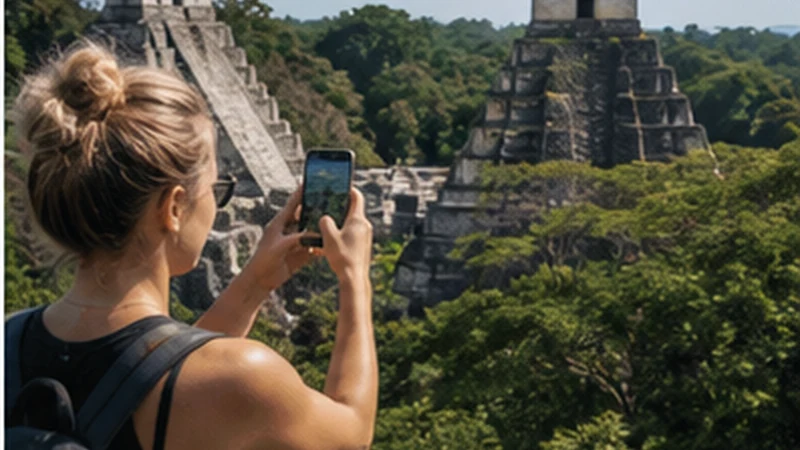

Mobile internet at Tikal may be useful near parts of the visitor area or whenever a supported network is reachable, but it should not be a dependency for entering, navigating or leaving the park. A phone that worked in Flores or El Remate can behave differently after the road enters the forest, and reception at one point inside Tikal says nothing about another trail or complex.
The practical solution is to prepare a complete offline park packet before departure. Mobile data then becomes a convenient channel for a last-minute update rather than the mechanism holding together the ticket, guide meeting and return journey.
NoveSIM Guatemala plans are data-only. They provide app-based communication where partner data is available, but no Guatemalan number, standard calls or SMS. If a driver or guide expects an ordinary call, agree on another method before setting out.
Quick answer: Configure and test the eSIM in Flores or El Remate, save the accepted ticket format, park information, guide and driver details, meeting points and return procedure offline, then keep the phone charged. Use any signal at Tikal for optional updates, but never leave a permitted route or delay a fixed pickup while trying to find reception.
Top Guatemala eSIMs

Guatemala eSIM
Fixed
1 GB, 7 days€ 5.772 GB, 15 days€ 9.323 GB, 30 days€ 11.98Unlimited
Unlimited, 1 day€ 5.32Unlimited, 3 days€ 17.75Unlimited, 5 days€ 24.85
Central America eSIM
Fixed
1 GB, 7 days€ 7.102 GB, 15 days€ 11.543 GB, 30 days€ 15.53Unlimited
Unlimited, 1 day€ 6.66Unlimited, 3 days€ 16.42Unlimited, 5 days€ 26.18Why Mobile Internet at Tikal Cannot Be Assumed
A travel eSIM uses terrestrial partner networks; it does not produce an independent signal. Tikal is a large archaeological and natural setting within the Petén forest. Distance from infrastructure, vegetation, terrain, buildings, network load and the phone’s own supported bands can all affect registration.
Three connectivity environments should be treated separately:
- Flores, Santa Elena or El Remate: populated bases where the phone can be configured and tested before the excursion.
- The approach road: a moving connection that can change or disappear and should not be required for navigation.
- The national park: a wide visitor environment where service at the entrance or one facility cannot be extrapolated to temples, causeways and forest paths.
This is why a national coverage map cannot answer “will my phone work beside this structure at 10:30?” It is planning evidence, not a live park measurement.
Buy or Verify the Ticket Before the Excursion
Guatemala’s Ministry of Culture and Sports stated in May 2026 that Tikal tickets could be purchased through the official CulturaGuate ticket platform or at the park ticket office. It also described separate admission categories for the normal park visit, sunrise, sunset and other access. Prices, hours, accepted proof and procedures can change, so check the official source again for the intended date.
If buying online, save the confirmation in the exact format the current instructions accept. Do not depend on opening email, a cloud wallet or the ticket website at the gate. Test the saved file in Airplane Mode and increase screen brightness only when it must be shown. Keep identification or other documents required by the current terms physically accessible as well.
A ticket screenshot is not automatically sufficient where an original file, moving barcode, named ID or printed document is required. The official ticket instructions—not this connectivity guide—decide the valid entry method.
Create a Tikal Offline Packet
Store the trip information in one offline note or folder so it can be found without searching several applications:
- accepted ticket or purchase confirmation;
- current official opening and entry information;
- guide’s name, company and meeting point;
- driver’s name, vehicle description and contact method;
- outbound pickup time and place;
- return meeting time, place, waiting period and missed-pickup procedure;
- accommodation address and reception contact;
- offline map covering the approach and visitor area;
- essential medical or emergency information.
Use names and landmarks, not only dropped map pins. A pin is hard to interpret if the mapping application cannot load its labels or if the driver uses a different entrance description.
Map the Park Visit and the Transport Route Separately
A road-navigation map helps reach Tikal; it is not automatically the appropriate visitor map inside the archaeological complex. Download the regional road area before leaving the base, then obtain the current official or locally provided visitor map for permitted routes and facilities.
Do not assume that a consumer map shows every closure, conservation restriction or route condition. Follow signs, park staff and the guide. Mobile GPS can estimate position without a data connection after map tiles are downloaded, but tree cover, device power saving and map accuracy still matter. It should support orientation, not overrule park instructions.
The dedicated Flores-to-Tikal connectivity guide handles the transfer, departure and return checkpoints in detail. This page focuses on making the time inside the park independent of a live connection.
Make the Guide Meeting Work Without Messaging
“Message me when you arrive” is not a complete Tikal meeting plan. Agree on a physical location that both parties can identify, a time window and what each person will do if the group is delayed. Save a photograph or description of the correct meeting point where helpful.
Sunrise and other early access make this especially important because the meeting can happen before ordinary daytime routines. Confirm the applicable ticket, authorised-guide arrangements and transport on the previous day. Do not assume that a last-minute message will reach the other party from the road or entrance.
Fix the Return Before Starting the Visit
A reliable outbound transfer does not prove that the return can be coordinated online. Before entering, confirm:
- the exact return meeting point;
- the local time, not merely “after the tour”;
- how long the driver waits;
- what happens if the visit finishes early or late;
- whether another identifiable representative may collect the group;
- the fallback if neither side can exchange messages.
Keep enough battery to display these details and contact accommodation after returning to coverage. The final percentage of charge is more valuable for transport than for uploading photographs from the park.
Configure the eSIM Before Leaving the Populated Base
Test the plan where mobile service is reasonably expected. Select the Guatemala eSIM as the mobile-data line, enable Data Roaming on that profile, keep roaming off on the home SIM and disable automatic data switching. Leave network selection on Automatic for normal partner registration.
Load an ordinary web page with Wi-Fi switched off. This confirms more than signal bars: it shows that the phone has a working data session before the remote excursion. Check the remaining allowance and save the NoveSIM support details.
Do not enter an APN simply because Tikal is remote. Use data.esim only if manual APN entry is required and the phone has network signal without usable data. An APN cannot create radio coverage in the forest.
How to Use Intermittent Signal Inside Tikal
If data becomes available, use it first for the one update with a deadline: a material change to the guide or return arrangement. Do not begin app updates, cloud photo backups or large media uploads. Those tasks consume allowance, battery and time while providing little benefit to the visit.
Draft a message while offline and send it when service returns. A pending-message indicator is not proof of delivery; wait for the application’s confirmed status only when confirmation is essential. If no acknowledgement arrives, follow the agreed physical plan.
Never leave a marked or permitted area to chase signal, climb a structure for reception or ignore staff instructions. Connectivity is not a reason to take a safety or conservation risk.
Protect Battery in a Weak-Signal Environment
A phone searching repeatedly for service can consume more power. When no communication is expected, consider Airplane Mode while retaining offline maps, saved documents and the camera. Re-enable the travel line only at sensible checkpoints or when returning towards expected coverage.
Lower unnecessary brightness, stop automatic photo backup, close navigation once it is no longer required and carry a charged power bank. Protect the phone and battery from rain and excessive heat. Do not make one device responsible for tickets, every photograph, navigation and all group communication without a backup.
Wi-Fi at Tikal Is Not an Arrival Plan
Accommodation, restaurants or visitor facilities may offer connectivity at particular times, but access rules and performance can change. A connection near a facility does not cover the archaeological park, and service available to a guest may not be public.
If staying at or near Tikal, ask the property directly about the exact area where Wi-Fi works, operating hours, power continuity and whether it is adequate for the intended task. “Wi-Fi available” can mean a messaging connection in reception rather than reliable room coverage or video calls.
If the Phone Loses Service at the Park
Loss of signal after a successful test in Flores or El Remate is strong evidence of a location change, not proof that installation has broken. Keep the profile and follow the offline plan. Repeatedly restarting the phone inside the same weak area is unlikely to create a tower.
When returning towards expected coverage, leave selection on Automatic, toggle Airplane Mode for about 30 seconds and allow time to register. If a network name returns without data, recheck the data line, roaming and allowance. Diagnose further only after the phone is back in a location where service is plausible.
Do not delete the installed eSIM. Some activation credentials are single-use, and reinstallation cannot repair a geographic gap. If service still fails in Flores or another connected area, contact NoveSIM Support with the order reference, exact model, location and displayed status.
Emergency Expectations
A travel data eSIM is not a guaranteed emergency channel. The NoveSIM plan has no standard voice number or SMS, and app communication requires data. Emergency-call behaviour can depend on the handset and any mobile network available, but it must not be assumed for a specific park location.
Stay with the guide or group, follow staff instructions and agree on physical reunification points. For health, mobility or other essential requirements, disclose them to the tour provider in advance and ask what on-site procedure applies. A larger data allowance is not an emergency upgrade.
Related Articles
- Mobile Internet in Flores
- Mobile Internet in Guatemala’s Jungle Regions
- Emergency Connectivity in Guatemala
FAQ
Is there reliable mobile signal inside Tikal?
Do not assume continuous or park-wide service. Reception can vary by network, phone, position and time. Build the visit so entry, navigation and return work without mobile data.
Can I buy a Tikal ticket at the park?
The Ministry of Culture and Sports stated in May 2026 that tickets were available online and at the ticket office. Check the current official instructions before travelling because sales methods, hours, prices and accepted proof can change.
Will GPS work at Tikal without internet?
The phone can obtain a satellite position without mobile data, but the map must be downloaded and accuracy is not guaranteed. Use the current visitor map, signs and guide instructions for permitted routes.
Should I change or reinstall my eSIM after losing signal at Tikal?
No. A remote signal gap does not show that the profile is damaged. Keep it installed and test again after returning to an area where coverage is expected.
Final Recommendation
Treat mobile internet at Tikal as optional during an offline park day. Verify current entry rules and save the ticket, map, meeting points and return arrangement before leaving Flores or El Remate.
Use any available mobile data for small, time-sensitive updates, then preserve battery. Do not treat reception at the entrance, a hotel or one temple area as evidence of coverage elsewhere in the park.
Keep the eSIM installed through any forest signal gap and test it again only after returning towards expected service. Park rules, a physical meeting plan and offline information are more dependable than searching for a network inside Tikal.