


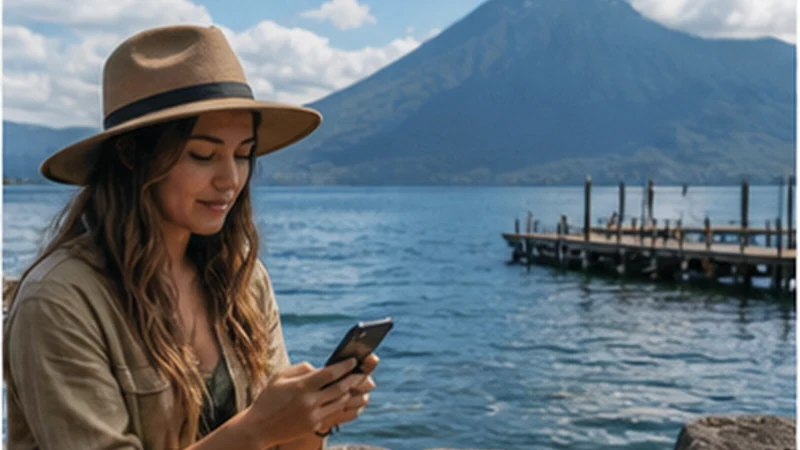

Lake Atitlán mobile internet varies by village, dock, hillside and individual room. Panajachel, San Pedro La Laguna, San Marcos La Laguna, Santa Cruz La Laguna and Santiago Atitlán occupy different positions around steep volcanic terrain.
A useful plan therefore starts with the exact village, arrival dock and property—not the phrase “Lake Atitlán”. Mobile data can support navigation and changes, while accommodation Wi-Fi may handle larger work, but the boat transfer and final walk should remain possible offline.
NoveSIM Guatemala plans are data-only. They can carry app messages and internet calls where partner coverage works, but do not provide a Guatemalan number, conventional calls or SMS.
Quick answer: Confirm the full village and property access route, save the correct dock and host instructions, verify current boat or road transport, and ask for recent Wi-Fi evidence from the actual room. Test the eSIM at the property, not only in Panajachel, and keep the complete arrival and return procedure available without data.
Top Guatemala eSIMs

Guatemala eSIM
Fixed
1 GB, 7 days€ 5.772 GB, 15 days€ 9.323 GB, 30 days€ 11.98Unlimited
Unlimited, 1 day€ 5.32Unlimited, 3 days€ 17.75Unlimited, 5 days€ 24.85
Central America eSIM
Fixed
1 GB, 7 days€ 7.102 GB, 15 days€ 11.543 GB, 30 days€ 15.53Unlimited
Unlimited, 1 day€ 6.66Unlimited, 3 days€ 16.42Unlimited, 5 days€ 26.18Check Lake Atitlán Mobile Internet by Village
Before judging connectivity, write the destination in four layers:
- Municipality or village: for example Panajachel, San Pedro, San Marcos, Santa Cruz or Santiago.
- Arrival point: public dock, private hotel dock, road drop-off or another named place.
- Property access: street, footpath, stairs, tuk-tuk, boat-only approach or host pickup.
- Use position: bedroom, terrace, reception, coworking desk or outdoor area.
A review saying “internet was fast in San Marcos” is incomplete if it refers to a café beside the dock while the booked room is higher on the slope. Similarly, useful mobile service in Panajachel cannot be projected across the water to another settlement.
Why Coverage Changes Around the Shore
Volcanic slopes can block or reflect radio paths. The orientation of a village, elevation of the property, walls, roof materials and position relative to a mast all matter. A phone may work on a terrace and lose service in the room behind it.
Boat movement adds another variable because the device changes serving cells while crossing open water. A signal displayed near departure does not guarantee that a message will upload throughout the journey or after reaching a dock below a steep slope.
An eSIM does not broadcast its own coverage. It seeks access through partners allowed by the product. The canonical Guatemala eSIM coverage guide explains the country-wide evidence; the property still requires its own test.
Use the Village Type to Set Expectations
| Lake setting | Connectivity priority | Arrival risk to remove |
|---|---|---|
| Panajachel base | Test hotel room and use the town to prepare onward travel | Confusing a road arrival with a boat handoff |
| Larger destination village | Identify mobile and Wi-Fi alternatives within walking reach | Arriving at the wrong dock or without the property path |
| Hillside property | Verify room-level Wi-Fi, power and mobile reception | Depending on live navigation along steps or paths |
| Secluded or boat-oriented stay | Confirm host communications and outage procedure | Missing the final transfer because a message did not send |
| Remote-work stay | Test fixed internet, mobile backup and alternative workspace | Scheduling critical work before any real test |
These are planning categories, not a ranking of villages. Two neighbouring properties can differ more than two town centres because the exact installation and terrain are different.
Panajachel Is a Hub, Not a Proxy for the Lake
Official INGUAT planning material identifies Panajachel’s public Tzanjuyú landing as a centre for lake transport. It is useful as a preparation and handoff point, but historical schedules in planning documents should not be treated as today’s timetable. Confirm the current service, destination dock, final departure and weather conditions directly for the travel date.
If the trip ends in Panajachel, test the actual property. If it continues by boat, use the connected window to download the other village and host instructions. The Panajachel mobile internet guide focuses on that hub and its road-to-boat handoff.
Prepare the Boat Transfer before Reaching the Dock
Save the destination in words and pictures. Several communities, public landings and private docks can appear similar to a first-time visitor. Keep:
- the complete village name;
- the public or private dock name;
- a photograph or landmark supplied by the host;
- the property name and contact;
- the expected fare or prepaid booking record;
- the last practical departure confirmed for that day;
- a plan for weather, delay or missed transport.
Do not assume a route continues late because a map labels the docks. Transport schedules and operating decisions can change. Ask the current operator or accommodation and allow enough daylight and time for the final walk or pickup.
Make the Property Arrival Work in Airplane Mode
A map pin may mark the property but omit the entrance, steps, locked gate or path from the landing. Ask for a short written route from the exact dock or road drop-off. Save any access code and check-in instruction securely offline.
Test the route with Wi-Fi and mobile data disabled. If it still depends on opening a message thread, expanding an online map or calling the host, the plan is incomplete. Keep a local-language place description where it will help a driver or boat operator identify the destination.
For luggage, mobility or night arrival, confirm whether the access involves steep steps and whether an arranged pickup is available. Connectivity cannot remove the physical access requirement.
Ask Better Questions about Accommodation Wi-Fi
“Do you have Wi-Fi?” produces too little evidence. Ask:
- Does it reach the exact room or only a common area?
- What recent download, upload and latency result was measured there?
- At what time was it tested, and is the connection shared?
- Does the router and upstream link remain available during a power interruption?
- Which mobile network normally works at the property?
- Where is the nearest alternative workspace?
A screenshot from reception is not evidence for a hillside bedroom. Ask for a timestamped test from the intended work position when an extended stay depends on it.
Remote Work Needs a Three-Layer Test
Test the primary Wi-Fi, the mobile backup and the power situation separately. A high download speed does not prove adequate upload, latency or call stability. Run the real meeting platform and send a representative file before a fixed commitment.
Then determine whether the backup is genuinely independent. Property Wi-Fi and the phone may both depend on the same mobile operator or local power supply. A café on the same street can share the same failure. Identify an alternative in another part of the village or a different connection type where the work risk justifies it.
Do not begin a critical call on the boat or schedule it immediately after arrival. Leave time to reach the property, locate the actual room and test. The Guatemala digital-nomad guide provides the wider work-continuity framework.
Set Up the eSIM as an Independent Travel Line
- Install it over trusted internet before travel when the activation terms allow.
- Select the Guatemala profile as the mobile-data SIM.
- Enable Data Roaming on that profile.
- Keep roaming off on the home line unless its charges are intentionally accepted.
- Disable automatic data switching.
- Leave network selection on Automatic.
- Test with Wi-Fi off at each property where connectivity matters.
The product information checked on 2 September 2026 lists potential access through Claro and Comunicaciones Celulares S.A., associated with Tigo, plus Movistar. Recheck the live plan because partner and technology listings can change. No listed network guarantees service at a particular dock or room.
Use data.esim only if manual APN entry is required. APN settings can help a registered line establish data; they cannot overcome a terrain shadow.
Test the Dock, Room and Backup Separately
At the destination, turn Wi-Fi off and test mobile data at the dock only if it is safe and does not delay the transfer. Repeat at the room or workspace. Record which position worked. Then test property Wi-Fi with mobile data disabled so that a successful page load cannot be mistakenly attributed to the eSIM.
If the room fails but the terrace works, decide whether that arrangement suits the real task. A temporary message connection outdoors is different from a private desk for video calls. Do not describe the property as “connected” without stating where and how.
Use Mobile Data on the Boat Conservatively
A boat is a transport stage, not a connectivity test platform. Secure the phone from spray and loss, follow crew instructions and avoid standing or changing position to chase signal. Download the route and destination before boarding.
If a message is operationally important, draft it offline and send when a connection appears. Check for confirmed delivery. Do not assume a frozen live-location marker shows the boat’s present position; it may show the last uploaded point.
Weather and water conditions take priority over the phone. Follow the boat operator and current local advice rather than using an online timetable or map as authority during the journey.
Protect Battery across Road, Boat and Foot Stages
The same device may navigate from Antigua, display a shuttle booking, handle the boat transfer, photograph the lake and guide the final walk. Start charged, carry a power bank and stop cloud photo backup. A waterproof pouch protects only when correctly closed and secured.
Weak-signal searching can add battery drain. Use Airplane Mode during a known gap when no communication is expected, while retaining offline documents and maps. Preserve enough charge for the property arrival and return journey.
Prepare the Return before the Stay Begins
Confirm the return dock, date, departure window, ticket or payment method and road handoff. Ask what happens if wind, weather or another operational issue changes boat service. Save an alternative route and enough accommodation information to extend the stay if necessary.
If a private pickup is involved, agree on a physical location, waiting time and missed-connection procedure. “Message when ready” is not sufficient when the phone may be inside a weak-signal property.
If Data Works at the Dock but Not at the Property
First test outside or near a window in a permitted location. If service returns, the building or terrain position is the likely difference. Keep the profile unchanged. If no network returns, confirm the travel line is active, roaming is enabled and selection remains Automatic.
After moving to a new village or emerging from a gap, toggle Airplane Mode for about 30 seconds and allow the phone to register. If bars appear without data, verify the chosen data line, allowance and required APN.
Do not delete the installed eSIM. Some QR codes cannot be reused, and reinstallation cannot create signal behind a slope. Contact NoveSIM Support from a dependable connection if the plan also fails at a location where service is reasonably expected.
Related Articles
- Antigua to Lake Atitlán Connectivity
- Mobile Internet in the Guatemala Highlands
- Family Internet Planning in Guatemala
FAQ
Which Lake Atitlán village has the best internet?
No village can be declared best for every property. Compare the exact room, fixed connection, mobile network, power and alternative workspace rather than relying on the village name.
Will mobile data work during a Lake Atitlán boat journey?
It may work on parts of a route, but continuous service should not be assumed. Save the destination dock, host directions and fallback before boarding and keep the phone secure.
Can I work remotely from Lake Atitlán?
Potentially, after testing room-level Wi-Fi, mobile backup, upload, calls and power against the actual workload. A booking-site Wi-Fi badge is not enough evidence.
Should I reinstall the eSIM if another lakeside village has no signal?
No. Terrain and property position can change coverage over a short distance. Keep the profile, follow the offline arrival plan and retest in a location where service is expected.
Final Recommendation
Plan Lake Atitlán mobile internet at the level of village, dock, property and room. Verify current transport and request evidence from the exact place where internet will be used.
Make every boat transfer and final walk work offline, then test mobile data and Wi-Fi as separate connections after arrival. For work, prove upload, calls, power and an independent fallback before committing.
Expect the result to change around the shoreline. Keep the eSIM installed through local gaps, protect the phone on the water and prepare the return before depending on another live message.