


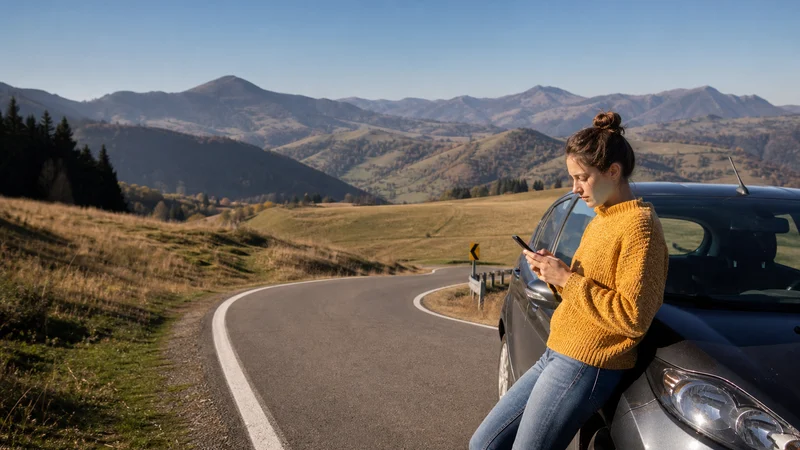

A Romania road trip can move quickly from reliable urban data to mountain roads, forested valleys and rural accommodation. The useful plan combines a suitable mobile connection with offline navigation, stored bookings and realistic expectations about terrain.
Drivers, motorcyclists, campers and cyclists share the same core problem: the route matters more than a national coverage claim. Main roads and populated areas are generally easier; a pass, gorge, trailhead or isolated campsite can have weaker or intermittent service.
NoveSIM travel eSIMs are data-only and do not include a Romanian number, conventional calls or SMS. Internet messaging and calls work where mobile data is available.
Quick answer: Use a plan that covers Romania and every border on the itinerary, leave network selection automatic and download the entire driving or riding area before setting out. Save accommodation coordinates, fuel or charging stops and an alternative route rather than relying on continuous reception.
Top Romania eSIMs

Romania eSIM
Fixed
1 GB, 7 days€ 2.202 GB, 15 days€ 3.963 GB, 30 days€ 4.84Unlimited
Unlimited, 1 day€ 2.20Unlimited, 3 days€ 5.28Unlimited, 5 days€ 7.93
Balkans eSIM
Fixed
1 GB, 7 days€ 4.402 GB, 15 days€ 7.053 GB, 30 days€ 9.25Unlimited
Unlimited, 1 day€ 4.84Unlimited, 3 days€ 11.01Unlimited, 5 days€ 17.17Europe Extra eSIM
Fixed
1 GB, 7 days€ 2.202 GB, 15 days€ 3.523 GB, 30 days€ 4.40Unlimited
Unlimited, 1 day€ 2.64Unlimited, 3 days€ 5.28Unlimited, 5 days€ 8.81Europe+ eSIM
Fixed
1 GB, 7 days€ 2.642 GB, 15 days€ 3.963 GB, 30 days€ 5.28Unlimited
Unlimited, 1 day€ 2.64Unlimited, 3 days€ 6.16Unlimited, 5 days€ 10.13Europe Lite eSIM
Fixed
1 GB, 7 days€ 2.202 GB, 15 days€ 3.523 GB, 30 days€ 4.40Unlimited
Unlimited, 1 day€ 2.64Unlimited, 3 days€ 5.28Unlimited, 5 days€ 8.81Plan around the route, not the country average
| Journey type | Connectivity priority | Offline preparation |
|---|---|---|
| Bucharest–Brașov or another intercity drive | Live traffic and arrival navigation | Full corridor and alternative road |
| Carpathian mountain route | Weather and route changes | Regional map, closures and overnight address |
| Camping or remote accommodation | Check-in messages and local directions | Coordinates, access notes and emergency plan |
| Motorcycle or cycling tour | Low-power navigation and weather | Daily stages, water or fuel stops and battery backup |
Download a wide map area
Saving only the fastest route is not enough. Roadworks, seasonal closures, weather or a missed turn may force a diversion. Download the wider region and test route recalculation in Airplane Mode. Store each accommodation address and coordinates locally.
For operator and coverage context, review the Romania mobile-networks guide and the Romania eSIM coverage guide. A national map can help with planning but cannot guarantee reception at one campsite or valley.
Prepare for the Carpathians
Mountain terrain can block or weaken radio signals even when nearby towns have good service. Check the current road status and weather before leaving a connected area. Treat high passes and scenic mountain roads as offline-capable sections, especially outside the main season.
Do not depend on a streaming map for safety information. Download an official or reputable offline map and carry the navigation and emergency equipment appropriate to the route.
Camping requires power planning as well as data
A campsite connection may be adequate for messages but unsuitable for sustained work or streaming. Mobile hotspot use drains the phone quickly, and cold or heat can reduce battery performance. Carry a charged power bank, pause large updates and save check-in instructions before leaving the last town.
If work connectivity is essential, confirm the property’s fixed connection directly and keep a second option. One mobile network should not be treated as a guaranteed office in a remote location.
Motorcycle and cycling routes need hands-off navigation
Configure navigation and audio prompts before moving. A rider should never attempt SIM selection or troubleshooting on the road. For cycling, download each day’s route and planned stops, reduce screen-on time and protect the phone from weather.
Signal searching can consume additional battery in weak areas. Switch to an offline navigation mode when live data is not needed, then reconnect at a safe stop.
Check every country before a border crossing
Romania borders Bulgaria, Hungary, Serbia, Ukraine and Moldova. A Romania-only plan does not automatically include the next country, and a regional label is not a complete coverage list. For a relevant itinerary, use the dedicated Romania–Serbia guide or Moldova–Romania guide.
- Confirm that the next country is included before reaching the border.
- Save the first destination and accommodation offline.
- Keep network selection automatic after crossing.
- Allow several minutes for registration on a new partner network.
- If data does not return, stop safely before checking settings.
Set up the eSIM before the driving day
Install the profile on stable WiFi, label it clearly and select it for data when the plan becomes active. Disable cellular-data switching to the home SIM. If manual APN entry is required for NoveSIM, use data.esim. Do not delete the eSIM during normal troubleshooting.
Estimate navigation and hotspot use with the Romania mobile-data guide.
Related Articles
- Romania Hiking Mobile Internet
- Internet in Romania’s National Parks
- Romania Remote-Village Coverage
- Romania eSIM Coverage
FAQ
Will mobile data work continuously on a Romania road trip?
Continuous reception cannot be guaranteed, particularly on mountain roads and in remote valleys. Download the full route and important stops.
Can I rely on an eSIM while camping in Romania?
It can provide useful data where a partner network has reception, but do not rely on one mobile connection for safety or essential remote work.
Does a Romania eSIM work in Serbia or Moldova?
Only when the specific plan includes that country. Check the coverage list before crossing and do not infer coverage from a regional product name.
Should I manually choose a network in rural Romania?
Start with automatic selection. Manual selection is a troubleshooting step to use only when the plan supports the chosen network and automatic registration has failed.
Final Recommendation
Build Romania road-trip mobile internet around each route segment. Use mobile data for live updates and communication, but make maps, addresses and essential stops available offline.
Prepare motorcycle, cycling and camping days before leaving a connected town. Protect battery power and stop safely before changing any network setting.
For cross-border travel, verify each country in advance and allow the eSIM time to register after crossing. The plan and the offline backup should work together, not compete as alternatives.