


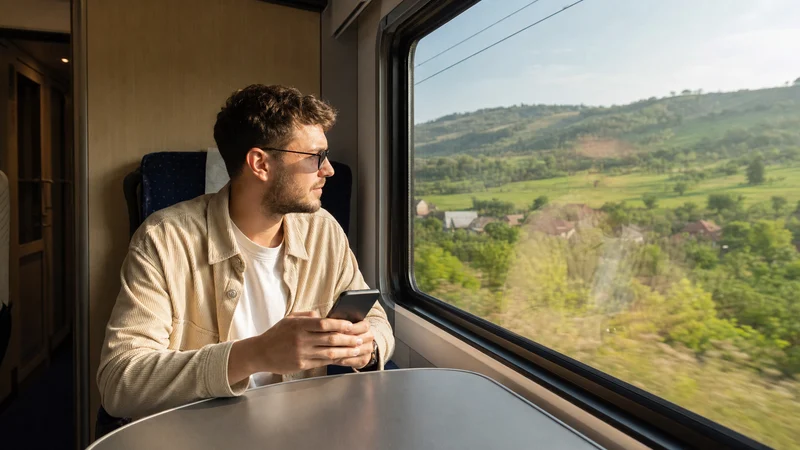

WiFi, sockets and mobile reception on Romanian trains vary by operator, train and carriage. A traveller should check the booked service and prepare the ticket and journey details offline rather than assume that every InterCity, InterRegio or regional train has the same facilities.
Mobile data can work along much of an intercity journey, but the phone may lose service in tunnels, cuttings, mountain sections or sparsely covered areas. A moving train also changes cells frequently.
NoveSIM travel eSIMs provide data only. We do not provide a Romanian number, conventional calls or SMS. The local network available depends on the plan and its Romanian partner.
Quick answer: Treat onboard WiFi and power as service-specific bonuses. Download the ticket, timetable, destination map and entertainment before boarding, then use mobile data for live updates where coverage is available.
Top Romania eSIMs

Romania eSIM
Fixed
1 GB, 7 days€ 2.232 GB, 15 days€ 4.013 GB, 30 days€ 4.90Unlimited
Unlimited, 1 day€ 2.23Unlimited, 3 days€ 5.35Unlimited, 5 days€ 8.02
Balkans eSIM
Fixed
1 GB, 7 days€ 4.452 GB, 15 days€ 7.133 GB, 30 days€ 9.35Unlimited
Unlimited, 1 day€ 4.90Unlimited, 3 days€ 11.14Unlimited, 5 days€ 17.37Europe Extra eSIM
Fixed
1 GB, 7 days€ 2.232 GB, 15 days€ 3.563 GB, 30 days€ 4.45Unlimited
Unlimited, 1 day€ 2.67Unlimited, 3 days€ 5.35Unlimited, 5 days€ 8.91Europe+ eSIM
Fixed
1 GB, 7 days€ 2.672 GB, 15 days€ 4.013 GB, 30 days€ 5.35Unlimited
Unlimited, 1 day€ 2.67Unlimited, 3 days€ 6.24Unlimited, 5 days€ 10.24Europe Lite eSIM
Fixed
1 GB, 7 days€ 2.232 GB, 15 days€ 3.563 GB, 30 days€ 4.45Unlimited
Unlimited, 1 day€ 2.67Unlimited, 3 days€ 5.35Unlimited, 5 days€ 8.91Check the exact train, not only the route
Romania has several passenger operators and different rolling stock. Facilities can change even between departures on the same city pair. Consult the operator’s current service information and the details shown for the booked train.
CFR Călători provides an official timetable and ticket application. It can show journey information and purchased tickets, but travellers should still save the ticket and booking reference before entering a weak-data section.
Do not make onboard WiFi the only plan
If WiFi is offered, capacity is shared and the backhaul can experience the same route gaps as mobile service. It may be sufficient for messages but unsuitable for a meeting, large upload or continuous streaming.
Use trusted onboard WiFi cautiously. Avoid sensitive activity on an unfamiliar open network unless an appropriate secure connection is available.
Expect mobile signal to change during the journey
| Section | Possible effect | Preparation |
|---|---|---|
| Large-city approach | Congestion despite good signal | Keep ticket already open |
| Open intercity corridor | Cell changes and brief interruption | Pause critical uploads |
| Mountain or forest section | Longer weak-signal period | Offline map and entertainment |
| Tunnel or cutting | Temporary loss of service | Wait for reconnection |
The Romania eSIM coverage guide explains why a national map cannot guarantee continuous service along a moving route.
Prepare the ticket and arrival before boarding
- Download or screenshot the ticket in the form permitted by the operator.
- Save the train number, carriage and seat where applicable.
- Store the destination address and onward route.
- Download the relevant city or regional map.
- Notify accommodation of a late arrival before entering a weak section.
- Keep identification required for the ticket accessible.
For wider app preparation, use the Romania public-transport apps guide.
Size data for the activities on board
Timetable checks and messaging use relatively little data. Video, cloud photo backup and laptop tethering can consume much more. Download films, music and large work files on trusted WiFi before departure.
The Romania mobile-data guide provides practical usage ranges. Confirm hotspot permission before connecting a laptop.
Carry your own power backup
Do not assume a socket exists or works at the booked seat. Start with a charged phone and carry a power bank appropriate to the journey. Keep the cable accessible rather than in checked or hard-to-reach luggage.
Weak-signal searching and hotspot use increase battery drain. Use offline mode for downloaded entertainment and reduce background updates.
Recover from a route interruption safely
If data drops, wait until the train clears the weak section. Leave network selection automatic so the phone can reconnect while moving. Repeated manual scans can waste battery and lock the device to a network that weakens later.
If service remains unusable after arrival, follow the Romania slow-data checklist. Do not delete the eSIM during the journey.
Related Articles
- Romania Bus WiFi and Mobile Data
- Mobile Networks in Romania
- Romania Road-Trip Internet
- Best Way to Get Internet in Romania
FAQ
Do Romanian trains have WiFi?
Facilities vary by operator, service and carriage. Check the booked train and prepare an alternative connection.
Will mobile data work for the whole train journey?
Not necessarily. Tunnels, terrain, rural areas and cell changes can cause temporary gaps.
Can I show a CFR ticket on my phone?
CFR Călători states that eligible tickets purchased in its application can be displayed there. Follow the ticket’s instructions and keep the required identification available.
Do Romanian trains have power sockets?
Do not assume they are available at every seat. Check the specific service and carry a charged power bank.
Final Recommendation
Plan Romania train WiFi and mobile data around the booked service, not a network-wide promise. Treat onboard facilities as variable.
Download the ticket, route, destination map and large media before boarding. Keep automatic network selection enabled and carry backup power.
Use live data for useful updates where it works, but make sure a tunnel or mountain gap cannot remove the information needed to complete the journey.