


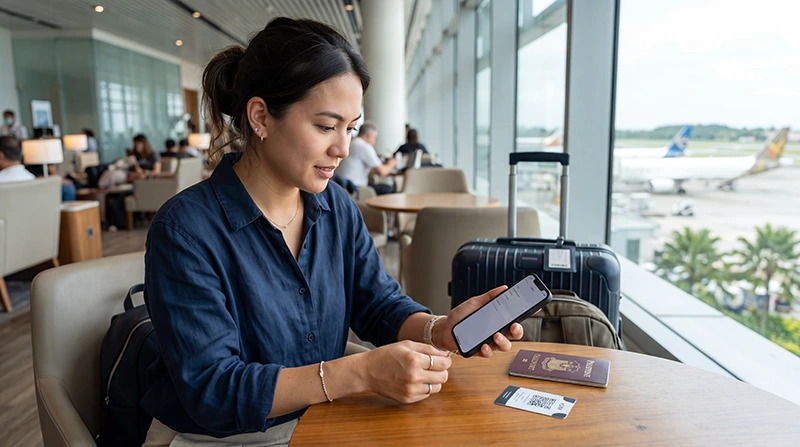

Install a Philippines eSIM while you still have stable internet and access to the purchase details. Installation adds the profile to the phone; activation and validity may follow a different rule stated for the purchased plan.
Do not assume that every plan begins at installation or only after landing. Read the exact activation instruction first, then separate the safe pre-travel steps from the settings that should be enabled in the Philippines.
NoveSIM travel eSIMs are data-only. We do not provide a Philippine number, conventional calls or carrier SMS. Keep the primary line if you need its number, but protect it from unintended roaming data.
Quick answer: confirm that the phone is unlocked and eSIM-compatible, connect to private Wi-Fi, install the profile once and label both lines. Follow the purchased activation rule. In the Philippines, select the eSIM for mobile data, enable Data Roaming on that line when required and test with Wi-Fi off.
Top Philippines eSIMs

Philippines eSIM
Fixed
1 GB, 7 days5.50$2 GB, 15 days8.50$3 GB, 30 days11.00$Unlimited
Unlimited, 1 day6.00$Unlimited, 3 days9.50$Unlimited, 5 days13.50$
Check the phone before installation
- Confirm eSIM support for the exact device model and regional variant.
- Verify that the phone is not locked to another carrier.
- Update the operating system if an update is already trusted and planned.
- Charge the phone and connect to stable private Wi-Fi.
- Keep the QR code and manual installation details on another screen.
If eligibility is uncertain, use the Philippines eSIM compatibility guide before scanning anything.
Read the activation rule before scanning
The plan instructions determine whether validity begins at installation, first network connection or another event. This affects how early you should complete the setup. Do not rely on a rule remembered from a different eSIM.
Take a private screenshot or offline note of the support information, but never share the QR code publicly. It is an installation credential.
Install the Philippines eSIM once
- Open the phone’s mobile or cellular settings.
- Choose the option to add an eSIM.
- Scan the QR code or enter the supplied details manually.
- Wait for the phone to finish adding the profile.
- Label it “Philippines” or another unmistakable name.
- Keep the primary line clearly labelled.
Menus differ between iPhone and Android. Device-specific instructions are available in the iPhone guide and the Android guide.
Decide which settings to leave off before departure
If the plan should not connect until arrival, leave the travel line off after installation. Keep the primary SIM as the normal data line at home. Do not enable roaming on the primary line merely because the travel eSIM may need roaming later.
Disable automatic mobile-data switching before travel so the phone does not quietly return to the home line when the new connection is weak.
Connect after landing in the Philippines
- Turn on the Philippines eSIM when the activation rule allows it.
- Select it as the mobile-data line.
- Enable Data Roaming on the travel eSIM when required.
- Leave network selection on Automatic.
- Turn off Wi-Fi and load a simple webpage.
After successful setup, the Philippines eSIM usage guide explains everyday dual-SIM settings.
Troubleshoot without deleting the profile
Check plan validity, remaining data, line status, data-line selection, roaming and network selection in that order. Toggle Airplane Mode once and restart once if needed.
If manual APN entry is required, use data.esim. Continue with the Philippines eSIM troubleshooting guide. Do not delete the profile unless NoveSIM support specifically instructs you to do so.
Related Articles
- How to Activate a Philippines eSIM
- Philippines eSIM on iPhone
- Philippines eSIM on Android
- Philippines eSIM APN Settings
FAQ
Can I install a Philippines eSIM before the flight?
Usually yes when the phone is compatible and the plan instructions allow it. Read the exact activation rule because validity does not begin the same way for every plan.
Should I turn on the Philippines eSIM before landing?
Follow the purchased plan instructions. You can often install early and leave the line off until arrival, but the activation rule controls the safe timing.
Should Data Roaming be on?
It may need to be enabled on the travel eSIM. Keep roaming off on the primary line unless your home carrier has confirmed the cost.
Should I delete an eSIM that does not connect?
No. Check the plan, line selection, roaming, network and APN first. Delete it only when NoveSIM support tells you to do so.
Final Recommendation
Install the Philippines eSIM once on stable private Wi-Fi after confirming compatibility, unlock status and the plan’s activation rule.
Label both lines, disable automatic data switching and keep the primary SIM protected from roaming data.
After landing, select the eSIM for data, test with Wi-Fi off and troubleshoot methodically without deleting the profile.