


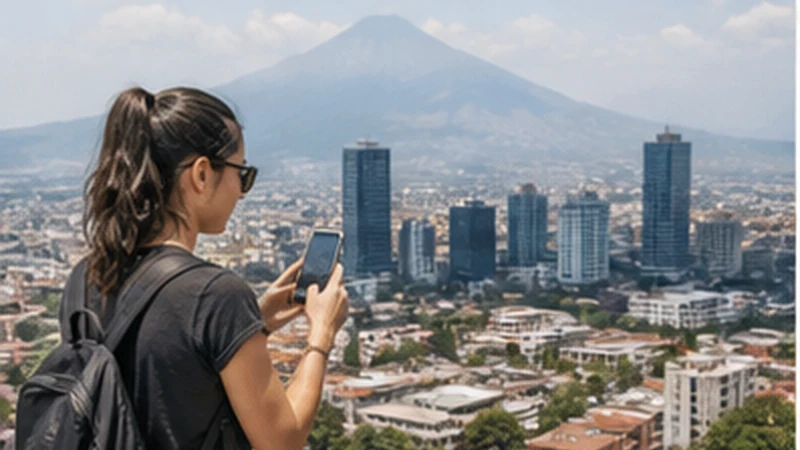

Internet in Guatemala City helps with the tasks that begin immediately after landing: contacting a driver, locating accommodation, checking a booking and navigating between districts. Preparing the connection before travel avoids doing all of that through unfamiliar public Wi-Fi.
A travel eSIM is the quickest pre-arrival option for a compatible unlocked phone. A local prepaid SIM can suit a longer stay, while hotel, airport and café Wi-Fi are useful for larger downloads or as temporary backup.
NoveSIM Guatemala plans are data-only, without a Guatemalan number, standard calls or SMS. Internet messaging and calling apps can use the connection where mobile service is available.
Quick answer: Install an eSIM before the flight, save the first address and route offline, then select the travel line for data after landing. Keep the phone discreet in public, verify Wi-Fi network names and expect indoor reception to differ from street-level signal.
Top Guatemala eSIMs

Guatemala eSIM
Fixed
1 GB, 7 days€ 5.772 GB, 15 days€ 9.323 GB, 30 days€ 11.98Unlimited
Unlimited, 1 day€ 5.32Unlimited, 3 days€ 17.75Unlimited, 5 days€ 24.85
Central America eSIM
Fixed
1 GB, 7 days€ 7.102 GB, 15 days€ 11.543 GB, 30 days€ 15.53Unlimited
Unlimited, 1 day€ 6.66Unlimited, 3 days€ 16.42Unlimited, 5 days€ 26.18Set Up Internet in Guatemala City Before Arrival
Check the exact phone model for eSIM support and confirm it is unlocked. Install over dependable private Wi-Fi when the plan’s activation terms allow, label the profile and keep the QR code confidential. Save the order instructions where they can be read offline.
Download an offline city map, pin the accommodation and store the full address in writing. Keep the airport transfer contact outside a single app in case login or network registration takes time. Review current options on the NoveSIM Guatemala plan page.
From La Aurora Airport to the First Address
After landing, switch on the travel eSIM, select it for mobile data and enable Data Roaming on that line. Disable roaming on the home SIM and turn off automatic data switching. Leave network selection on Automatic and allow several minutes for registration.
Use the saved address to confirm the destination before entering transport. Airport Wi-Fi can provide temporary access, but verify the official network name through signage or staff. The La Aurora Airport internet guide has a complete arrival checklist.
Mobile Service Indoors and Between Districts
Urban density provides more opportunities for network coverage than remote parts of Guatemala, but it does not make every room identical. Concrete, interior corridors, underground parking and distance from a window can weaken reception. Congestion may reduce data performance even when the phone shows strong bars.
If a connection works outside but not in the room, test near a window or in an appropriate open area before changing settings. A stable 4G connection is normally sufficient for maps, messages and bookings; the appearance of a 5G symbol is not the only measure of usability.
Use Maps and Ride Coordination Deliberately
Load the route while still inside a trusted location, check the vehicle and driver information through the chosen service, and avoid standing at the kerb absorbed in the screen. Share travel details with a trusted person when appropriate and follow current local safety advice.
Live navigation is useful in traffic, but offline maps provide continuity when the signal changes. Keep the destination name and address available independently of the ride or booking app. Mobile internet supports travel decisions; it does not replace situational awareness.
Hotel, Café and Coworking Wi-Fi
Ask for the official network name and password rather than joining the strongest similarly named signal. Captive portals should not request installation of an unknown configuration profile or certificate. Disable automatic joining and forget temporary public networks after use.
Remote workers should request a recent test from the exact room or workspace, including upload speed and latency, then retain mobile data as backup. The Guatemala remote-work guide explains redundancy and power preparation.
Networks and Coverage Expectations
The NoveSIM Guatemala product page checked on 2 September 2026 lists potential access through Claro and Comunicaciones Celulares S.A. with 5G, and Movistar with 3G. These are possible partner networks, not a guarantee of a named operator, technology or speed at every address.
The phone’s radio bands, network capacity and building position affect performance. Keep selection Automatic first. Manual selection may help diagnose registration when another supported network is visible, but return to Automatic after testing. See Guatemala eSIM coverage before travelling beyond the capital.
Manage Data During a City Stay
- Use offline maps for routine navigation and live data for traffic or route changes.
- Send photos on hotel Wi-Fi instead of enabling automatic cloud backup.
- Disable video autoplay and system updates on mobile data.
- Keep enough allowance for the final airport transfer.
- Check per-app usage if consumption rises unexpectedly.
Maps and messaging are light compared with streaming, video calls and hotspot use. The Guatemala data guide offers estimates for different trip lengths and habits.
Fix a Connection Without Deleting It
- Confirm the Guatemala eSIM is on and selected for mobile data.
- Enable roaming on that line and disable it on the home line.
- Turn Airplane Mode on for 30 seconds, then wait for registration.
- Restart if the status does not change.
- When signal appears without internet, check the allowance and enter data.esim only if a manual APN is required.
Do not delete the installed eSIM during early troubleshooting. A QR code may permit one installation only. Keep the profile and contact NoveSIM Support with the order number, model, current area and safe screenshots.
Related Articles
FAQ
Will an eSIM work throughout Guatemala City?
It can connect where a supported partner network has usable service, but no plan guarantees every street or building interior. Device compatibility, congestion and construction affect results.
Do tourists need a local Guatemalan number?
Not always. Many accommodation and transport contacts use internet messaging. Choose a local SIM if a conventional local number is genuinely required.
Is public Wi-Fi safe for banking?
Public networks carry additional risk. Verify the network, keep the device updated and avoid sensitive activity unless the connection and security controls are trusted.
How much data is enough for a Guatemala City break?
Light maps and messaging require much less than video, uploads or hotspot use. Check current phone statistics and choose an allowance with a margin for arrival and departure days.
Final Recommendation
Prepare internet in Guatemala City before departure by installing the travel eSIM and saving the first route offline. This reduces dependence on public Wi-Fi during arrival.
Use the eSIM for data, keep roaming off on the home line and combine mobile service with verified accommodation Wi-Fi. Test indoor reception before changing a working profile.
Use connectivity to support maps, bookings and transport while keeping the phone discreet and essential details offline. If service fails, use reversible checks and retain the eSIM for support.