


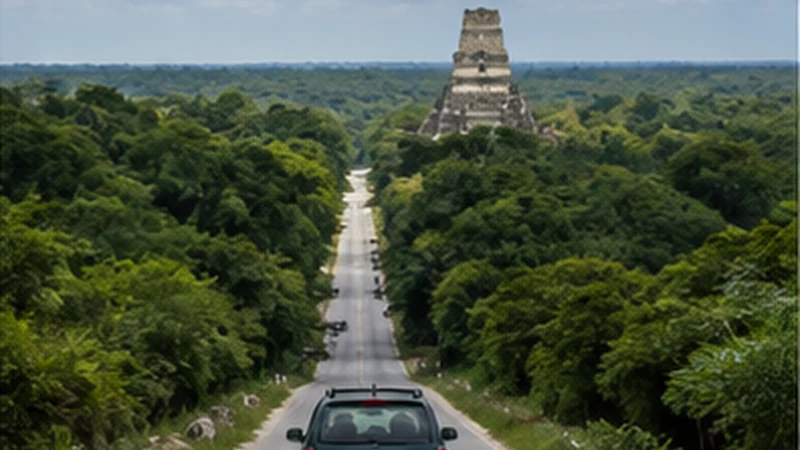

Guatemala City to Tikal mobile internet depends on how the distance is covered. A domestic flight creates two airport journeys and a separately coordinated ground transfer. An overnight road service creates a terminal, luggage and arrival problem. A private or multi-day drive creates a chain of stops whose responsibilities must be written down.
These itineraries converge in Petén but should not share one preparation checklist. The traveller must first choose the transport model, then make every change between providers work without a live connection.
NoveSIM Guatemala plans are data-only. They support digital tickets, maps and app messages without a Guatemalan number, ordinary calls or SMS. Confirm that airlines, road operators, drivers and accommodation use internet contact where it is needed.
Quick answer: Save each booking as a separate stage. For a flight, protect the airline document and plan for a delayed arrival at Mundo Maya. For road travel, save the exact terminal, luggage rules, stops and final Petén drop-off. In either case, download the Tikal ticket and return plan before leaving dependable internet.
Top Guatemala eSIMs

Guatemala eSIM
Fixed
1 GB, 7 days6.50$2 GB, 15 days10.50$3 GB, 30 days13.50$Unlimited
Unlimited, 1 day6.00$Unlimited, 3 days20.00$Unlimited, 5 days28.00$
Central America eSIM
Fixed
1 GB, 7 days8.00$2 GB, 15 days13.00$3 GB, 30 days17.50$Unlimited
Unlimited, 1 day7.50$Unlimited, 3 days18.50$Unlimited, 5 days29.50$Choose the Transport Model for Guatemala City to Tikal Mobile Internet
| Route model | Critical online moment | Primary offline fallback |
|---|---|---|
| Flight to Mundo Maya | Flight disruption and ground-driver update | Airline document, airport meeting point and delay rule |
| Overnight road service | Terminal or arrival change | Exact terminal, baggage proof and first-arrival address |
| Private direct road transfer | Driver verification and route delay | Vehicle identity, stops, destination and emergency procedure |
| Multi-day Petén journey | Provider handoff between overnight stages | Separate booking folder for every day |
A faster route does not remove handoffs; it changes their type. Plan for the booked itinerary rather than combining advice from unrelated transport modes.
Build a Master Itinerary Without Merging the Bookings
Create one short offline timeline showing local dates, times, provider names and change points. Under it, retain each original ticket separately. This makes the whole journey readable without altering the terms or reference numbers of the individual services.
Mark where one provider’s responsibility ends. An airline normally does not own an independently booked Tikal vehicle, and an overnight bus may not be responsible for a separately arranged hotel pickup. A tight self-transfer needs a larger margin than a protected through-booking.
Store the Guatemala City departure, Petén arrival, first accommodation, Tikal pickup and return or onward journey. A single Tikal pin conceals all of those operational steps.
Flying: Protect the Airline Stage First
Download the airline confirmation, current terminal instruction, baggage allowance and identification requirement before leaving the city accommodation. Check the operating airline’s current channel directly; an itinerary saved at purchase may not show a later change.
Keep the booking reference available as text as well as inside the airline app. If the app signs out or updates, the traveller should still know the flight number and passenger name used for the reservation.
Do not assume airport Wi-Fi will be available at the exact moment a mobile boarding document is needed. Follow the airline’s accepted format and carry any required original identification.
Flying: Treat the Petén Driver as a Separate Arrival
Save “Mundo Maya International Airport” with the ground provider’s exact meeting location, driver-identification method and destination. The flight ending does not mean the traveller has reached Flores, a lodge or Tikal.
Provide the ground operator with the flight number and agree how delays are monitored. Ask how long the vehicle waits after actual arrival, what happens during baggage delay and whether another departure is available.
After landing, retrieve the latest authorised message while stationary and compare the driver or vehicle with the booking. The Mundo Maya Airport internet guide covers this terminal-to-vehicle handoff.
Flying: Do Not Build an Unsafe Same-Day Connection
A short scheduled gap between flight and park activity may disappear through check-in, weather, operational delay or baggage collection. Ask each provider for its current cutoff and waiting policy before purchasing separate services.
If a sunrise, sunset or timed tour is involved, verify its separate ticket and authorised-guide requirements on the official platform. Mobile internet cannot repair an itinerary that never allowed enough physical transfer time.
Keep an approved fallback: later transfer, Flores or Santa Elena accommodation, or another provider-confirmed arrangement. Do not accept an unverified vehicle merely because the original booking was missed.
Overnight Road: Identify the Exact Terminal
Save the operator’s full name, branch or terminal address, entrance, check-in desk and required arrival time. Guatemala City contains many transport points; the company name alone may not identify the correct building.
Confirm whether the destination is Flores, Santa Elena or another Petén location and whether a connecting vehicle is included. Save the arrival terminal separately from the accommodation and Tikal pickup.
Keep a screenshot of the façade or fixed landmark where supplied. Arrive with enough time to resolve the booking while the office is staffed rather than using mobile data to navigate at the final minute.
Overnight Road: Protect Luggage and Power
Follow the operator’s current baggage procedure. Retain any claim tag or receipt and keep passport, phone, eSIM instructions, medication and critical documents with the traveller where permitted.
A vehicle charging port is not a guaranteed power plan. Start with a charged phone and power bank, test the cable and reduce screen use. Download entertainment in advance instead of streaming through changing road coverage.
Set an offline alarm before the expected arrival and keep the destination instruction accessible without unlocking several apps. Do not leave valuables unattended while searching for a signal at a stop.
Overnight Road: Prepare for an Unstaffed Arrival
An early or delayed arrival can occur outside accommodation reception hours. Save the check-in procedure, verified access details and a physical waiting point. Keep access codes private rather than placing them in an open map label.
If a driver meets the road service, agree on the vehicle identity, waiting period and delay channel. “Meet at the station” is incomplete when the terminal has several exits or when the service stops elsewhere.
Do not make Tikal the immediate fallback destination if the arrival plan fails. Resolve safe local accommodation and transport through verified providers.
Private Road Transfer: Verify Scope and Stops
Ask whether the quoted service is door-to-door, where planned breaks occur, whether the same driver completes the journey and what expenses are included. Save the driver’s name, vehicle details and company contact.
Confirm the final Petén address. A driver contracted to Flores should not be assumed to continue to a remote lodge or the Tikal entrance. Define every extension before travel.
Share the verified journey with a trusted contact when appropriate. A passenger may monitor messages; the driver must remain focused on driving and should never be asked to troubleshoot the phone while moving.
Multi-Day Road Travel: Give Every Day Its Own Folder
For a journey broken by an overnight stop, save the next day’s vehicle, pickup and accommodation separately. One operator’s message thread should not be the only place holding unrelated bookings.
At each connected stop, download the next corridor, confirm the following pickup and charge every device. If plans change, update the master timeline but retain the original booking and written amendment.
The Guatemala road-trip internet guide covers wider multi-stop navigation and backup planning. This page remains focused on reaching the Tikal stage from the capital.
Configure the eSIM Before the First Departure
| Control | Recommended state | Journey purpose |
|---|---|---|
| Mobile data | Guatemala eSIM | Keeps route data on the travel plan |
| Travel-line Data Roaming | On | Allows partner-network access |
| Home-line Data Roaming | Off | Reduces unintended roaming charges |
| Automatic data switching | Off | Prevents silent fallback in a weak section |
| Network selection | Automatic | Supports normal registration across the route |
| Manual APN | data.esim only if required | Avoids unnecessary changes to a working profile |
Switch Wi-Fi off and load uncached content. Perform the test before leaving the hotel or terminal support area, not after the luggage has been loaded.
Design the Journey Around Connectivity Checkpoints
Choose deliberate points for online work: Guatemala City accommodation, departure terminal, Mundo Maya or Petén arrival, Flores accommodation and the evening before Tikal. At each checkpoint, confirm the next provider and store the following stage offline.
Between checkpoints, use available data for a material delay or handoff update. Pause cloud backup, application downloads and social-video autoplay so a short connection window remains useful.
A gap over a long road section is not a reason to rewrite the phone configuration. Continue with the saved itinerary and let Automatic selection reconnect.
Use Flores Only When the Itinerary Actually Stops There
Many travellers use Flores or Santa Elena as a preparation base, but a direct airport or road transfer may not include an island stay. Do not add a Flores hotel or boat stage that is absent from the booking.
If staying there, use the accommodation connection to download the official Tikal ticket, verify the next vehicle and recharge. The Flores mobile-internet guide covers island, Santa Elena and local preparation.
If continuing directly, complete the same tasks earlier in Guatemala City and retain them offline through the handoff.
Keep the Tikal Interface Short and Exact
The official ticket platform checked on 3 September 2026 required visitors to choose the correct visitor category and stated identification requirements. Verify the current official rules, download the issued document and test it in Airplane Mode.
Store the park or guide meeting point and return vehicle separately. Do not assume a general entry ticket includes a guide or a special sunrise or sunset activity.
The Flores-to-Tikal transfer guide handles the final vehicle stage, while the Tikal mobile-internet guide handles the park day. This capital-to-Tikal page should not duplicate either one.
Build the Return from Tikal Backwards
Begin with the park pickup, then add Petén accommodation or airport, the flight or road service and the final Guatemala City address. Save every local time and booking reference separately.
If the return uses a flight, allow the airline’s current check-in and baggage requirements plus realistic ground-transfer margin. If it uses an overnight road service, confirm the arrival terminal and how the final city transfer will be handled.
Keep enough allowance and battery for disruption messages. A return should not depend on rebuilding the outward itinerary from memory.
Troubleshoot at a Checkpoint, Not in Motion
If service disappears, wait until an appropriate airport, terminal, accommodation or populated stop where coverage is expected. A flight, long road section or forest approach can produce an entirely normal period without usable mobile data.
- Confirm the Guatemala eSIM is on and selected for mobile data.
- Check Data Roaming on that line and disable data switching.
- Use Airplane Mode for 30 seconds, then reconnect.
- Restart once if expected registration does not return.
- Check the allowance and use data.esim only if manual APN setup is required.
Do not delete the installed eSIM. Some profiles cannot be installed again from the same code. If failure continues at several expected coverage checkpoints, contact NoveSIM Support with the order number, exact phone model, locations and safe screenshots.
Related Articles
FAQ
Is flying from Guatemala City to Petén one complete Tikal booking?
Not necessarily. The flight, ground transfer, accommodation, park ticket and guide may be separate purchases. Record where each provider’s responsibility ends.
Can I rely on mobile data throughout an overnight road journey?
No. Save the terminal, luggage record, arrival address and onward pickup offline. Keep a charged power bank and allow Automatic network selection to reconnect naturally.
Must every Guatemala City-to-Tikal itinerary stop in Flores?
No. Some use Flores as a base, while others continue from the airport or road arrival. Apply the Flores checkpoint only when it exists in the booking.
Should I reinstall the eSIM after a long route gap?
No. Test at the next expected coverage checkpoint and retain the profile. Reinstallation cannot create signal on an unsupported road or forest section.
Final Recommendation
Choose the transport model first, then build Guatemala City to Tikal mobile internet around its real risks. Keep flight, road, ground-transfer and park bookings separate but visible in one offline timeline.
Use defined checkpoints to verify the next stage and protect documents, luggage details and battery between them. Do not add a Flores stop unless the itinerary actually includes one.
Make the return as explicit as the outward journey, troubleshoot only at a suitable stationary checkpoint and retain the installed eSIM through expected air, road and forest gaps.