


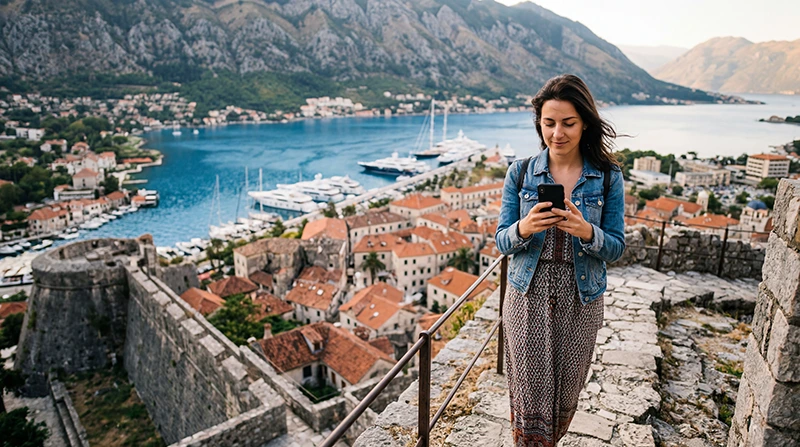

Kotor is one of Montenegro’s most iconic destinations and a UNESCO World Heritage Site, famous for its medieval Old Town, spectacular Bay of Kotor, historic fortifications and breathtaking mountain scenery. Whether you’re arriving on a cruise ship, exploring the narrow stone streets, climbing the Fortress of San Giovanni or driving around the bay, reliable mobile internet makes every part of your trip easier.
Most visitors depend on their phones for navigation, restaurant recommendations, booking boat tours, translating menus, checking ferry schedules, communicating with accommodation and sharing photos from one of Europe’s most beautiful coastal towns.
Quick answer: for most tourists, the best eSIM for Kotor is a travel eSIM that can be installed before departure. It provides reliable mobile data immediately after arrival while allowing you to keep your regular SIM card active. Most travel eSIM providers connect to Montenegro’s major mobile networks, offering excellent coverage throughout Kotor and the Bay of Kotor.
Top Montenegro eSIMs

Montenegro eSIM
Fixed
1 GB, 7 days4.00$2 GB, 15 days6.00$3 GB, 30 days8.00$Unlimited
Unlimited, 1 day4.50$Unlimited, 3 days9.50$Unlimited, 5 days14.50$
Balkans eSIM
Fixed
1 GB, 7 days5.00$2 GB, 15 days8.00$3 GB, 30 days10.50$Unlimited
Unlimited, 1 day5.50$Unlimited, 3 days12.50$Unlimited, 5 days19.50$Why Choose an eSIM for Kotor?
A travel eSIM allows you to prepare your mobile connection before your trip instead of searching for a local SIM card after arriving.
- Buy your eSIM online.
- Receive the QR code instantly.
- Install it while connected to WiFi.
- Activate it after arriving in Montenegro.
This means you can start using Google Maps, contact your accommodation or book a taxi as soon as you reach Kotor.
Benefits of Using an eSIM
- No physical SIM card required.
- No airport or mobile shop queues.
- Keep your regular SIM active.
- Continue using your home phone number.
- Perfect for cruise passengers.
- Ideal for road trips around Montenegro.
- Simple installation in just a few minutes.
Mobile Coverage in Kotor
Kotor enjoys excellent mobile coverage throughout the Old Town, marina, surrounding villages and the Bay of Kotor. LTE coverage is strong across the entire tourist area, while 5G is available in many urban locations. Coverage becomes less consistent only on remote mountain hiking trails.
| Location | Coverage |
|---|---|
| Kotor Old Town | Excellent |
| Kotor Marina | Excellent |
| Dobrota | Excellent |
| Muo | Excellent |
| Perast | Excellent |
| Risan | Very Good |
| Tivat | Excellent |
| San Giovanni Fortress | Very Good |
How Much Data Do You Need?
| Trip Length | Recommended Data |
|---|---|
| Weekend | 1–3 GB |
| One-week holiday | 5–10 GB |
| Two-week vacation | 10–20 GB |
| Remote work | 20 GB+ |
Typical Data Usage
| Activity | Approximate Usage |
|---|---|
| Google Maps | 5–10 MB/hour |
| WhatsApp messages | Very low |
| Voice calls | 30–50 MB/hour |
| Video calls | 250–500 MB/hour |
| 100–300 MB/hour | |
| TikTok | 500 MB–1 GB/hour |
| YouTube HD | 1–3 GB/hour |
eSIM vs Local SIM Card
| Feature | Travel eSIM | Local SIM |
|---|---|---|
| Buy before departure | Yes | No |
| Keep home SIM | Yes | Usually no |
| Visit mobile shop | No | Usually |
| Ready after arrival | Yes | After purchase |
| Best for short holidays | Excellent | Good |
Does EU Roaming Work?
No.
Montenegro is outside the EU Roam Like at Home area. If you use your regular European SIM card, international roaming charges may apply depending on your provider. Using a travel eSIM offers more predictable mobile data costs.
Can You Keep Your Home SIM?
Yes.
Most Dual SIM smartphones allow you to:
- Use your Kotor eSIM for mobile data.
- Keep your regular SIM for calls.
- Receive SMS verification codes.
- Continue using your existing phone number.
Does WhatsApp Work?
Yes.
WhatsApp works exactly as it does at home. Your account stays linked to your existing phone number while your eSIM simply provides the internet connection.
Recommended Phone Settings
| Setting | Recommended Value |
|---|---|
| Mobile Data | Montenegro eSIM |
| Data Roaming | ON |
| Network Selection | Automatic |
| Automatic Data Switching | OFF |
| Primary SIM Roaming | OFF |
| APN | data.esim if required |
Best Uses for Mobile Internet in Kotor
- Walking through Kotor Old Town.
- Climbing the Fortress of San Giovanni.
- Booking boat tours.
- Finding restaurants and cafés.
- Using Google Maps.
- Checking cruise schedules.
- Driving around the Bay of Kotor.
- Uploading travel photos.
- Booking accommodation.
Common eSIM Problems
- Data Roaming disabled.
- Wrong SIM selected for Mobile Data.
- Automatic Data Switching enabled.
- Manual network selection.
- Missing APN settings.
How to Fix Connection Problems
- Restart your phone.
- Enable Data Roaming.
- Select your eSIM for Mobile Data.
- Set the APN to data.esim if required.
- Enable Airplane Mode for 30 seconds.
- Leave Network Selection on Automatic.
Related Montenegro Guides
- Montenegro eSIM
- Mobile Data in Kotor
- Internet in Kotor for Tourists
- Best Network in Montenegro
- Mobile Internet Montenegro
- How to Get Internet in Montenegro
- APN Settings Montenegro eSIM
- eSIM Not Working Montenegro
FAQ
What is the best eSIM for Kotor?
For most visitors, a travel eSIM installed before departure offers the easiest setup and reliable coverage throughout Kotor and the Bay of Kotor.
Is mobile coverage good in Kotor?
Yes. Kotor has excellent LTE coverage across the Old Town, waterfront and surrounding Bay of Kotor, with 5G available in many urban areas.
Can I keep my regular phone number?
Yes. Most Dual SIM devices allow you to keep your primary SIM active while using an eSIM for mobile data.
Does WhatsApp work?
Yes. WhatsApp works normally over your eSIM’s internet connection.
How much data do I need?
Most travelers use between 5 GB and 10 GB during a typical one-week stay in Kotor.
Do I need to enable Data Roaming?
Yes. Most travel eSIMs require Data Roaming to be enabled on the eSIM line.
Final Recommendation
Kotor combines breathtaking scenery, rich history and excellent mobile coverage, making it one of the easiest places in Montenegro to stay connected. Installing a travel eSIM before departure gives you reliable mobile internet from the moment you arrive, allowing you to enjoy the Bay of Kotor without worrying about roaming charges or finding a local SIM card.