


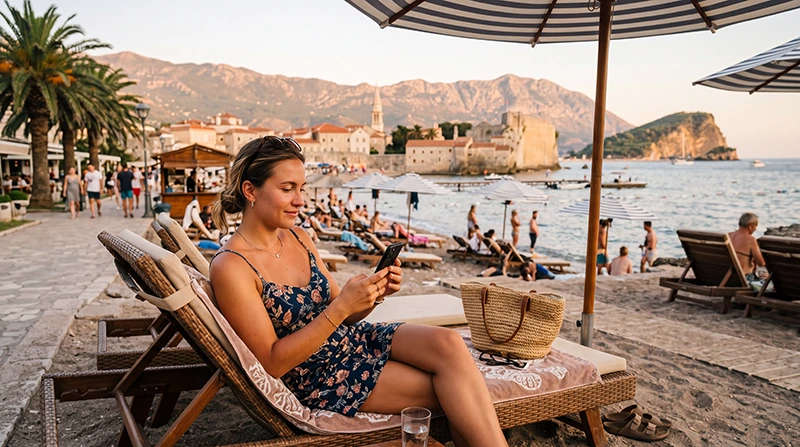

Budva is one of Montenegro’s busiest holiday destinations, known for its beaches, Old Town, nightlife, seaside restaurants and beautiful Adriatic views. Whether you’re visiting for a weekend, a one-week beach holiday or a longer Montenegro road trip, mobile data helps you travel more easily.
Most tourists use mobile data in Budva for Google Maps, WhatsApp, restaurant bookings, taxi apps, beach directions, online banking, weather forecasts and sharing photos from the coast.
Quick answer: the easiest way to get mobile data in Budva is with a Montenegro eSIM. You can install it before departure, activate it after arrival and use mobile internet without replacing your physical SIM card.
Top Montenegro eSIMs

Montenegro eSIM
Fixed
1 GB, 7 days€ 3.552 GB, 15 days€ 5.323 GB, 30 days€ 7.10Unlimited
Unlimited, 1 day€ 3.99Unlimited, 3 days€ 8.43Unlimited, 5 days€ 12.87
Balkans eSIM
Fixed
1 GB, 7 days€ 4.442 GB, 15 days€ 7.103 GB, 30 days€ 9.32Unlimited
Unlimited, 1 day€ 4.88Unlimited, 3 days€ 11.09Unlimited, 5 days€ 17.30Best Mobile Data Options in Budva
| Option | Best For | Main Advantage | Main Limitation |
|---|---|---|---|
| Travel eSIM | Most tourists | Install before travel | Requires eSIM-compatible phone |
| Local SIM Card | Longer stays | Local prepaid data | Requires shop visit |
| International Roaming | Emergency use | No setup needed | Can be expensive |
| Hotel WiFi | Accommodation | Usually free | Not useful while moving around |
Why Use an eSIM for Budva?
- Buy online before departure.
- No physical SIM card required.
- No airport or mobile shop queue.
- Keep your regular SIM active.
- Use WhatsApp with your existing number.
- Connect shortly after arrival.
- Avoid unexpected roaming charges.
Where Mobile Data Is Useful in Budva
- Budva Old Town.
- Slovenska Beach.
- Mogren Beach.
- Budva Marina.
- Bečići.
- Rafailovići.
- Jaz Beach.
- Sveti Stefan.
- Petrovac.
- Boat trips and beach clubs.
Mobile Coverage in Budva
Budva has excellent mobile coverage across the town, beaches, hotels and nearby tourist areas. Most visitors can expect reliable LTE mobile internet for everyday travel use.
| Area | Expected Coverage |
|---|---|
| Budva Old Town | Excellent |
| Slovenska Beach | Excellent |
| Mogren Beach | Excellent |
| Budva Marina | Excellent |
| Bečići | Excellent |
| Jaz Beach | Very Good |
| Sveti Stefan | Very Good |
| Petrovac | Very Good |
How Much Data Do You Need in Budva?
| Trip Length | Recommended Data | Best For |
|---|---|---|
| Weekend | 1–3 GB | Maps, WhatsApp and light browsing |
| One week | 5–10 GB | Typical beach holiday |
| Two weeks | 10–20 GB | Road trips, videos and regular social media |
| Remote work | 20 GB+ | Hotspot, email and video calls |
Typical Data Usage
| Activity | Approximate Data Usage |
|---|---|
| Google Maps | 5–10 MB per hour |
| WhatsApp messages | Very low |
| WhatsApp voice calls | 30–50 MB per hour |
| WhatsApp video calls | 250–500 MB per hour |
| 100–300 MB per hour | |
| TikTok | 500 MB–1 GB per hour |
| YouTube HD | 1–3 GB per hour |
Does Hotel WiFi Replace Mobile Data?
No. Hotel WiFi is useful inside your accommodation, but it will not help when you are walking around Budva Old Town, relaxing at the beach, booking a taxi, checking restaurant reviews or driving to nearby coastal towns.
The best setup is usually hotel WiFi indoors and a travel eSIM for everything outside the hotel.
Does EU Roaming Work in Budva?
No. Montenegro is outside the EU Roam Like at Home area. If you use your regular European SIM card for mobile data, international roaming charges may apply depending on your operator.
A prepaid eSIM gives you predictable mobile data costs during your stay.
Can You Keep Your Home SIM?
Yes. Most Dual SIM smartphones allow you to use your Montenegro eSIM for mobile data while keeping your regular SIM active for calls and SMS.
Does WhatsApp Work?
Yes. WhatsApp works normally over mobile data or WiFi. Your account remains linked to your existing phone number, so your chats and contacts stay the same.
Recommended Phone Settings
| Setting | Recommended Value |
|---|---|
| Mobile Data | Montenegro eSIM |
| Data Roaming | ON for the eSIM |
| Network Selection | Automatic |
| Automatic Data Switching | OFF |
| Primary SIM Roaming | OFF |
| APN | data.esim if required |
Common Mobile Data Problems
- Data Roaming is disabled.
- The wrong SIM is selected for Mobile Data.
- Automatic Data Switching is enabled.
- APN settings are missing.
- The phone needs a restart.
- Network Selection is set manually.
How to Fix Mobile Data in Budva
- Select your Montenegro eSIM for Mobile Data.
- Enable Data Roaming for the eSIM.
- Set APN to data.esim if required.
- Turn Airplane Mode on for 30 seconds.
- Restart your phone.
- Keep Network Selection on Automatic.
Best Uses for Mobile Data in Budva
- Finding beaches and beach clubs.
- Walking around the Old Town.
- Booking boat tours.
- Checking nightlife events.
- Finding restaurants and cafés.
- Ordering taxis.
- Using Google Maps.
- Sharing photos and videos.
- Messaging hotels or hosts.
Related Montenegro Guides
- Montenegro eSIM
- Best eSIM for Budva
- Internet in Budva for Tourists
- Best Network in Montenegro
- Mobile Internet Montenegro
- How Much Data Do You Need for Montenegro?
- APN Settings Montenegro eSIM
- eSIM Not Working Montenegro
FAQ: Mobile Data in Budva
What is the easiest way to get mobile data in Budva?
For most tourists, the easiest option is a Montenegro eSIM installed before departure.
Is mobile coverage good in Budva?
Yes. Budva has excellent mobile coverage across the town, beaches and nearby resorts.
How much data do I need for one week in Budva?
Most visitors are comfortable with 5–10 GB for a one-week holiday.
Can I use WhatsApp in Budva?
Yes. WhatsApp works normally with mobile data or WiFi.
Does EU roaming work in Budva?
No. Montenegro is outside the EU roaming area, so roaming charges may apply.
Do I need Data Roaming enabled?
Yes. Enable Data Roaming for your travel eSIM.
Final Recommendation
Mobile data is extremely useful during a Budva holiday, especially for beaches, restaurants, taxis, maps, boat trips and communication. A Montenegro eSIM is the easiest option for most tourists because it can be prepared before arrival and used throughout Budva without changing your physical SIM card.