


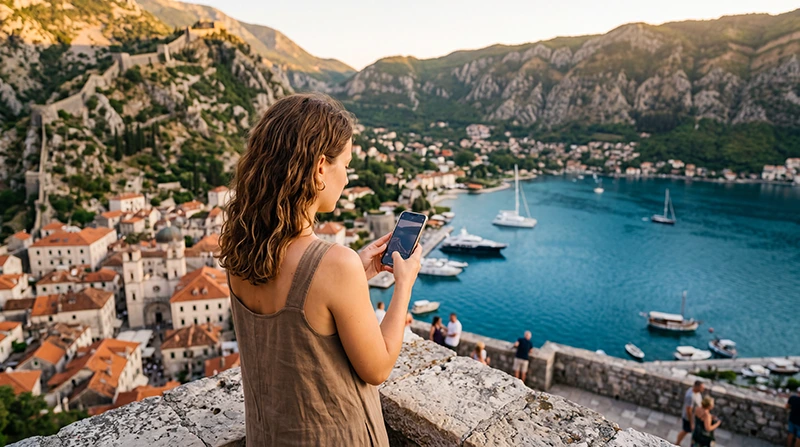

Kotor is one of Montenegro’s most breathtaking destinations, attracting travelers with its UNESCO-listed Old Town, spectacular Bay of Kotor, medieval architecture and scenic mountain landscapes. Whether you’re arriving on a cruise ship, spending a week exploring the bay or using Kotor as a base for a Montenegro road trip, reliable mobile data makes every part of your journey easier.
Most visitors rely on mobile internet throughout the day for Google Maps, restaurant recommendations, booking boat tours, purchasing attraction tickets, communicating with accommodation, checking ferry schedules and sharing unforgettable views of the Adriatic coastline.
Quick answer: for most tourists, a Montenegro eSIM provides the easiest way to get mobile data in Kotor. You can install it before travelling, activate it after arrival and enjoy reliable internet without replacing your physical SIM card.
Top Montenegro eSIMs

Montenegro eSIM
Fixed
1 GB, 7 days€ 3.552 GB, 15 days€ 5.323 GB, 30 days€ 7.10Unlimited
Unlimited, 1 day€ 3.99Unlimited, 3 days€ 8.43Unlimited, 5 days€ 12.87
Balkans eSIM
Fixed
1 GB, 7 days€ 4.442 GB, 15 days€ 7.103 GB, 30 days€ 9.32Unlimited
Unlimited, 1 day€ 4.88Unlimited, 3 days€ 11.09Unlimited, 5 days€ 17.30Best Ways to Get Mobile Data in Kotor
| Option | Convenience | Best For |
|---|---|---|
| Travel eSIM | ★★★★★ | Most tourists |
| Local SIM Card | ★★★★☆ | Long stays |
| International Roaming | ★★★☆☆ | Emergency use |
| Hotel WiFi | ★★☆☆☆ | Accommodation only |
Why Tourists Choose an eSIM
Travel eSIMs have become the preferred choice for visitors because they eliminate the need to search for a local SIM card after arriving.
You simply:
- Purchase your eSIM online.
- Receive the QR code instantly.
- Install it while connected to WiFi.
- Enable it after arriving in Montenegro.
This allows you to use navigation immediately after landing, whether you’re travelling from Tivat Airport, arriving by cruise ship or crossing the border by car.
Advantages of Using an eSIM
- No physical SIM card.
- No airport queues.
- No visit to a mobile operator.
- Keep your regular SIM active.
- Continue using your existing phone number.
- Perfect for road trips.
- Ideal for short holidays.
Mobile Coverage Around Kotor
Kotor enjoys excellent LTE coverage throughout the city and surrounding Bay of Kotor. Most tourist attractions have reliable mobile service, making it easy to stay connected while sightseeing.
| Location | Coverage |
|---|---|
| Kotor Old Town | Excellent |
| Kotor Marina | Excellent |
| Dobrota | Excellent |
| Muo | Very Good |
| Perast | Excellent |
| Risan | Very Good |
| Tivat | Excellent |
| Lovćen National Park | Good to Variable |
Remote mountain trails may occasionally have weaker reception, so downloading offline maps before hiking is recommended.
How Much Mobile Data Do You Need?
| Trip Length | Recommended Data |
|---|---|
| One-day cruise stop | 1 GB |
| Weekend | 1–3 GB |
| One-week holiday | 5–10 GB |
| Two-week vacation | 10–20 GB |
| Remote work | 20 GB+ |
Typical Data Usage
| Activity | Approximate Usage |
|---|---|
| Google Maps | 5–10 MB/hour |
| WhatsApp messages | Very low |
| Voice calls | 30–50 MB/hour |
| Video calls | 250–500 MB/hour |
| 100–300 MB/hour | |
| YouTube HD | 1–3 GB/hour |
| TikTok | 500 MB–1 GB/hour |
Can Hotel WiFi Replace Mobile Data?
Most hotels, apartments and restaurants in Kotor provide free WiFi, which is excellent for software updates and streaming indoors.
However, mobile data is still essential when:
- Walking through the Old Town.
- Climbing the fortress.
- Taking boat excursions.
- Driving around the Bay of Kotor.
- Exploring nearby villages.
Does EU Roaming Work?
No.
Montenegro is outside the EU Roam Like at Home area. Depending on your mobile provider, using your home SIM for mobile data may generate international roaming charges.
Using a travel eSIM gives you predictable prepaid mobile data instead.
Can You Keep Your Home SIM?
Yes.
Most Dual SIM smartphones allow you to:
- Use your Montenegro eSIM for mobile data.
- Keep your primary SIM active.
- Receive SMS verification codes.
- Continue using your regular phone number.
Does WhatsApp Work?
Yes.
WhatsApp works normally using your eSIM’s internet connection. Your chats, contacts and phone number remain exactly the same.
Recommended Phone Settings
| Setting | Recommended Value |
|---|---|
| Mobile Data | Montenegro eSIM |
| Data Roaming | ON |
| Network Selection | Automatic |
| Automatic Data Switching | OFF |
| Primary SIM Roaming | OFF |
| APN | data.esim if required |
Common Mobile Data Problems
- Data Roaming disabled.
- Wrong SIM selected for Mobile Data.
- Automatic Data Switching enabled.
- Incorrect APN settings.
- Manual network selection.
- Phone not restarted after installation.
How to Fix Mobile Data Issues
- Select your eSIM for Mobile Data.
- Enable Data Roaming.
- Verify the APN is data.esim.
- Enable Airplane Mode for 30 seconds.
- Restart your phone.
- Leave Network Selection on Automatic.
Best Uses for Mobile Data in Kotor
- Google Maps navigation.
- Finding restaurants.
- Booking boat trips.
- Walking around the Old Town.
- Driving around the bay.
- Checking weather forecasts.
- Uploading travel photos.
- Booking accommodation.
- Messaging your hotel.
Related Montenegro Guides
- Montenegro eSIM
- Best eSIM for Kotor
- Internet in Kotor for Tourists
- Mobile Internet Montenegro
- Best Network in Montenegro
- How Much Data Do You Need for Montenegro?
- APN Settings Montenegro eSIM
- eSIM Not Working Montenegro
FAQ
What is the easiest way to get mobile data in Kotor?
For most tourists, a Montenegro eSIM is the easiest solution because it can be installed before travelling and activated after arrival.
Is mobile coverage good in Kotor?
Yes. Kotor has excellent LTE coverage throughout the Old Town, marina and surrounding Bay of Kotor.
How much data do I need?
Most visitors use between 5 GB and 10 GB during a one-week holiday.
Can I keep my home SIM?
Yes. Most Dual SIM phones allow you to use an eSIM for mobile data while keeping your primary SIM active.
Does WhatsApp work?
Yes. WhatsApp works normally using your eSIM or WiFi.
Do I need to enable Data Roaming?
Yes. Most travel eSIMs require Data Roaming to be enabled on the eSIM.
Final Recommendation
Reliable mobile data makes exploring Kotor far more convenient, whether you’re navigating the medieval streets, climbing the fortress, taking a boat trip or driving around the Bay of Kotor. A Montenegro eSIM offers the simplest and most flexible way to stay connected while avoiding expensive roaming charges and keeping your regular SIM card active.