


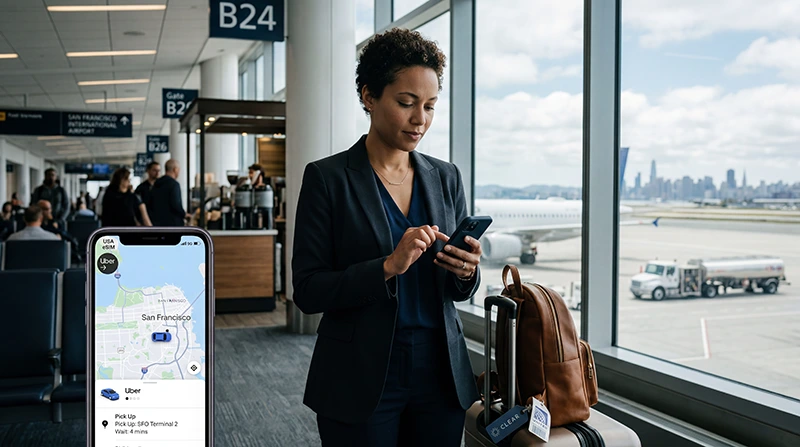

Business travel in the United States depends on reliable mobile internet.
Whether you are landing at a US airport, going to meetings, checking email, using maps, joining video calls, working from hotels, booking rides, or sharing hotspot with a laptop, a USA eSIM can make your work trip smoother and more productive.
Quick answer: the best eSIM for business travel in the USA is a plan with enough data, reliable coverage for your cities and route, hotspot support if you need laptop access, easy installation before arrival, and clear validity for your full trip.
Top United States eSIMs

United States eSIM
Fixed
1 GB, 7 days€ 2.642 GB, 15 days€ 4.403 GB, 30 days€ 5.72Unlimited
Unlimited, 1 day€ 3.52Unlimited, 3 days€ 8.81Unlimited, 5 days€ 13.65
Why Business Travelers Need Mobile Data in the USA
Business travelers often need internet immediately after landing and throughout the day. Public WiFi can help in hotels or airports, but it is not enough when moving between meetings, rideshares, restaurants, offices, and events.
A USA eSIM can help with:
- Email and work messaging
- Calendar updates and meeting reminders
- Google Maps, Apple Maps, and Waze navigation
- Uber, Lyft, taxi, and airport transfer apps
- Hotel booking and check-in apps
- Mobile boarding passes and airline apps
- Video calls and conference tools
- Hotspot for laptops and tablets
- Cloud documents and business apps
- Backup internet when hotel or conference WiFi is weak
Best eSIM Features for USA Business Travel
| Feature | Why it matters | What to check |
|---|---|---|
| Enough data | Business apps, maps, email, hotspot, and calls can use data daily | Choose based on trip length and hotspot use |
| Hotspot support | Important for laptop work and backup internet | Check whether tethering is allowed |
| Good coverage | Useful for airports, cities, hotels, offices, and travel routes | Match coverage to your destination |
| Easy installation | Saves time during airport arrival | Install before departure on stable WiFi |
| Clear validity | Your plan should cover the full business trip | Check number of days included |
| Regular SIM support | You may need your normal number for calls or SMS | Keep your primary SIM active if needed |
Why a USA eSIM Is Useful for Business Trips
A USA eSIM is useful because it gives mobile data without needing to buy a physical SIM card after arrival.
With a USA eSIM, business travelers can:
- Install mobile data before departure
- Use internet shortly after landing
- Avoid airport SIM card queues
- Keep their regular SIM active
- Use work apps, maps, email, and rideshare apps
- Use hotspot if supported by the plan
- Avoid relying only on public WiFi
- Travel without swapping physical SIM cards
Top United States eSIMs
United States eSIM
Fixed
1 GB, 7 days€ 2.642 GB, 15 days€ 4.403 GB, 30 days€ 5.72Unlimited
Unlimited, 1 day€ 3.52Unlimited, 3 days€ 8.81Unlimited, 5 days€ 13.65How Much Data Do Business Travelers Need in the USA?
| Business trip type | Suggested data | Best for |
|---|---|---|
| 1 to 3 day trip | 3GB to 10GB | Email, maps, rideshare, messaging |
| 1 week business trip | 10GB to 20GB | Daily work apps, maps, calls, hotel apps |
| Hotspot-heavy trip | 20GB to 50GB | Laptop work, cloud tools, uploads, video calls |
| Long or intensive work trip | Large or unlimited data | Remote work, hotspot, meetings, streaming, uploads |
If you plan to use hotspot for your laptop, choose more data than you would for phone-only travel.
Read more about how much data you need for USA travel
Hotspot for Business Travel
Hotspot is one of the most important eSIM features for business travelers.
If your USA eSIM plan supports hotspot, you can share mobile data with your laptop or tablet when hotel WiFi, airport WiFi, or conference WiFi is slow or unreliable.
Hotspot is useful for:
- Checking email on a laptop
- Joining business calls
- Using cloud documents
- Uploading presentations or files
- Working from airports, cafés, hotels, or taxis
- Backing up unreliable WiFi
Before buying, check whether hotspot is supported and whether there are any hotspot limits.
Best eSIM for Airport Arrival in the USA
Business travelers often need internet immediately after landing.
Mobile data helps with:
- Rideshare pickup areas
- Taxi and transfer coordination
- Hotel directions
- Meeting changes
- Email updates
- Flight and baggage notifications
- Car rental details
Installing your USA eSIM before departure helps you avoid searching for WiFi or SIM card shops after arrival.
Best eSIM for Meetings and Conferences
During meetings, conferences, exhibitions, and business events, public WiFi can become slow because many people are connected at the same time.
A USA eSIM gives you a backup mobile data connection for emails, messages, schedules, calendar changes, digital tickets, and urgent work tasks.
Best eSIM for Google Maps and Rideshare Apps
Business travelers often move quickly between hotels, offices, conference venues, restaurants, airports, and meeting locations.
A USA eSIM can support Google Maps, Apple Maps, Waze, Uber, Lyft, taxi apps, hotel apps, and restaurant searches throughout the day.
Read more about using Google Maps in the USA
Best eSIM for Remote Work in the USA
If you need to work remotely during your USA trip, choose an eSIM plan with enough data and hotspot support.
Remote work can use more data than basic travel because laptops may run cloud sync, email attachments, video calls, software updates, large websites, and file transfers.
For remote work, large or unlimited data is usually safer.
Read more about unlimited data eSIMs for the USA
USA eSIM vs Public WiFi for Business Travel
| Feature | USA eSIM | Public WiFi |
|---|---|---|
| Works while moving | Yes, where coverage is available | No |
| Useful for airport arrival | Yes | Can be unreliable |
| Useful for hotspot | Yes, if supported | No phone hotspot from public WiFi in most cases |
| Privacy | More private than open public WiFi | Less secure |
| Best for | Daily business mobility | Backup in hotels or cafés |
Public WiFi can still be useful, but business travelers should not rely on it as their only internet source.
USA eSIM vs Pocket WiFi for Business Travel
| Feature | USA eSIM | Pocket WiFi |
|---|---|---|
| Extra device | No | Yes |
| Battery management | No separate router battery | Needs charging |
| Setup | Digital installation | Pickup, delivery, or return may be required |
| Laptop support | Possible with hotspot if supported | Usually built for sharing |
| Convenience | High | Medium |
For many business travelers, a USA eSIM with hotspot support is easier than carrying a separate pocket WiFi device.
Read more about pocket WiFi alternatives in the USA
When Should You Install Your Business Travel eSIM?
Install your USA eSIM before departure or while connected to stable WiFi.
After purchase, your eSIM QR code and installation instructions are sent by email. You can also find your eSIM details in your NoveSIM account under your order details.
After arrival in the United States, select the eSIM for mobile data and enable data roaming if required.
How to Use a USA eSIM for Business Travel
- Choose a USA eSIM plan with enough data for your trip.
- Check that your phone supports eSIM.
- Install the eSIM while connected to stable WiFi.
- Keep your regular SIM active if you need your normal number.
- Arrive in the United States.
- Select the USA eSIM for mobile data.
- Enable data roaming for the eSIM if required.
- Turn on hotspot if your plan supports it and you need laptop access.
- Use mobile data for email, maps, meetings, bookings, and travel apps.
Check if your phone supports eSIM
Common Business Travel eSIM Mistakes
- Choosing too little data for hotspot or laptop work
- Not checking whether hotspot is supported
- Waiting until airport arrival to install mobile data
- Forgetting to check eSIM compatibility
- Forgetting to select the eSIM for mobile data
- Forgetting to enable data roaming if required
- Relying only on public WiFi for important work
- Not downloading offline maps before travel
- Leaving laptop cloud sync or updates running on hotspot
Related USA eSIM and Business Travel Guides
- Best Internet Option for USA Travel
- Unlimited Data eSIM for USA Travel
- Best Unlimited eSIM for USA Travel
- Best Pocket WiFi Alternative for USA Travel
- How Much Data Do You Need for USA Travel?
- Best Network in the USA for Tourists
- Using Google Maps in the USA
- Does WhatsApp Work in the USA?
- eSIM Not Working in the USA
- APN Settings for USA eSIM
FAQ: Best eSIM for Business Travel in the USA
What is the best eSIM for business travel in the USA?
The best eSIM for business travel in the USA is a plan with enough data, good coverage for your destination, hotspot support if you need laptop access, easy installation, and validity that covers your full trip.
Is a USA eSIM good for business travel?
Yes. A USA eSIM is useful for business travel because it gives mobile data for email, maps, rideshare apps, hotel apps, work tools, and hotspot without needing a physical SIM card.
Can I use hotspot with a USA eSIM for work?
Hotspot depends on your eSIM plan and device. If supported, you can share your mobile data with a laptop or tablet for work.
How much data do I need for a USA business trip?
For a short business trip, 3GB to 10GB may be enough. For a one-week trip, 10GB to 20GB is safer. If you use laptop hotspot, video calls, cloud tools, or remote work, 20GB to 50GB or large/unlimited data is usually better.
Can I keep my normal SIM active during a business trip?
Yes. In most cases, you can keep your regular SIM active for calls or messages and use the USA eSIM for mobile data.
Is eSIM better than public WiFi for business travel?
Yes. Public WiFi can be useful, but a USA eSIM is better for mobility, airport arrival, rideshare apps, maps, backup internet, and working while moving.
When should I install my USA business eSIM?
Install your USA eSIM before departure or while connected to stable WiFi. Then select it for mobile data after arrival in the United States.
What should I do if my business eSIM has no internet?
Select the eSIM for mobile data, enable data roaming, enter APN settings if required, toggle airplane mode for 30 seconds, restart your phone, and try manual network selection.
Final Recommendation
For business travel in the USA in 2026, the best eSIM is one that gives you enough data, supports hotspot if you need laptop access, and works reliably in the cities and areas you will visit.
Install your USA eSIM before departure, keep your regular SIM active if needed, and choose enough data for email, maps, rideshare apps, business tools, hotel WiFi backup, and work on the go.