


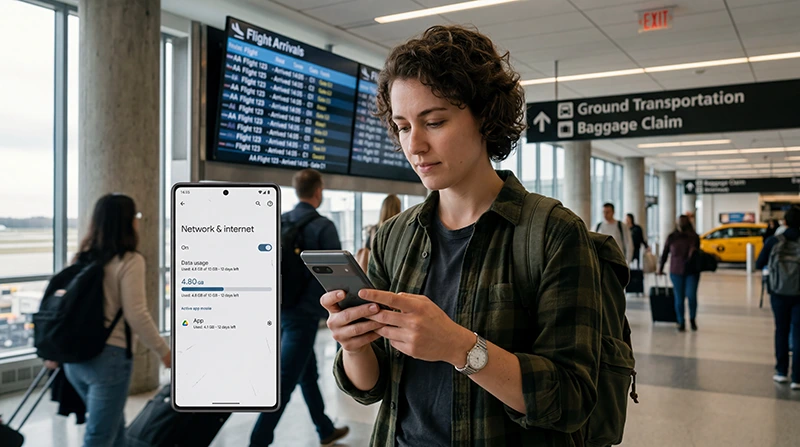

Most visitors need about 3–5 GB for a light one-week USA trip or 5–10 GB for regular use. Frequent video, cloud backup, remote work or laptop hotspot use can increase the requirement to 15–30 GB or more.
The number of travel days is only the starting point. A city break with hotel Wi-Fi uses data differently from a multi-state road trip, a national-park itinerary or a month of remote work.
NoveSIM USA eSIMs are data-only. We do not provide a US telephone number, conventional calls or SMS. Internet-based messaging and calling apps can use the mobile-data allowance.
Quick answer: Plan around 3–5 GB for seven days of maps, messaging and light browsing; 5–10 GB for regular social media and photo sharing; or 15–30 GB for frequent video and occasional hotspot use. For 14–30 days, increase the allowance according to daily use and keep a reserve for airport transfers, rideshare and navigation.
Top United States eSIMs

United States eSIM
Fixed
1 GB, 7 days€ 2.642 GB, 15 days€ 4.403 GB, 30 days€ 5.72Unlimited
Unlimited, 1 day€ 3.52Unlimited, 3 days€ 8.81Unlimited, 5 days€ 13.65
USA Data Guide for 7, 10, 14 and 30 Days
| Trip length | Light use | Regular use | Heavy use |
|---|---|---|---|
| 7 days | 3–5 GB | 5–10 GB | 15–30 GB |
| 10 days | 5–7 GB | 10–15 GB | 20–40 GB |
| 14 days | 5–10 GB | 15–25 GB | 30–50+ GB |
| 30 days | 15–25 GB | 30–50 GB | 60–100+ GB |
These are planning ranges rather than fixed requirements. Light use covers offline-supported maps, text messaging, email and occasional browsing. Regular use adds social media, photo sharing and short video. Heavy use includes frequent streaming, video calls, cloud upload or tethering another device.
Estimate Data by Activity
| Activity | Effect on the allowance |
|---|---|
| Maps and route checks | Usually light when offline areas are downloaded |
| Text messaging and email | Light without large media attachments |
| Rideshare and transport apps | Light to moderate |
| Photo-heavy social media | Moderate and variable |
| Video calls | Heavy during long or high-quality sessions |
| HD streaming | Very heavy; several gigabytes can be used in a few hours |
| Cloud photo and video backup | Potentially very heavy |
| Laptop hotspot | Variable; updates and video can use data rapidly |
Check the phone’s recent per-app cellular statistics and remove usage that normally happened on home Wi-Fi. Multiply realistic daily use by the trip length and add a 20–30% margin for delays, changed plans and days without dependable Wi-Fi.
City Trips: Maps, Rideshare and Social Media
In New York, Los Angeles, Chicago or another large city, the essential mobile tasks are often maps, subway or bus information, rideshare pickup, tickets, restaurant searches and accommodation messages. These activities are relatively light compared with video.
Download the city map and save the accommodation address before arrival. Building interiors, underground transport and crowded venues can interrupt service even when the plan has plenty of remaining data.
Road Trips and Multi-State Travel
A road trip usually needs a larger safety margin because navigation, booking changes and travel-day research happen away from accommodation Wi-Fi. Download the route and the next destination before leaving a strong connection.
Data allowance and coverage are different questions. A 50 GB plan cannot provide service where the supported network has no usable signal. Keep fuel stops, hotel details and key directions offline and compare connection choices in Best Internet Options for the USA.
National Parks and Remote Routes
Do not plan continuous mobile data inside every park, desert, mountain area or remote highway. Coverage can change sharply with terrain and distance from populated areas.
Download offline maps, park information, permits and the return route. A larger allowance does not replace offline preparation. Use mobile data when available for updated conditions, but keep essential navigation independent of the connection.
Streaming and Entertainment
Video quality drives consumption. Download films, episodes, music and podcasts on trusted Wi-Fi before long flights or drives. Set streaming apps to a fixed mobile quality rather than allowing maximum or automatic quality.
Regular HD viewing can make a 10 GB plan disappear quickly. Travellers who expect daily video should compare the high-speed allowance and fair-use terms in Best Unlimited eSIM for the USA instead of relying only on the word “unlimited.â€
Remote Work and Hotspot Use
Video meetings, laptop updates, shared documents and cloud sync can exceed a tourist allowance. Confirm that the selected plan permits hotspot use and whether tethering has a separate restriction.
Set the laptop connection as metered, pause operating-system updates and test accommodation Wi-Fi before a critical call. Mobile data can be a useful backup where coverage is stable, but it is not a guaranteed business circuit.
Control Background Data
- Download maps and entertainment before travelling.
- Disable automatic video playback in social apps.
- Pause cloud photo and video backup.
- Turn off automatic app and system updates.
- Use lower mobile-streaming quality.
- Check per-app data use after the first full day.
- Reserve data for the airport transfer and final travel day.
Match Allowance, Validity and Coverage
A plan must remain valid through every travel day, not merely contain enough gigabytes. Check when validity begins, whether the complete USA itinerary is covered and whether hotspot or high-speed limits apply.
Review the direct United States eSIM options and the broader Best eSIM for the USA guide. Travellers deciding between a local number and advance setup can use eSIM vs SIM Card for the USA.
If Data Runs Out Faster Than Expected
Open the phone’s per-app cellular statistics and identify the source. Common causes are video autoplay, cloud media backup, pending updates and a tethered laptop. Restrict the responsible activity before purchasing additional data.
Confirm that the travel eSIM remains selected for Mobile Data and automatic switching is disabled. If usage records appear inconsistent, keep the profile installed and contact NoveSIM Support with the plan, time period and non-sensitive screenshots.
Related Articles
- United States eSIM Plans
- Best eSIM for the USA
- Best Internet Options for the USA
- Best Unlimited eSIM for the USA
- Best SIM Card for the USA
- Install a USA eSIM
FAQ
Is 5 GB enough for one week in the USA?
It can be enough for maps, messaging, email and light browsing when video and cloud backup are limited. Regular social video or calls may require 10 GB or more.
How much data do I need for two weeks in the USA?
Plan around 5–10 GB for light use or 15–25 GB for regular maps, messaging, social media and photo sharing. Frequent video or hotspot use can require 30–50 GB or more.
How much data do I need for one month in the USA?
About 15–25 GB can suit light use, while 30–50 GB is a more flexible regular-use range. Remote work, daily streaming or laptop tethering may require 60–100 GB or more.
Does a NoveSIM USA eSIM include a US phone number?
No. It is data-only and does not include a US number, conventional calls or carrier SMS. Internet apps can use the data allowance.
Final Recommendation
Choose 3–5 GB for a light seven-day USA trip or 5–10 GB for regular use. Increase the allowance for longer trips, streaming, video calls, cloud backup or laptop hotspot use.
Match validity to the complete itinerary and remember that allowance does not guarantee coverage on remote roads or in national parks.
Download maps and entertainment before travel, pause automatic uploads and review per-app usage after the first day.