


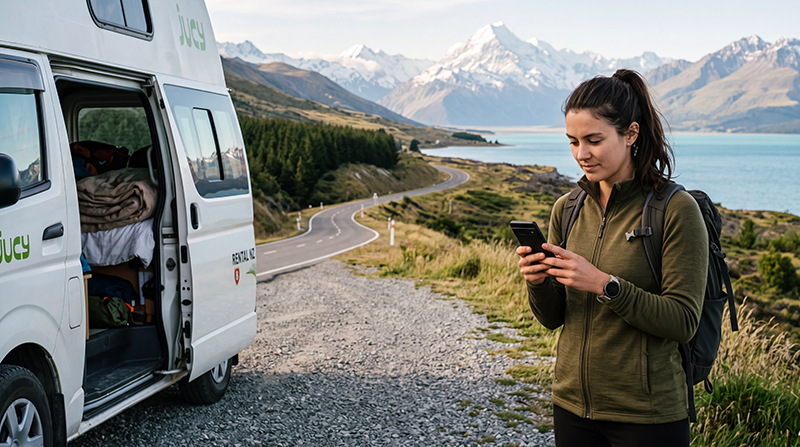

New Zealand roaming charges depend on your home operator, tariff and whether a travel pass is active. The same phone can face a fixed daily fee, a limited roaming allowance or expensive pay-as-you-go data, so check the current terms before departure.
Turning on Data Roaming is not automatically expensive; the charge comes from the SIM line using it. A travel eSIM may require roaming on its own line while the home SIM should remain blocked from mobile data.
NoveSIM travel eSIMs are data-only. We do not provide a New Zealand number or conventional calls and SMS, but data-based communication apps continue to work.
Quick answer: Check your operator’s New Zealand price, disable roaming data on the home SIM, turn off automatic data switching and use a travel eSIM or local SIM when the confirmed roaming cost is poor. Keep the home line active only if you need incoming SMS and understand the charges.
Top New Zealand eSIMs

New Zealand eSIM
Fixed
1 GB, 7 days€ 2.232 GB, 15 days€ 4.013 GB, 30 days€ 5.35Unlimited
Unlimited, 1 day€ 2.67Unlimited, 3 days€ 6.68Unlimited, 5 days€ 10.69
Asia eSIM
Fixed
1 GB, 7 days€ 4.452 GB, 15 days€ 8.023 GB, 30 days€ 10.69Unlimited
Unlimited, 1 day€ 5.79Unlimited, 3 days€ 15.59Unlimited, 5 days€ 25.39How New Zealand Roaming Charges Are Created
- Daily pass: a fee may be triggered when the home SIM uses data, makes a call or sends a message.
- Included roaming: some tariffs include New Zealand but may impose data or fair-use limits.
- Pay as you go: data can be charged by volume and become expensive quickly.
- Calls and voicemail: these can have separate rules from mobile data.
Confirm the destination, activation trigger, time zone, allowance and renewal rule directly with the home operator. Screenshots of the current terms are useful if the app cannot be opened after arrival.
Prevent the Home SIM from Using Data
- Install the travel eSIM before departure when permitted.
- Label both lines clearly.
- Select the travel eSIM for mobile data.
- Disable cellular-data switching or automatic data fallback.
- Turn off Data Roaming on the home line.
- Enable roaming only on the travel eSIM when its instructions require it.
- Check the active data-line indicator after landing.
Roaming Pass, eSIM or Local SIM?
| Option | Useful when | Check first |
|---|---|---|
| Home roaming pass | The verified price is competitive and the trip is short | Trigger, renewal and included data |
| Travel eSIM | You want data ready after landing | Compatibility, partner network, validity and hotspot terms |
| Local SIM | You need a New Zealand number or a longer-term service | Registration, store access and plan inclusions |
| Wi-Fi | Large downloads and backup access | Availability, security and the gaps between locations |
Compare the main choices in the New Zealand internet guide and local SIM versus eSIM guide.
Calls, SMS and WhatsApp
A data-only eSIM does not replace the home number. WhatsApp normally keeps the existing account when the data line changes. If you leave the home SIM active for bank or verification messages, confirm whether incoming SMS is free and avoid answering calls until you know the rate.
Before Leaving for Remote Routes
Changing from roaming to an eSIM does not remove coverage gaps. Check the partner network and download maps before rural driving or hiking. See the New Zealand coverage guide and network comparison.
Related Articles
- Best eSIM for New Zealand
- Best SIM card for New Zealand
- Install a New Zealand eSIM
- Fix a New Zealand eSIM
FAQ
How much does roaming cost in New Zealand?
There is no universal price. It depends on the home operator and tariff, so verify the current New Zealand rate and pass conditions before travelling.
Can I keep my home SIM switched on?
Yes, but select the travel eSIM for data, disable data switching and confirm the costs of calls, SMS and voicemail on the home line.
Why does a travel eSIM need Data Roaming?
It may connect through an international network partnership. Enable roaming on that eSIM only when its instructions require it.
Will WhatsApp keep my number?
Usually yes. Changing the mobile-data SIM does not normally change the number registered with WhatsApp.
Final Recommendation
Avoid unexpected New Zealand roaming charges by using home roaming only after confirming the complete price and activation conditions.
For predictable travel data, configure an eSIM before departure and prevent the home line from using roaming data.
Check the active line after landing and retain offline maps for areas where no mobile option guarantees service.