
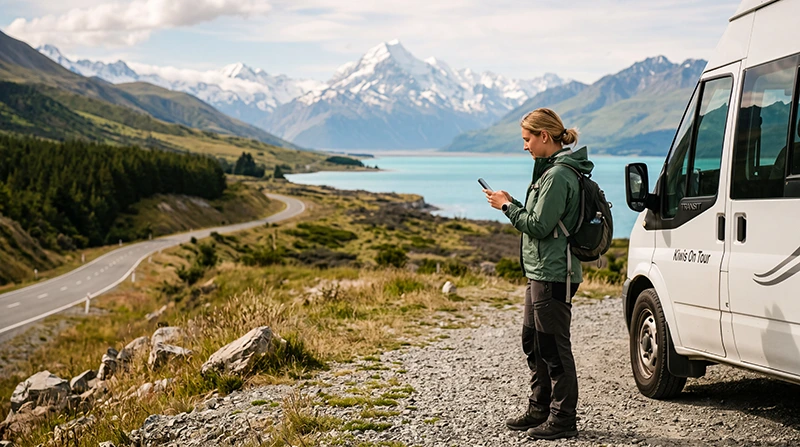

The best SIM card for New Zealand depends on how long you are staying, where you are travelling and whether you need a local telephone number. A short city visit to Auckland requires less data than a two-week campervan journey across the North and South Islands.
Tourists can choose between a local prepaid physical SIM, a travel eSIM or international roaming through their home operator. Each option has different advantages for price, convenience, calls, mobile data and multi-country coverage.
Quick answer: a travel eSIM is usually the most convenient option for visitors who mainly need mobile data. A local prepaid SIM can be better for longer stays or travellers who require a New Zealand telephone number and traditional calls.
Top New Zealand eSIMs
What Is the Best SIM Card for New Zealand Tourists?
There is no single best option for every traveller. The right SIM should provide enough validity and data for the complete trip while matching your device and communication needs.
A good New Zealand tourist SIM should offer:
- Coverage in the destinations on your itinerary.
- A validity period covering the full journey.
- Enough data for navigation and bookings.
- Clear activation instructions.
- Hotspot support when required.
- 4G or 5G access where available.
- Simple top-up or plan management.
- Transparent usage conditions.
Best New Zealand SIM Option by Traveller Type
| Traveller Type | Recommended Option |
|---|---|
| Short holiday focused on mobile data | Travel eSIM |
| Traveller who needs a New Zealand number | Local prepaid SIM |
| Campervan or road-trip traveller | Large data eSIM or prepaid data plan |
| Remote worker | Large allowance with hotspot support and WiFi backup |
| Visitor from an eligible roaming market | Compare home roaming with a travel eSIM |
| Australia and New Zealand traveller | Regional eSIM covering both countries |
| Phone without eSIM support | Physical prepaid SIM |
Main Mobile Connectivity Options in New Zealand
Tourists generally have three practical ways to get mobile service.
Travel eSIM
A travel eSIM is purchased online and installed digitally. It is suitable for visitors who want mobile data without removing their regular SIM card.
Local Prepaid SIM
A local prepaid SIM is a physical card purchased after arrival. It may include mobile data, calls, SMS and a New Zealand telephone number.
International Roaming
Your home operator may provide a daily pass, travel package or pay-as-you-go roaming. This can be convenient but may cost more than a local SIM or travel eSIM.
Travel eSIM vs Local Prepaid SIM
| Travel eSIM | Local Prepaid SIM |
|---|---|
| Installed digitally | Inserted into the SIM tray |
| Can be purchased before departure | Usually purchased after arrival |
| Generally data-only | May include calls, SMS and a local number |
| Primary SIM can remain installed | May require removing the primary physical SIM |
| No shop visit required | Retail purchase or activation may be required |
| Useful for short trips and road travel | Useful for longer stays and local calls |
| Regional coverage may be available | International roaming depends on the plan |
When Is a Travel eSIM the Best Choice?
A New Zealand travel eSIM is usually the better option when:
- You mainly need mobile data.
- You want to arrange connectivity before departure.
- You do not want to visit a mobile shop.
- You want to keep your primary SIM installed.
- You are arriving late at night.
- You are collecting a rental car immediately.
- You are visiting Australia and New Zealand.
- You use WhatsApp, Viber or FaceTime for calls.
Read the best eSIM for New Zealand guide.
When Is a Local Physical SIM Better?
A local prepaid SIM may be more suitable when:
- You need a New Zealand telephone number.
- You want traditional local calls and SMS.
- Your phone does not support eSIM.
- You are staying for several weeks or months.
- You prefer to buy additional credit locally.
- You want assistance from staff in a mobile shop.
Check whether the prepaid starter pack includes data or requires a separate bundle.
Can Tourists Buy a SIM Card in New Zealand?
Yes. Visitors can usually purchase prepaid SIM cards from mobile shops, electronics retailers, convenience stores and selected airport locations.
Availability and service vary by retailer. A specialist mobile shop is more likely to provide help with:
- Choosing a suitable data bundle.
- Installing the physical SIM.
- Activating the service.
- Checking the account balance.
- Testing mobile data.
- Explaining top-up options.
Can You Buy a SIM Card at Auckland Airport?
Prepaid mobile products may be available from selected airport retailers, but availability, opening hours and plan choice can vary.
Before relying on an airport purchase, consider:
- Your flight arrival time.
- Whether mobile shops will be open.
- Whether the starter pack includes enough data.
- Whether activation support is available.
- Whether you need internet immediately after landing.
A travel eSIM can be installed before departure and activated after arrival, avoiding the need to search for a shop.
Can You Buy a SIM Card at Christchurch or Queenstown Airport?
Mobile products may be available at or near major airports, but travellers should not assume that every terminal has the same selection or opening hours.
When arriving outside normal retail hours, an eSIM provides a more predictable way to arrange data in advance.
What Do You Need to Buy a Local SIM?
Purchase and activation requirements depend on the provider and retailer. Carry your passport or another accepted identity document in case it is requested.
You should also have:
- An unlocked mobile phone.
- A compatible SIM card size.
- A payment card or accepted cash.
- An email address when registration is required.
- A SIM removal tool.
- WiFi access when an operator app is needed.
Make Sure Your Phone Is Carrier-Unlocked
A locked phone may reject a New Zealand SIM or travel eSIM even when the device supports the correct technology.
Before travelling:
- Check the carrier-lock status in the phone settings.
- Contact the operator that supplied the phone when necessary.
- Complete any unlocking process before departure.
- Do not assume that Dual-SIM support means the phone is unlocked.
How to Check Whether Your Phone Supports eSIM
Check the manufacturer’s specifications for your exact phone model and regional version.
You can also dial *#06#. An eSIM-compatible phone may display an EID together with one or more IMEI numbers.
The settings may also include an option such as:
- Add eSIM.
- Add Mobile Plan.
- Add Cellular Plan.
- Download SIM.
An EID indicates eSIM capability, but the device must still be carrier-unlocked.
How Much Data Do You Need?
| Trip Length | Light Use | Typical Use | Heavy Use |
|---|---|---|---|
| 1 to 3 days | 1 GB | 2 GB to 3 GB | 5 GB or more |
| 4 to 7 days | 3 GB | 5 GB to 10 GB | 15 GB or more |
| 8 to 14 days | 5 GB | 10 GB to 20 GB | Large allowance |
| 15 to 30 days | 10 GB | 20 GB to 30 GB | Large allowance or unlimited option |
Maps, messaging and travel searches usually consume less data than streaming, cloud backups, video calls and hotspot use.
Best SIM Card for a One-Week New Zealand Trip
For a typical one-week holiday, 5 GB to 10 GB is a practical starting point when accommodation WiFi is available.
This can support:
- Navigation.
- Transport searches.
- Messaging.
- Restaurant and accommodation research.
- Moderate social media use.
- Internet-based calls.
Choose a larger allowance when you expect frequent video calls, uploads, streaming or hotspot use.
Best SIM Card for a Two-Week Road Trip
A two-week road trip often requires more mobile data because travellers rely on navigation, weather forecasts, campsite research and booking changes.
A 10 GB to 20 GB allowance may suit moderate use. Download offline maps before departure so temporary signal loss does not interrupt navigation.
Best SIM Card for Campervan Travel
Campervan travellers may use mobile data for:
- Finding campsites and holiday parks.
- Checking road and weather conditions.
- Locating fuel stations.
- Finding electric vehicle charging points.
- Booking activities.
- Contacting rental companies.
- Sharing a hotspot.
- Streaming entertainment.
A larger plan is generally more practical for a long campervan itinerary, but offline maps and downloaded entertainment remain important in remote areas.
Mobile Coverage in New Zealand
Mobile service is generally more reliable in cities, towns and populated travel corridors. Coverage may be weaker or temporarily unavailable in remote, mountainous and sparsely populated areas.
Signal conditions can change in:
- National parks.
- Mountain passes.
- Remote valleys.
- Long rural roads.
- Forest regions.
- Ferry terminals and coastal routes.
- Underground car parks.
No SIM or eSIM can guarantee uninterrupted service in every remote part of New Zealand.
Best SIM for Auckland
Auckland tourists mainly use mobile data for airport transport, maps, ferry information, restaurant searches, ride-booking and attraction tickets.
A small or medium plan is normally enough for a short city stay. Choose a larger allowance when Auckland is the beginning of a longer itinerary.
Best SIM for Rotorua and the North Island
Travellers driving between Auckland, Rotorua, Taupō and Wellington should choose enough validity and data for the full route.
Download maps and accommodation details before entering rural or geothermal areas where coverage may vary.
Best SIM for Queenstown
Queenstown visitors frequently use mobile data for weather forecasts, activity bookings, driving routes and transport information.
Keep booking confirmations available offline when travelling into mountain areas or making longer scenic journeys.
Best SIM for the South Island
A South Island journey may include Christchurch, Queenstown, Wanaka, Milford Sound, Mount Cook and the West Coast.
Prepare for this itinerary by:
- Choosing a longer validity period.
- Selecting a sufficient data allowance.
- Downloading offline maps.
- Saving accommodation addresses.
- Downloading activity confirmations.
- Carrying a charged power bank.
Does a New Zealand SIM Support 5G?
5G access depends on the phone, selected plan, network and exact location. A compatible SIM or eSIM may connect to 5G where supported.
A stable 4G connection remains sufficient for:
- Google Maps.
- Messaging.
- Transport information.
- Digital tickets.
- Accommodation bookings.
- Internet calls.
Seeing 4G instead of 5G does not necessarily indicate a problem.
Does a Tourist SIM Include Calls and SMS?
A local prepaid SIM may include a New Zealand number, calls and SMS. The exact inclusions depend on the selected starter pack and bundle.
NoveSIM travel eSIM plans are data-only and do not include a new telephone number, traditional calls or SMS.
You can use travel eSIM data for:
- WhatsApp calls.
- Viber calls.
- FaceTime.
- Teams and Zoom.
- Email and online messaging.
Will WhatsApp Keep Your Existing Number?
Yes. WhatsApp normally continues using the number already registered to the account while another SIM or eSIM provides mobile data.
Do not select Change Number unless you intentionally want to transfer your WhatsApp account to another telephone number.
Can You Keep Your Home SIM Active?
A compatible Dual-SIM phone can use a New Zealand eSIM for mobile data while keeping the home SIM available for calls, SMS and verification codes.
Recommended settings include:
- Select the travel eSIM for Mobile Data.
- Disable Data Roaming on the primary SIM.
- Disable Automatic Data Switching.
- Check the selected line before making a traditional call.
Your home operator may still charge for calls or messages while abroad.
Can You Use a Hotspot?
Hotspot sharing may be available depending on the plan and device. It can connect a laptop, tablet or another traveller’s phone.
Connected devices may consume significant data through:
- Operating-system updates.
- Cloud synchronisation.
- Video meetings.
- Streaming.
- Large downloads.
- Automatic photo backups.
Set laptops to a metered connection before sharing mobile data.
New Zealand-Only SIM or Regional Plan?
| Itinerary | Recommended Option |
|---|---|
| New Zealand only | New Zealand country plan |
| Australia and New Zealand | Regional eSIM covering both |
| New Zealand and several destinations | Regional or global plan covering the full route |
| Long stay requiring a local number | Local prepaid SIM |
Always confirm that every country is explicitly listed in the plan coverage.
How to Install a Physical New Zealand SIM
- Turn off the phone.
- Open the SIM tray.
- Remove the existing physical SIM when necessary.
- Place the New Zealand SIM in the correct tray position.
- Close the tray carefully.
- Turn the phone on.
- Enter the supplied PIN when requested.
- Follow the activation instructions.
- Select the SIM for Mobile Data.
- Test the connection before leaving the shop.
Store your home SIM safely if you remove it.
How to Install a New Zealand eSIM
- Purchase a plan covering New Zealand.
- Connect the phone to reliable WiFi.
- Open the installation instructions.
- Scan the QR code or enter the manual details.
- Label the new profile NoveSIM or New Zealand eSIM.
- Keep the eSIM installed until the trip ends.
- Enable it after arriving in New Zealand.
Read the complete New Zealand eSIM buying guide.
Recommended NoveSIM Settings
| Setting | Recommended Value |
|---|---|
| Travel eSIM | Enabled after arrival |
| Mobile Data | Travel eSIM |
| Data Roaming on travel eSIM | On |
| Data Roaming on primary SIM | Off |
| Automatic Data Switching | Off |
| Network Selection | Automatic |
| APN | data.esim when required |
What If a Local Physical SIM Has No Internet?
- Confirm that the SIM is activated.
- Check that a data bundle or sufficient credit is available.
- Select the local SIM for Mobile Data.
- Follow the provider’s roaming instructions when applicable.
- Keep Network Selection on Automatic.
- Enter the APN supplied by the local operator.
- Turn Airplane Mode on for 30 seconds and turn it off.
- Restart the phone.
- Contact the local provider if the issue continues.
Do not use the NoveSIM APN for an unrelated local prepaid SIM.
What If a NoveSIM eSIM Has No Internet?
- Confirm that the travel eSIM is selected for Mobile Data.
- Enable Data Roaming on the travel eSIM.
- Disable Data Roaming on the primary SIM.
- Disable Automatic Data Switching.
- Keep Network Selection on Automatic.
- Check that the APN is data.esim.
- Turn Airplane Mode on for 30 seconds and turn it off.
- Restart the phone when necessary.
Move outdoors or away from underground car parks, airport service areas and heavily enclosed buildings before changing advanced settings.
Do not delete the eSIM during troubleshooting. The installation QR code may be valid for one installation only.
Common SIM Card Buying Mistakes
- Buying before checking whether the phone is unlocked.
- Choosing a validity period shorter than the trip.
- Selecting too little data for a road journey.
- Assuming every local SIM includes a large data bundle.
- Forgetting to check hotspot support.
- Assuming 5G is guaranteed everywhere.
- Relying on mobile coverage without offline maps.
- Removing the home SIM without storing it safely.
- Deleting an eSIM during temporary connection problems.
Best SIM Card New Zealand Checklist
- Decide whether you need a local telephone number.
- Compare a physical SIM, travel eSIM and roaming.
- Confirm that your phone is carrier-unlocked.
- Check whether the phone supports eSIM.
- Dial *#06# and look for an EID when necessary.
- Choose enough data for the complete trip.
- Review the validity period.
- Check hotspot availability.
- Download offline maps.
- Test a physical SIM before leaving the shop.
- Install an eSIM before departure.
- Do not delete the travel eSIM while troubleshooting.
Related New Zealand Travel Internet Guides
- New Zealand eSIM Plans
- Best eSIM for New Zealand
- Buy an eSIM for New Zealand
- New Zealand Roaming Charges
- Mobile Internet in New Zealand
- Internet in New Zealand for Tourists
- Local SIM vs eSIM in New Zealand
- How to Get Mobile Internet in New Zealand
- Best Way to Get Internet in New Zealand
FAQ
What is the best SIM card for tourists in New Zealand?
A travel eSIM is usually the easiest option for tourists who mainly need mobile data. A local prepaid SIM can be better when a New Zealand number is required.
Can tourists buy a prepaid SIM in New Zealand?
Yes. Prepaid SIM cards may be available from mobile shops, electronics retailers, convenience stores and selected airport locations.
Can I buy a SIM card at Auckland Airport?
Selected airport retailers may offer prepaid mobile products, but availability, opening hours and plan choice can vary.
Is an eSIM better than a physical SIM?
An eSIM is generally more convenient for a short data-focused trip. A physical SIM may be better when you need a local number, calls and SMS.
How much data do I need for one week?
Approximately 5 GB to 10 GB is a practical starting point for a typical one-week trip when accommodation WiFi is available.
Can I keep WhatsApp on my regular number?
Yes. WhatsApp normally keeps the number already registered to your account while another SIM or eSIM provides mobile data.
Can I use one eSIM in Australia and New Zealand?
Yes, when the selected regional plan explicitly includes both countries.
What APN should I use for NoveSIM?
Use data.esim when manual APN configuration is required.
Final Recommendation
For most short-term visitors, a New Zealand travel eSIM is the simplest option because it can be installed before departure and used without removing the primary SIM. Choose a local prepaid SIM when you need a New Zealand telephone number, traditional calls or a plan for a longer stay.
A typical one-week traveller can start with approximately 5 GB to 10 GB. Road-trip, campervan, hotspot and remote-work users should consider a larger allowance and download offline maps before entering remote areas.
Confirm that your phone is unlocked, check the plan validity and choose a regional eSIM when your itinerary also includes Australia.


