
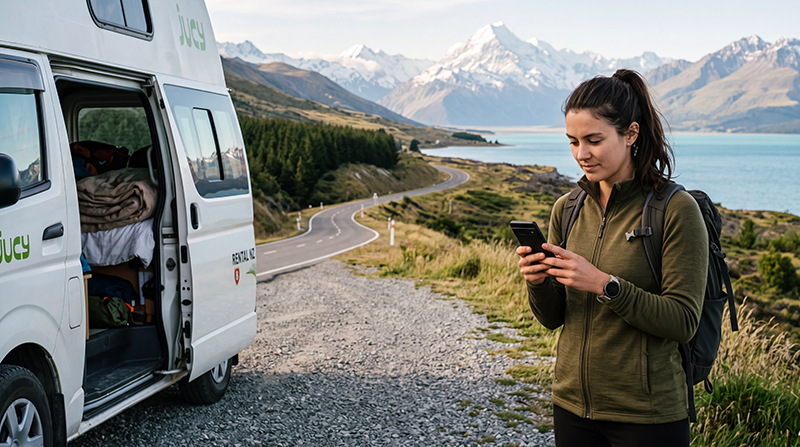

International roaming in New Zealand can be convenient, but the cost depends entirely on your home mobile operator and plan. Some travellers receive a daily roaming pass, others can purchase a travel add-on, and some are charged separately for every megabyte, call or SMS.
New Zealand is outside the European Roam Like at Home area, so travellers should not assume that their domestic mobile allowance will work there without extra charges.
Quick answer: check your operator’s New Zealand roaming price before departure. Compare the total cost of its daily pass or data package with a New Zealand travel eSIM, especially when you need navigation, messaging and mobile data throughout a road trip.
Top New Zealand eSIMs
How Much Does Roaming Cost in New Zealand?
There is no single roaming price for New Zealand. Charges depend on:
- Your home country.
- Your mobile operator.
- Your monthly or prepaid plan.
- Whether New Zealand is included in a roaming zone.
- Whether a daily travel pass is activated.
- The amount of mobile data used.
- Whether calls and SMS are included.
Before travelling, check the exact price shown in your operator account or international roaming guide. Do not rely on an old screenshot, previous holiday or another customer’s plan.
Common Types of New Zealand Roaming Charges
| Roaming Option | How It Usually Works | Main Risk |
|---|---|---|
| Daily roaming pass | A fixed fee is charged on days when you use eligible roaming services | The fee can become expensive during a long trip |
| Travel data package | You purchase a fixed allowance valid for a defined period | Additional usage may cost more after the package is used |
| Pay-as-you-go roaming | Data, calls and SMS are charged individually | Mobile data can become extremely expensive |
| Premium plan with roaming included | New Zealand usage may be included under plan conditions | Fair-use or speed limits may still apply |
| Travel eSIM | A separate digital plan supplies mobile data | Usually does not include a local number or traditional calls |
Is New Zealand Included in EU Roaming?
No. New Zealand is not part of the EU or EEA roaming area. A European mobile plan that works at domestic rates in France, Spain or Germany will not automatically provide the same conditions in New Zealand.
European travellers should check whether their operator offers:
- A daily international roaming pass.
- A worldwide roaming bundle.
- A New Zealand-specific data package.
- Pay-as-you-go international rates.
- Premium-plan roaming benefits.
Roaming Charges for UK Travellers
UK mobile operators set their own conditions for New Zealand. A plan that includes European roaming may still charge separately for New Zealand.
Before departure, check:
- Whether New Zealand appears in the operator’s roaming zone.
- The daily pass price.
- The included data allowance.
- Whether calls and SMS are covered.
- The price after any allowance is used.
- Whether the pass activates automatically.
Roaming Charges for US and Canadian Travellers
Travellers from the United States and Canada may be offered an international day pass or monthly travel add-on. The daily cost can appear manageable, but it can become substantial over a two-week or three-week trip.
Compare:
- The fee per active roaming day.
- The total number of travel days.
- The included high-speed data.
- Any reduced-speed conditions.
- Charges for traditional calls.
- The cost of a separate travel eSIM.
Roaming Charges for Australian Travellers
Australian travellers should not assume that proximity to New Zealand means domestic mobile rates automatically apply. Some plans include New Zealand roaming, while others require a daily pass or international add-on.
Check whether your operator treats New Zealand as:
- An included destination.
- A discounted roaming zone.
- A daily-pass destination.
- A standard international roaming country.
How Daily Roaming Passes Work
A daily roaming pass usually allows you to use part of your domestic allowance in New Zealand for a fixed daily fee.
The pass may activate when you:
- Use mobile data.
- Make a traditional call.
- Answer an incoming call.
- Send an SMS.
Receiving an ordinary SMS may be treated differently, depending on the operator.
A daily pass can be convenient for a short stopover. For a longer holiday, calculate the total cost by multiplying the daily fee by the number of days on which you expect to use your phone.
Example Cost Comparison
| Trip Length | Daily Pass at €5 Equivalent | Daily Pass at €10 Equivalent |
|---|---|---|
| 3 days | €15 equivalent | €30 equivalent |
| 7 days | €35 equivalent | €70 equivalent |
| 14 days | €70 equivalent | €140 equivalent |
| 21 days | €105 equivalent | €210 equivalent |
These are illustrative calculations rather than current operator prices. Use your provider’s actual fee when comparing options.
Why Pay-as-You-Go Data Can Be Risky
Pay-as-you-go international data may be billed per megabyte. Modern phones can use data in the background even when you are not actively browsing.
Background usage can include:
- Photo and video backups.
- Email synchronisation.
- Application updates.
- Cloud file synchronisation.
- Weather widgets.
- Social media refreshing.
- Location and navigation services.
Do not enable Data Roaming on your home SIM until you understand the applicable price.
Can You Receive SMS Without Using Mobile Data?
Many travellers keep their primary SIM active to receive bank codes, login verification messages and other important SMS.
You can usually:
- Keep the primary SIM enabled.
- Disable Data Roaming on the primary SIM.
- Select a travel eSIM for Mobile Data.
- Disable Automatic Data Switching.
Your operator may still charge for calls, call forwarding or certain messaging services. Check its conditions before departure.
Can Incoming Calls Trigger Roaming Charges?
Yes, depending on your plan. Incoming calls outside your home roaming area may be chargeable.
To reduce the risk of extra costs:
- Use WhatsApp, Viber or FaceTime for calls.
- Avoid answering traditional calls unless necessary.
- Check call-forwarding settings.
- Tell important contacts to use internet-based communication.
- Review voicemail roaming charges.
Can Voicemail Create Roaming Charges?
Voicemail behaviour varies between operators. A call forwarded to voicemail while you are roaming may be treated differently from a normal incoming call.
Before travelling, ask your operator whether you should:
- Disable voicemail.
- Disable conditional call forwarding.
- Access voicemail only through WiFi calling.
- Use visual voicemail over travel eSIM data.
New Zealand Roaming vs Travel eSIM
| Home SIM Roaming | Travel eSIM |
|---|---|
| Uses your existing subscription | Uses a separate digital data plan |
| May include calls and SMS | Usually data-only |
| Can activate automatically | Requires installation before use |
| May charge a daily fee | Usually purchased for a fixed price |
| Can be convenient for very short trips | Often practical for longer data-focused travel |
| Home number remains fully active | Home SIM can remain available on Dual-SIM phones |
When Is Roaming the Better Choice?
Using your home operator may be convenient when:
- New Zealand roaming is already included.
- You are staying for only one or two days.
- You need traditional calls and SMS.
- Your employer covers roaming expenses.
- You do not want to install another mobile plan.
- Your phone does not support eSIM.
When Is an eSIM the Better Choice?
A New Zealand travel eSIM may be more suitable when:
- Your operator charges a high daily fee.
- You are travelling for one week or longer.
- You mainly need mobile data.
- You want predictable upfront costs.
- You want to keep your physical SIM installed.
- You are taking a road trip or campervan journey.
- You are also visiting Australia.
Read the best eSIM for New Zealand guide.
How Much Data Do You Need?
| Traveller Type | Suggested Starting Point |
|---|---|
| Weekend visitor using maps and messaging | 1 GB to 3 GB |
| Typical one-week tourist | 5 GB to 10 GB |
| Two-week road-trip traveller | 10 GB to 20 GB |
| Frequent social media user | 15 GB or more |
| Remote worker or hotspot user | Large allowance with WiFi backup |
Choose a plan based on the applications you use rather than the number of countries or cities visited.
Roaming During a New Zealand Road Trip
Road-trip travellers often use mobile data more heavily for navigation, weather forecasts, accommodation searches and route changes.
Prepare for remote areas by:
- Downloading offline maps.
- Saving hotel and campsite addresses.
- Downloading booking confirmations.
- Saving emergency contact information.
- Carrying a charged power bank.
- Checking weather and road conditions before departure.
No roaming plan, local SIM or travel eSIM can guarantee continuous service in every mountain pass, national park or remote valley.
Roaming on Ferries and at Sea
When travelling by ferry, the phone may lose ordinary land-based mobile coverage. Maritime or satellite networks can have different and potentially much higher charges.
Before boarding:
- Disable Data Roaming on your home SIM.
- Use Airplane Mode when appropriate.
- Check the price of onboard WiFi.
- Wait for a normal terrestrial network after arrival.
- Avoid manually connecting to an unfamiliar network.
How to Avoid Unexpected Roaming Charges
- Check New Zealand prices before departure.
- Disable Data Roaming on the primary SIM.
- Turn off Automatic Data Switching.
- Disable automatic cloud backups.
- Turn off automatic application updates.
- Use a travel eSIM for Mobile Data.
- Set a roaming spending limit with your operator.
- Review voicemail and call-forwarding settings.
- Use internet-based calls where possible.
- Avoid maritime and satellite networks.
Recommended Dual-SIM Settings
| Setting | Recommended Value |
|---|---|
| Travel eSIM | Enabled after arrival |
| Mobile Data | Travel eSIM |
| Data Roaming on travel eSIM | On |
| Data Roaming on primary SIM | Off |
| Automatic Data Switching | Off |
| Network Selection | Automatic |
| NoveSIM APN | data.esim when required |
How to Check Whether Your Phone Supports eSIM
Check the manufacturer’s specifications for your exact model and regional version.
You can also dial *#06#. An eSIM-compatible phone may display an EID together with one or more IMEI numbers.
The device must also be carrier-unlocked. A phone can support eSIM technology but still reject another provider’s plan when it is network-locked.
How to Buy a New Zealand eSIM
- Confirm that your phone supports eSIM.
- Check that the device is carrier-unlocked.
- Choose a plan covering New Zealand.
- Select enough validity for the complete trip.
- Choose a suitable data allowance.
- Complete the online payment.
- Open the installation instructions.
- Install the eSIM over reliable WiFi.
Read how to buy an eSIM for New Zealand.
What If the Travel eSIM Does Not Connect?
- Confirm that the plan covers New Zealand.
- Check that the travel eSIM is enabled.
- Select it for Mobile Data.
- Enable Data Roaming on the travel eSIM.
- Disable Data Roaming on the primary SIM.
- Disable Automatic Data Switching.
- Keep Network Selection on Automatic.
- Check that the APN is data.esim.
- Turn Airplane Mode on for 30 seconds and turn it off.
- Restart the phone when necessary.
Move outdoors or away from underground car parks, airport service areas and heavily enclosed buildings before changing advanced settings.
Do not delete the eSIM during troubleshooting. Its installation QR code may be valid for one installation only.
New Zealand Roaming Cost Checklist
- Check whether New Zealand is included in your plan.
- Confirm the daily pass or package price.
- Review the included high-speed data.
- Check charges for incoming and outgoing calls.
- Review SMS and voicemail conditions.
- Calculate the total cost for the complete trip.
- Compare the result with a travel eSIM.
- Disable primary-SIM Data Roaming when using an eSIM.
- Turn off Automatic Data Switching.
- Download maps for remote routes.
- Avoid maritime and satellite networks.
Related New Zealand Travel Internet Guides
- New Zealand eSIM Plans
- Best eSIM for New Zealand
- Buy an eSIM for New Zealand
- Best SIM Card for New Zealand
- Mobile Internet in New Zealand
- Internet in New Zealand for Tourists
- Local SIM vs eSIM in New Zealand
- How to Get Mobile Internet in New Zealand
- Best Way to Get Internet in New Zealand
FAQ
How much does roaming cost in New Zealand?
The price depends on your home operator and plan. You may pay a daily pass, purchase a travel bundle or be charged at pay-as-you-go rates.
Is New Zealand included in EU roaming?
No. New Zealand is outside the EU and EEA Roam Like at Home area.
Can I use my home SIM in New Zealand?
Yes, when international roaming is enabled, but you should confirm the exact charges before using calls, SMS or mobile data.
Is a travel eSIM cheaper than roaming?
It can be, particularly for longer trips or when your operator charges a daily roaming fee. Compare the total cost for your full itinerary.
Can I keep my home SIM active for SMS?
Yes. Keep the home SIM enabled, disable its Data Roaming and select the travel eSIM for Mobile Data.
Can incoming calls cost money?
They may be chargeable depending on your operator and roaming package. Internet-based calls can help reduce traditional roaming call charges.
Can I use one eSIM in Australia and New Zealand?
Yes, when the selected regional plan explicitly includes both countries.
What APN should I use for NoveSIM?
Use data.esim when manual APN configuration is required.
Final Recommendation
Check your operator’s New Zealand roaming charges before departure and calculate the total cost for the complete trip. A daily fee that appears small can become expensive during a two-week road trip.
Use your home roaming plan when New Zealand is already included or when the visit is very short. Consider a travel eSIM when you mainly need mobile data, want a predictable upfront price or plan to travel for a week or longer.
When using an eSIM, select it for Mobile Data, enable Data Roaming on the travel eSIM and disable roaming and Automatic Data Switching on the primary SIM.


