
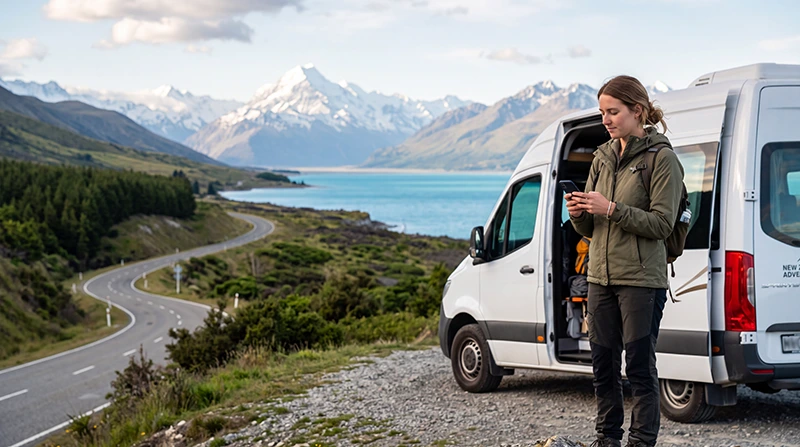

The best eSIM for New Zealand should match your itinerary, trip length and expected mobile data use. A traveller spending several days in Auckland may need a smaller plan than someone driving a campervan across both the North and South Islands.
A New Zealand travel eSIM can provide mobile internet without replacing your physical SIM card or searching for a local mobile shop after arrival. It is particularly useful for navigation, accommodation communication, weather checks, activity bookings and road-trip planning.
Quick answer: choose a New Zealand eSIM with enough validity for the complete trip, a realistic data allowance and coverage suitable for both cities and the destinations on your route. Install it before departure, select it for Mobile Data and enable Data Roaming after arrival.
Top New Zealand eSIMs
What Is the Best eSIM for New Zealand?
The best option is not automatically the plan with the largest data allowance. It is the plan that provides the right balance of coverage, validity, data and convenience for your journey.
A suitable New Zealand eSIM should offer:
- Coverage throughout New Zealand.
- A validity period covering the complete trip.
- Enough data for maps, messaging and bookings.
- Simple installation before departure.
- Clear activation instructions.
- Hotspot support when required.
- 4G or 5G access where available.
- Transparent high-speed data conditions.
Best New Zealand eSIM by Traveller Type
| Traveller Type | Recommended Plan Type |
|---|---|
| Weekend visitor | Small fixed-data plan |
| One-week tourist | 5 GB to 10 GB plan |
| Two-week road trip | 10 GB to 20 GB plan |
| Campervan traveller | Large fixed-data or unlimited plan |
| Frequent social media user | 15 GB or more |
| Remote worker | Large allowance with reliable WiFi backup |
| Australia and New Zealand traveller | Regional plan covering both countries |
Why Use an eSIM in New Zealand?
An eSIM removes several practical problems associated with buying a physical tourist SIM after arrival.
- You can arrange mobile data before travelling.
- You do not need to remove your regular SIM.
- You can keep your primary number available.
- There is no small physical card to lose.
- You can connect shortly after landing.
- You can avoid airport mobile-shop queues.
- You can choose regional coverage for a multi-country trip.
This is especially helpful when arriving late, collecting a rental vehicle immediately or travelling directly from the airport to another destination.
eSIM vs Physical SIM Card in New Zealand
| Travel eSIM | Local Physical SIM |
|---|---|
| Installed digitally | Inserted into the SIM tray |
| Can be purchased before departure | Usually purchased after arrival |
| Primary SIM can remain installed | May require removing your home SIM |
| Usually data-only | May include a local telephone number |
| No shop visit required | Retail activation may be required |
| Convenient for tourists and road trips | Useful when local calls are essential |
A physical SIM may be preferable when you need a New Zealand telephone number. An eSIM is generally simpler when your main priority is mobile data.
How Much Data Do You Need in New Zealand?
| Trip Length | Light Use | Typical Use | Heavy Use |
|---|---|---|---|
| 1 to 3 days | 1 GB | 2 GB to 3 GB | 5 GB or unlimited |
| 4 to 7 days | 3 GB | 5 GB to 10 GB | 15 GB or unlimited |
| 8 to 14 days | 5 GB | 10 GB to 20 GB | Unlimited |
| 15 to 30 days | 10 GB | 20 GB to 30 GB | Unlimited |
Maps, messaging and travel searches generally use relatively little data. Video streaming, cloud backups, large uploads and hotspot sharing consume much more.
Best eSIM for a New Zealand Road Trip
A road trip requires more than city-centre connectivity. Mobile data helps with navigation, fuel stations, electric vehicle charging points, campsites, weather updates and last-minute accommodation.
Before choosing a road-trip eSIM, check:
- The plan covers New Zealand.
- The validity includes every driving day.
- You have enough data for regular navigation.
- Hotspot sharing is available when needed.
- Offline maps are downloaded as backup.
- Important addresses are saved locally.
Even with a reliable mobile plan, temporary signal loss can occur in remote valleys, mountainous regions, national parks and sparsely populated areas.
Best eSIM for Campervan Travel
Campervan travellers often use more data than city visitors because they rely on their phones for navigation, campsite research, weather forecasts, route changes and entertainment.
A larger allowance may be suitable when you plan to:
- Drive for several weeks.
- Use a hotspot for a laptop or tablet.
- Book campsites while travelling.
- Upload photographs and videos.
- Stream entertainment in the evening.
- Work remotely from different locations.
Download maps and entertainment through WiFi before travelling into remote regions.
Best eSIM for Auckland
Auckland visitors mainly need mobile data for airport transport, maps, restaurant searches, ferry information, ride-booking and attraction tickets.
A small or medium fixed-data plan is usually sufficient for a short city break. Choose a larger plan when Auckland is only the beginning of a longer itinerary.
Best eSIM for Rotorua and the North Island
Mobile data is useful for navigation between Auckland, Rotorua, Taupō, Wellington and other North Island destinations.
Road travellers should download offline maps and save accommodation information before entering rural or geothermal regions where signal strength may change.
Best eSIM for Queenstown
Queenstown travellers often use mobile data for activity bookings, weather forecasts, driving routes and transport information.
Save booking confirmations offline before travelling to mountain areas. Mobile coverage may be less consistent outside the town or during longer scenic drives.
Best eSIM for the South Island
A South Island itinerary may include Christchurch, Queenstown, Wanaka, Milford Sound, Mount Cook and the West Coast.
This type of trip benefits from:
- A longer validity period.
- A larger data allowance.
- Offline maps for remote routes.
- Saved accommodation addresses.
- Downloaded tickets and activity confirmations.
- A charged power bank.
No mobile service can guarantee continuous coverage in every mountain pass, valley or remote national park.
Fixed Data or Unlimited Data?
| Fixed Data Plan | Unlimited Plan |
|---|---|
| Suitable for predictable usage | Useful for travellers who do not want to track every megabyte |
| Clear total allowance | May include a daily high-speed allowance |
| Often suitable for short trips | Useful for longer or data-heavy trips |
| Can run out before the trip ends | Speed may be reduced after fair-use limits |
| Good for maps and messaging | Better for frequent uploads or hotspot use |
NoveSIM unlimited plans include 1 GB of high-speed data per 24-hour period. After the daily high-speed allowance is used, the connection may continue at a reduced speed until the next reset.
Does a New Zealand eSIM Include Calls and SMS?
NoveSIM travel plans are data-only. They do not include a new telephone number, traditional voice calls or SMS.
You can use mobile data for:
- WhatsApp calls.
- Viber calls.
- FaceTime.
- Teams and Zoom.
- Email and online messaging.
- Other internet-based communication services.
Keep your primary SIM active when you need to receive verification messages, but check your home operator’s roaming charges.
Will WhatsApp Keep Your Existing Number?
Yes. WhatsApp normally continues using the number already registered to your account while the New Zealand eSIM supplies mobile data.
Do not select Change Number unless you intentionally want to transfer your WhatsApp account to another telephone number.
Can You Keep Your Primary SIM Active?
Yes. A compatible Dual-SIM phone can use the travel eSIM for mobile data while keeping the regular SIM available for calls, SMS and verification codes.
Recommended settings include:
- Select the travel eSIM for Mobile Data.
- Disable Data Roaming on the primary SIM.
- Disable Automatic Data Switching.
- Check the selected line before making a traditional call.
Can You Use 5G in New Zealand?
A travel eSIM may connect to 5G when the plan, device, partner network and local coverage support it.
A stable 4G connection remains sufficient for:
- Navigation.
- Messaging.
- Accommodation bookings.
- Weather checks.
- Transport information.
- Internet calls.
Do not assume the eSIM is faulty simply because the phone displays 4G instead of 5G.
Can You Share the Connection?
Hotspot sharing may be available depending on the selected plan and device. It can connect a laptop, tablet or travel companion’s phone.
Connected devices can consume data quickly through:
- Operating-system updates.
- Cloud synchronisation.
- Video meetings.
- Streaming.
- Large downloads.
- Automatic photo backups.
Set laptops to a metered connection and pause unnecessary updates before enabling the hotspot.
Best eSIM for Australia and New Zealand
Travellers combining Australia and New Zealand should consider a regional plan covering both destinations instead of purchasing separate country plans.
Before buying, confirm:
- Australia is included.
- New Zealand is included.
- The validity covers the complete itinerary.
- The shared data allowance is sufficient.
- The same eSIM can remain installed across both countries.
The phone should connect to a supported partner network after arriving in the second destination.
How to Check Whether Your Phone Supports eSIM
Check the manufacturer’s specifications for your exact phone model and regional version.
You can also dial *#06#. An eSIM-compatible phone may display an EID together with one or more IMEI numbers.
The device must also be carrier-unlocked. A locked phone may reject a travel eSIM even when the hardware supports it.
How to Install a New Zealand eSIM
- Choose a plan covering New Zealand.
- Confirm that your phone supports eSIM.
- Connect to reliable WiFi.
- Open the installation instructions.
- Scan the QR code or use the manual details.
- Label the new line NoveSIM or New Zealand eSIM.
- Keep the eSIM installed until the trip is complete.
- Enable it after arriving in New Zealand.
Install the eSIM before departure, but follow the specific activation conditions included with your plan.
Recommended New Zealand eSIM Settings
| Setting | Recommended Value |
|---|---|
| Travel eSIM | Enabled after arrival |
| Mobile Data | Travel eSIM |
| Data Roaming on travel eSIM | On |
| Data Roaming on primary SIM | Off |
| Automatic Data Switching | Off |
| Network Selection | Automatic |
| APN | data.esim when required |
How to Activate the eSIM After Arrival
- Turn off Airplane Mode when permitted.
- Open the mobile network settings.
- Enable the New Zealand travel eSIM.
- Select it for Mobile Data.
- Enable Data Roaming on the travel eSIM.
- Disable Automatic Data Switching.
- Keep Network Selection on Automatic.
- Wait several minutes for network registration.
What If the eSIM Does Not Connect?
- Confirm that the plan covers New Zealand.
- Check that the travel eSIM is enabled.
- Select it for Mobile Data.
- Enable Data Roaming on the travel eSIM.
- Disable Data Roaming on the primary SIM.
- Turn off Automatic Data Switching.
- Keep Network Selection on Automatic.
- Check that the APN is data.esim.
- Turn Airplane Mode on for 30 seconds and turn it off.
- Restart the phone when necessary.
Move outdoors or away from underground parking, airport service areas and heavily enclosed buildings before changing advanced settings.
Do not delete the eSIM during troubleshooting. Its installation QR code may be valid for one installation only.
How to Reduce Mobile Data Use
- Download offline maps before driving.
- Save hotel and campsite addresses locally.
- Download attraction tickets in advance.
- Use accommodation WiFi for app updates.
- Pause automatic cloud backups.
- Disable automatic video playback.
- Download entertainment through WiFi.
- Turn off hotspot sharing when it is not needed.
- Monitor usage in the phone settings.
Best New Zealand eSIM Checklist
- Confirm that New Zealand is included.
- Check the validity period.
- Choose enough data for the complete trip.
- Review hotspot availability when required.
- Confirm that your phone supports eSIM.
- Dial *#06# and check for an EID.
- Make sure the device is carrier-unlocked.
- Install the eSIM before departure.
- Download offline maps for remote routes.
- Enable Data Roaming on the travel eSIM.
- Do not delete the eSIM while troubleshooting.
Related New Zealand Travel Internet Guides
- New Zealand eSIM Plans
- How to Buy an eSIM for New Zealand
- Best SIM Card for New Zealand
- New Zealand Roaming Charges
- Mobile Internet in New Zealand
- Internet in New Zealand for Tourists
- Local SIM vs eSIM in New Zealand
- How to Get Mobile Internet in New Zealand
- Best Way to Get Internet in New Zealand
FAQ
What is the best eSIM for New Zealand?
The best option is a plan that covers your entire trip, includes enough data for your travel habits and works with your unlocked eSIM-compatible phone.
How much data do I need for one week in New Zealand?
Most tourists will be comfortable with approximately 5 GB to 10 GB when accommodation WiFi is available for streaming, updates and large uploads.
Is an eSIM good for a New Zealand road trip?
Yes. An eSIM is useful for navigation, campsite research, weather checks and bookings, but offline maps are still recommended for remote areas.
Can I use the same eSIM in Australia and New Zealand?
Yes, when you choose a regional plan that explicitly includes both countries.
Does a New Zealand travel eSIM include a phone number?
NoveSIM plans are data-only and do not include a new telephone number, traditional calls or SMS.
Can I keep WhatsApp on my regular number?
Yes. WhatsApp normally keeps the number already registered to your account while the eSIM provides mobile data.
Can I use a hotspot?
Hotspot sharing may be available depending on the selected plan and device. Laptop and tablet use can consume data quickly.
What APN should I use for NoveSIM?
Use data.esim when manual APN configuration is required.
Final Recommendation
For most visitors, the best eSIM for New Zealand is one with enough validity for the full itinerary and at least 5 GB to 10 GB for a typical one-week trip. Road-trip, campervan and remote-work travellers should consider a larger allowance or an unlimited option.
Install the eSIM before departure, select it for Mobile Data and enable Data Roaming after arrival. Keep Network Selection on Automatic and download offline maps before travelling through rural or mountainous areas.
Choose a regional plan when your itinerary combines New Zealand with Australia or another supported destination.


