


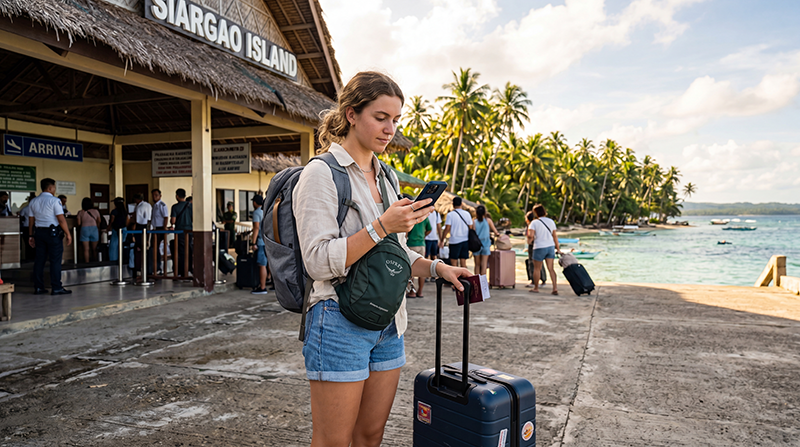

If you’re traveling to the Philippines, one of the biggest surprises after returning home can be your mobile phone bill. International roaming charges can quickly become expensive, especially if you use mobile data for maps, social media, video calls, or streaming during your trip.
Quick answer: Roaming in the Philippines is often the most expensive way to stay connected. Many travelers choose a travel eSIM or local SIM card instead because these options typically provide significantly more data at a lower cost than international roaming packages.
Top Philippines eSIMs

Philippines eSIM
Fixed
1 GB, 7 days5.50$2 GB, 15 days8.50$3 GB, 30 days11.00$Unlimited
Unlimited, 1 day6.00$Unlimited, 3 days9.50$Unlimited, 5 days13.50$
What Are Roaming Charges?
Roaming charges apply when your phone connects to a foreign mobile network while traveling abroad.
Your home mobile operator partners with local networks in the Philippines and charges you for:
- Mobile data usage
- Voice calls
- SMS messages
- Receiving calls in some cases
The exact cost depends on your home provider, destination, and mobile plan.
Why Roaming Can Be Expensive
Many travelers underestimate how much data they use every day.
Common activities include:
- Google Maps navigation
- Instagram and Facebook
- WhatsApp calls
- TikTok videos
- Hotel bookings
- Ride-hailing apps
- Video streaming
Even moderate usage can consume several gigabytes of data during a vacation.
Travel eSIM providers and travel industry comparisons consistently show that dedicated travel eSIM plans are often significantly cheaper than traditional roaming services.
Roaming vs eSIM vs Local SIM Card
| Option | Convenience | Cost | Best For |
|---|---|---|---|
| International Roaming | Very Easy | Highest | Short emergency use |
| Local SIM Card | Medium | Low | Budget travelers |
| Travel eSIM | Very Easy | Low | Most tourists |
For most visitors, an eSIM offers the best balance between convenience and cost.
How Much Data Do Travelers Usually Need?
| Travel Style | Recommended Data |
|---|---|
| Weekend Trip | 3–5 GB |
| One Week Vacation | 5–10 GB |
| Two Week Trip | 10–20 GB |
| Digital Nomad | 30–50 GB |
| Heavy Streaming | Unlimited |
Most travelers use considerably more mobile data than expected once they start using navigation, social media, and video apps throughout the day.
Can Roaming Bills Become Very High?
Yes.
Roaming charges can increase rapidly when:
- Streaming videos
- Using mobile hotspots
- Uploading photos and videos
- Making video calls
- Downloading large files
- Using cloud backups
This is one reason many travelers switch to eSIM plans before departure. Industry comparisons frequently show travel eSIMs costing substantially less than standard roaming packages.
Is an eSIM Cheaper Than Roaming?
In most cases, yes.
Travel eSIM plans are designed specifically for travelers and usually include:
- Fixed pricing
- Prepaid data packages
- No surprise bills
- Easy online activation
- Coverage throughout major tourist destinations
Many travel experts recommend eSIMs as a practical alternative to roaming because they provide predictable costs and generous data allowances.
Will My Phone Work in the Philippines?
Most modern smartphones work in the Philippines.
If your phone supports eSIM technology and is carrier unlocked, you can usually install a travel eSIM before departure and activate it after arrival.
Can I Keep My Home Number?
Yes.
Most modern phones support dual SIM functionality.
You can use:
- Philippines eSIM for mobile data
- Your home SIM for calls and SMS
- Your existing phone number without interruption
Will WhatsApp Work?
Yes.
Your WhatsApp account remains linked to your existing phone number.
You can continue using:
- Messages
- Voice calls
- Video calls
- Group chats
- Location sharing
- Photo sharing
Coverage in Popular Tourist Destinations
Travel eSIMs and local networks generally provide coverage throughout the Philippines’ most visited destinations.
- Manila
- Cebu
- Boracay
- Palawan
- El Nido
- Coron
- Bohol
- Siargao
- Davao
- Puerto Princesa
Most travel eSIM providers connect through Globe or Smart, the country’s largest mobile networks.
How to Reduce Roaming Costs
- Turn off roaming before departure
- Install an eSIM before traveling
- Use WiFi for large downloads
- Disable automatic app updates
- Turn off cloud photo backups
- Download offline maps
- Monitor your data usage
Recommended eSIM Settings
| Setting | Recommended Value |
|---|---|
| Mobile Data | Philippines eSIM |
| Data Roaming | ON |
| APN | data.esim |
| Primary SIM | Calls and SMS |
| Automatic Data Switching | OFF |
Related Philippines Travel Guides
- Best eSIM for Philippines
- Buy eSIM Philippines
- Best SIM Card Philippines
- Mobile Internet Philippines
- Internet Philippines for Tourists
- Does My Phone Support eSIM Philippines?
- How to Activate Philippines eSIM
- Philippines eSIM iPhone
- Philippines eSIM Android
Frequently Asked Questions
Are roaming charges expensive in the Philippines?
They can be. Costs vary by provider, but roaming is often more expensive than using a travel eSIM or local SIM card.
Is an eSIM cheaper than roaming?
In most situations, yes. Travel eSIM plans usually offer more data and predictable pricing.
Can I keep my home number while using an eSIM?
Yes. Most dual-SIM phones allow you to keep your regular number active.
Will WhatsApp work with an eSIM?
Yes. WhatsApp keeps your existing phone number.
Do I need data roaming enabled on the eSIM?
Yes. Most travel eSIMs require data roaming to be enabled on the eSIM line.
Final Recommendation
For most travelers visiting the Philippines, traditional roaming is rarely the most cost-effective option. A travel eSIM typically offers lower costs, easier setup, and more predictable spending while providing reliable mobile internet throughout popular destinations such as Manila, Cebu, Boracay, Palawan, and Siargao. By installing your eSIM before departure, you can avoid roaming surprises and enjoy connectivity from the moment you arrive.