


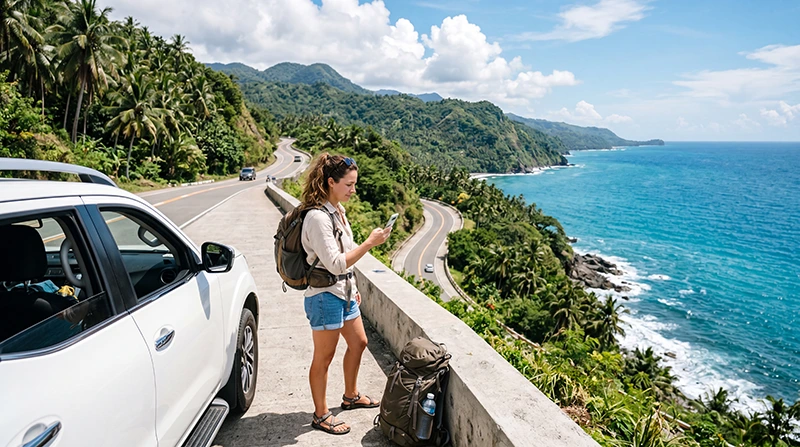

Internet on a Philippines road trip is most useful for navigation, ferry updates, accommodation messages and changes made between stops. It cannot be treated as a continuous connection across every mountain road, coast or island transfer.
The practical setup combines mobile data with downloaded maps, saved tickets and agreed meeting points. That matters whether the journey uses a rental car in Luzon, a scooter on an island or several vehicles and ferries.
We provide data-only travel eSIMs. We do not provide a Philippine telephone number, conventional mobile calls or carrier SMS; supported messaging and internet-calling applications work through data.
Quick answer: Install a Philippines eSIM before departure, confirm it works at the first arrival point and download every driving and ferry segment before leaving a dependable connection. Keep automatic network selection enabled initially, prevent the home SIM from using mobile data and plan for genuine signal gaps on remote roads.
Top Philippines eSIMs


Build the connection plan around the actual route
A route contained within Luzon is a different connectivity problem from a journey that combines Cebu, Bohol, Siquijor or Palawan. Write the itinerary as individual connection stages: arrival, each driving corridor, each overnight base, each ferry crossing and the final departure.
Check the partner network listed for the plan against those locations. The Philippines network guide can help with the wider comparison, but accommodation staff and local operators remain useful sources for conditions at one specific road or property.
Prepare each driving day while the connection is dependable
Before leaving the hotel or town, download the complete route rather than only the next destination pin. Save fuel stops, the accommodation address, the return route and a screenshot of any written access instructions. If the destination is reached through a ferry, store the port name and ticket separately from the map.
Do not rely on a messaging thread as the only record of a pickup point. Agree on a place and time that remains usable if either traveller loses data. This is especially important when a driver, guide or rental representative must meet the traveller outside a terminal or in a rural area.
Treat an adventure detour as its own offline segment
Waterfall roads, mountain approaches, dive departures and remote beaches often take travellers away from the strongest town coverage. Keep the access route, operator details and planned return time offline before starting that section. If an activity requires a guide, ask where mobile reception normally ends and how the group communicates after that point.
A satellite map view is useful for orientation but does not replace local safety advice. Avoid changing phone settings while driving or stopping in an unsafe place merely to recover a weak signal.
Understand where mobile data may change
| Road-trip stage | Likely data use | Offline preparation |
|---|---|---|
| City or large town | Bookings, messages, traffic and route changes | Save the next full corridor |
| Rural or mountain road | Occasional navigation checks | Map, fuel stop and destination instructions |
| Ferry crossing | Schedule or arrival messages near port coverage | Ticket, port and onward transfer |
| Remote activity | Connection may be intermittent or absent | Guide contact, meeting point and return plan |
Signal bars do not guarantee a working data session. Conversely, a short gap on an interior road does not automatically mean the eSIM configuration is wrong. Test again at the next populated stop before rebuilding settings.
Choose data for navigation and the rest of the trip
Navigation itself is usually modest compared with video, hotspot use and automatic photo backup. The larger risk on a long road trip is background use across many days. Disable full-resolution cloud uploads on mobile data and check which applications are allowed to refresh in the background.
Use the Philippines data-planning guide to estimate the full trip rather than one driving day. Keep a reserve for the final transfer, when a route change or delayed ferry may make data more valuable than it was earlier.
Install before departure and test at the first safe stop
Confirm that the exact handset supports eSIM and is carrier-unlocked using the compatible-device list. Install the profile on dependable internet and follow the plan’s instruction about when validity begins.
- Enable the travel eSIM after reaching the supported destination.
- Select it as the mobile-data line.
- Apply the plan’s Data Roaming instruction.
- Disable automatic mobile-data switching to the home SIM.
- Leave network selection on Automatic for the first connection.
- Open the downloaded route and send one test message before leaving the arrival area.
If manual APN entry is required for NoveSIM, use data.esim. Keep the eSIM installed if troubleshooting is needed.
Prepare for emergencies without assuming mobile coverage
Save the accommodation, rental company, insurer and local operator details offline. Keep identification, tickets and essential medical information accessible without a login that depends on receiving a code over the travel data line.
A data-only eSIM does not create a Philippine telephone number. Emergency calling behaviour depends on the device, available networks and the active voice line, so the road-trip safety plan should not depend solely on an internet application.
Separate a coverage gap from a setup problem
If data worked in a town and stopped on an isolated road, move safely and test at the next suitable location. If it has never worked since arrival, check plan status, the selected data line, roaming, APN and network selection. The Philippines eSIM troubleshooting guide provides the correct diagnostic sequence.
Do not delete the installed profile merely because coverage disappears temporarily. Deletion can make recovery harder and cannot create radio coverage in the current location.
Related Articles
- Mobile Data in the Philippines
- Internet for Philippines Island Hopping
- Best SIM Card for the Philippines
- Install a Philippines eSIM
FAQ
Will mobile data work throughout a Philippines road trip?
It can work where the plan’s partner network has usable coverage, but reception can change between towns, mountain roads, ferry routes and remote attractions. Download every important route in advance.
Can Google Maps work when the road has no signal?
Yes, if the required map area and route information were downloaded beforehand. Live traffic, new searches and route changes may still require a connection.
Should I change APN settings whenever coverage drops?
No. If data worked earlier, location is the first variable to consider. Test again safely near the next populated area before treating the gap as a configuration fault.
Can I use a Philippines eSIM as a hotspot during the trip?
Only when the selected plan and device support tethering. Confirm the plan terms and remember that laptop use can consume the allowance much faster than navigation and messaging.
Final Recommendation
Choose mobile data for the complete Philippines route, not only the arrival city. Check the partner network, trip duration and hotspot terms before buying.
Install and test the eSIM before the first long driving segment, download maps and ferry details, and prevent the home SIM from taking over mobile data.
Use the connection to support the road trip, while keeping every essential route, meeting point and safety detail available when coverage becomes intermittent.