


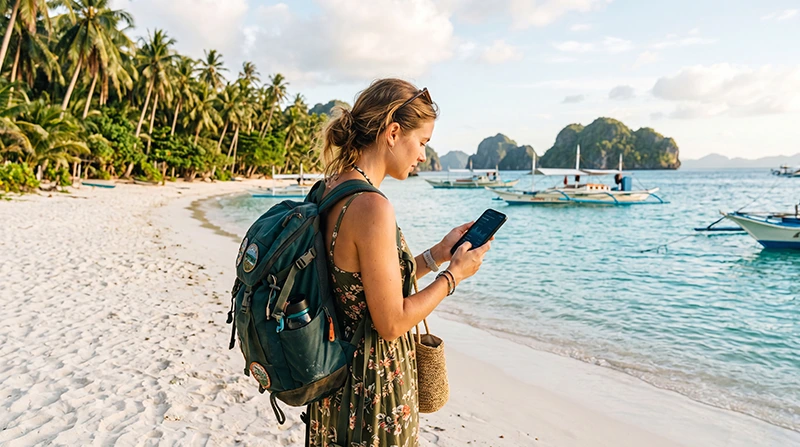

How much data you need for the Philippines depends mainly on video and hotspot use. Most travellers need about 5–10 GB for one week when they use mobile data for maps, messaging, ride-hailing, browsing and moderate social media. A careful light user may manage with 3–5 GB, while frequent video, cloud backup or laptop tethering can push a one-week trip beyond 15 GB.
The Philippines is an island destination, so data planning is not only about the total allowance. Ferry days, provincial roads and smaller islands may include weak-signal periods, making offline maps, tickets and accommodation details essential even with a large plan.
NoveSIM travel eSIMs are data-only. We do not provide a Philippine telephone number or conventional calls and SMS, but supported messaging, navigation and internet-calling apps can use the data connection.
Quick answer: Choose 3–5 GB for a light seven-day trip, 5–10 GB for typical travel use or 15–30 GB when streaming, uploading video, working remotely or sharing a hotspot. Check both the allowance and validity, then add a margin for transport changes and days without dependable Wi-Fi.
Top Philippines eSIMs


Philippines Data Estimates by Travel Style
| Travel style | Typical daily use | Seven-day estimate | Main activities |
|---|---|---|---|
| Light | 300–700 MB | 3–5 GB | Maps, messages, email and occasional browsing |
| Typical | 700 MB–1.5 GB | 5–10 GB | Navigation, ride-hailing, social media and short video clips |
| Heavy | 2–4 GB or more | 15–30 GB | Streaming, video uploads, video calls and frequent hotspot use |
These are planning ranges, not guarantees. Video quality, automatic uploads, app behaviour and tethered devices can change consumption dramatically. Use your own phone statistics whenever possible.
How Much Data for 5, 7, 10 or 14 Days?
| Trip length | Light use | Typical use | Heavy use |
|---|---|---|---|
| 5 days | 2–3 GB | 4–7 GB | 10–20 GB |
| 7 days | 3–5 GB | 5–10 GB | 15–30 GB |
| 10 days | 4–7 GB | 8–15 GB | 20–40 GB |
| 14 days | 5–10 GB | 10–20 GB | 30 GB or more |
Do not simply multiply a normal home month by the number of travel days. Travellers often navigate more and use accommodation or transport apps more frequently, but may stream less when hotel Wi-Fi is dependable.
Which Apps Use the Most Data?
Text messages, email without large attachments and basic map searches are relatively light. The largest drains are usually high-resolution video, social video feeds, photo backup, app updates and tethered laptops.
- Maps and ride-hailing: usually modest, but constant navigation and repeated route downloads add up.
- WhatsApp and Messenger: text is light; voice calls use more, and video calls use substantially more.
- Instagram, TikTok and Facebook: autoplay video can consume much more than deliberate browsing.
- YouTube and streaming services: usage depends heavily on resolution and can reach several gigabytes per hour at high quality.
- Cloud photos: automatic upload of a full day of photos and 4K video can consume gigabytes in the background.
- Hotspot use: a laptop may run updates, sync files and load desktop media without obvious warnings.
Data for Island Hopping
A route through Manila, Cebu, Bohol, Boracay or Palawan creates different data needs from a single-city stay. You may use maps, ferry websites, airline apps and accommodation messages repeatedly as each transfer changes.
Add a buffer for rebooking and delays, but do not rely on that buffer as a substitute for offline preparation. Download each island’s map, ferry confirmation, hotel address and emergency contacts before leaving a strong connection.
Coverage also varies by operator and exact location. The Philippines network guide for tourists explains why a national coverage claim cannot guarantee service on one beach, road or island.
How Much Data Does Navigation Need?
Maps usually consume far less data than video, but travellers use them for longer periods and in unfamiliar places. Satellite imagery, live traffic and repeated searches increase consumption. Offline map downloads reduce both data use and risk when the signal disappears.
Save the wider area, not only a pin for the hotel. Include the airport, ferry port, bus terminal and the route between them. Keep the written address available because a driver may recognise a landmark even when the map cannot update.
How Much Data for WhatsApp?
WhatsApp text and compressed photos are generally light enough for a modest plan. Long voice calls, frequent video calls and automatic media downloads can change that. If family groups share many videos, disable automatic download over mobile data.
Your existing WhatsApp account can normally use travel-eSIM data without changing its registered number. See the focused guide to using WhatsApp in the Philippines.
How Much Data for Remote Work?
Remote work can range from light email to a full day of video meetings and large cloud transfers. A traveller using email, chat and browser-based documents may fit within 1–2 GB on a working day. Multiple video meetings, screen sharing and file synchronisation can use several gigabytes.
Do not size a work plan from phone use alone. Check recent laptop statistics, identify mandatory meetings and add room for hotel Wi-Fi failure. If tethering is essential, verify that the selected plan allows hotspot use and read any high-speed or fair-use terms. The Philippines internet guide for digital nomads covers the wider work setup.
Should You Choose Unlimited Data?
An unlimited label does not always mean unlimited full-speed data. A product may include a daily high-speed allowance, a reduced speed after a threshold or a fair-use policy. Read the current product page rather than comparing plans by the headline alone.
A fixed plan can be easier to budget when maps, messaging and ordinary browsing are the main tasks. Heavy video, daily hotspot use or uncertain accommodation Wi-Fi may justify a larger allowance, but only when the post-threshold terms still support the intended work.
How to Calculate Your Own Allowance
- Open the mobile-data statistics on your phone.
- Separate travel essentials from streaming, updates and cloud backup.
- Estimate a realistic daily amount for each activity.
- Multiply the total by the number of travel days.
- Add a 20–30% margin for delays, route changes and unreliable Wi-Fi.
- Choose a plan whose validity covers the final day as well as the data total.
Review the live Philippines eSIM plans for current allowances, validity and product-specific terms. The Philippines data-plan guide can help compare the trip scenarios without assuming that the largest plan is automatically best.
How to Reduce Data Use during the Trip
- Download maps, entertainment and language packs on trusted Wi-Fi.
- Disable automatic video playback in social apps.
- Pause cloud photo and file backup over mobile data.
- Set streaming apps to a lower mobile quality.
- Restrict app and operating-system updates to Wi-Fi.
- Check tethered laptops for cloud sync and background updates.
- Review per-app usage after the first full travel day.
Set Up the eSIM without Risking Home-SIM Roaming
Install the travel profile on dependable Wi-Fi and follow the plan’s activation instructions. After arrival, select the NoveSIM eSIM for Mobile Data, enable Data Roaming on that line and disable automatic data switching.
Keep Data Roaming off on the primary SIM. If manual APN entry is required, use data.esim with username and password blank. The Philippines eSIM activation guide covers the destination-specific setup.
Do not delete the installed eSIM if it fails to connect. Confirm the selected data line, roaming, plan status and network registration first, then contact NoveSIM Support if reversible checks do not restore service.
Related Articles
- Philippines eSIM plans
- Choose a Philippines data plan
- SIM card and eSIM options for the Philippines
- Best network considerations for Philippines tourists
- Internet in the Philippines for digital nomads
- Using WhatsApp in the Philippines
- Activate a Philippines eSIM
FAQ
How much data do I need for one week in the Philippines?
Allow 5–10 GB for typical use involving maps, messaging, ride-hailing, browsing and moderate social media. Light users may manage with 3–5 GB, while frequent streaming, uploads or hotspot use can require 15–30 GB.
Is 5 GB enough for a Philippines trip?
Five gigabytes can cover about a week of careful use when you download maps, limit video and use trusted Wi-Fi for updates and backups. It is less suitable for daily streaming, long video calls or laptop tethering.
Do I need unlimited data in the Philippines?
Not for ordinary maps, messaging and browsing. Consider a larger or unlimited plan for frequent video, remote work or hotspot use, but check high-speed limits and fair-use terms before choosing.
Does offline navigation reduce mobile-data use?
Yes. Downloading maps before travel reduces repeated map data and keeps basic navigation available during weak-signal periods. Live traffic and new searches may still need a connection.
Final Recommendation
How much data you need for a Philippines trip ultimately depends on daily habits, but 5–10 GB is a sensible starting point for seven days. Choose less only when video is limited and dependable Wi-Fi is part of the plan.
Increase the allowance for island transfers, remote work, high-resolution uploads, video calls or hotspot sharing. Check validity separately so that the plan lasts through the final travel day.
Download maps and essential documents before each transfer, monitor usage after the first day and keep background video, cloud backup and automatic data switching under control.