


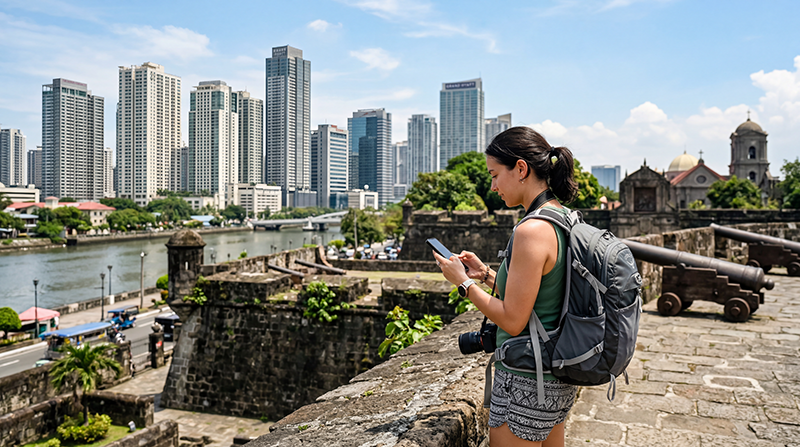

Internet in Manila helps tourists solve practical city problems: arranging an airport pickup, locating the correct hotel entrance, booking a Grab ride and messaging a host when traffic changes the arrival time. A Philippines eSIM, registered local SIM, roaming plan or trusted Wi-Fi connection can provide access, but each option has different setup and cost implications.
Metro Manila is a large urban area rather than a compact centre. Intramuros, Makati, Bonifacio Global City, Pasay and the airport terminals can be separated by slow road journeys. A working data connection is valuable, but saved addresses and offline directions are still necessary when reception weakens inside buildings or the phone is between networks.
NoveSIM travel eSIMs are data-only. We do not provide a Philippine phone number, conventional voice calls or carrier SMS. WhatsApp, Messenger and other internet-based services can use the eSIM data connection without changing the number registered with the app.
Quick answer: install an eSIM before departure when the phone is compatible and unlocked, then select it for mobile data after arrival. Buy a local SIM when a Philippine number is important and you have time for registration. Use home-provider roaming only after confirming the price, and keep airport or hotel Wi-Fi as backup rather than depending on it throughout Metro Manila.
Top Philippines eSIMs


Decide how you will connect before landing in Manila
The most useful choice is the one that works at the moment you need it. Travellers arriving late, changing terminals or continuing directly to another district may value a pre-installed eSIM. Someone staying longer and requiring a local number may prefer a domestic prepaid SIM.
| Connection | Practical advantage in Manila | Important limitation |
|---|---|---|
| Travel eSIM | Can be prepared before the flight and used without removing the home SIM | Requires a compatible unlocked phone and a suitable plan |
| Local prepaid SIM | Can provide a Philippine number and domestic prepaid service | Requires registration and time to purchase and activate |
| International roaming | Uses the existing SIM with little setup | Charges and data limits depend on the home operator |
| Wi-Fi | Useful at a hotel, airport or coworking location | Does not follow you between districts and may require a login |
If Manila is only the first stop, compare the wider country considerations in the Philippines mobile-internet guide. That page covers nationwide travel, while this guide focuses on the arrival and city-use decisions specific to Metro Manila.
Prepare the essential details before the flight
Do not make the first connection attempt the only place where critical travel information exists. Airport terminals, accommodation names and meeting points can be confused easily after a long flight.
Save the following offline:
- the NAIA terminal shown on the booking;
- the full accommodation address and a map pin;
- the property’s phone number and check-in instructions;
- the pickup location or ride-booking meeting point;
- a screenshot of the onward ticket if Manila is a connection;
- the eSIM installation and manual activation details.
When using an eSIM, install it on dependable Wi-Fi but follow the plan’s instructions about when validity begins. The Philippines activation guide explains the difference between installing the profile and enabling the service.
Get online at Ninoy Aquino International Airport
NAIA connectivity is an arrival task, not the same intent as choosing internet for the entire Manila stay. Airport Wi-Fi can help with a first message or ride request, but the login process and performance can change. Confirm the network name before connecting and avoid entering sensitive information on an unexpected portal.
For an eSIM that is already installed:
- Open the phone’s SIM or mobile-network settings.
- Switch on the Philippines eSIM when the plan should activate.
- Select it as the mobile-data line.
- Enable data roaming on that travel eSIM when required.
- Disable automatic data switching to the primary SIM.
- Turn off Wi-Fi and load a webpage to confirm cellular data.
Do not delete the eSIM if it does not connect immediately. Check the selected data line, roaming and plan status first. For terminal-specific alternatives, use the Manila Airport internet guide; the separate NAIA Wi-Fi guide focuses on wireless access.
Use mobile data for transport across Metro Manila
A route that looks short on a map can take much longer in traffic. Mobile data is particularly useful for checking live journey estimates, contacting a driver and telling a hotel when arrival has changed. Keep the destination pin available because a venue name may have several branches or a pickup point may be on a different side of a large complex.
Grab can be useful where service is available, but the app still depends on accurate GPS and data. Before requesting a ride:
- confirm the terminal, building entrance or mall pickup zone;
- compare the map pin with the written address;
- wait in the designated area before booking;
- keep enough battery for communication during delays;
- save a backup transport option for a late arrival.
If the phone loses data inside a terminal or car park, moving closer to an entrance or outdoors can be more useful than repeatedly changing network settings.
Expect different conditions in Intramuros, Makati, BGC and Pasay
Urban coverage does not remove every dead spot. Thick walls, lifts, basement parking, crowded venues and high-rise interiors can affect reception. A connection that works on the street may weaken inside a museum, shopping centre or hotel room.
In Intramuros, download the walking area and attraction details before entering buildings. In Makati or BGC, verify the exact tower and entrance because office and residential complexes can cover a large block. In Pasay, keep the airport terminal and transport location separate from similarly named venues around the bay area.
Hotel Wi-Fi is useful for larger downloads and backups. Ask reception for the official network name, especially when several similarly named hotspots appear. Use mobile data for important account access when the public network cannot be verified.
Choose a local SIM when you need domestic service
A local SIM is not automatically better or worse than an eSIM. It serves a different need. It may suit a longer stay, a phone without eSIM support or a traveller who specifically needs a Philippine number. Registration is required, so use a recognised retailer and bring the identification requested for activation.
Before paying, ask the seller to explain:
- the amount of general-purpose data;
- the plan validity and expiry rules;
- whether app-specific allowances are separate;
- how to check the balance and add data;
- whether hotspot use is allowed;
- whether the SIM is fully registered and working.
The Manila Airport SIM-card guide covers purchase considerations immediately after landing. Travellers who do not need a local number can compare the broader trade-offs in the Philippines SIM-versus-eSIM guide.
Keep the home SIM active without using its roaming data
A dual-SIM phone can keep the normal line available while the Philippines eSIM supplies data. Calls, outgoing SMS and voicemail on the primary line may still create roaming charges. Receiving a verification message can also depend on the home operator’s roaming rules.
Select the travel eSIM as the preferred mobile-data line, turn off data roaming on the primary SIM and disable automatic data switching. Check the chosen line before placing a conventional call. Do not change the number registered with WhatsApp solely because another SIM provides internet; more detail is available in the Philippines WhatsApp guide.
Control data use during a Manila stay
Navigation, ride booking and messages are relatively modest uses. Video calls, automatic photo backup, streaming and laptop tethering consume more. City congestion can extend a journey, but leaving a map open does not normally use as much data as watching video during the ride.
To make a limited allowance last:
- download offline map areas on trusted Wi-Fi;
- pause operating-system and app updates;
- disable automatic cloud photo uploads on mobile data;
- reduce streaming quality;
- check which SIM is recording data use;
- monitor hotspot devices separately.
Estimate the allowance from actual activities and trip length using the Philippines data-planning guide.
Troubleshoot the connection without deleting the eSIM
If data fails in Manila, move away from a basement or enclosed interior before assuming the plan is faulty. When the phone should have reception, check these items in order:
- Confirm that the plan is active and has remaining data.
- Make sure the intended SIM or eSIM is switched on.
- Select it as the mobile-data line.
- Enable roaming on the travel eSIM if required.
- Turn off Wi-Fi and test a simple webpage.
- Toggle Airplane Mode once.
- Restart the phone once.
- Return network selection to Automatic.
If the NoveSIM plan requires manual APN entry, use data.esim. Do not substitute a domestic operator’s APN. Keep the installed eSIM in place because its QR code may not be reusable. Continue with the Philippines eSIM troubleshooting guide when service does not return.
Related Articles
- Internet at Manila Airport
- Wi-Fi at Manila Airport
- SIM Cards at Manila Airport
- Mobile Internet in the Philippines
- Best SIM Card for the Philippines
- Activate a Philippines eSIM
FAQ
What is the easiest way for a tourist to get internet in Manila?
An eSIM is convenient for a compatible unlocked phone because it can be installed before the flight. A local SIM can suit travellers who need a Philippine number, while roaming is sensible only when the home operator has confirmed the cost.
Can I rely only on free Wi-Fi in Manila?
Free Wi-Fi can help at the airport, hotel or a venue, but it does not provide continuous access between districts. Mobile data is more practical for transport, maps and time-sensitive messages.
Will a Philippines eSIM give me a local Manila phone number?
NoveSIM travel eSIMs are data-only and do not provide a Philippine number, conventional calls or carrier SMS. Internet calling and messaging apps can use the data connection.
Should I remove the eSIM when it has no signal inside a building?
No. Move towards an entrance or outdoors, then check the active data line, roaming, plan validity and automatic network selection. Delete the eSIM only if NoveSIM support specifically instructs you to do so.
Final Recommendation
Tourists should arrange internet for Manila before the first airport-to-city journey. A prepared eSIM is convenient for a compatible phone, while a registered local SIM is useful when a Philippine number is part of the trip requirements.
Save the terminal, accommodation address and pickup point offline. In the city, verify map pins carefully, keep enough battery for traffic delays and use trusted Wi-Fi for large downloads rather than depending on it between districts.
Assign mobile data to the travel line, control roaming on the primary SIM and keep the eSIM installed during troubleshooting. These steps provide a more reliable setup for moving between NAIA, Intramuros, Makati, BGC and the rest of Metro Manila.