


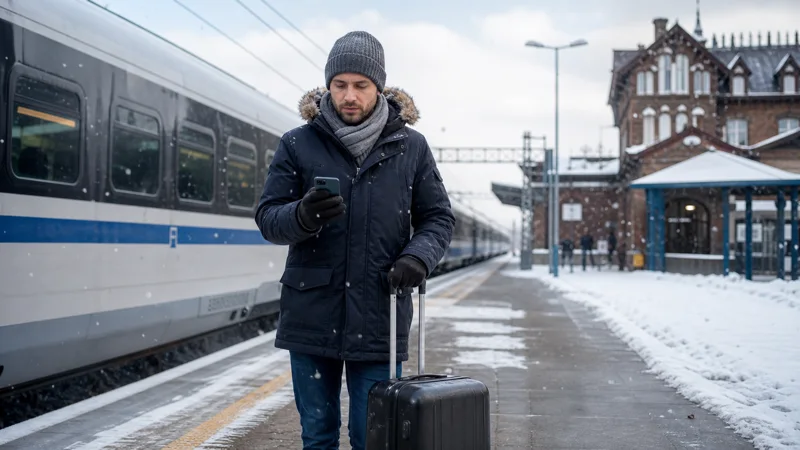

Internet for a Poland winter trip is generally available in the same places as during the rest of the year. Cold weather does not switch off the mobile network, but it can shorten phone battery life and make an unprepared traveller more dependent on charging points.
Winter itineraries also change how data is used. Christmas markets create short periods of urban congestion, mountain trips introduce terrain-related gaps, and train delays or altered road conditions make offline tickets and routes more important.
NoveSIM travel eSIMs are data-only. We do not provide a Polish phone number, conventional calls or SMS. Maps, messaging and internet calls work through mobile data where the selected partner network has service.
Quick answer: Choose a plan valid for the complete winter itinerary, install it before travel, and download tickets and maps offline. Expect normal coverage in Polish cities, possible congestion around crowded Christmas markets and weaker signal in mountain terrain. Carry a charged power bank and keep the phone close to the body in very cold weather.
Top Poland eSIMs

Poland eSIM
Fixed
1 GB, 7 days€ 1.772 GB, 15 days€ 3.553 GB, 30 days€ 4.44Unlimited
Unlimited, 1 day€ 2.22Unlimited, 3 days€ 4.88Unlimited, 5 days€ 7.99
Europe Extra eSIM
Fixed
1 GB, 7 days€ 2.222 GB, 15 days€ 3.553 GB, 30 days€ 4.44Unlimited
Unlimited, 1 day€ 2.66Unlimited, 3 days€ 5.32Unlimited, 5 days€ 8.87Europe+ eSIM
Fixed
1 GB, 7 days€ 2.662 GB, 15 days€ 3.993 GB, 30 days€ 5.32Unlimited
Unlimited, 1 day€ 2.66Unlimited, 3 days€ 6.21Unlimited, 5 days€ 10.20Does winter reduce mobile coverage in Poland?
Season alone does not change the planned footprint of a mobile network. A phone can still lose signal because of terrain, distance from a base station, building materials or temporary local conditions, just as it can in warmer months.
Snowy or icy weather can affect travel and access to a location without necessarily affecting the nearby network. Check the partner network used by the selected plan and review the Poland eSIM coverage guide for the wider regional picture.
Protect the phone battery in cold weather
Low temperatures can reduce the usable capacity of a lithium-ion battery. Keep the phone in an inner pocket rather than exposed in an outer bag, and avoid leaving it in a cold parked vehicle. Carry a power bank and cable that you have already tested.
If the device shuts down in the cold, allow it to warm gradually before charging. Do not place it directly on a heater. Battery management matters because a working data plan is of little use when the phone has no power.
Expect congestion at Christmas markets
Major Christmas markets in Krakow, Warsaw and Wroclaw are usually located in well-covered central areas. The practical problem is crowd demand, particularly during busy evenings and weekends, rather than lack of network infrastructure.
Messages and simple map checks may work more reliably than large uploads during peak periods. Arrange a physical meeting point with companions and save the route back to the hotel. This guidance incorporates the useful connectivity concerns from the former Christmas-markets page without requiring a separate URL.
Prepare differently for Zakopane and the mountains
Mountain terrain can block radio signals even when resort towns and main access roads have service. Download the route, accommodation details and any trail or slope information before leaving a strong connection.
A dedicated ski itinerary has additional needs around lifts, slopes and emergency preparation. Use the Poland ski-trip internet guide when the mountains are the main purpose of the journey.
Keep rail and road information available offline
Winter travel may involve timetable changes or slower journeys. Save tickets as files or wallet items and record the destination station, hotel address and onward route locally. Mobile data remains useful for live updates, but it should not control access to the basic journey.
For rail preparation, see the Poland train internet guide. Drivers should also download their route and review the Poland road-trip connectivity guide before leaving a city.
Choose data for a winter city break
Maps, transport apps and messaging are light uses. Photo and video uploads from markets, museums and evening events can consume much more. Pause cloud backup over mobile data and upload large media on trusted accommodation WiFi.
| Winter activity | Useful preparation |
|---|---|
| Christmas market evening | Agree on a meeting point and expect congestion |
| Intercity train | Save tickets and connections offline |
| Mountain day | Download maps before leaving town |
| Long outdoor day | Carry a charged power bank |
Estimate the overall allowance with the Poland trip data guide, then account for any regular video sharing.
Set up the eSIM before the temperature drops
- Install the eSIM on reliable WiFi before departure.
- Confirm that validity covers the arrival and departure dates.
- Select the travel line for mobile data after arrival.
- Apply the provider’s required Data Roaming setting to that line.
- Test a webpage with WiFi switched off.
- Keep the eSIM installed if a temporary problem occurs.
If service does not return after leaving a weak-signal location, use the Poland eSIM troubleshooting guide rather than deleting the installed plan.
Related Articles
- Best eSIM for Poland
- Mobile networks in Poland
- Internet in Zakopane
- Best way to get internet in Poland
FAQ
Does cold weather stop mobile data working in Poland?
Cold weather does not normally change network coverage, but it can reduce phone battery performance. Terrain, buildings and congestion still affect the connection.
Will mobile data work at Polish Christmas markets?
Coverage is generally strong in central market locations, although speeds can fall when large evening crowds use the network simultaneously.
Should I download maps for a Poland winter trip?
Yes. Offline maps help during mountain signal gaps, transport disruption and any time the phone cannot reconnect immediately.
What should I carry for phone use in cold weather?
Carry a tested power bank and cable, keep the phone in an inner pocket and save essential documents locally before a long outdoor day.
Final Recommendation
For internet during a Poland winter trip, choose a plan that covers the whole itinerary and prepare the phone before travelling. City coverage should be dependable, while crowded markets and mountain terrain require realistic expectations.
Protect the battery, carry backup power and keep tickets, routes and accommodation details offline. Install and test the eSIM on reliable WiFi, and do not delete it because of a temporary seasonal travel interruption.