
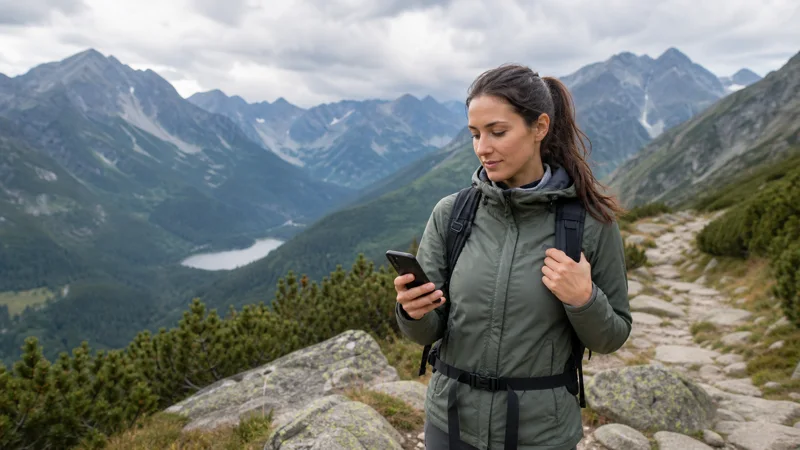

Traveller checking eSIM coverage on a trail in Poland's Tatra Mountains.

Poland eSIM Coverage: Networks, 4G, 5G and Travel Tips

A Poland eSIM does not create separate radio coverage. It connects to the Polish partner network or networks included in the selected plan. Coverage therefore depends on that partnership, the device, supported frequencies, local network conditions and whether the phone is configured correctly.

This guide helps travellers evaluate where a Poland travel eSIM is likely to work. It avoids temporary prices and promotional allowances because those can change; current operator or eSIM plan details should always be checked immediately before purchase.

Quick answer: Poland has Orange, Play, Plus and T-Mobile mobile networks. A travel eSIM uses the supported partner network named in its plan. Choose by itinerary, validity, device compatibility and data needs, not by a brand name alone.

Top Poland eSIMs

What determines Poland eSIM coverage?

Service is generally easiest to find in Warsaw, Kraków, Gdańsk, Wrocław, Poznań and other populated areas. Reception can vary on moving trains, in underground spaces, behind thick historic walls, across forested regions and in the Tatra Mountains. Saving maps and tickets offline remains sensible even with a generous plan.

The 5G icon is not a coverage guarantee. A phone can move between 5G and 4G as conditions change, and a plan may not include every network technology available to a domestic subscriber. A stable 4G connection is normal and adequate for most navigation, booking and messaging tasks.

When coverage seems absent, first distinguish location from configuration. Move outdoors, allow the phone time to register, confirm the eSIM is selected for data and enable roaming for that line when the plan requires it. Do not delete the profile merely because one location has weak reception.

Coverage planning for cities, transport and outdoor destinations

In major cities, the most common coverage problems are highly local: thick historic masonry, underground rooms, crowded events and station interiors. Store entry passes and accommodation details on the device so that a temporary indoor gap does not interrupt the day.

On rail journeys, the handset hands the connection between cells while travelling at speed. It may briefly lose service and reconnect without intervention. Keep selection automatic and avoid editing the APN during a short tunnel or rural interruption.

Forests, lake districts and mountain valleys deserve conservative preparation. Download the full map region and tell companions the planned route. Cellular coverage is useful but should never replace recognised outdoor-safety procedures or an appropriate emergency plan.

After a weak-signal section, allow the phone time to re-register in the next town. Toggle Airplane Mode once if needed. If other travellers on the same supported network have service and the phone does not, then review the data line, roaming setting and APN.

Network, plan and phone: three separate checks

The network supplies radio coverage, the plan defines access and usage conditions, and the phone determines compatibility. Confusing these layers leads to poor comparisons. A capable network cannot fix an expired allowance, while a generous plan cannot create reception inside every basement or mountain valley.

Check the exact device model in the eSIM-compatible device list. Regional variants can differ, and a carrier-locked phone may reject another provider’s profile. Update the operating system before travel, but avoid major updates immediately before departure without time to test the device.

The selected Poland eSIM plan is the authoritative source for validity, data allowance, supported networks, 5G and hotspot availability. These features can depend on the plan, device, region and local coverage. Save the confirmation and setup instructions offline.

Plan for the complete transport chain rather than the sightseeing days alone. Connectivity can be most valuable immediately after landing, during a railway change, at a late accommodation check-in and on the final journey back to the airport. Validity should include those moments with a reasonable buffer.

Estimate data from normal activity. Maps, messages and booking confirmations are relatively light, while video, cloud photo backup, software updates and laptop tethering can consume an allowance quickly. Download large files at home and review cellular usage after the first full day in Poland.

Poland connectivity choices compared

ChoiceMain advantageCheck before relying on it
Travel eSIMInstall before travel and keep the main SIM in placeCompatibility, partner network, allowance and validity
Local prepaid SIMCan provide a Polish number and domestic featuresRegistration, current tariff, shop access and renewal
Home roamingUses an existing linePoland roaming zone, fair-use limit and charges
WiFiUseful for large downloadsAvailability, security and continuity away from the venue

How to prepare a Poland eSIM before travel

  1. Confirm that the exact phone model supports eSIM and is carrier unlocked.
  2. Review the route, including smaller towns, rail journeys and rural destinations.
  3. Choose a plan whose validity covers arrival through the complete departure journey.
  4. Check its supported Polish network, data allowance, hotspot policy and activation instructions.
  5. Install the profile on trusted WiFi and give the new line a clear name such as “Poland”.
  6. Keep the QR code and manual activation information private and available offline.
  7. Download maps, tickets and essential addresses before departure.

The NoveSIM setup overview explains the normal purchase and installation sequence. Installation does not always start plan validity, but activation rules vary, so follow the instructions supplied with the selected product.

Arrival settings and a safe connection test

  1. Turn off Airplane Mode and enable the Poland eSIM line.
  2. Select that line for cellular or mobile data.
  3. Enable data roaming for the travel eSIM when required by its instructions.
  4. Disable data roaming and automatic data switching for the home line unless intended.
  5. Leave network selection automatic and allow several minutes for registration.
  6. Open a simple webpage or map route before leaving the arrival area.

NoveSIM travel plans are data-only and normally do not include a local number, traditional calls or SMS. WhatsApp and other internet services work through data. Calls or messages on the home line can still incur charges under the home provider’s tariff.

How to evaluate coverage during the trip

Test service in an open location before concluding that a network is unavailable. Thick walls, underground platforms, crowded venues and moving trains can create temporary changes. Signal bars alone do not prove that the correct SIM is carrying data; verify the active data line in settings.

Use realistic tasks such as opening a railway timetable, loading an accommodation message and requesting a map route. A speed test consumes data and describes only one moment. For remote work, test hotspot and a short video call before an important meeting and keep trusted WiFi as a backup.

Automatic network selection should remain enabled unless the plan instructions or support team identifies a supported manual network. An unsupported manual choice can display a network name without producing a working data session.

Troubleshooting without deleting the eSIM

  1. Confirm that the eSIM is enabled and selected for mobile data.
  2. Check its roaming setting and the APN supplied with the plan.
  3. Toggle Airplane Mode once, wait, and restart the phone.
  4. Move outdoors or away from a basement and test again.
  5. Check the remaining allowance and any high-speed fair-use condition.
  6. Contact support with the order reference, device model, location and screenshots.

Do not delete the installed eSIM unless NoveSIM support specifically instructs you to do so. Some profiles cannot be reinstalled after activation. The NoveSIM FAQ provides additional general guidance.

Practical advice for Polish routes

City breaks: Mobile data is useful between the airport, hotel and attractions. Historic walls and underground areas can affect indoor signal, so store entrance tickets locally.

Train travel: Reception can change as the train moves between cells. Keep tickets and platform details offline and allow the phone to reconnect without repeatedly changing network settings.

Road trips: Download the required map regions and carry a charging cable. Forests, lakes and less populated roads can differ from city coverage.

Mountain visits: Terrain around Zakopane and the Tatras can create local gaps. Offline maps and established trail-safety practices remain essential; mobile service is not an emergency guarantee.

Related Articles

FAQ

Which network does a Poland eSIM use?

It uses the Polish partner network or networks stated for the selected plan. Do not assume that every travel eSIM accesses all domestic operators.

Is 5G guaranteed in Poland?

No. 5G depends on the plan, device, frequencies, network and location. The phone may use 4G where 5G is unavailable.

Can I keep my home SIM active?

Usually yes on a compatible dual-SIM phone. Assign data to the Poland eSIM and prevent automatic roaming data use on the home line.

Does a travel eSIM provide a Polish number?

NoveSIM travel plans are data-only and normally do not include a local number, traditional calls or SMS.

Should I select a Polish network manually?

Keep selection automatic unless the plan instructions or support identifies a supported manual option.

Final recommendation

Check the selected plan’s supported Polish network, use a compatible unlocked phone and keep offline essentials. Coverage varies by place, so judge the connection after testing in an open location and confirming the correct data-line settings.

Recheck current plan details before purchase because network access, allowances and availability can change. Prepare the phone on WiFi and retain offline travel information even after a successful connection test.

Scroll to Top