


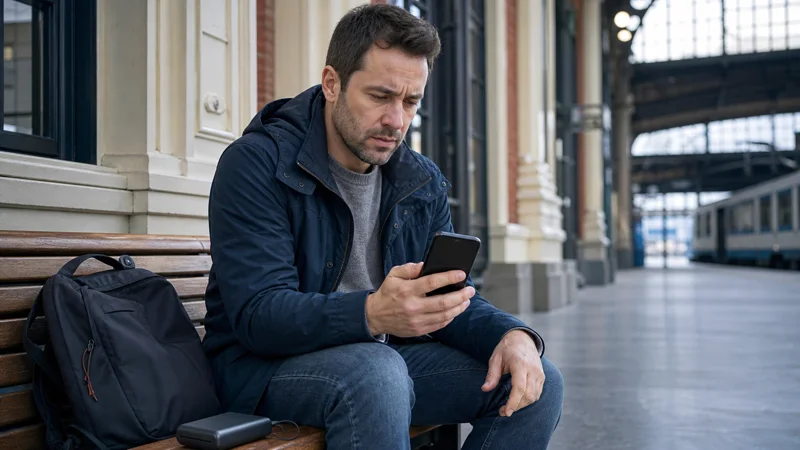

If your Poland eSIM is not working, first identify whether the profile is missing, the phone has no signal or the line shows signal but cannot load data. Each symptom points to a different part of the setup.
Most connection failures are resolved by selecting the correct mobile-data line, enabling Data Roaming on the travel eSIM, checking the plan’s validity and restoring the supplied APN. Work through those checks in order instead of changing several settings at once.
NoveSIM travel eSIMs are data-only. We do not provide a Polish phone number, conventional calls or SMS, although messaging and calling apps work through mobile data.
Quick answer: Enable the Poland eSIM, select it for mobile data, turn on Data Roaming for that line and leave network selection on automatic. Check that the plan is valid and has data remaining. If manual APN entry is required for a NoveSIM plan, use data.esim. Do not delete the installed eSIM while troubleshooting unless support explicitly instructs you to do so.
Top Poland eSIMs

Poland eSIM
Fixed
1 GB, 7 days€ 1.772 GB, 15 days€ 3.553 GB, 30 days€ 4.44Unlimited
Unlimited, 1 day€ 2.22Unlimited, 3 days€ 4.88Unlimited, 5 days€ 7.99
Europe Extra eSIM
Fixed
1 GB, 7 days€ 2.222 GB, 15 days€ 3.553 GB, 30 days€ 4.44Unlimited
Unlimited, 1 day€ 2.66Unlimited, 3 days€ 5.32Unlimited, 5 days€ 8.87Europe+ eSIM
Fixed
1 GB, 7 days€ 2.662 GB, 15 days€ 3.993 GB, 30 days€ 5.32Unlimited
Unlimited, 1 day€ 2.66Unlimited, 3 days€ 6.21Unlimited, 5 days€ 10.20Identify the exact failure before changing settings
- The eSIM is absent from the SIM list: this is an installation or device-compatibility issue.
- The eSIM is present but shows no network: check whether the line is enabled, whether the plan is active and whether the phone can register with a supported partner.
- Signal is visible but webpages do not load: check the selected data line, roaming, APN and remaining allowance.
- Data works but is unusually slow: check throttling, congestion, signal quality and whether several apps are affected.
Record the phone model, current location, displayed network and any error message. That information is more useful to support than repeatedly toggling unrelated settings.
Restore Poland mobile data in a safe order
- Confirm that the eSIM profile is visible and enabled.
- Select the Poland eSIM as the line for cellular or mobile data.
- Turn off automatic data switching so the phone does not fall back to the home SIM.
- Enable Data Roaming on the travel eSIM when required by the plan.
- Check that the plan has started, still covers Poland and has usable data remaining.
- Toggle Airplane Mode for about 30 seconds, turn it off and wait for registration.
- Restart the phone once and test a normal webpage rather than only one app.
Keep roaming disabled on the primary SIM unless you intentionally want to use the home provider abroad. Calls, SMS and voicemail on that line may still incur roaming charges even when the eSIM handles data.
Check the APN only after the data line is correct
An APN tells the phone how to reach the mobile-data service. Do not copy an APN from a Polish domestic operator or an unrelated travel provider. Use the value supplied with the exact plan.
For a NoveSIM eSIM, enter data.esim when manual APN configuration is required. Leave username and password empty unless your instructions provide values, save the APN and select it if the phone creates more than one profile. The dedicated Poland eSIM APN guide shows the relevant iPhone and Android menus.
What to do when the eSIM has signal but feels slow
Begin with the remaining high-speed allowance. Some plans reduce speed after a stated amount is consumed rather than stopping data completely. A correct phone configuration cannot remove a plan-level speed limit.
If allowance remains, test a webpage and a second app. One slow service may be an application problem; several slow services suggest the connection itself. Move away from thick walls or an underground area and test again. Busy stations, event venues and city centres can also experience temporary congestion.
Rural roads, forests and mountain terrain can produce local coverage gaps that are not visible in central Warsaw or Kraków. Review the Poland eSIM coverage guide and keep maps, tickets and accommodation details available offline.
Use manual network selection only as a targeted test
Automatic network selection is the correct starting point because it lets the phone register with an available supported partner. Manual selection is useful only when automatic registration fails or when support asks you to test another partner listed for the plan.
- Check the plan instructions for the supported partner networks.
- Open the phone’s mobile-network settings and disable automatic selection.
- Choose one supported network and allow several minutes for registration.
- Test a webpage before trying another listed partner.
- Return network selection to automatic after the diagnostic test.
Near an international border, a phone may display a network from a neighbouring country. Do not force a network merely because its signal appears in the list: a Poland-only plan may not be authorised to use it, while a regional plan may have different coverage. Check the plan rather than guessing.
Installation and activation problems are different
If the QR code will not install, confirm device compatibility, carrier-unlock status and a reliable WiFi connection. If the profile is already installed but will not connect, do not scan the code again; verify activation and data settings instead.
The Poland eSIM installation guide covers adding the profile. The Poland eSIM activation guide covers enabling the installed line and assigning mobile data after arrival.
When to contact support
Contact support if the supported network rejects registration, the plan appears active but no data passes after the ordered checks, or the instructions differ from the menus on the device. Provide the order reference, exact model, location, screenshots and the steps already tested.
Keep the QR code and activation details private. Do not reset network settings or delete the eSIM unless support confirms that those actions are appropriate and that the profile can be restored.
Related Articles
- Check whether your phone supports a Poland eSIM
- Use a Poland eSIM on iPhone
- Use a Poland eSIM on Android
- Mobile networks in Poland
FAQ
Why does my Poland eSIM show signal but no data?
The wrong data line, disabled Data Roaming, an incorrect APN or an exhausted allowance can all produce this symptom. Check them in that order.
Should I choose a Polish network manually?
Keep selection automatic initially. Test manual selection only with a partner supported by the plan, then return to automatic after diagnosis.
Why has my Poland eSIM become slow?
Check the remaining high-speed allowance, then test for temporary congestion or weak local coverage. Compare several apps before concluding that the entire connection is slow.
Should I delete and reinstall a non-working eSIM?
No. Some activation codes are single-use. Preserve the installed profile and contact support unless removal is specifically authorised.
Final Recommendation
When a Poland eSIM is not working, separate installation, registration and data service before applying a fix. Select the intended data line, verify roaming and allowance, then check the APN.
Treat slow data and no data as different symptoms. Allowance, congestion and local coverage matter for speed, while an incorrect line or APN can stop service entirely.
Keep network selection automatic after any supported-partner test, preserve the eSIM profile and give support precise evidence if the ordered checks do not restore the connection.