


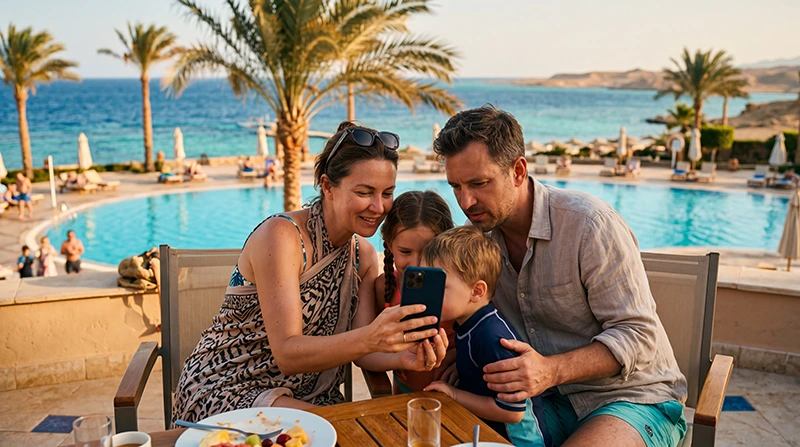

Internet for an Egypt family vacation is mainly a question of who needs to stay connected independently. One parent’s hotspot may cover children during a shared transfer, but it will not help the other parent once they take that phone away.
Plan around the points where the family separates: one adult collecting a booking, another staying at the pool, or different excursion pickup times. A small independent data allowance on each adult’s phone can be more useful than one large shared allowance.
Our NoveSIM travel eSIMs are data-only. We do not provide local Egyptian numbers, ordinary calls or SMS. Hotspot sharing depends on the purchased plan and device; buying one profile does not let everyone install the same activation code.
Quick answer: Use one hotspot only when everyone who needs it will stay near the host phone and the plan permits sharing. Choose separate data access for adults who may split up. Download children’s entertainment on Wi-Fi, save transfer details on both adults’ phones and test all required connections before leaving for an excursion.
Top Egypt eSIMs

Egypt eSIM
Fixed
1 GB, 7 days5.00$2 GB, 15 days8.00$3 GB, 30 days11.00$Unlimited
Unlimited, 1 day5.50$Unlimited, 3 days13.00$Unlimited, 5 days21.00$
Africa eSIM
Fixed
1 GB, 7 days11.50$2 GB, 15 days21.50$3 GB, 30 days30.00$Unlimited
Unlimited, 1 day15.50$Unlimited, 3 days44.50$Unlimited, 5 days73.50$Decide who needs a connection when you split up
| Family situation | Practical arrangement | Limitation to remember |
|---|---|---|
| Everyone stays together outside the resort | One data phone with permitted hotspot sharing | Other devices depend on that phone’s proximity, battery and reception |
| Adults leave the property separately | Independent access on each adult’s phone | Each phone needs its own compatible service |
| Children use tablets during transfers | Offline downloads with occasional hotspot access | Streaming and updates can use the shared allowance quickly |
| Most use is inside one resort | Verified property Wi-Fi plus data for leaving the grounds | Room and pool access may differ; confirm device login limits |
Keep the purchase proportionate. Children who only watch downloaded programmes do not necessarily need their own mobile plan. Adults who need to coordinate from different locations should not depend entirely on one phone.
One eSIM profile is not a family multi-device licence
An eSIM activation installs a profile on an eligible device under the provider’s rules. Do not scan the same code on several phones or delete the profile to move it between family members. Transfer and replacement procedures must be checked with the provider.
Hotspot is a different arrangement: the host phone shares its working internet connection with nearby devices. Check the current Egypt plan details for tethering terms and confirm that the chosen handset supports it. A connected tablet still uses the host phone’s allowance.
If sharing is essential, test it before the transfer rather than assuming an unlimited-labelled plan permits unrestricted hotspot. Apple’s Personal Hotspot guidance also directs users to check that their carrier and plan support the feature when it is unavailable.
Protect shared data from children’s downloads
A tablet may treat a phone hotspot like ordinary Wi-Fi and begin updates or large downloads. Apply the device’s available low-data controls and check app settings on the connected device, not only on the parent’s phone.
- Download entertainment and game updates before the travel day.
- Check that downloaded content actually opens without internet.
- Turn off automatic video playback where available.
- Restrict backups and software updates before connecting to the hotspot.
- Disconnect tablets after use so background apps do not continue consuming data.
For the budget, add the expected use of every shared device. The Egypt data allowance guide helps with planning, but there is no reliable family allowance based on trip length alone. One hour of streamed video and a day of messages are very different demands.
Prepare both adults for the airport transfer
- Save the driver or transfer-company contact and pickup instructions on both phones.
- Keep the hotel name, address and booking confirmation available offline.
- Install each required profile on its intended compatible phone, following the plan’s timing rules.
- After landing, select the correct data line and follow the Egypt activation instructions.
- Test a webpage on each independent data phone and a short hotspot connection if sharing is planned.
- Check battery levels and keep the host phone accessible during the journey.
Turning home-SIM data roaming off helps prevent unintended data use, but ordinary calls can still carry home-carrier charges. Check those terms before telling a driver to call your regular number.
Use resort Wi-Fi without making the whole day depend on it
Ask whether access covers the room, how many devices can log in and whether a second access tier costs extra. Test it before relying on downloads for the next day. Having Wi-Fi at reception does not establish that children’s tablets will connect by the pool.
For a Hurghada or Sharm El Sheikh excursion, save the meeting point before leaving the grounds. See Hurghada internet advice or the Sharm El Sheikh connection guide for the local resort context.
On a boat outing or desert day, treat mobile service as intermittent. Agree where to meet if messages cannot be delivered. A location-sharing app or child-tracking device that needs connectivity should not replace an agreed meeting plan and the tour operator’s procedures.
If the shared connection stops
First establish whether the host phone itself can load a webpage. If it can, check hotspot settings and the other device’s Wi-Fi connection. If it cannot, verify the travel data line, allowance and roaming settings before changing the tablet.
Follow Egypt eSIM troubleshooting for a failed host connection. Keep the profile installed and use data.esim only when manual NoveSIM APN entry is required. Deleting the host eSIM interrupts everyone’s shared data and may make reactivation impossible without support.
Related Articles
FAQ
Can our family share one Egypt eSIM?
You may share the host phone’s data through hotspot if the plan and phone support it. That does not let you install one activation code on every family member’s device.
Do both parents need separate data plans?
Independent access is useful if you may separate during the day. If you stay together, one permitted hotspot may suffice, but the second phone depends on the host phone remaining nearby and working.
Why did a child’s tablet use so much shared data?
Streaming, updates or cloud synchronisation may have started over the hotspot. Check the tablet’s app usage and available low-data controls, and download entertainment before travel days.
Can we rely on location sharing during excursions?
No. Delivery depends on the devices and available connection. Save meeting details and agree a fallback arrangement, particularly for boat trips or travel away from populated areas.
Final Recommendation
For an Egypt family vacation, decide which adults need independent access before choosing the number of plans. Share data only where the terms allow it and the family can remain within reach of the host phone.
Keep children’s large downloads on Wi-Fi, prepare transfer details on more than one device and agree meeting arrangements that still work offline. This protects both the shared allowance and the family’s ability to coordinate.