


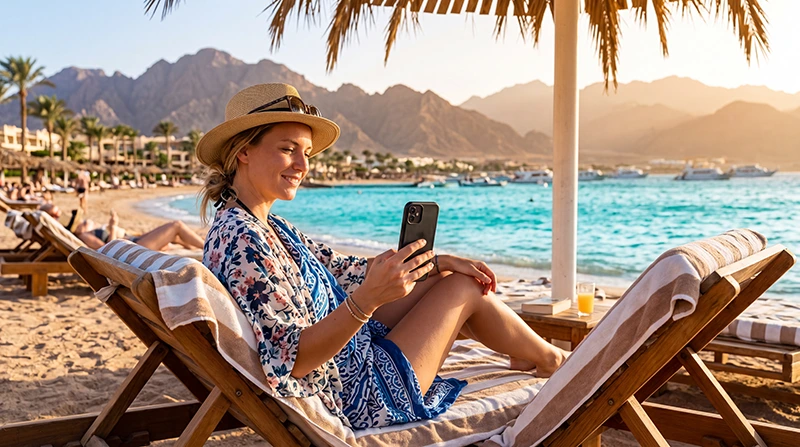

For reliable internet in Sharm El Sheikh, use mobile data when travelling between the airport, resorts and activity meeting points, then use accommodation Wi-Fi for large downloads. A travel eSIM can be prepared before arrival; a local SIM is more relevant when you need an Egyptian number.
Naama Bay, SOHO Square and established resort areas do not represent every part of the trip. Reception can change inside large hotels, on desert roads and during boat excursions towards reefs or Ras Mohammed.
NoveSIM travel eSIMs are data-only. We do not provide an Egyptian number, ordinary voice minutes or SMS, while internet calling and messaging apps can use the data connection.
Quick answer: Set up mobile data before the airport transfer, download Sharm El Sheikh offline in your map app and save the resort entrance or pickup point. Use a travel eSIM for convenient data, a local SIM when an Egyptian number matters and hotel Wi-Fi as a backup rather than your only connection.
Top Egypt eSIMs

Egypt eSIM
Fixed
1 GB, 7 days€ 4.462 GB, 15 days€ 7.143 GB, 30 days€ 9.82Unlimited
Unlimited, 1 day€ 4.91Unlimited, 3 days€ 11.60Unlimited, 5 days€ 18.74
Africa eSIM
Fixed
1 GB, 7 days€ 10.262 GB, 15 days€ 19.193 GB, 30 days€ 26.78Unlimited
Unlimited, 1 day€ 13.83Unlimited, 3 days€ 39.72Unlimited, 5 days€ 65.60Which connection should you choose?
| Option | Useful for | Main question |
|---|---|---|
| Travel eSIM | Advance setup and data after landing | Is the phone compatible, unlocked and covered by the plan? |
| Egyptian SIM | Local number, calls or a longer stay | What registration and current bundle apply? |
| Home roaming | A traveller with a suitable Egypt pass | What is the full daily or trip charge? |
| Resort Wi-Fi | Downloads and use on the property | Does it reach your room and support the required speed? |
Do not compare plans only by their largest allowance. Check validity, high-speed data, hotspot permission and the partner network. Start with the Egypt eSIM guide or compare domestic options in the Egypt SIM card guide.
What coverage should you expect in Sharm El Sheikh?
Travellers commonly expect service around the airport corridor, Naama Bay, Hadaba and major resort developments. Actual performance varies by the network, the phone’s supported bands, room position and the construction of the hotel.
Large properties can have strong reception outside and a weak signal in an interior room. Before changing settings, test near a window or in an open area. A plan that works at the airport may also perform differently at the resort because the phone connects to another cell.
Will data work on desert and boat excursions?
Do not assume continuous coverage away from the resort strip. Desert routes, mountain shadows and offshore sections can interrupt service even when the trip begins with a strong signal.
- Save the operator’s name and emergency contact offline.
- Screenshot the meeting point and return time.
- Download any ticket or voucher before departure.
- Tell companions where you will meet if phones lose service.
- Follow the guide or crew rather than a live map in restricted areas.
Mobile data is useful for coordination but should not be treated as emergency equipment in the desert or at sea.
Is resort Wi-Fi sufficient?
It can handle ordinary browsing and large downloads when the property has good infrastructure, but quality may differ between the lobby, room, pool and beach. Evening congestion can affect calls when many guests connect simultaneously.
Ask whether access is included, how many devices can connect and whether faster service costs extra. For remote work, test a real call before an important meeting and keep mobile data as the alternative.
How much data should you buy?
A short resort stay using messages, maps and occasional transport apps needs much less than daily video calls, streaming or social-media uploads. Automatic cloud backup is easy to overlook after taking underwater or excursion videos.
Pause large backups on mobile data and download entertainment before travel. Use the Egypt mobile-data guide to estimate an allowance from your own use rather than choosing the largest package automatically.
How to prepare for arrival
- Check that the exact phone model supports eSIM and is carrier-unlocked.
- Choose a plan that explicitly lists Egypt.
- Install the profile over reliable Wi-Fi when the plan instructions allow.
- Save the resort address, transfer desk and booking offline.
- Download an offline map covering the airport and accommodation.
- After landing, select the travel eSIM for data and enable Data Roaming on it.
Test a webpage before leaving the terminal or meeting the driver. The Sharm El Sheikh Airport internet guide covers the arrival stage separately.
What should you check if mobile data fails?
- Make sure the Egypt eSIM is on and selected for mobile data.
- Enable roaming on the travel line while keeping home-line roaming off.
- Disable automatic data switching.
- Leave network selection on Automatic at first.
- Toggle Airplane Mode and restart the phone.
- Enter data.esim if manual NoveSIM APN configuration is required.
Do not delete the installed eSIM unless NoveSIM Support specifically tells you to do so, because an activation code may not be reusable. Continue with the Egypt eSIM troubleshooting guide after the reversible checks.
Related Articles
- Mobile internet options in Egypt
- SIM cards at Sharm El Sheikh Airport
- Wi-Fi at Sharm El Sheikh Airport
- Egypt roaming charges
FAQ
Is mobile internet reliable in Sharm El Sheikh?
Mobile service is commonly available around major resort areas, but speed and indoor reception vary by network, hotel construction, location and demand.
Can I use an eSIM at a Sharm El Sheikh resort?
Yes, when the phone is compatible and the plan includes Egypt. Reception inside a particular room cannot be guaranteed, so test outside before changing settings.
Will mobile data work during a desert safari?
Not continuously. Terrain and distance can interrupt service. Save meeting details and follow the tour operator’s safety instructions.
Does a NoveSIM Egypt eSIM have a local number?
No. NoveSIM travel eSIMs provide data only and do not include an Egyptian number, conventional calls or SMS.
Final Recommendation
Use mobile data for transfers and movement around Sharm El Sheikh, with resort Wi-Fi as the second connection for heavy tasks.
Save maps, excursion instructions and tickets offline before travelling into the desert or boarding a boat.
Prepare the eSIM before departure when possible, test it after landing and preserve the installed profile during troubleshooting.