


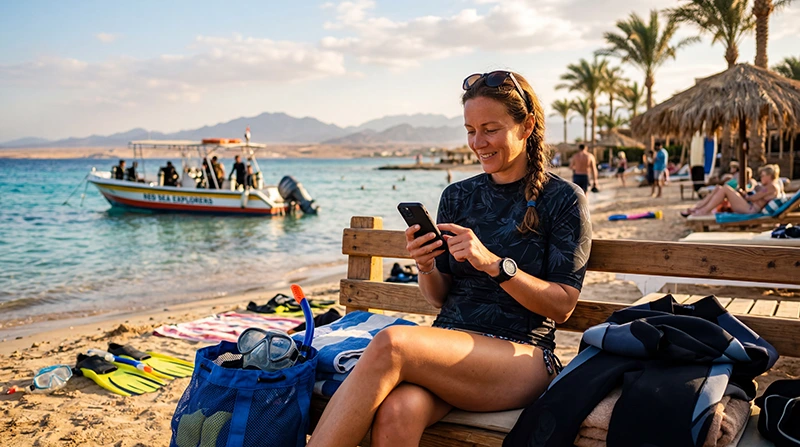

An eSIM for a diving trip in Egypt is useful for the arrangements around the dive: reaching your dive centre, receiving a pickup change or finding the boarding point. It is not a connection for use underwater, and buying an Egypt data plan does not guarantee internet on a liveaboard.
The important distinction is where you sleep. A shore-based holiday gives you opportunities to reconnect at your accommodation between dive days. On a multi-day liveaboard, access depends on the vessel’s internet service and whether your mobile plan can reach a supported land-based network.
Our NoveSIM travel eSIMs are data-only. We do not provide an Egyptian phone number, conventional calls or SMS. Agree an internet-based contact method with the dive centre, or arrange a separate voice service if it requires regular telephone calls.
Quick answer: Use an Egypt-covered eSIM for transfers and dive-centre communication where its supported network is available. Before a dive day, save the pickup or boarding instructions and confirm how changes will be communicated. For a liveaboard, ask about internet on your exact vessel and itinerary; an eSIM does not replace onboard communications or provide satellite service.
Top Egypt eSIMs

Egypt eSIM
Fixed
1 GB, 7 days€ 4.462 GB, 15 days€ 7.143 GB, 30 days€ 9.82Unlimited
Unlimited, 1 day€ 4.91Unlimited, 3 days€ 11.60Unlimited, 5 days€ 18.74
Africa eSIM
Fixed
1 GB, 7 days€ 10.262 GB, 15 days€ 19.193 GB, 30 days€ 26.78Unlimited
Unlimited, 1 day€ 13.83Unlimited, 3 days€ 39.72Unlimited, 5 days€ 65.60Decide whether you need shore access or liveaboard access
For a holiday based at a hotel or guesthouse, mobile data can bridge the gap between accommodation Wi-Fi and the dive centre. That is useful when the pickup arrives at a different entrance, the centre sends a document or you need directions to its office. Check that the centre has the contact details you will actually use in Egypt.
A liveaboard booking changes the question. You may leave the port for several days, so a country eSIM alone is not a complete internet plan. Before buying a larger allowance, ask the operator whether guests can access the internet during that particular sailing.
Ask whether the service works only in port, whether it is included, whether there are data or device limits, and whether it supports the activity you need. If you must attend a work call, do not base that commitment on the word “Wi-Fi” in a boat description.
As one concrete example, Red Sea Aggressor V’s published vessel information lists Wi-Fi availability on Friday, Saturday and Sunday only. That is a vessel-specific condition, not a rule for all Egypt liveaboards. Confirm the current arrangements for your booking directly.
Finish the dive-centre arrangements while connected
A message thread is convenient until opening it depends on a connection you no longer have. Save the final instructions to your phone rather than relying on an email attachment or a booking link to load at the meeting point.
- Confirm whether you meet at the dive centre, your accommodation or the vessel’s boarding point.
- Save the agreed time, address, booking reference and operator contact in an offline note.
- Ask which channel the operator uses for last-minute changes and send a test message through that channel.
- Download any documents the operator has requested, checking that you can open them without internet.
- For a liveaboard, agree with people at home that you may be offline and confirm the operator’s own contact arrangements.
For the broader hotel-and-transfer questions, see internet on Egypt’s Red Sea coast. This page focuses on preparing for dive days, rather than rating reception at individual resorts or dive sites.
Test the eSIM before the pickup, not after departure
Check your exact handset’s eSIM support and unlocked status before purchasing. In the Egypt eSIM package details, review coverage, validity, activation rules and any hotspot restrictions. Available networks and 4G or 5G access depend on the package, device and local conditions; there is no verified dive-site reception survey in this guide.
Install over a dependable connection when the package’s activation rule permits. After arrival, select the travel line for mobile data, apply its roaming instructions and prevent automatic fallback to home-SIM data. Keep home-line data roaming off unless you deliberately use an included service.
Turn Wi-Fi off briefly and open a small webpage, then test the messaging channel agreed with the dive centre. A Wi-Fi test does not establish that the eSIM works. The Egypt activation guide covers setup; if manual NoveSIM APN entry is required, use data.esim.
If the mobile test fails, keep the installed profile and follow Egypt eSIM troubleshooting. Do not delete it unless support specifically instructs you to do so. Resolve a persistent problem while you still have a suitable connection for contacting support.
Treat an offshore connection as a bonus
Seeing mobile reception at the marina does not establish reception later in the sailing. Our eSIM uses supported terrestrial networks, not a maritime satellite connection. A larger data allowance cannot create coverage where that network is unavailable.
Onboard Wi-Fi is a separate service. Joining the vessel’s router does not necessarily mean the router has an internet connection. Ask the crew about guest access rather than repeatedly changing the phone’s APN when only the boat’s Wi-Fi is failing.
Follow the operator’s communication and safety arrangements. Do not change your position, leave the vessel or alter a dive plan to seek phone reception. Your personal eSIM is not a substitute for the operator’s emergency communications.
Separate photo storage from uploading
Keep enough device or camera storage for the trip so that uploading is not required to make room for the next day’s pictures. Check whether automatic photo backup uses mobile data; pause it if you want to preserve your allowance for messages and travel arrangements.
Upload selected files when you have a suitable connection and leave a full video archive until later. If transferring files from a camera to a phone, check whether that process uses a local connection or starts a cloud upload: those are different tasks.
Budget for the connected days before and after the sailing as well as the dive trip itself. Use the Egypt data-usage guide to estimate your needs. Days spent without reception do not necessarily pause the package’s validity, so check its expiry rule rather than assuming the unused allowance will remain available indefinitely.
Related Articles
FAQ
Will an Egypt eSIM work throughout a liveaboard trip?
Do not rely on continuous service. The plan needs a supported terrestrial network at your location. Check the vessel’s guest internet separately and prepare for periods offline.
Can I contact my dive centre without an Egyptian phone number?
Yes, if it accepts an internet-based messaging or calling service and you have working data or Wi-Fi. Agree the method beforehand. Our data-only eSIM does not provide conventional telephone calls or SMS.
Should I buy unlimited data for underwater photos and videos?
Choose according to the files you expect to upload, not the number of dives. Read the plan’s speed and fair-use terms. Extra data does not solve unavailable offshore coverage, and large uploads can wait for a suitable connection.
What should I save before boarding a dive boat?
Save the boarding or pickup instructions, booking reference, operator contact and requested documents. For a multi-day sailing, also agree how people at home should contact the operator if needed.
Final Recommendation
Use an eSIM for diving in Egypt to handle the connected parts of the trip: airport transfers, dive-centre messages and arrangements before boarding. Keep those details available offline before the dive day starts.
Test the travel data line on land and check the exact vessel’s internet conditions for a liveaboard. Preserve the installed profile if a connection fails; offshore silence is not a reason to reinstall it.
Plan to store photos locally and upload when a suitable connection returns. That leaves your holiday less dependent on reception while keeping practical communication available when the network supports it.