


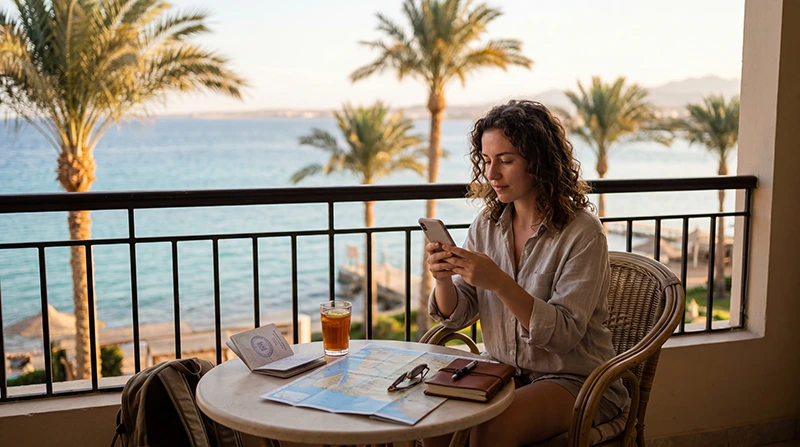

Most travellers need about 3–5 GB for a light one-week Egypt trip or 5–10 GB for regular use. Streaming, video calls, cloud photo backup and laptop hotspot use can raise the requirement to 15 GB or much more.
The right allowance depends on what happens away from hotel Wi-Fi. Navigation around Cairo, ride apps, booking checks and messaging use relatively little data; HD video and automatic photo uploads can consume several gigabytes in a day.
NoveSIM Egypt eSIMs are data-only. We do not provide an Egyptian telephone number, conventional calls or SMS. Internet-based messaging and calling apps can use the mobile-data allowance.
Quick answer: For Egypt, plan around 3–5 GB for seven days of light use, 5–10 GB for regular use, or 15–30 GB for frequent social video, calls and occasional hotspot work. For 10–14 days, increase the allowance according to daily use and add a margin for transfers, weak Wi-Fi and changed plans.
Top Egypt eSIMs

Egypt eSIM
Fixed
1 GB, 7 days€ 4.442 GB, 15 days€ 7.103 GB, 30 days€ 9.76Unlimited
Unlimited, 1 day€ 4.88Unlimited, 3 days€ 11.54Unlimited, 5 days€ 18.64
Africa eSIM
Fixed
1 GB, 7 days€ 10.202 GB, 15 days€ 19.083 GB, 30 days€ 26.62Unlimited
Unlimited, 1 day€ 13.75Unlimited, 3 days€ 39.49Unlimited, 5 days€ 65.22Egypt Data Guide for 7, 10 and 14 Days
| Trip length | Light use | Regular use | Heavy use |
|---|---|---|---|
| 7 days | 3–5 GB | 5–10 GB | 15–30 GB |
| 10 days | 5–7 GB | 10–15 GB | 20–40 GB |
| 14 days | 5–10 GB | 15–25 GB | 30–50+ GB |
These are planning ranges, not fixed requirements. Light use means maps, text messaging, email and occasional browsing. Regular use adds social media, photo sharing and short video. Heavy use includes frequent streaming, video calls, cloud backup or tethering another device.
Estimate Daily Use by Activity
| Activity | Likely impact on the allowance |
|---|---|
| Maps and route checks | Usually light, especially with offline areas downloaded |
| WhatsApp text and email | Light without large attachments |
| Ride apps and bookings | Light to moderate |
| Photo-heavy social media | Moderate and variable |
| Video calls | Heavy during long or high-quality calls |
| HD video streaming | Very heavy; several GB can be used in a few hours |
| Cloud photo/video backup | Potentially very heavy and easy to overlook |
| Laptop hotspot | Variable; updates and video can consume data quickly |
Check the phone’s recent per-app mobile-data statistics and exclude traffic that normally happened on home Wi-Fi. Multiply realistic daily use by the number of travel days, then add approximately 20–30% for delays, navigation changes and days without dependable Wi-Fi.
Cairo, Luxor and Intercity Travel
A city itinerary normally uses data for maps, ride coordination, attraction information, translation and accommodation messages. Download the Cairo map and essential addresses before departure so a busy station, indoor location or temporary coverage gap does not interrupt the route.
Intercity travel adds live ticket checks, transfer updates and longer periods without trusted Wi-Fi. Save rail or flight details offline and avoid large media downloads while moving. The wider Cairo internet guide covers city-specific connection choices.
Nile Cruises and Excursions
Do not assume that river or excursion coverage will match a central Cairo hotel. Reception can vary with location, terrain, the vessel and the supported network. Download the daily schedule, meeting points and destination maps before leaving a strong connection.
A Nile cruise can reduce consumption if entertainment is downloaded in advance, but photo and video backup can create the opposite result. Pause automatic uploads and wait for suitable Wi-Fi when the backup is not urgent.
Hurghada and Sharm El Sheikh Resorts
Resort Wi-Fi may handle entertainment and large downloads, while mobile data remains useful around airports, transfers, beaches and excursions. Quality can differ between the lobby, room, pool and outdoor areas, so do not build the allowance around an unverified promise of free Wi-Fi.
Travellers staying mainly at one resort may use less mobile data than a multi-city visitor. See the destination guides for Hurghada and Sharm El Sheikh when comparing coverage and arrival needs.
Remote Work and Hotspot Use
Video meetings, laptop updates, shared documents and hotspot use can exceed a normal tourist allowance quickly. Confirm that the selected Egypt plan permits tethering and check whether any fair-use or high-speed threshold applies.
Use a metered connection on the laptop, pause cloud sync and operating-system updates, and test accommodation Wi-Fi before an important meeting. Mobile data is a useful backup where coverage is stable, but it is not a guaranteed business connection.
Reduce Data Use Without Losing Essential Access
- Download Egypt map areas and language resources before departure.
- Set streaming and social apps to lower mobile quality.
- Disable automatic video playback and media downloads.
- Pause cloud photo backup until trusted Wi-Fi is available.
- Turn off automatic app and system updates.
- Check per-app data use after the first full day.
- Keep a reserve for the airport transfer and final travel day.
Allowance and Validity Are Separate Limits
A 20 GB package is unsuitable if it expires before a 14-day trip ends. Conversely, a long-validity plan can still run out early when video or hotspot use is underestimated.
Check the current Egypt eSIM plans for allowance, validity, activation timing, coverage and hotspot terms. Compare local and travel options through Best SIM Card for Egypt, and review roaming costs separately in Roaming Charges in Egypt.
If the Egypt eSIM Uses Data Faster Than Expected
Open the phone’s mobile-data statistics and identify the app responsible. Common causes include photo backup, video autoplay, pending updates and a tethered laptop. Restrict that activity before buying more data.
If the usage shown by the phone and the plan differs materially, record the time period, selected data line and per-app screen. Keep the eSIM installed and contact NoveSIM Support with non-sensitive screenshots.
Related Articles
- Egypt eSIM Plans
- Best Mobile Data for Egypt
- Internet for an Egypt Vacation
- Internet in Cairo for Tourists
- Best SIM Card for Egypt
- Roaming Charges in Egypt
FAQ
Is 5 GB enough for one week in Egypt?
It can be enough for maps, messaging, email and light browsing when video and cloud backup are limited. Regular social video or calls may require 10 GB or more.
How much data do I need for 10 days in Egypt?
About 5–7 GB can suit light use, while 10–15 GB is a more flexible regular-use range. Heavy streaming, work or hotspot use may require 20–40 GB.
How much data do I need for two weeks in Egypt?
Plan around 5–10 GB for light use or 15–25 GB for regular maps, messaging, social media and photo sharing. Frequent HD video or tethering can require 30–50 GB or more.
Does a NoveSIM Egypt eSIM include calls and SMS?
No. It is data-only and does not include an Egyptian number, conventional calls or carrier SMS. Internet apps can use the data allowance.
Final Recommendation
Choose 3–5 GB for a light seven-day Egypt trip or 5–10 GB for regular use. Increase the allowance for longer travel, video calls, streaming, cloud backup or laptop hotspot use.
Match validity to every travel day, including arrival and departure, and leave a margin for transfers and unreliable Wi-Fi.
Download maps and entertainment before travel, pause automatic uploads and review per-app consumption after the first day.