


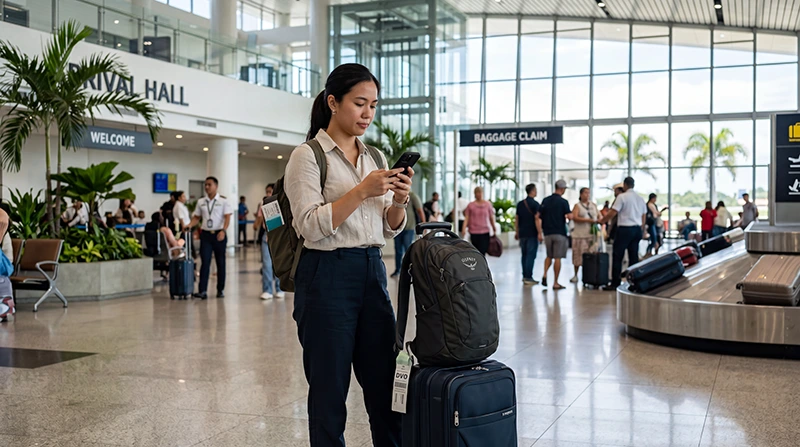

If you’re arriving at Davao International Airport (DVO), getting internet access quickly can make your arrival much smoother and more convenient.
Davao serves as the primary gateway to Mindanao and is a popular entry point for travelers heading to Davao City, Samal Island, Mount Apo, Mati, General Santos, and many other destinations across Southern Philippines.
Quick answer: The easiest way to get internet at Davao Airport is by using a Philippines eSIM installed before departure. Free airport WiFi is available, and local SIM cards can also be purchased after arrival.
Top Philippines eSIMs

Philippines eSIM
Fixed
1 GB, 7 days5.50$2 GB, 15 days8.50$3 GB, 30 days11.00$Unlimited
Unlimited, 1 day6.00$Unlimited, 3 days9.50$Unlimited, 5 days13.50$
Internet Options at Davao Airport
| Option | Best For | Main Limitation |
|---|---|---|
| Free Airport WiFi | Short-term use | Only works inside the airport |
| Airport SIM Card | Traditional SIM users | Registration required |
| Travel eSIM | Most tourists | Requires eSIM-compatible device |
| International Roaming | Emergency use | Usually expensive |
Free WiFi at Davao Airport
Davao Airport provides complimentary WiFi access for passengers.
You can generally access the internet in:
- Arrival halls
- Departure halls
- Check-in areas
- Boarding gates
- Public waiting areas
- Restaurants and cafés
- Airport lounges
Airport WiFi is useful immediately after arrival for contacting family, checking hotel reservations, and arranging transportation.
How to Connect to Davao Airport WiFi
- Open WiFi settings on your phone.
- Select the airport WiFi network.
- Open your browser.
- Accept the terms and conditions.
- Complete any required verification.
- Start browsing.
If the login page does not appear automatically, opening any website usually triggers the WiFi portal.
Can You Book Transportation Using Airport Internet?
Yes.
Many travelers use airport internet immediately after landing to:
- Book transportation
- Contact hotels
- Check ferry schedules
- Access Google Maps
- Manage travel bookings
- Check emails
This is especially useful if you’re traveling onward to Samal Island, Davao City, or other parts of Mindanao.
Buying a SIM Card at Davao Airport
Travelers can usually purchase prepaid SIM cards directly at Davao Airport.
The main mobile operators are:
- Globe
- Smart
SIM card counters are typically located in arrival areas and often assist travelers with activation and registration.
Do You Need a Passport?
Yes.
Tourists purchasing local SIM cards in the Philippines generally need to present a passport for registration.
Airport staff normally assist with the registration process.
Why Many Travelers Choose an eSIM
Travel eSIMs have become one of the most popular internet solutions for international visitors.
Benefits include:
- Install before departure
- No airport queues
- No physical SIM card
- Keep your home SIM active
- Internet shortly after landing
- Works throughout the Philippines
Many travelers prefer avoiding airport SIM registration altogether.
How to Use an eSIM at Davao Airport
- Install the eSIM before departure.
- Land in Davao.
- Enable the eSIM.
- Select it for mobile data.
- Enable data roaming.
- Wait for network connection.
Most travelers are connected within a few minutes.
Can You Activate an eSIM Using Airport WiFi?
Yes.
If necessary, airport WiFi can be used to:
- Access email
- Download QR codes
- Install an eSIM
- Review setup instructions
- Complete activation
However, installing your eSIM before departure is usually the most convenient approach.
Internet Coverage After Leaving Davao Airport
Mobile coverage is generally available in:
- Davao City
- Samal Island
- Mati
- General Santos
- Tagum
- Digos
- Mount Apo region
- Most major tourist destinations in Mindanao
Coverage quality may vary in remote mountain areas, but most tourist destinations are well covered.
How Much Data Do You Need?
| Trip Length | Recommended Data |
|---|---|
| Weekend Trip | 3–5 GB |
| One Week Vacation | 5–10 GB |
| Two Week Vacation | 10–20 GB |
| One Month Travel | 20–50 GB |
| Remote Work | Unlimited |
Will WhatsApp Work?
Yes.
WhatsApp works normally with:
- Airport WiFi
- Travel eSIMs
- Local SIM cards
- International roaming
Your WhatsApp number remains unchanged.
Can You Keep Your Home Number?
Yes.
Most modern smartphones support dual-SIM functionality.
You can use:
- Philippines eSIM for mobile data
- Your home SIM for calls and SMS
- Your existing phone number
Recommended eSIM Settings
| Setting | Recommended Value |
|---|---|
| Mobile Data | Philippines eSIM |
| Data Roaming | ON |
| APN | data.esim |
| Primary SIM | Calls and SMS |
| Automatic Data Switching | OFF |
Related Philippines Travel Guides
- SIM Card Davao Airport
- WiFi Davao Airport
- SIM Card Clark Airport
- WiFi Clark Airport
- Internet Clark Airport
- SIM Card Cebu Airport
- WiFi Cebu Airport
- Internet Cebu Airport
- SIM Card Manila Airport
- WiFi Manila Airport
- Internet Manila Airport
- eSIM Davao Airport
- Best eSIM for Philippines
- Buy eSIM Philippines
- How Much Data Do You Need for Philippines Travel?
- World Cup 2026 Travel eSIM Guide
Frequently Asked Questions
Does Davao Airport have internet?
Yes. Travelers can use free WiFi, local SIM cards, eSIMs, or international roaming.
Is WiFi free at Davao Airport?
Yes. Free WiFi is generally available in passenger areas throughout the airport.
Can I buy a SIM card at Davao Airport?
Yes. Local SIM cards are usually available from major providers such as Globe and Smart.
Is an eSIM better than airport WiFi?
For most travelers, yes. Airport WiFi only works inside the terminal, while an eSIM works throughout your trip.
Do travel eSIMs require data roaming?
Yes. Most travel eSIMs require data roaming to be enabled.
Final Recommendation
Davao Airport offers several ways to get online, including free WiFi, local SIM cards, roaming, and travel eSIMs. While airport WiFi is useful immediately after arrival, a Philippines eSIM remains the most convenient solution for travelers who want uninterrupted internet access throughout Davao, Mindanao, and the rest of the Philippines.