


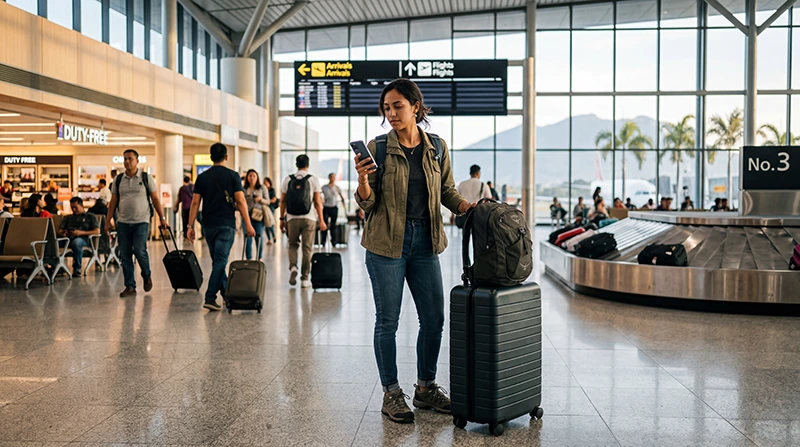

Internet at Clark International Airport (CRK) can be arranged with a travel eSIM, registered local SIM, home-provider roaming or airport Wi-Fi. A prepared connection is useful because arriving passengers may continue to Clark Freeport, Angeles or a longer road transfer towards Metro Manila.
The airport connection should cover the first practical tasks: confirming a pickup, checking the destination address and preparing for the onward transfer. Retailer, hotspot and transport availability can change, so keep the essential route details offline.
NoveSIM travel eSIMs are data-only. We do not provide a Philippine phone number, conventional calls or carrier SMS. Internet-based apps work through the data connection.
Quick answer: install an eSIM before the flight when the phone is compatible and unlocked, then at CRK select it for mobile data, enable roaming on the travel line and test with Wi-Fi off. Use verified airport Wi-Fi as backup, or buy a registered local SIM when a Philippine number is required.
Top Philippines eSIMs


Choose an option for the journey after Clark Airport
| Option | Useful when | Limitation |
|---|---|---|
| Travel eSIM | You want data prepared before arrival | Requires compatible unlocked hardware |
| Local SIM | You need a Philippine number | Requires purchase, registration and activation |
| Roaming | Your operator has a clear travel pass | Cost and allowance depend on the home plan |
| Airport Wi-Fi | You need a temporary arrival connection | Access and performance may change |
For travel beyond the airport region, use the Philippines mobile-internet guide.
Prepare before flying to CRK
- Save the arrival time and pickup point.
- Download the accommodation or bus map pin.
- Store the transport provider’s contact details.
- Confirm eSIM support and unlocked status.
- Install the eSIM on reliable Wi-Fi.
- Keep the activation instructions offline and private.
A long onward transfer makes offline preparation important. Keep the destination address available even when the phone appears ready.
Activate an installed eSIM after landing
- Switch on the Philippines eSIM when the plan should activate.
- Select it for mobile data.
- Enable Data Roaming on the travel line when required.
- Disable automatic switching to the primary SIM.
- Leave network selection on Automatic.
- Turn off Wi-Fi and test a webpage.
Installation and validity can begin at different moments depending on the plan. Use the Philippines activation guide rather than switching it on early by assumption.
Use Clark Airport Wi-Fi as backup
Verify the official network name and current login instructions at the airport. Avoid unexpected security warnings and sensitive transactions on an unverified hotspot. Save the route before leaving because the airport connection will not cover the road journey.
The Clark Airport Wi-Fi guide covers access, portal and connection checks in more detail.
Buy a local SIM without assuming counter availability
A physical SIM can suit a traveller needing a Philippine number or using a phone without eSIM support. Registration is required. Confirm general data, validity, balance checks and activation before leaving the seller.
Availability and opening hours can change. Do not plan a time-sensitive transfer around an unverified kiosk.
Prepare for Clark, Angeles or Manila
Clark and Angeles are close to the airport compared with Metro Manila, but the exact pickup and accommodation location still matters. Save the complete address and confirm which entrance or terminal meeting point is being used.
A road transfer towards Manila can take considerably longer. Preserve battery, send an estimated arrival time and keep the booking and destination screenshots available if mobile reception changes en route.
Protect the home SIM from roaming
Select the travel eSIM for data and turn off automatic data switching. Keep roaming off on the primary line unless its operator has confirmed the cost. Carrier calls, voicemail and SMS can still attract roaming charges.
Fix the first mobile-data connection
- Confirm plan validity and remaining data.
- Check that the eSIM is on and selected for data.
- Enable roaming on the travel eSIM.
- Turn off Wi-Fi and retest.
- Toggle Airplane Mode once.
- Restart once if needed.
If manual APN entry is required, use data.esim. Do not delete the profile. Continue with the Philippines troubleshooting guide if the connection remains unavailable.
Related Articles
- Wi-Fi at Clark Airport
- SIM Cards at Clark Airport
- Mobile Internet in the Philippines
- Activate a Philippines eSIM
FAQ
How can I get internet after landing at Clark Airport?
Use a prepared eSIM on a compatible unlocked phone, a registered local SIM, a confirmed roaming plan or verified airport Wi-Fi for temporary access.
Should I install the eSIM before flying to CRK?
Yes. Install on dependable Wi-Fi, but follow the plan’s activation and validity instructions before switching it on.
Can airport Wi-Fi cover the transfer to Manila?
No. Save the route and arrange mobile data or another connection before leaving the airport.
Should I delete an eSIM that has no data at Clark?
No. Check the active data line, roaming, plan status, network selection and APN first. Remove it only if support instructs you to.
Final Recommendation
Prepare connectivity and transport details together before arriving at Clark Airport. An eSIM reduces arrival setup; a local SIM remains useful when a Philippine number is required.
Test cellular data with Wi-Fi off and protect the primary SIM from roaming. Save the destination pin and transfer instructions before leaving CRK.
Keep the installed eSIM during troubleshooting and allow for a longer journey when continuing towards Metro Manila.