


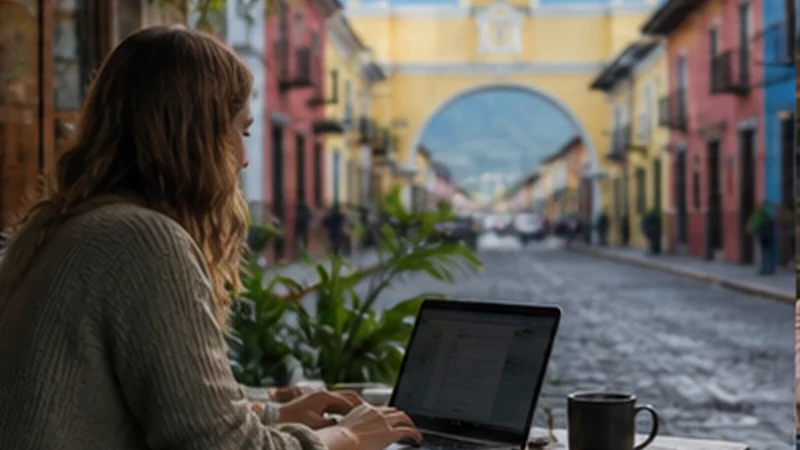

Reliable digital nomad internet in Guatemala requires two independent ways to connect, not simply a property listing that says “Wi-Fi”. A connection suitable for messages may still fail during a client call, large upload or local power interruption.
Guatemala City and Antigua generally offer more infrastructure choices, while Lake Atitlán can be attractive for a longer stay but varies by village and property. A travel eSIM is useful as backup data, although mobile coverage and fixed Wi-Fi may share local weaknesses.
NoveSIM Guatemala plans are data-only without a local number, conventional calls or SMS. Video meetings, VoIP and work messages consume the plan allowance when mobile data is used.
Quick answer: Book only after obtaining a recent speed test from the exact room or workspace, keep an eSIM from a supported partner network as backup, download essential files locally and have a power plan. Test both connections before the first important meeting.
Top Guatemala eSIMs

Guatemala eSIM
Fixed
1 GB, 7 days€ 5.772 GB, 15 days€ 9.323 GB, 30 days€ 11.98Unlimited
Unlimited, 1 day€ 5.32Unlimited, 3 days€ 17.75Unlimited, 5 days€ 24.85
Central America eSIM
Fixed
1 GB, 7 days€ 7.102 GB, 15 days€ 11.543 GB, 30 days€ 15.53Unlimited
Unlimited, 1 day€ 6.66Unlimited, 3 days€ 16.42Unlimited, 5 days€ 26.18Build Digital Nomad Internet in Guatemala in Layers
| Layer | Purpose | What to verify |
|---|---|---|
| Accommodation Wi-Fi | Primary daily connection | Recent speed, stability, router distance and power history |
| Mobile eSIM | Backup and travel-day access | Local partner coverage, allowance and hotspot terms |
| Coworking or trusted café | Alternative work location | Opening hours, call space and current access policy |
| Offline files | Continue during an outage | Local copies, sync status and secure backups |
| Power bank or UPS | Keep devices or a router running | Capacity, connectors and airline rules |
Two connections are useful only if both have been tested. A mobile backup that has never been activated is not a dependable contingency for a meeting beginning in five minutes.
Choose the Base by Work Requirements
Guatemala City offers the broadest choice of accommodation, business services and alternative work locations, but travel time, traffic and neighbourhood selection matter. Confirm the precise property’s connection rather than inferring quality from the city name.
Antigua is popular for walkability and longer stays. Historic buildings can place rooms far from a router or weaken mobile reception indoors. Ask for a test from the proposed room and learn where calls can be taken without disturbing shared spaces. See the Antigua mobile internet guide.
Lake Atitlán varies by village, hillside and property. A beautiful remote room may not be a practical video-call office. Check boat or road access to a backup workspace and read the Lake Atitlán connectivity guide before committing to a long booking.
Questions to Send the Host Before Booking
- Can you share a speed test taken recently from the exact room?
- What are the download speed, upload speed, latency and test time?
- Is the connection shared with many rooms?
- Does the router remain powered during a local outage?
- Is there a desk and a quiet place for calls?
- Which mobile network works best inside the property?
- Where is the nearest alternative workspace?
A single fast test is not proof of stability. Ask whether evening congestion or weather causes interruptions and, after arrival, run several tests at the hours when meetings will occur.
Size Mobile Data for Work, Not Tourism
Email, chat and browser-based documents are manageable, but video meetings, cloud sync, design files and software updates can consume gigabytes. A laptop can also use data in the background without an obvious prompt. Pause automatic backups and updates before enabling hotspot.
Estimate working days separately from sightseeing days. Two hours of video calls can outweigh a full day of maps and messages. Use the Guatemala data planning guide and verify that the chosen product permits tethering.
Understand What an eSIM Backup Can and Cannot Do
The NoveSIM Guatemala page checked on 2 September 2026 lists potential access through Claro and Comunicaciones Celulares S.A. with 5G, and Movistar with 3G. This can provide useful network options, but no listed technology guarantees speed in a particular room or village.
A mobile connection may remain available when a property’s router fails, but it may not help if the wider area loses power or local infrastructure. Test from the desk, balcony and an appropriate outdoor position. Read the coverage guide for route-specific limits.
Configure a Work Phone Safely
- Install the eSIM over private Wi-Fi before travel and keep the QR code confidential.
- Select it for mobile data and enable Data Roaming on the travel line.
- Keep roaming off on the home SIM and disable automatic data switching.
- Leave network selection Automatic unless diagnosing registration.
- Use data.esim only when manual APN configuration is required.
- Apply device updates before travel, not through the work-day hotspot.
Use a strong screen lock, multi-factor authentication and a trusted VPN where required by the employer. Follow company policy for client data and public networks; an eSIM changes connectivity, not security obligations.
Prepare for Power and Travel Days
Carry a charged power bank suitable for the phone and check airline limits before flying. For critical work, ask whether the accommodation has backup power for both the room and internet equipment. A laptop battery does not keep an unpowered router online.
Download documents, meeting notes and maps before transfers. Tikal, Semuc Champey and volcano trips should be treated as offline travel time rather than dependable remote-work locations. Inform colleagues before entering a low-coverage route.
If the Backup Connection Fails
Confirm the eSIM is selected for data, roaming is enabled on it and hotspot has permission to use mobile data. Toggle Airplane Mode for 30 seconds, restart and check the remaining allowance. Enter data.esim only if the APN must be set manually.
Do not delete the installed eSIM during troubleshooting. Keep the profile because the code may be single-use, move to a safer location with better signal if possible, and contact NoveSIM Support with the order and device details.
Related Articles
FAQ
Is Guatemala suitable for remote work?
It can be, particularly with a carefully verified base and a backup connection. Suitability depends on the exact property, workload, call schedule and tolerance for interruptions.
Is mobile hotspot enough for full-time work?
It may handle email and occasional calls where signal is strong, but sustained video and large files need sufficient allowance and stable local capacity. Do not rely on an untested hotspot as the only connection.
Which Guatemala destination has the best internet?
No city or village guarantees the best connection in every property. Guatemala City offers more alternatives, while Antigua and Lake Atitlán require room-level verification.
Can I work online from Tikal or Semuc Champey?
Do not schedule critical work around connectivity at remote attractions. Complete essential tasks and downloads beforehand and treat those visits as offline periods.
Final Recommendation
Plan digital nomad internet in Guatemala as a system: verified primary Wi-Fi, tested mobile backup, offline files and adequate power. No single speed-test screenshot proves the whole setup.
Choose a base that matches the workload and obtain evidence from the exact room. Size eSIM data for video and hotspot use, not for ordinary tourist browsing.
Test everything before a critical call, communicate planned offline travel and keep the eSIM installed during troubleshooting. Reliability comes from redundancy and preparation rather than one advertised network speed.