


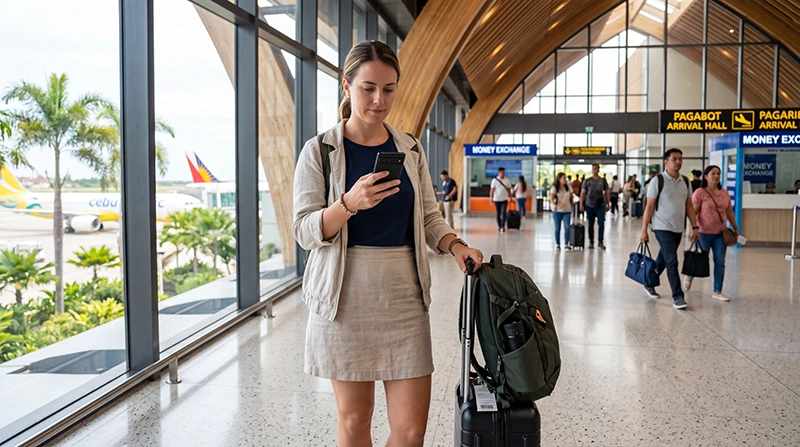

An eSIM can provide mobile data after landing at Mactan-Cebu International Airport (CEB) when it has been installed on a compatible unlocked phone. Preparing it before the flight is especially useful for travellers continuing directly to Cebu City, a resort, a bus departure or a ferry connection.
Installation and activation are not always the same event. Follow the purchased plan’s validity rule, then after arrival switch on the travel line, select it for mobile data and enable Data Roaming on that eSIM when required.
NoveSIM travel eSIMs are data-only. We do not provide a Philippine phone number, conventional calls or carrier SMS. WhatsApp and other internet-based services can use the data connection while remaining registered to the existing number.
Quick answer: install the Philippines eSIM on reliable Wi-Fi before flying to Cebu, but activate it according to the plan instructions. At CEB, select it as the mobile-data SIM, enable roaming on the travel line, turn off automatic data switching and test with Wi-Fi off. Save the airport pickup, accommodation and onward-transfer details offline before departure.
Top Philippines eSIMs

Philippines eSIM
Fixed
1 GB, 7 days5.50$2 GB, 15 days8.50$3 GB, 30 days11.00$Unlimited
Unlimited, 1 day6.00$Unlimited, 3 days9.50$Unlimited, 5 days13.50$
Prepare the eSIM and Cebu arrival information together
The first use of mobile data may be a message to a driver or accommodation. Treat the connectivity setup and transfer plan as one arrival task.
Before the flight:
- confirm that the exact phone model supports eSIM;
- verify that the phone is carrier-unlocked;
- install the plan on stable Wi-Fi;
- store the activation instructions securely;
- save the CEB arrival and pickup details;
- download the accommodation map pin and contact number;
- take screenshots of onward bus, ferry or tour bookings.
Use the Philippines compatibility checklist if the model number, sales region or unlocked status is uncertain.
Install before departure without starting the plan too early
Install while dependable internet and a second screen for the QR code are available. Do not assume that the plan starts only when the plane lands; the validity trigger belongs to the specific product instructions.
- Open the supplied QR code on another device or print it.
- Open the phone’s option to add an eSIM or mobile plan.
- Scan the code and follow the installation prompts.
- Use manual details only when they were supplied for that purpose.
- Label the new line Philippines Data.
- Leave the profile installed and keep the code private.
Whether the line should remain off until arrival depends on the plan. The Philippines eSIM installation guide explains the general process across iPhone and Android.
Configure mobile data after landing at CEB
When the plan’s activation conditions are met, configure the two SIMs deliberately:
- Open SIM, Cellular or Mobile Network settings.
- Switch on the Philippines eSIM.
- Select it as the preferred mobile-data line.
- Enable Data Roaming on the travel eSIM when required.
- Turn off automatic data switching to the primary SIM.
- Keep roaming data off on the primary SIM unless its operator has confirmed the cost.
- Leave network selection on Automatic.
- Turn off Wi-Fi and open a simple webpage.
The final test matters. Messages can arrive over airport Wi-Fi and make the eSIM appear active when cellular data has not been confirmed. Follow the Philippines activation guide if the plan status or validity rule is unclear.
Use airport Wi-Fi as a fallback, not the whole plan
Airport Wi-Fi may help retrieve an email, contact a pickup or complete installation. Access, login requirements and performance can change, so save essential details before flying.
When connecting:
- confirm the official network name;
- avoid unexpected certificate or security warnings;
- keep the QR code away from other travellers;
- avoid sensitive financial activity on an unverified hotspot;
- download only what is needed to complete the arrival task.
For access and connection-specific help, use the Cebu Airport Wi-Fi guide. The broader comparison of arrival options is covered by the Cebu Airport internet guide.
Plan the airport-to-Cebu City or Lapu-Lapu journey
CEB is on Mactan Island in Lapu-Lapu City. A traveller staying near the airport has a different onward journey from someone crossing towards Cebu City or continuing to a bus terminal.
Before requesting transport, verify:
- the full destination address and map pin;
- the correct hotel or resort branch;
- the designated pickup point;
- the driver’s vehicle and plate details when provided;
- the estimated journey time and check-in deadline.
Traffic can change the arrival time substantially. Keep the phone charged and preserve the address as a screenshot in case the data connection is interrupted while crossing the city.
Prepare for a same-day journey to Moalboal or Oslob
A traveller leaving the airport for south Cebu may spend several hours on the road. Mobile reception can change along the route, and the final property may be away from the main highway.
Download the route area, save the bus or transfer instructions and message the accommodation before leaving stable coverage. If data becomes weak on a rural section, wait until the vehicle reaches a populated area before changing network settings. A temporary coverage gap is not evidence that the eSIM profile is damaged.
Do not use a large speed test merely to decide whether maps will work. Test an ordinary webpage and the specific application needed for the transfer.
Prepare separately for Bantayan, Malapascua and ferry connections
Trips to northern islands can involve a long land journey followed by a boat. Terrestrial mobile networks do not provide continuous offshore coverage, so the eSIM may lose signal during the crossing.
Before leaving the airport or the last reliable town:
- save the port name and route;
- download the ticket or booking confirmation;
- capture the accommodation’s final transfer instructions;
- send an estimated arrival time;
- retain enough battery for navigation after docking.
Allow the phone time to register again after arrival. Keep network selection on Automatic unless NoveSIM support gives a specific alternative.
Compare an eSIM with a Cebu Airport SIM card
| Question | Travel eSIM | Physical local SIM |
|---|---|---|
| Can it be prepared before the flight? | Yes, when the phone is compatible | No, when purchasing after arrival |
| Does it include a Philippine number? | NoveSIM plans are data-only | A domestic plan may include one |
| Is arrival registration needed? | No physical SIM registration at a kiosk | Identity registration is required |
| Can the primary SIM remain installed? | Yes, on a suitable dual-SIM phone | Depends on the available physical slots |
| What is the main dependency? | eSIM support and unlocked status | Retail availability, registration and SIM-slot compatibility |
A physical SIM may suit someone who needs a Philippine number or has no eSIM support. The practical purchase questions are covered in the Cebu Airport SIM-card guide.
Keep the home SIM without allowing roaming data
A dual-SIM phone can keep the normal number active while the eSIM supplies data. Carrier calls, SMS and voicemail on the home line may still be charged according to its roaming tariff.
Select the Philippines eSIM for mobile data, disable automatic switching and keep roaming data off on the primary SIM unless the home operator has confirmed the price. Check the chosen line before making a conventional call.
WhatsApp can remain registered to the existing number. Do not change the account number simply because another line supplies mobile data.
Fix the first connection without deleting the eSIM
If cellular data does not work at CEB, test in an area where reception is expected and follow one sequence:
- Confirm that the plan should be active and has remaining data.
- Make sure the Philippines eSIM is switched on.
- Select it as the mobile-data line.
- Enable Data Roaming on the travel eSIM.
- Turn off Wi-Fi and test again.
- Toggle Airplane Mode once.
- Restart the phone once if needed.
- Return network selection to Automatic.
If the plan requires manual APN entry, use data.esim. Leave automatically supplied MCC and MNC values unchanged. Do not delete the eSIM because the QR code may not be reusable. Continue with the Philippines eSIM troubleshooting guide if data remains unavailable.
Continue using data beyond the airport
Once the arrival connection works, keep offline information for road and ferry sections. Coverage in Cebu City or Mactan does not guarantee a continuous signal along every coastal route or offshore transfer.
The Cebu tourist internet guide covers practical mobile use in the city, south Cebu and nearby island journeys after leaving CEB.
Related Articles
- Internet Options at Cebu Airport
- Wi-Fi at Cebu Airport
- SIM Cards at Cebu Airport
- Activate a Philippines eSIM
- Internet in Cebu for Tourists
FAQ
Should I install my Philippines eSIM before arriving at Cebu Airport?
Yes. Installation on dependable Wi-Fi before departure is usually easier. Follow the plan’s activation rule so that its validity does not begin earlier than intended.
Do I need Cebu Airport Wi-Fi if the eSIM is already installed?
Not necessarily. Select the installed eSIM for mobile data, enable roaming on that line when required and test with Wi-Fi off. Airport Wi-Fi is useful as a backup for retrieving instructions.
Will the eSIM stay connected on a ferry from Cebu?
Continuous offshore coverage is not guaranteed. Save tickets, maps and accommodation instructions before boarding and allow the phone to reconnect after reaching an area with terrestrial service.
Should I delete the eSIM if it does not connect at CEB?
No. Check plan status, the selected data line, Data Roaming, automatic network selection and APN first. Remove the profile only when NoveSIM support specifically instructs you to do so.
Final Recommendation
Prepare the eSIM and Cebu transfer information before flying. Confirm phone compatibility, install on reliable Wi-Fi and save the CEB pickup, accommodation and onward booking details offline.
After landing, activate according to the plan rules, select the travel eSIM for mobile data, enable roaming on that line and disable automatic switching to the primary SIM. Verify cellular data with Wi-Fi off.
Use airport Wi-Fi as backup and keep the eSIM installed during troubleshooting. Download the information needed for long road journeys and ferry routes before leaving reliable coverage around Mactan or Cebu City.