


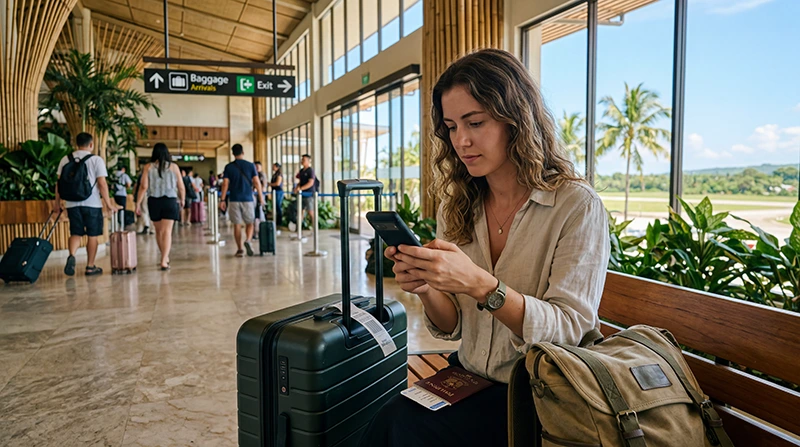

If you’re arriving at Bohol-Panglao International Airport (TAG), using an eSIM is one of the easiest ways to get online immediately after landing.
Instead of searching for SIM card kiosks, registering a physical SIM card, or relying solely on airport WiFi, you can install your eSIM before departure and activate it once you arrive in the Philippines.
Quick answer: A Philippines eSIM allows you to connect to local mobile networks at Bohol Airport without purchasing a physical SIM card. Most travelers install their eSIM before departure and activate it shortly after arrival.
Top Philippines eSIMs


What Is an eSIM?
An eSIM is a digital SIM card built directly into compatible smartphones.
Instead of inserting a physical SIM card, you simply:
- Purchase an eSIM online.
- Receive a QR code.
- Scan the QR code.
- Install the eSIM.
- Activate it after arriving in Bohol.
The entire process is digital and usually takes only a few minutes.
Why Use an eSIM at Bohol Airport?
Many travelers choose eSIMs because they eliminate common airport connectivity issues.
- No airport SIM card queues
- No physical SIM card required
- No need to remove your home SIM
- Internet shortly after landing
- Works throughout Bohol and Panglao Island
- Easy setup before departure
- Keep your regular phone number
Can You Activate an eSIM at Bohol Airport?
Yes.
Most travelers install the eSIM before departure and activate it after landing.
- Turn on the eSIM.
- Select it as your mobile data source.
- Enable data roaming.
- Wait for the network connection.
- Open a browser to confirm internet access.
Most travelers are connected within a few minutes.
eSIM vs SIM Card at Bohol Airport
| Feature | eSIM | Airport SIM Card |
|---|---|---|
| Install Before Travel | Yes | No |
| Physical SIM Required | No | Yes |
| Airport Queue | No | Possible |
| Registration Required | No | Usually Yes |
| Internet After Landing | Yes | After Purchase |
| Keep Home SIM Active | Yes | Sometimes |
Does Bohol Airport Have WiFi for eSIM Setup?
Yes.
Free WiFi is available throughout the airport and can be used to:
- Access your email
- Download your QR code
- Install an eSIM
- Read activation instructions
- Complete setup
However, installing the eSIM before departure is generally recommended.
Can You Keep Your Home Number?
Yes.
Most modern smartphones support dual-SIM functionality.
You can:
- Use the Philippines eSIM for mobile data
- Keep your regular SIM active
- Receive SMS verification codes
- Continue using your existing phone number
Will WhatsApp Work?
Yes.
Your WhatsApp account remains linked to your current number.
You can continue using:
- Messages
- Voice calls
- Video calls
- Group chats
- Photo sharing
- Location sharing
Coverage Around Bohol
Mobile coverage is generally available in:
- Panglao Island
- Alona Beach
- Tagbilaran City
- Chocolate Hills
- Loboc River
- Anda
- Carmen
- Most major tourist attractions
Coverage quality may vary in remote coastal and mountain areas.
How Much Data Do You Need?
| Trip Length | Recommended Data |
|---|---|
| Weekend Trip | 3–5 GB |
| One Week Vacation | 5–10 GB |
| Two Week Vacation | 10–20 GB |
| One Month Travel | 20–50 GB |
| Remote Work | Unlimited |
How to Install an eSIM Before Flying
- Purchase your Philippines eSIM.
- Connect to WiFi.
- Scan the QR code.
- Complete installation.
- Keep the eSIM installed.
- Activate it after arriving in Bohol.
Recommended eSIM Settings
| Setting | Recommended Value |
|---|---|
| Mobile Data | Philippines eSIM |
| Data Roaming | ON |
| APN | data.esim |
| Primary SIM | Calls and SMS |
| Automatic Data Switching | OFF |
Related Philippines Travel Guides
- SIM Card Bohol Airport
- WiFi Bohol Airport
- Internet Bohol Airport
- SIM Card Cebu Airport
- WiFi Cebu Airport
- Internet Cebu Airport
- eSIM Cebu Airport
- SIM Card Davao Airport
- WiFi Davao Airport
- Internet Davao Airport
- eSIM Davao Airport
- Best eSIM for Philippines
- Buy eSIM Philippines
- Mobile Internet Philippines
- Internet Philippines for Tourists
- How Much Data Do You Need for Philippines Travel?
- World Cup 2026 Travel eSIM Guide
Frequently Asked Questions
Can I use an eSIM at Bohol Airport?
Yes. Most travelers activate their eSIM shortly after landing and connect to local mobile networks.
Do I need airport WiFi to activate my eSIM?
Not always. If the eSIM was installed before departure, it often activates automatically after arrival.
Can I keep my home SIM card?
Yes. Most eSIM-compatible phones support dual-SIM functionality.
Is an eSIM better than buying a SIM card at Bohol Airport?
For most travelers, yes. It eliminates queues, registration requirements, and physical SIM swaps.
Does WhatsApp work with a Philippines eSIM?
Yes. WhatsApp continues to use your existing phone number.
Final Recommendation
If your smartphone supports eSIM technology, using an eSIM at Bohol Airport is one of the easiest ways to get connected in the Philippines. By installing the eSIM before departure, you can avoid airport SIM card counters, connect shortly after landing, and enjoy reliable mobile internet throughout Bohol, Panglao Island, and the rest of your Philippines adventure.