


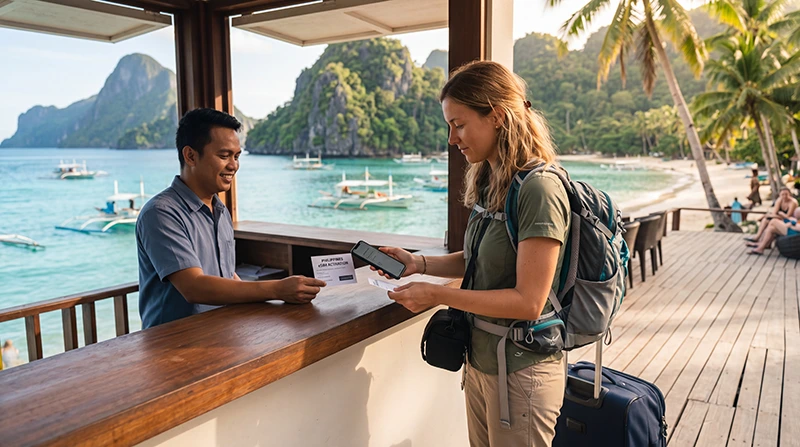

If you’re planning a trip to the Philippines, having mobile internet from the moment you arrive can make your journey much easier. Whether you’re landing in Manila, heading to Cebu, exploring Boracay, or island hopping through Palawan, staying connected helps with navigation, transportation, accommodation, and communication.
Quick answer: The easiest way to buy an eSIM for the Philippines is online before your trip. After purchase, you receive a QR code by email, install the eSIM while connected to WiFi, and activate it once you arrive in the Philippines.
Top Philippines eSIMs

Philippines eSIM
Fixed
1 GB, 7 days5.50$2 GB, 15 days8.50$3 GB, 30 days11.00$Unlimited
Unlimited, 1 day6.00$Unlimited, 3 days9.50$Unlimited, 5 days13.50$
Why Buy a Philippines eSIM?
Many travelers used to purchase local SIM cards after arriving at the airport.
Today, eSIM technology makes the process much easier.
Benefits include:
- No physical SIM card required
- Purchase before departure
- Instant delivery by email
- Easy installation using a QR code
- Keep your home SIM active
- Avoid airport SIM card queues
- Immediate internet access after arrival
How Does a Philippines eSIM Work?
An eSIM is a digital SIM profile that can be installed directly onto your smartphone.
Instead of inserting a physical SIM card, you simply:
- Purchase an eSIM plan.
- Receive a QR code.
- Install the eSIM.
- Arrive in the Philippines.
- Enable the eSIM for mobile data.
Most installations take only a few minutes.
Can I Buy My eSIM Before Traveling?
Yes.
In fact, purchasing before departure is usually the best option.
This allows you to:
- Install the eSIM while at home
- Avoid airport queues
- Have internet immediately after landing
- Access transportation apps right away
- Navigate to your hotel without delays
Where Will My eSIM Work in the Philippines?
Most travel eSIMs connect through major Philippine mobile networks.
Coverage is generally available in:
- Manila
- Cebu
- Boracay
- Palawan
- El Nido
- Coron
- Bohol
- Siargao
- Davao
- Puerto Princesa
Coverage can vary in remote islands and rural areas, but most tourist destinations have reliable mobile service.
How Much Data Should You Buy?
| Travel Style | Recommended Data |
|---|---|
| Weekend Trip | 3–5 GB |
| One Week Vacation | 5–10 GB |
| Two Week Trip | 10–20 GB |
| Digital Nomad | 30–50 GB |
| Heavy Streaming | Unlimited |
For most travelers, 10 GB is sufficient for maps, messaging, social media, and transportation apps.
Unlimited Data eSIM Philippines
Unlimited data plans are available from some providers.
These plans are particularly useful for:
- Remote workers
- Digital nomads
- Content creators
- YouTubers
- Long-term travelers
- Heavy video streamers
Always review any fair usage policy before purchasing an unlimited plan.
Will WhatsApp Work?
Yes.
Your WhatsApp account remains connected to your existing phone number.
You can continue using:
- Messages
- Voice calls
- Video calls
- Group chats
- Photo sharing
- Location sharing
This is one of the main reasons travelers prefer eSIMs over purchasing a new local number.
Can I Keep My Home SIM?
Yes.
Most eSIM-compatible phones support dual SIM functionality.
You can use:
- Your Philippines eSIM for data
- Your home SIM for calls and SMS
- Your regular phone number without interruption
How to Buy and Install a Philippines eSIM
- Select your preferred data plan.
- Complete your purchase online.
- Receive your QR code by email.
- Connect to WiFi.
- Scan the QR code.
- Install the eSIM.
- Keep the eSIM installed.
- Activate it after arrival.
The process is usually completed within a few minutes.
Recommended eSIM Settings
| Setting | Recommended Value |
|---|---|
| Mobile Data | Philippines eSIM |
| Data Roaming | ON |
| APN | data.esim |
| Primary SIM | Calls and SMS |
| Automatic Data Switching | OFF |
Popular Destinations for eSIM Users
Manila
Ideal for city travelers, business visitors, and international arrivals.
Cebu
Excellent connectivity for tourists exploring beaches and nearby islands.
Boracay
Reliable coverage throughout most tourist zones.
Palawan
Strong connectivity in main tourist areas including Puerto Princesa and El Nido.
Siargao
Popular among surfers and remote workers who rely heavily on mobile internet.
Tips Before Buying a Philippines eSIM
- Verify that your phone supports eSIM
- Ensure your phone is carrier unlocked
- Install the eSIM before departure
- Download offline maps
- Save hotel addresses offline
- Monitor your data usage
- Carry a power bank during island tours
Related Philippines Travel Guides
- Best eSIM for Philippines
- Best SIM Card Philippines
- Philippines Roaming Charges
- Mobile Internet Philippines
- Internet Philippines for Tourists
- Does My Phone Support eSIM Philippines?
- How to Activate Philippines eSIM
- Philippines eSIM iPhone
- Philippines eSIM Android
Frequently Asked Questions
Can I buy a Philippines eSIM before traveling?
Yes. Most travelers purchase and install their eSIM before departure.
How do I receive my eSIM?
After purchase, you typically receive a QR code by email.
Will my eSIM work in Boracay and Palawan?
Yes. Most major tourist destinations have good mobile coverage.
Can I use WhatsApp with a Philippines eSIM?
Yes. WhatsApp continues working with your existing phone number.
Do I need data roaming enabled?
Yes. Most travel eSIMs require data roaming to be enabled on the eSIM line.
Final Recommendation
Buying a Philippines eSIM before departure is one of the easiest ways to prepare for your trip. You’ll avoid airport SIM card queues, enjoy instant connectivity after arrival, and stay connected throughout Manila, Cebu, Boracay, Palawan, and other popular destinations using a simple digital solution.