


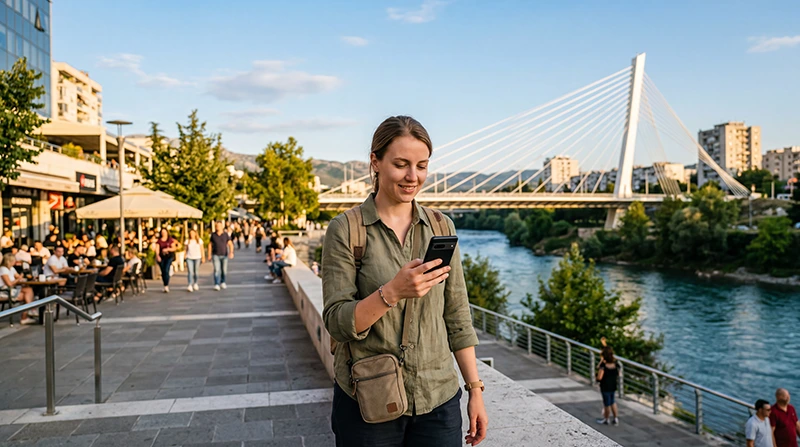

Podgorica is Montenegro’s capital and one of the country’s main arrival points for international travelers. Whether you’re landing at Podgorica Airport, staying in the city for business, renting a car for a Montenegro road trip or continuing toward Kotor, Budva, Lake Skadar or Durmitor National Park, reliable mobile internet is essential.
Most visitors use their phones immediately after arrival for Google Maps, airport transfers, hotel check-ins, car rental communication, restaurant searches, online banking, WhatsApp and travel planning.
Quick answer: for most travelers, the best eSIM for Podgorica is a Montenegro travel eSIM that can be installed before departure and activated after arrival. It gives you mobile data without replacing your physical SIM card.
Top Montenegro eSIMs

Montenegro eSIM
Fixed
1 GB, 7 days4.00$2 GB, 15 days6.00$3 GB, 30 days8.00$Unlimited
Unlimited, 1 day4.50$Unlimited, 3 days9.50$Unlimited, 5 days14.50$
Balkans eSIM
Fixed
1 GB, 7 days5.00$2 GB, 15 days8.00$3 GB, 30 days10.50$Unlimited
Unlimited, 1 day5.50$Unlimited, 3 days12.50$Unlimited, 5 days19.50$Why Use an eSIM in Podgorica?
An eSIM is especially useful in Podgorica because many travelers need internet as soon as they land or arrive by bus or car.
- Install before travelling.
- No physical SIM card required.
- No airport SIM card queue.
- Keep your regular SIM active.
- Use WhatsApp with your existing number.
- Connect shortly after arrival.
- Avoid unexpected roaming charges.
Mobile Coverage in Podgorica
Podgorica has excellent mobile coverage because it is the capital and largest city in Montenegro. Most visitors can expect strong LTE coverage throughout the city, airport area, hotels, restaurants and main roads.
| Area | Expected Coverage |
|---|---|
| Podgorica City Centre | Excellent |
| Podgorica Airport | Excellent |
| Millennium Bridge Area | Excellent |
| Business Districts | Excellent |
| Bus and Train Station | Excellent |
| Road to Lake Skadar | Good to Very Good |
| Road to Kotor or Budva | Good to Very Good |
Best Internet Options in Podgorica
| Option | Best For | Main Advantage | Main Limitation |
|---|---|---|---|
| Travel eSIM | Most visitors | Install before travel | Requires eSIM-compatible phone |
| Local SIM Card | Long stays | Local prepaid data | Requires shop visit |
| International Roaming | Emergency use | No setup needed | Can be expensive |
| Hotel WiFi | Accommodation | Usually free | Not useful while moving around |
How Much Data Do You Need in Podgorica?
| Trip Type | Recommended Data | Best For |
|---|---|---|
| Airport transit | 1 GB | Maps, messages and transfers |
| Weekend city stay | 1–3 GB | Navigation and light browsing |
| One-week Montenegro trip | 5–10 GB | Typical tourists |
| Road trip from Podgorica | 10–20 GB | Navigation and regular use |
| Business or remote work | 20 GB+ | Email, hotspot and video calls |
eSIM vs Local SIM Card in Podgorica
| Feature | Travel eSIM | Local SIM Card |
|---|---|---|
| Buy before arrival | Yes | No |
| Physical SIM required | No | Yes |
| Keep home SIM active | Yes | Depends on device |
| Visit a shop | No | Usually yes |
| Ready after landing | Yes | After purchase |
Does EU Roaming Work in Podgorica?
No. Montenegro is outside the EU Roam Like at Home area. If you use your regular European SIM card for mobile data in Podgorica, your provider may charge international roaming fees.
A prepaid Montenegro eSIM gives you predictable mobile data costs and helps avoid roaming surprises.
Can You Keep Your Home SIM?
Yes. Most Dual SIM smartphones allow you to use your Montenegro eSIM for mobile data while keeping your regular SIM active for calls and SMS.
- Use the eSIM for mobile internet.
- Keep your home SIM for calls.
- Receive SMS verification codes.
- Continue using your regular phone number.
Does WhatsApp Work?
Yes. WhatsApp works normally in Podgorica using mobile data or WiFi. Your account stays linked to your existing phone number, and your chats and contacts remain unchanged.
Recommended Phone Settings
| Setting | Recommended Value |
|---|---|
| Mobile Data | Montenegro eSIM |
| Data Roaming | ON for the eSIM |
| Network Selection | Automatic |
| Automatic Data Switching | OFF |
| Primary SIM Roaming | OFF |
| APN | data.esim if required |
Best Uses for Mobile Internet in Podgorica
- Airport transfers.
- Google Maps navigation.
- Hotel check-ins.
- Car rental communication.
- Restaurant searches.
- Online banking.
- Business meetings.
- Taxi apps.
- Road trips to Kotor, Budva and Lake Skadar.
Common eSIM Problems
- Data Roaming is disabled.
- The wrong SIM is selected for Mobile Data.
- Automatic Data Switching is enabled.
- Network Selection is set manually.
- APN settings are missing.
How to Fix Connection Problems
- Select your Montenegro eSIM for Mobile Data.
- Enable Data Roaming for the eSIM.
- Set APN to data.esim if required.
- Turn Airplane Mode on for 30 seconds.
- Restart your phone.
- Keep Network Selection on Automatic.
Related Montenegro Guides
- Montenegro eSIM
- Mobile Data in Podgorica
- Internet in Podgorica for Tourists
- Best Network in Montenegro
- Mobile Internet Montenegro
- How to Get Internet in Montenegro
- How Much Data Do You Need for Montenegro?
- APN Settings Montenegro eSIM
FAQ
What is the best eSIM for Podgorica?
For most visitors, a Montenegro travel eSIM installed before departure is the easiest option for mobile internet in Podgorica.
Is mobile coverage good in Podgorica?
Yes. Podgorica has excellent mobile coverage across the city, airport and main transport routes.
Can I use WhatsApp in Podgorica?
Yes. WhatsApp works normally with mobile data or WiFi and keeps your existing phone number.
Does EU roaming work in Podgorica?
No. Montenegro is outside the EU roaming area, so international roaming charges may apply.
How much data do I need?
For a short city stay, 1–3 GB may be enough. For a full Montenegro trip, 5–10 GB is recommended.
Do I need Data Roaming enabled?
Yes. Enable Data Roaming for your travel eSIM.
Final Recommendation
Podgorica is one of the easiest places in Montenegro to stay connected thanks to strong urban mobile coverage. A Montenegro eSIM is the most convenient choice for most travelers because it can be installed before arrival and used immediately for airport transfers, maps, hotels, business travel and onward road trips.