


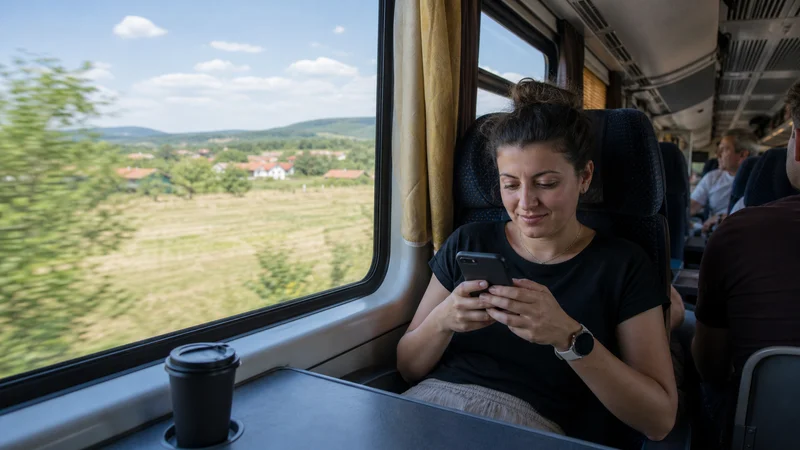

WiFi and charging on Romanian buses and intercity coaches depend on the operator, vehicle and departure. A route sold by one company may use different equipment on another day, so treat advertised onboard facilities as service-specific rather than universal.
Mobile data can support tickets, maps and arrival messages along the road, but coverage changes with terrain and the route. Store the information needed to complete the journey before boarding.
NoveSIM travel eSIMs provide data only. We do not provide a Romanian number, conventional calls or SMS. The available local network depends on the purchased plan.
Quick answer: Check the exact operator’s facilities, download the ticket and destination map, and begin with a charged phone plus power bank. Use mobile data for live updates where coverage exists, but do not rely on bus WiFi or a working socket.
Top Romania eSIMs

Romania eSIM
Fixed
1 GB, 7 days€ 2.222 GB, 15 days€ 3.993 GB, 30 days€ 4.88Unlimited
Unlimited, 1 day€ 2.22Unlimited, 3 days€ 5.32Unlimited, 5 days€ 7.99
Balkans eSIM
Fixed
1 GB, 7 days€ 4.442 GB, 15 days€ 7.103 GB, 30 days€ 9.32Unlimited
Unlimited, 1 day€ 4.88Unlimited, 3 days€ 11.09Unlimited, 5 days€ 17.30Europe Extra eSIM
Fixed
1 GB, 7 days€ 2.222 GB, 15 days€ 3.553 GB, 30 days€ 4.44Unlimited
Unlimited, 1 day€ 2.66Unlimited, 3 days€ 5.32Unlimited, 5 days€ 8.87Europe+ eSIM
Fixed
1 GB, 7 days€ 2.662 GB, 15 days€ 3.993 GB, 30 days€ 5.32Unlimited
Unlimited, 1 day€ 2.66Unlimited, 3 days€ 6.21Unlimited, 5 days€ 10.20Europe Lite eSIM
Fixed
1 GB, 7 days€ 2.222 GB, 15 days€ 3.553 GB, 30 days€ 4.44Unlimited
Unlimited, 1 day€ 2.66Unlimited, 3 days€ 5.32Unlimited, 5 days€ 8.87Confirm the operator and boarding point
Romanian bus journeys can use coach stations, roadside stops or operator-specific pickup points. Save the map pin, platform or stop description and arrive with enough time to identify the vehicle.
A general journey-planning app may not contain every private operator. Verify the booking directly and use the Romania transport-app guide for local-city connections.
Read onboard WiFi claims carefully
If WiFi is advertised, confirm whether it applies to the booked service. Capacity is shared, and the connection may depend on the same roadside mobile coverage as the traveller’s phone.
A connected WiFi icon does not prove internet access. Avoid sensitive activity on an unfamiliar open network and keep a mobile alternative.
Prepare for changing road coverage
| Route section | Possible issue | Preparation |
|---|---|---|
| City departure | Congestion and complex pickup point | Saved ticket and map pin |
| Motorway or main road | Cell changes while moving | Pause critical uploads |
| Mountain or rural road | Longer weak-signal gaps | Offline map and entertainment |
| Border crossing | Network and roaming change | Verify next-country coverage |
Use the Romania coverage guide for route planning and the road-trip guide for remote corridors.
Store the ticket and arrival details
- Download the ticket or booking confirmation.
- Save the operator name and vehicle details.
- Store the boarding and arrival map pins.
- Download the destination city map.
- Save the accommodation address and check-in instructions.
- Keep any required identification accessible.
Do not assume charging is available
Begin with a charged phone and carry a suitable power bank. Navigation, weak-signal searching and hotspot use can drain power faster than ordinary standby.
Download entertainment on trusted WiFi before departure. Streaming throughout the journey consumes both data and battery.
Use automatic network selection while moving
Automatic selection allows the phone to reconnect as network conditions change. Locking the phone manually can leave it attached to a weakening signal farther along the route.
If service remains slow after arrival, use the Romania slow-data checklist. Do not delete the eSIM during the journey.
Check each country on an international coach
A Romania-only plan does not automatically include Bulgaria, Hungary or Serbia. Check the actual plan coverage, and remember that Serbia is outside the EU/EEA roaming area even when a home SIM includes EU roaming.
For a relevant crossing, read the Bulgaria–Romania guide before departure.
Related Articles
- Romania Train WiFi and Mobile Data
- Mobile Data in Romania
- Mobile Networks in Romania
- Best Way to Get Internet in Romania
FAQ
Do buses in Romania have WiFi?
Some services advertise it, but availability and performance depend on the operator and vehicle. Check the booked departure.
Will mobile data work throughout an intercity bus journey?
Not continuously on every route. Terrain, congestion and changing cells can create temporary gaps.
Do Romanian coaches have charging sockets?
Facilities vary. Carry a charged power bank rather than depending on a socket at the seat.
Will a Romania eSIM work on a bus to Serbia?
Only if the plan explicitly includes Serbia. Check country coverage before boarding.
Final Recommendation
Prepare Romania bus WiFi and mobile data for the specific operator and route. Save the ticket, pickup point and arrival details before departure.
Use automatic mobile-network selection and carry backup power. Treat onboard WiFi and sockets as useful extras, not required parts of the plan.
For international coaches, verify every country and roaming boundary. An offline route and accessible booking keep the journey manageable during data gaps.