


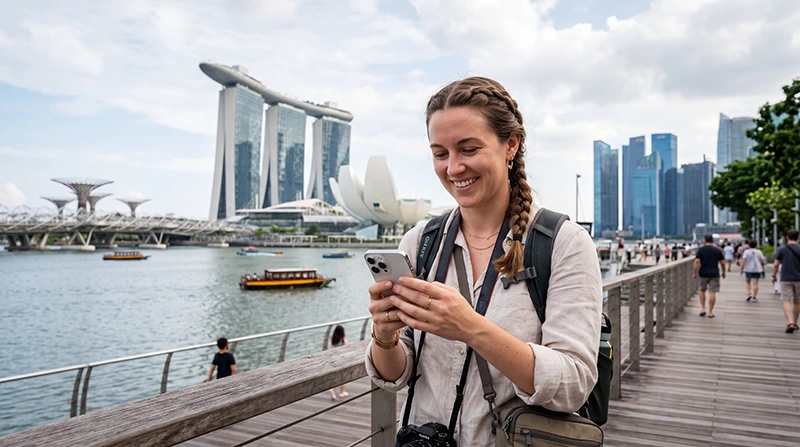

Many travelers ask whether their eSIM will work in Singapore before they arrive.
This is especially common for visitors planning to use mobile internet for Google Maps, Grab, WhatsApp, MRT navigation, hotel communication, attraction tickets, business travel, and airport transfers.
Quick answer: Your eSIM can work in Singapore if your phone supports eSIM technology, is carrier unlocked, and your eSIM plan includes Singapore coverage.
Top Singapore eSIMs

Singapore eSIM
Fixed
1 GB, 7 days€ 3.032 GB, 15 days€ 4.333 GB, 30 days€ 5.19Unlimited
Unlimited, 1 day€ 3.46Unlimited, 3 days€ 6.06Unlimited, 5 days€ 8.65
Will My eSIM Work in Singapore?
In most cases, yes.
Modern travel eSIMs are designed to work across multiple countries and regions, including Singapore, provided the plan specifically includes Singapore coverage.
Before traveling, verify:
- Your phone supports eSIM.
- Your phone is carrier unlocked.
- Your eSIM plan includes Singapore.
- Your eSIM is installed correctly.
- Data roaming can be enabled on the eSIM line.
How Does a Singapore eSIM Work?
An eSIM is a digital SIM profile installed directly on your phone.
Instead of inserting a physical SIM card, travelers scan a QR code or install the eSIM digitally.
Once installed, the eSIM can provide mobile data when connected to supported networks in Singapore.
- No physical SIM card required
- No airport SIM purchase necessary
- Can be installed before departure
- Works directly on compatible phones
- Can keep your existing SIM active
How to Know If Your Phone Supports eSIM
Not all phones support eSIM technology.
Most recent flagship devices from Apple, Samsung, Google, and other manufacturers support eSIM, while many older devices do not.
Before purchasing a Singapore eSIM, check whether your device is compatible.
Does iPhone Work with Singapore eSIM?
Most recent iPhone models support eSIM technology.
Compatible iPhones can usually install a Singapore eSIM before departure and connect after arrival.
Typical supported devices include many recent:
- iPhone 11 series
- iPhone 12 series
- iPhone 13 series
- iPhone 14 series
- iPhone 15 series
- iPhone 16 series
Compatibility varies by model and region.
Does Samsung Work with Singapore eSIM?
Many modern Samsung devices support eSIM technology.
Examples include various models from:
- Samsung Galaxy S series
- Samsung Galaxy Z Fold series
- Samsung Galaxy Z Flip series
- Selected Samsung Galaxy A models
Compatibility may differ depending on region and carrier restrictions.
Does Android Work with Singapore eSIM?
Many Android phones support eSIM, but compatibility depends on the specific model.
Google Pixel devices and some flagship Android phones often support eSIM functionality.
Always verify compatibility before purchasing.
Does My Phone Need to Be Unlocked?
Yes.
In most cases, your phone should be carrier unlocked to use a travel eSIM.
A carrier-locked device may prevent installation or network connectivity outside your home provider.
If you are unsure, contact your mobile provider before traveling.
Can I Install My eSIM Before Traveling to Singapore?
Yes.
Many travelers install their Singapore eSIM before departure while connected to WiFi.
This allows the eSIM profile to be ready before arrival.
Once you reach Singapore, you simply activate mobile data settings and connect to the network.
Will My eSIM Start Working Immediately?
This depends on the specific eSIM plan and activation rules.
Many travel eSIMs activate when they first connect to a supported network in the destination country.
For Singapore travel, this often means the plan becomes active after arriving and connecting to a local network.
Can I Use My eSIM at Changi Airport?
Yes.
If your Singapore eSIM is properly installed and configured, you can typically use mobile internet after arriving at Changi Airport.
This is useful for:
- Google Maps
- Grab rides
- Hotel directions
- MRT routes
- WhatsApp messages
- Travel planning
Will WhatsApp Work with My Singapore eSIM?
Yes.
Most travelers can continue using WhatsApp with their existing phone number while using a Singapore eSIM for mobile data.
You generally do not need to create a new WhatsApp account.
Will Google Maps Work with My Singapore eSIM?
Yes.
Google Maps works normally when your Singapore eSIM provides an active mobile data connection.
This is one of the most common uses for travel eSIMs.
Will Grab Work with My Singapore eSIM?
Yes.
Grab works with mobile internet and is widely used throughout Singapore.
Your eSIM connection can be used for:
- Booking rides
- Tracking drivers
- Airport transfers
- Location sharing
- Payment management
Will My eSIM Work Throughout Singapore?
Singapore is a highly connected destination with extensive mobile network coverage.
Your eSIM can generally be used throughout major tourist areas such as:
- Marina Bay
- Sentosa
- Orchard Road
- Chinatown
- Little India
- Gardens by the Bay
- Clarke Quay
- Bugis
- Changi Airport
Can I Keep My Home SIM Active?
Yes.
Many modern smartphones support dual SIM functionality.
This allows travelers to use a Singapore eSIM for mobile data while keeping their primary SIM active for:
- Calls
- SMS verification codes
- Banking messages
- Authentication codes
- Work communication
Do I Need Data Roaming Enabled?
Yes.
Most travel eSIM plans require data roaming to be enabled on the eSIM line.
This does not mean you need to enable roaming on your primary SIM card.
Enable roaming only on the Singapore eSIM used for mobile data.
How to Make Sure Your eSIM Works in Singapore
- Confirm your phone supports eSIM.
- Confirm your phone is unlocked.
- Install the eSIM before departure.
- Arrive in Singapore.
- Select the Singapore eSIM for mobile data.
- Enable data roaming on the eSIM line.
- Turn off airplane mode.
- Wait for network connection.
- Open Google Maps or WhatsApp to test connectivity.
What If My eSIM Does Not Work?
If your Singapore eSIM does not connect, check:
- Mobile data selection
- Data roaming settings
- APN configuration
- Airplane mode refresh
- VPN settings
- Network selection
- Phone restart
Do not delete your eSIM immediately. Many issues can be resolved through settings adjustments.
Common Reasons an eSIM Does Not Work
| Issue | Possible Cause |
|---|---|
| No signal | eSIM line disabled or unsupported network |
| Signal but no internet | Data roaming or APN issue |
| eSIM not visible | Installation not completed |
| Apps not loading | VPN or network configuration issue |
| Slow connection | Network congestion or weak signal |
Singapore eSIM vs Local SIM Card
| Feature | Singapore eSIM | Local SIM Card |
|---|---|---|
| Install before travel | Yes | No |
| Physical SIM required | No | Yes |
| Airport purchase required | No | Usually yes |
| Keep home SIM active | Often yes | Depends on device |
| Works after arrival | Yes | After activation |
Singapore eSIM vs Roaming
| Feature | Singapore eSIM | Roaming |
|---|---|---|
| Separate travel plan | Yes | No |
| Install before travel | Yes | No extra setup |
| Cost control | Usually clearer | Provider dependent |
| Keep home SIM active | Often yes | Yes |
APN Settings for NoveSIM Singapore eSIM
| Setting | Value |
|---|---|
| APN | data.esim |
| Username | Leave blank |
| Password | Leave blank |
Where to Find Your NoveSIM eSIM Details
Your QR code, installation instructions, and eSIM details are available:
- In your confirmation email
- Under My Account → Orders → View → eSIM details
More Singapore Troubleshooting Guides
- eSIM Not Working Singapore
- Why Is My eSIM Slow in Singapore?
- APN Settings Singapore eSIM
- No Internet Singapore eSIM
- Does WhatsApp Work in Singapore?
- Best Network in Singapore for Tourists
More Singapore eSIM Guides
- Singapore eSIM
- Best eSIM for Singapore
- Mobile Internet Singapore
- How to Get Internet in Singapore
- Local SIM vs eSIM Singapore
- Unlimited Data eSIM Singapore
FAQ: Does My eSIM Work in Singapore?
Will my eSIM work in Singapore?
Yes, if your phone supports eSIM, is carrier unlocked, and your eSIM plan includes Singapore coverage.
Do I need an unlocked phone?
Yes. Most travel eSIMs require an unlocked device.
Can I install my eSIM before traveling?
Yes. Many travelers install their eSIM before departure while connected to WiFi.
Will WhatsApp still work?
Yes. WhatsApp usually continues working with your existing number while using a Singapore eSIM for mobile data.
Do I need data roaming enabled?
Yes. Most travel eSIM plans require data roaming to be enabled on the Singapore eSIM line.
Can I use my eSIM immediately after landing?
In most cases, yes. Once connected to a supported Singapore network and properly configured, mobile data should work after arrival.
Final Recommendation
Most modern unlocked smartphones can use eSIM successfully in Singapore.
Before your trip, verify compatibility, install the eSIM, enable data roaming on the eSIM line after arrival, and select it for mobile data. This allows you to use Google Maps, Grab, WhatsApp, MRT navigation, attraction tickets, and travel apps throughout Singapore.