
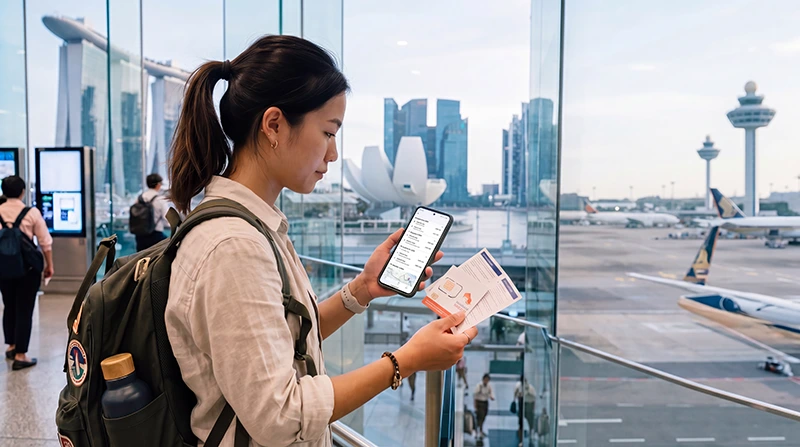

Traveler comparing local SIM card and Singapore eSIM for mobile internet

Local SIM vs eSIM in Singapore (2026 Travel Comparison)

If you are traveling to Singapore, one of the first questions is whether you should buy a local SIM card after arrival or use a Singapore eSIM instead.

Both options can provide mobile internet for Changi Airport arrivals, Google Maps, Grab, MRT routes, WhatsApp, hotel directions, restaurant searches, shopping, attractions, business travel, and stopovers.

Quick answer: For most tourists with an eSIM-compatible unlocked phone, a Singapore eSIM is usually easier than buying a local SIM card because it can be installed before travel and used after arrival without replacing your physical SIM.

Top Singapore eSIMs

Local SIM vs eSIM in Singapore: Main Difference

A local SIM card is a physical card that you buy in Singapore and insert into your phone.

An eSIM is a digital SIM profile that you install directly on your phone without using a plastic SIM card.

Feature Singapore eSIM Local SIM Card
Format Digital SIM profile Physical SIM card
Install before travel Yes No
Requires store visit No Usually yes
Requires SIM tray change No Yes
Good for modern phones Yes Yes
Good for older phones No, if no eSIM support Yes

Why Many Tourists Choose eSIM in Singapore

A Singapore eSIM is convenient because you can prepare your mobile internet before your trip.

You can install the eSIM while connected to WiFi before departure. After arriving in Singapore, select it for mobile data, enable data roaming, and start using internet where coverage is available.

  • No physical SIM card required
  • No Changi Airport SIM card queue
  • No need to remove your regular SIM card
  • Can be installed before travel
  • Useful immediately after arrival
  • Works for Google Maps, Grab, MRT, WhatsApp, hotels, restaurants, and travel apps
  • Can keep your regular SIM active on many modern phones

When a Local SIM Card May Be Better

A local SIM card may be better if your phone does not support eSIM or if you prefer a traditional physical SIM setup.

Tourists may be able to buy local SIM cards at airports, telecom stores, convenience stores, electronics shops, and shopping areas.

  • Your phone does not support eSIM
  • Your phone is older
  • You prefer a physical SIM card
  • You want to use a device that only accepts physical SIM cards
  • You are staying longer and prefer a local SIM setup

Singapore eSIM vs Local SIM at Changi Airport

Many travelers need mobile internet immediately after landing at Singapore Changi Airport.

Airport Need Singapore eSIM Local SIM Card
Use after landing Yes, if installed correctly After purchase and activation
Need to find a counter No Usually yes
Good for Grab booking Yes Yes, after activation
Good for hotel directions Yes Yes, after activation
Requires SIM replacement No Usually yes

Local SIM vs eSIM for Google Maps in Singapore

Google Maps is one of the most useful apps for Singapore tourists.

It helps with Marina Bay, Orchard Road, Chinatown, Little India, Kampong Glam, Sentosa, Gardens by the Bay, hawker centres, shopping malls, hotels, MRT stations, and airport transfers.

Both local SIM cards and eSIM can support Google Maps when mobile data is active.

Local SIM vs eSIM for Grab

Grab is widely used by travelers in Singapore for airport transfers and local transport.

Mobile data is useful for booking rides, messaging drivers, setting pickup points, checking routes, and managing payments inside the app.

A Singapore eSIM can be more convenient because it can be ready shortly after arrival if installed before travel.

Local SIM vs eSIM for MRT and Public Transport

Singapore’s MRT is efficient, but mobile internet is still helpful for route planning, station exits, walking directions, bus routes, and last-mile navigation.

Both options can work, but eSIM avoids the need to buy and insert a physical SIM card before you start moving around the city.

Local SIM vs eSIM for WhatsApp in Singapore

WhatsApp works in Singapore when your phone has mobile data or WiFi.

Most travelers can keep using WhatsApp with their existing number while using a Singapore eSIM for mobile internet.

If you insert a local SIM card, your WhatsApp can usually still stay connected to your existing number unless you intentionally change it.

Can You Keep Your Home SIM Active?

With eSIM, many modern phones allow you to keep your regular SIM active while using the Singapore eSIM for mobile data.

This is useful for:

  • Calls
  • SMS verification codes
  • Banking messages
  • Work authentication codes
  • WhatsApp on your existing number

With a local physical SIM card, keeping your home SIM active depends on your phone’s SIM setup and whether you remove your regular SIM card.

Singapore eSIM vs Local SIM for Short Stopovers

For short stopovers, eSIM is often the easier choice.

If you only have one or two days in Singapore, you may not want to spend time finding a SIM card counter, buying a local SIM, and changing your SIM setup.

A Singapore eSIM can be installed before travel and used for airport transfers, luggage storage, city navigation, restaurants, attractions, Grab, and returning to Changi Airport on time.

Singapore eSIM vs Local SIM for Business Travel

Business travelers often need internet immediately for email, meetings, hotel communication, Grab, conference apps, calendar updates, and backup hotspot.

A Singapore eSIM is convenient because it can be prepared before departure and used after arrival without spending time buying a SIM card.

Singapore eSIM vs Local SIM for Longer Stays

For longer stays, both options can work.

A Singapore eSIM is useful for arrival, short-to-medium trips, business travel, and travelers who want a simple setup.

A local SIM card may be practical for very long stays, heavy local usage, or travelers who prefer a traditional local telecom setup.

Setup Comparison

Setup Step Singapore eSIM Local SIM Card
Before travel Can be installed on WiFi Usually not available until arrival
After arrival Select eSIM for mobile data and enable roaming Buy SIM, insert SIM, activate plan
Needs QR code or manual details Yes No
Needs SIM tray tool No Often yes
Risk of losing home SIM No Possible if removed

Cost Comparison

The cost of a Singapore eSIM or local SIM card depends on plan duration, data amount, speed, hotspot rules, and provider conditions.

For many short trips, the main advantage of eSIM is convenience and predictability.

For longer stays, a local SIM card may sometimes offer different local plan options, but it usually requires more setup after arrival.

Data and Speed Comparison

Both eSIM and local SIM cards depend on mobile network coverage, signal strength, congestion, phone compatibility, and plan conditions.

Neither option is automatically faster in every situation.

Speed can vary depending on:

  • Location
  • Indoor or outdoor signal
  • Network congestion
  • Plan speed limits
  • Fair usage rules
  • Hotspot usage
  • VPN or background apps

Singapore eSIM vs Local SIM vs Roaming

Feature Singapore eSIM Local SIM Card Roaming
Install before travel Yes No No extra setup if already enabled
Needs physical card No Yes No
Works while moving Yes Yes Yes, if roaming is active
Cost predictability Usually clear plan price Depends on local plan Depends on home provider
Can keep home SIM active Often yes Depends on device Yes

Singapore eSIM vs Local SIM vs Public WiFi

Public WiFi can help at hotels, malls, cafes, airports, and some attractions.

However, it is not enough for most tourists because you often need internet while walking, using MRT, booking Grab, shopping, finding restaurants, or moving between attractions.

Tourist Need eSIM or Local SIM Public WiFi
Google Maps while walking Yes No
Grab booking Yes Limited
MRT route changes Yes Limited
WhatsApp anywhere Yes Only when connected
Airport transfer coordination Yes Limited

How Much Data Do You Need in Singapore?

Trip Type Recommended Data
Short stopover 1GB – 3GB
Weekend Singapore trip 5GB – 10GB
One-week Singapore trip 10GB – 20GB
Business trip or social media 15GB – 30GB
Hotspot, video calls, remote work 30GB+ or unlimited recommended

What Uses the Most Data in Singapore?

  • Video streaming
  • TikTok and Instagram Reels
  • YouTube
  • Video calls
  • Cloud photo backups
  • Hotspot sharing
  • Large downloads
  • Uploading travel videos

Google Maps, WhatsApp messages, MRT searches, email, restaurant searches, and hotel communication usually use much less data.

Do You Need an Unlocked Phone?

Yes. Your phone should be carrier unlocked to use either a Singapore eSIM or a local SIM card from another provider.

If your phone is locked to your home carrier, it may not work correctly with a travel eSIM or local SIM card.

Do You Need Data Roaming Enabled for Singapore eSIM?

Yes. Most travel eSIM plans require data roaming to be enabled on the eSIM line.

This does not mean you need to enable roaming on your home SIM. Enable data roaming only on the Singapore eSIM line if you are using the eSIM for mobile data.

APN Settings for NoveSIM eSIM

Setting Value
APN data.esim
Username Leave blank
Password Leave blank

How to Use Singapore eSIM Instead of Local SIM

  1. Choose your Singapore eSIM plan before your trip.
  2. Install the eSIM while connected to WiFi.
  3. Arrive in Singapore.
  4. Select the Singapore eSIM for mobile data.
  5. Enable data roaming on the eSIM line.
  6. Wait for network connection.
  7. Open Google Maps, WhatsApp, Grab, Safari, Chrome, or another app to test mobile internet.

What If Mobile Internet Does Not Work?

  1. Make sure the Singapore eSIM or local SIM is selected for mobile data.
  2. Enable data roaming if using eSIM.
  3. Restart your phone.
  4. Turn airplane mode on for 30 seconds and then off.
  5. Check APN settings if needed.
  6. Disable VPN temporarily.
  7. Move to a more open area if signal is weak.
  8. Try manual network selection if available.

When to Choose Singapore eSIM

  • You have an eSIM-compatible unlocked phone
  • You want internet ready after arrival
  • You do not want to visit a SIM card shop
  • You do not want to remove your home SIM
  • You need Google Maps, Grab, MRT, WhatsApp, hotels, restaurants, and travel apps
  • You are visiting Singapore for a stopover, weekend, holiday, or business trip

When to Choose a Local SIM Card

  • Your phone does not support eSIM
  • You prefer a physical SIM card
  • You are using an older device
  • You are staying for a very long period
  • You want a traditional local SIM setup
  • You are using a device that only accepts physical SIM cards

Before Choosing Local SIM or eSIM in Singapore

  • Check if your phone supports eSIM
  • Make sure your phone is carrier unlocked
  • Estimate your data usage
  • Decide whether you need hotspot
  • Compare convenience, setup time, and data needs
  • Download offline maps as backup
  • Save hotel and booking details offline
  • Keep your QR code and instructions accessible if using eSIM

Check compatible eSIM devices

Where to Find Your NoveSIM eSIM Details

Your NoveSIM QR code, installation instructions, and eSIM details are available:

  • In your confirmation email
  • Under My Account → Orders → View → eSIM details

More Singapore eSIM and SIM Guides

FAQ: Local SIM vs eSIM in Singapore

Is eSIM better than local SIM in Singapore?

For many tourists with compatible unlocked phones, eSIM is more convenient because it can be installed before travel and does not require physical SIM replacement.

Can I buy a local SIM card in Singapore?

Yes. Tourists may be able to buy local SIM cards at airports, telecom stores, convenience stores, electronics shops, and shopping areas.

Do I need an unlocked phone?

Yes. Your phone should be carrier unlocked to use a Singapore eSIM or local SIM card from another provider.

Can I keep my home SIM active with Singapore eSIM?

Many modern phones support dual SIM, allowing you to keep your home SIM active while using the Singapore eSIM for mobile data.

Can I use WhatsApp with Singapore eSIM?

Yes. WhatsApp usually continues working with your existing number while using a Singapore eSIM for mobile data.

Is eSIM good for a Singapore stopover?

Yes. eSIM is especially convenient for short stopovers because it avoids spending time buying a physical SIM card after arrival.

Do I need data roaming enabled for Singapore eSIM?

Yes. Most travel eSIM plans require data roaming to be enabled on the eSIM line.

What APN should I use for NoveSIM eSIM?

If manual APN editing is available, use data.esim and leave username and password blank.

Final Recommendation

Both local SIM cards and eSIM can provide mobile internet in Singapore, but they are not equally convenient for tourists.

For most travelers with compatible unlocked phones, a Singapore eSIM is usually the easier option because it can be installed before travel and used after arrival for Google Maps, Grab, MRT routes, WhatsApp, hotels, restaurants, shopping, attractions, and business travel.

If your phone does not support eSIM, a local physical SIM card remains a practical alternative.

View Singapore eSIM plans

Scroll to Top