


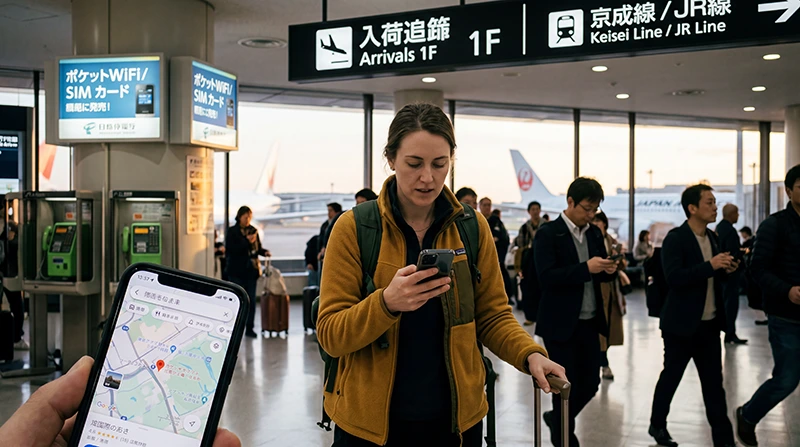

Internet at Narita Airport is available through airport Wi-Fi, a travel eSIM, prepaid SIM services and rented pocket WiFi. A pre-installed eSIM is normally the quickest option when you need mobile data immediately after landing.
Use the first connection to retrieve arrival instructions, contact accommodation and confirm onward transport. Keep essential addresses and booking references offline in case setup takes longer than expected.
NoveSIM travel eSIMs are data-only. They support maps, messages and internet calls but do not provide a Japanese number or traditional calls and SMS.
Quick answer: Install the eSIM before flying, then select it for mobile data after landing at Narita. Airport Wi-Fi is useful for setup, while a prepaid SIM or pocket WiFi can suit travellers who need local assistance or whose phones do not support eSIM.
Top Japan eSIMs


How can you get internet at Narita Airport?
| Option | Useful when | What to check |
|---|---|---|
| Travel eSIM | You want mobile data without visiting a counter | Compatibility, activation and validity |
| Airport Wi-Fi | You need temporary access or help installing | Login, coverage and session reliability |
| Prepaid SIM | The phone cannot use eSIM | Unlocked status, included services and shop availability |
| Pocket WiFi | Several nearby devices will share | Collection, battery and return procedure |
Narita’s official service information groups SIM sales and Wi-Fi rental as airport connectivity services. Availability can change, so confirm current counters and conditions before relying on an arrival purchase.
How do you connect an eSIM after landing?
- Turn off aeroplane mode after permitted.
- Switch on the Japan eSIM and select it for mobile data.
- Enable data roaming on that travel profile if its instructions require it.
- Keep data roaming disabled on the primary SIM.
- Allow the phone time to register before testing a map or webpage.
Prepare the profile with the Japan eSIM installation guide before departure.
Should you buy a SIM after arrival?
A physical SIM is reasonable for a non-eSIM phone or when you prefer help at the airport. Check that the phone is unlocked and confirm whether the product is data-only. Opening hours, stock and queues can affect the arrival.
Compare the formats in the Japan SIM card guide before making an airport purchase your only plan.
Is pocket WiFi practical from Narita?
Pocket WiFi can connect several devices, but the group depends on one router and battery. Save the collection and return instructions offline and check late-arrival arrangements.
The pocket WiFi versus eSIM comparison explains the trade-off when travellers separate.
What should be online before leaving the terminal?
- Your accommodation address in Japanese and English.
- The selected route and ticket information for onward travel.
- A working map and messaging application.
- Any digital booking or arrival code.
- A backup screenshot in case coverage changes during the journey.
What if the eSIM does not connect at Narita?
Use airport Wi-Fi to check the selected data line, roaming and plan status. For NoveSIM, enter data.esim only if manual APN setup is required. Keep the profile installed and follow the Japan troubleshooting guide.
Related Articles
FAQ
Does Narita Airport have Wi-Fi?
Airport Wi-Fi is available for temporary access. Keep a personal mobile option for the journey beyond the terminal.
Can I buy a SIM card at Narita Airport?
SIM-related services may be available, but products, counters and hours can change. Confirm current airport information before travel.
Should I activate an eSIM before landing?
Install it before departure, then follow the selected plan’s activation trigger so validity does not begin too early.
Is pocket WiFi better for a group?
It can suit a group that remains together, provided someone manages charging, collection and return.
Final Recommendation
For internet at Narita Airport, prepare an eSIM before departure when the phone supports it and use airport Wi-Fi as a setup or backup connection.
Choose a physical SIM or pocket WiFi when device compatibility or group sharing makes it more practical.
Confirm maps, transport and accommodation details before leaving the terminal for the onward journey.