


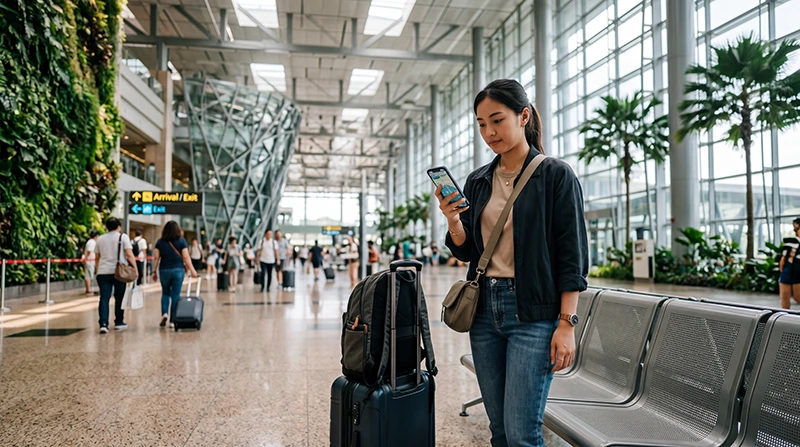

Many travelers arriving in Singapore look for WiFi immediately after landing.
For most international visitors, Singapore Airport means Singapore Changi Airport, the main airport serving Singapore and one of the most important arrival hubs in Southeast Asia.
Airport WiFi can help with quick online tasks after landing, but most travelers also need internet after leaving the terminal for Grab, Google Maps, MRT routes, WhatsApp, hotel directions, business messages, shopping, attractions, and stopovers.
Quick answer: Singapore Airport offers WiFi access in airport areas, but for most tourists, airport WiFi alone is not enough. A Singapore eSIM is usually more practical because it can be installed before travel and used after arrival across Singapore, not only inside the airport.
Top Singapore eSIMs


Does Singapore Airport Have WiFi?
Yes. Singapore Airport provides WiFi access for travelers in many airport areas.
Airport WiFi can be useful after landing for checking messages, opening hotel bookings, contacting pickup drivers, downloading travel documents, checking emails, and searching basic airport information.
However, airport WiFi is mainly useful while you remain inside airport coverage areas. Once you leave the terminal, mobile data becomes much more practical.
What Can You Use Singapore Airport WiFi For?
- Sending quick WhatsApp messages
- Opening booking confirmations
- Checking hotel addresses
- Contacting family or colleagues
- Checking flight or baggage information
- Looking up MRT routes
- Downloading a travel app
- Checking email after landing
- Searching airport facilities
- Contacting airport pickup drivers
Why Airport WiFi Is Not Enough for Most Travelers
Airport WiFi is helpful, but it does not solve the full arrival journey.
Most travelers need internet after leaving the airport for transport, navigation, hotel check-in, shopping, sightseeing, food, and communication.
- Grab pickup coordination
- Google Maps navigation
- MRT route changes
- Walking directions from stations
- WhatsApp after leaving the airport
- Hotel and apartment communication
- Restaurant searches
- Attraction tickets
- Shopping and payment apps
- Business communication
This is why many visitors prefer using a Singapore eSIM instead of relying only on airport WiFi.
WiFi at Singapore Airport vs Singapore eSIM
| Feature | Airport WiFi | Singapore eSIM |
|---|---|---|
| Works inside airport | Yes | Yes, where mobile coverage is available |
| Works after leaving airport | No | Yes |
| Good for Grab | Limited | Yes |
| Good for Google Maps | Limited | Yes |
| Good for MRT navigation | Limited | Yes |
| Good for full Singapore trip | No | Yes |
| Can be prepared before travel | No | Yes |
Why Singapore eSIM Is a Better Airport WiFi Alternative
A Singapore eSIM gives your phone mobile data without needing a physical SIM card.
You can install it before departure while connected to WiFi. After landing in Singapore, select the eSIM for mobile data, enable data roaming on the eSIM line, and wait for network connection.
- No need to depend on airport WiFi
- No airport SIM card queue
- No physical SIM card swap
- No need to remove your regular SIM
- Works beyond the airport
- Useful for Grab, Google Maps, MRT, WhatsApp, hotels, restaurants, and attractions
- Can keep your primary SIM active on many modern phones
WiFi at Singapore Airport for Grab
Grab is one of the most commonly used transport apps in Singapore.
Airport WiFi may help you open the app while you are inside the terminal, but mobile data is more practical once you move toward pickup points, message your driver, follow the route, or leave airport WiFi coverage.
A Singapore eSIM gives your phone internet directly, making the airport transfer smoother.
WiFi at Singapore Airport for Google Maps
Google Maps is useful immediately after arriving in Singapore.
Travelers use it for airport navigation, MRT routes, hotel directions, walking routes, restaurants, shopping malls, attractions, and travel time estimates.
Airport WiFi can help while you are inside the terminal, but mobile data is better for live navigation after leaving the airport.
WiFi at Singapore Airport for MRT Routes
Singapore’s MRT network is one of the easiest ways to travel from the airport into the city.
Internet helps with route planning, station transfers, station exits, walking directions, and hotel navigation.
If you rely only on airport WiFi, you may lose internet once you leave the terminal. A Singapore eSIM keeps mobile data available while traveling between stations.
WiFi at Singapore Airport for WhatsApp
WhatsApp works with airport WiFi or mobile data.
Airport WiFi can help you send quick messages after landing, but mobile data keeps WhatsApp working after you leave the airport.
Most travelers can continue using WhatsApp with their existing number while using a Singapore eSIM for mobile internet.
WiFi for Hotel Check-In After Singapore Airport
Many travelers need internet before reaching their accommodation.
You may need to open your hotel address, contact reception, message an apartment host, check reservation details, find the entrance, or arrange transport.
This is especially important if you are going to Marina Bay, Orchard Road, Chinatown, Little India, Bugis, Clarke Quay, Sentosa, or an airport-area hotel.
WiFi for Singapore Stopovers
Singapore is a major stopover destination.
If you are leaving the airport during a layover or short stopover, mobile internet is much more useful than airport WiFi alone.
- Book Grab into the city
- Check MRT routes
- Visit Marina Bay
- Visit Gardens by the Bay
- Find restaurants or hawker centres
- Access attraction tickets
- Return to the airport on time
For short stopovers, a Singapore eSIM is convenient because it can be prepared before travel and used immediately after arrival.
WiFi for Business Travelers at Singapore Airport
Business travelers often need internet immediately after landing.
Airport WiFi can help briefly, but mobile data is better for ongoing connectivity between the airport, hotel, meetings, conferences, and transport.
- Email access
- Calendar updates
- Messaging apps
- Conference apps
- Document access
- Hotel communication
- Grab and navigation
- Backup internet for urgent tasks
WiFi for Marina Bay After Singapore Airport
Marina Bay is one of the most common areas travelers visit after arriving in Singapore.
Mobile internet helps with hotel directions, restaurant searches, attraction tickets, walking routes, photos, shopping, and ride-hailing.
If you plan to visit Marina Bay Sands, Gardens by the Bay, Merlion Park, or the waterfront area, mobile data is more useful than relying only on airport WiFi.
WiFi for Sentosa After Singapore Airport
Sentosa is popular for hotels, beaches, family attractions, Universal Studios Singapore, and short holidays.
Mobile data helps with route planning, ticket access, hotel check-in, transport, WhatsApp, and live location sharing after leaving the airport.
WiFi for Orchard Road, Chinatown, and Little India
Orchard Road, Chinatown, Little India, Bugis, and Clarke Quay are common hotel and sightseeing areas.
Airport WiFi will not help once you are moving through the city. Mobile data helps travelers find MRT exits, walking directions, restaurants, shops, hotel entrances, and local attractions.
Singapore Airport WiFi vs Airport SIM Card
| Feature | Airport WiFi | Airport SIM Card |
|---|---|---|
| Works inside airport | Yes | Yes, after activation |
| Works outside airport | No | Yes |
| Requires purchase | No or depends on access rules | Yes |
| Requires airport counter | No | Usually yes |
| Requires SIM replacement | No | Usually yes |
| Good for full trip | No | Yes |
Singapore Airport WiFi vs Roaming
International roaming may work immediately after landing if your home provider supports Singapore roaming and roaming is enabled.
However, roaming costs, daily fees, data limits, speed restrictions, hotspot rules, and fair usage conditions depend on your provider.
Airport WiFi can reduce roaming use inside the airport, but it cannot replace mobile internet for the full trip.
| Feature | Airport WiFi | International Roaming |
|---|---|---|
| Works inside airport | Yes | Yes |
| Works across Singapore | No | Yes, if active |
| Possible extra charges | No or limited | Depends on provider |
| Good for Google Maps | Limited | Yes |
| Good for Grab | Limited | Yes |
Singapore Airport WiFi vs Pocket WiFi
Pocket WiFi can be useful for groups or several devices, but it adds an extra device to manage.
You may need to collect it, charge it, carry it, keep it nearby, and sometimes return it after the trip.
| Feature | Airport WiFi | Pocket WiFi |
|---|---|---|
| Extra device needed | No | Yes |
| Works outside airport | No | Yes |
| Needs charging | No | Yes |
| Good for groups | Limited | Yes |
| Continuous travel internet | No | Yes, if device is charged and nearby |
How Much Data Do You Need After Arriving in Singapore?
| Trip Type | Recommended Data |
|---|---|
| Short stopover | 1GB – 3GB |
| Weekend Singapore trip | 5GB – 10GB |
| One-week Singapore trip | 10GB – 20GB |
| Business trip or active social media | 15GB – 30GB |
| Hotspot, video calls, remote work | 30GB+ or unlimited recommended |
What Uses the Most Mobile Data in Singapore?
- Video streaming
- YouTube
- TikTok and Instagram Reels
- Video calls
- Cloud photo backups
- Hotspot sharing
- Large downloads
- Uploading travel videos
- Laptop updates on hotspot
Google Maps, Grab, WhatsApp text messages, MRT searches, email, hotel communication, and restaurant searches usually use much less data.
How to Reduce Mobile Data Usage After Landing
- Download offline Google Maps before travel
- Use WiFi for app updates and large uploads
- Turn off automatic cloud photo backup on mobile data
- Disable autoplay video in social apps
- Use WhatsApp text instead of video calls when possible
- Limit hotspot sharing
- Save hotel and attraction tickets offline
- Pause laptop updates when using hotspot
Can You Keep Your Home SIM Active?
Yes. Many modern smartphones support dual SIM functionality.
You can use a Singapore eSIM for mobile data while keeping your regular SIM active for calls, SMS verification codes, banking messages, work authentication codes, and WhatsApp on your existing number.
Should You Turn Off Roaming on Your Home SIM?
If you want to avoid unwanted roaming charges, keep data roaming disabled on your home SIM and use your Singapore eSIM for mobile data.
This allows your travel eSIM to handle internet while your home SIM can remain available for important SMS or calls, depending on your provider and phone settings.
Do You Need Data Roaming Enabled for Singapore eSIM?
Yes. Most travel eSIM plans require data roaming to be enabled on the eSIM line.
This does not mean you need to enable data roaming on your home SIM. Enable data roaming only on the Singapore eSIM line if you are using it for mobile data.
APN Settings for NoveSIM eSIM
| Setting | Value |
|---|---|
| APN | data.esim |
| Username | Leave blank |
| Password | Leave blank |
How to Use Singapore eSIM Instead of Airport WiFi
- Choose your Singapore eSIM plan before your trip.
- Install the eSIM while connected to WiFi.
- Arrive at Singapore Airport.
- Turn off airplane mode.
- Select the Singapore eSIM for mobile data.
- Enable data roaming on the eSIM line.
- Wait for network connection.
- Open Google Maps, Grab, WhatsApp, Safari, Chrome, or another app to test mobile internet.
What If Mobile Internet Does Not Work After Landing?
- Make sure the Singapore eSIM is installed.
- Make sure the Singapore eSIM line is turned on.
- Select the Singapore eSIM for mobile data.
- Enable data roaming on the Singapore eSIM line.
- Turn airplane mode on for 30 seconds and then off.
- Restart your phone.
- Check APN settings if needed.
- Disable VPN temporarily.
- Move to a more open area if signal is weak.
- Try manual network selection if available.
Before Flying to Singapore
- Check if your phone supports eSIM
- Make sure your phone is carrier unlocked
- Install your Singapore eSIM before departure if possible
- Download offline maps
- Save hotel and booking confirmations
- Save airport transfer details
- Estimate your data usage
- Keep your QR code and installation instructions accessible
- Carry a power bank for long travel days
Where to Find Your NoveSIM eSIM Details
Your NoveSIM QR code, installation instructions, and eSIM details are available:
- In your confirmation email
- Under My Account → Orders → View → eSIM details
More Singapore Airport and eSIM Guides
- Singapore eSIM
- eSIM Changi Airport
- Best eSIM for Changi Airport
- Mobile Internet Changi Airport
- SIM Card Changi Airport
- WiFi Changi Airport
- Internet Changi Airport
- SIM Card Singapore Airport
- Internet Singapore Airport
More Singapore Travel Internet Guides
- Mobile Internet Singapore
- Internet Singapore Tourists
- How to Get Internet in Singapore
- Best Way to Get Mobile Internet in Singapore
- Local SIM vs eSIM Singapore
- Singapore Roaming Charges
- eSIM vs SIM Card Singapore
- Best Mobile Data Singapore
- Unlimited Data eSIM Singapore
FAQ: WiFi at Singapore Airport
Does Singapore Airport have WiFi?
Yes. Singapore Airport provides WiFi access in airport areas, but travelers often still need mobile internet after leaving the terminal.
Is Singapore Airport WiFi enough for tourists?
Airport WiFi can help inside the airport, but it is not enough for most tourists because they need internet for Grab, Google Maps, MRT routes, WhatsApp, and hotel directions after leaving the airport.
Can I use Grab with Singapore Airport WiFi?
You may be able to use Grab while connected to airport WiFi, but mobile data is more reliable for pickup coordination and the journey after leaving the terminal.
Is eSIM better than airport WiFi?
For most travelers, yes. A Singapore eSIM works beyond airport WiFi coverage and supports internet throughout the trip.
Can I use WhatsApp on Singapore Airport WiFi?
Yes. WhatsApp works with WiFi, but a Singapore eSIM helps keep WhatsApp working after leaving the airport.
Can I use Google Maps with airport WiFi?
You can use Google Maps while connected to airport WiFi, but mobile data is better for live navigation after leaving the airport.
Do I need data roaming enabled for Singapore eSIM?
Yes. Most travel eSIM plans require data roaming to be enabled on the Singapore eSIM line.
Should I enable roaming on my home SIM?
No, not if you want to avoid home-provider roaming charges. Enable data roaming only on the Singapore eSIM line if you are using it for mobile data.
What APN should I use for NoveSIM eSIM?
If manual APN editing is available, use data.esim and leave username and password blank.
What is the best alternative to Singapore Airport WiFi?
For many travelers with compatible unlocked phones, a Singapore eSIM is one of the best alternatives because it provides mobile internet across Singapore.
Final Recommendation
WiFi at Singapore Airport is useful for quick online tasks after landing, but it is not enough for most travelers who need internet beyond the airport.
For Grab, Google Maps, MRT routes, WhatsApp, hotel communication, business travel, stopovers, shopping, and attractions, a Singapore eSIM is usually the more practical option because it works throughout the trip.