


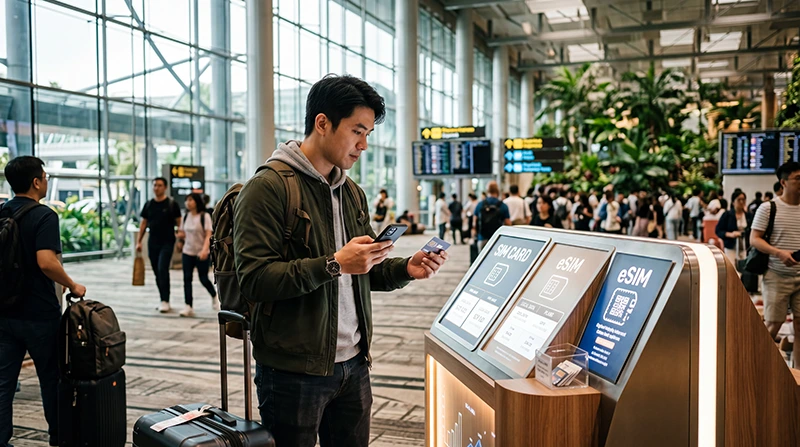

Singapore Changi Airport provides free Wi-Fi in public and transit areas across its terminals. Mobile data becomes more useful after immigration for transport, navigation and the journey beyond the airport.
A transit passenger may need only the airport network, while a visitor entering Singapore benefits from an eSIM or local SIM that continues working outside Changi.
NoveSIM travel eSIMs are data-only and do not include a Singapore number, conventional calls or SMS.
Quick answer: Select the official #WiFi@Changi network, open a browser and use the login page. For continuous data after arrival, prepare a compatible Singapore eSIM before departure or choose a local SIM when a domestic number is required.
Top Singapore eSIMs

Singapore eSIM
Fixed
1 GB, 7 days€ 3.122 GB, 15 days€ 4.463 GB, 30 days€ 5.36Unlimited
Unlimited, 1 day€ 3.57Unlimited, 3 days€ 6.25Unlimited, 5 days€ 8.93
How to Use Changi Airport Wi-Fi
Changi Airport’s official instructions say #WiFi@Changi is available free in public and transit areas. Select the network, open a browser, enter a valid website address and use the Wi-Fi logo on the portal.
- Compare the network name with official airport signs.
- Select #WiFi@Changi.
- Open a browser to trigger the portal.
- Complete the current connection step and test a webpage.
If the Login Page Does Not Appear
Forget the network, reconnect and open a plain website. Temporarily pause a VPN or private relay if it blocks the captive portal. Ask airport staff to confirm the current network name rather than choosing a lookalike hotspot.
Transit versus Entry into Singapore
For an airside connection, Wi-Fi may cover boarding information and messages. Keep the next boarding pass and gate information offline. For entry into Singapore, mobile data supports the MRT, taxi apps and accommodation contact after leaving the terminal.
Review the Singapore eSIM plans and the compatible-device list before purchase.
Set Up Mobile Data after Landing
- Turn on the installed travel eSIM.
- Select it for Mobile Data.
- Enable Data Roaming on the travel line.
- Keep roaming off on the primary SIM.
- Disable automatic data switching.
- Test a map before leaving the terminal.
If manual NoveSIM APN entry is required, use data.esim. The Singapore eSIM installation guide covers advance preparation.
Local SIM or Travel eSIM?
A local SIM suits travellers needing a Singapore number. An eSIM avoids airport retail queues when data is the priority and the phone is compatible and unlocked. Compare allowance, validity, activation and hotspot rules.
Related Articles
- Best SIM Card for Singapore
- Mobile Internet in Singapore
- Changi Airport Wi-Fi Guide
- Singapore eSIM Troubleshooting
FAQ
Does Changi Airport have free Wi-Fi?
Yes. The official #WiFi@Changi network covers public and transit areas across the terminals.
Do I need to register for Changi Wi-Fi?
The current official page says no personal registration is required; follow the live portal instructions.
Will airport Wi-Fi work on the MRT?
No. Arrange mobile data for continuous service after leaving the airport.
Should I delete an eSIM if it does not connect?
No. Check the line, roaming and network registration, then contact Support.
Final Recommendation
Use official Changi Wi-Fi for terminal tasks and transit.
Prepare a Singapore eSIM when continuous data is needed after immigration.
Save arrival information offline and test the mobile connection before leaving the airport.