


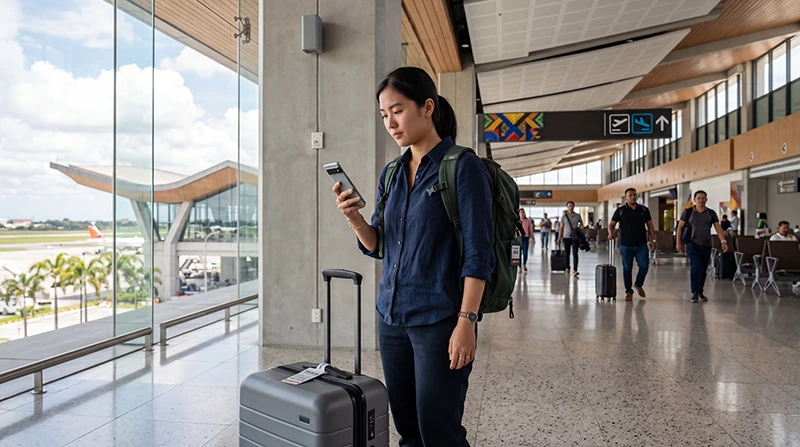

Clark Airport WiFi can help passengers send an arrival message, retrieve a booking or check transport details. Network names, login requirements and performance can change, so confirm the current official access information inside the terminal.
Airport Wi-Fi is a temporary terminal connection. It does not provide coverage during the journey to Clark Freeport, Angeles or Manila. Save essential transfer information offline and prepare mobile-data backup before leaving.
NoveSIM travel eSIMs provide data only and do not include a Philippine number, conventional calls or carrier SMS. An eSIM can serve as backup when a compatible unlocked phone is configured correctly.
Quick answer: verify the official CRK network name, connect through the current airport instructions and avoid sensitive activity on an unverified hotspot. If the portal does not appear, turn Wi-Fi off and on, forget the network once and reopen a normal webpage. Keep pickup and destination details offline.
Top Philippines eSIMs

Philippines eSIM
Fixed
1 GB, 7 days5.50$2 GB, 15 days8.50$3 GB, 30 days11.00$Unlimited
Unlimited, 1 day6.00$Unlimited, 3 days9.50$Unlimited, 5 days13.50$
Confirm the current network before connecting
Do not choose a hotspot solely because its name contains “Clark” or “airport”. Look for current signage or ask airport staff for the official network and login method.
- Check the spelling of the network name.
- Avoid lookalike networks.
- Read the portal terms before accepting.
- Do not install an unexpected certificate or application.
- Disconnect when the airport task is finished.
Open a captive portal that does not appear
- Turn Wi-Fi off, then on.
- Select the verified airport network again.
- Disable a VPN temporarily if it blocks the login page and doing so is safe.
- Open a normal non-sensitive webpage to trigger the portal.
- Forget the network once and reconnect if necessary.
Do not repeatedly change mobile-network settings to fix a Wi-Fi portal. Wi-Fi and the travel eSIM are separate connections.
Use airport Wi-Fi for limited arrival tasks
Good uses include retrieving a booking, contacting a pickup and downloading a destination pin. Avoid large system updates or cloud synchronisation while managing a time-sensitive arrival.
For banking or account recovery, prefer a trusted cellular connection when possible. Public-network privacy depends on the hotspot and the websites or apps being used.
Prepare for the journey beyond CRK
Save the pickup zone, complete address and transport contact before leaving the terminal. Airport Wi-Fi will not follow the vehicle. A road journey towards Manila also requires enough battery for messages and navigation.
The Clark Airport internet guide compares Wi-Fi with eSIM, local SIM and roaming.
Use a travel eSIM as backup
Install the eSIM before the flight when possible. After arrival, select it for mobile data, enable roaming on the travel line and disable automatic switching to the home SIM. Test with Wi-Fi off.
If manual APN entry is required, use data.esim. Keep the profile installed if the first connection fails.
If the phone does not support eSIM or a Philippine number is important, review the Clark Airport SIM-card options before deciding where to buy and register a physical SIM.
Fix slow or unstable Clark Airport WiFi
Move away from a crowded gate or enclosed corner, reconnect once and test a simple page. Heavy local demand can affect performance even when the Wi-Fi signal icon looks strong. A mobile-data backup may be more practical than repeating the same login.
Related Articles
- Internet Options at Clark Airport
- SIM Cards at Clark Airport
- Mobile Internet in the Philippines
- Philippines eSIM Troubleshooting
FAQ
How do I find the correct Clark Airport Wi-Fi network?
Check current terminal signage or ask airport staff. Do not trust an unfamiliar hotspot solely because its name includes Clark or airport.
Why does the Clark Airport login page not open?
Reconnect to the verified network, open a normal webpage and temporarily pause a blocking VPN if safe. Forget the network once if the portal still does not appear.
Is airport Wi-Fi suitable for banking?
A trusted cellular connection is preferable for sensitive activity. Avoid unexpected certificate warnings and unverified hotspots.
Will Clark Airport Wi-Fi work during the journey to Manila?
No. It is a terminal service. Save the route offline and arrange mobile data before leaving CRK.
Final Recommendation
Verify the official Clark Airport WiFi network and use it for limited arrival tasks. Keep sensitive activity off an unverified hotspot.
Save the pickup, address and transfer details before leaving the terminal. Prepare an eSIM, local SIM or confirmed roaming plan for the road journey.
If the portal fails, reconnect once and use mobile-data backup rather than repeatedly changing unrelated phone settings.