


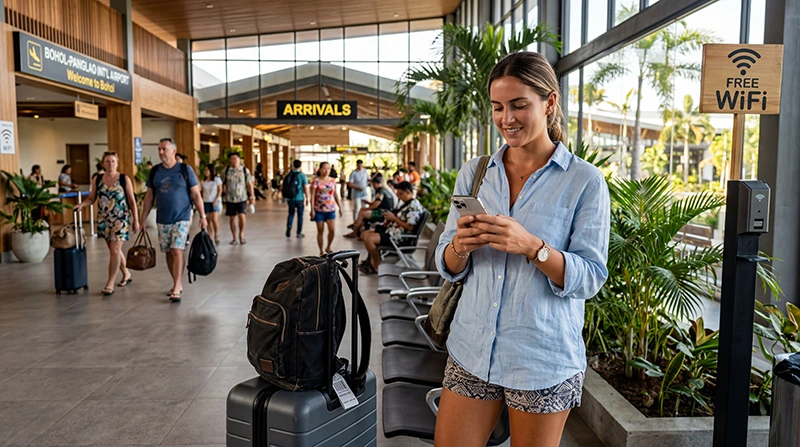

Bohol Airport WiFi can help with a pickup message, booking lookup or first route check at Bohol-Panglao International Airport. Confirm the current official network and login method at the terminal because access details and performance can change.
The airport hotspot is not a connection for the remainder of Panglao or Bohol. Download the accommodation pin, driver contact and transfer instructions before leaving the terminal.
NoveSIM travel eSIMs provide data only and do not include a Philippine number, conventional calls or carrier SMS. A prepared eSIM can provide mobile-data backup on a compatible unlocked phone.
Quick answer: verify the official Bohol Airport network, connect through the current portal and avoid sensitive activity on an unverified hotspot. If the login page does not appear, reconnect once, open a normal webpage and forget the network only when necessary. Keep an offline route and mobile-data alternative.
Top Philippines eSIMs

Philippines eSIM
Fixed
1 GB, 7 days5.50$2 GB, 15 days8.50$3 GB, 30 days11.00$Unlimited
Unlimited, 1 day6.00$Unlimited, 3 days9.50$Unlimited, 5 days13.50$
Identify the official airport network
Use current signage or ask airport staff. A familiar-looking network name is not proof that a hotspot is operated by the airport.
- Compare the name character by character.
- Avoid duplicate or lookalike networks.
- Do not install an unexpected certificate or app.
- Read the portal terms before accepting.
- Disconnect after completing the arrival task.
Open a Wi-Fi portal that is missing
- Turn Wi-Fi off and on.
- Select the verified network again.
- Pause a VPN temporarily if it blocks the portal and doing so is safe.
- Open a normal non-sensitive webpage.
- Forget the network once and reconnect if needed.
Do not reset mobile-network settings merely to open a Wi-Fi login page. The hotspot and cellular eSIM use different configurations.
Use Wi-Fi for limited airport tasks
Retrieve a booking, send a pickup message and download the destination pin. Avoid large backups or updates during a time-sensitive arrival. Prefer a trusted cellular connection for banking or account recovery.
Prepare the Panglao or Tagbilaran transfer
Save the complete property address, map pin and driver contact before leaving. Airport Wi-Fi will not follow the vehicle, and reception inside a property may differ from reception outdoors.
The Bohol Airport internet guide compares Wi-Fi with eSIM, local SIM and roaming.
Use an eSIM when continuous access matters
Install before departure when possible. After landing, select the Philippines eSIM for mobile data, enable roaming on that line and turn off automatic switching to the home SIM. Test with Wi-Fi off.
If manual APN entry is required, use data.esim. Do not delete the installed profile if the first attempt fails.
If eSIM is not available on the phone or you need a Philippine number, compare the Bohol Airport SIM-card option before relying on a purchase after landing.
Respond to slow Bohol Airport WiFi
Move away from a crowded area, reconnect once and test a simple page. The Wi-Fi icon measures signal, not available capacity. When time matters, use mobile-data backup instead of running repeated speed tests.
Related Articles
- Internet Options at Bohol Airport
- SIM Cards at Bohol Airport
- Mobile Internet in the Philippines
- Philippines eSIM Troubleshooting
FAQ
How do I find the official Bohol Airport Wi-Fi network?
Check current terminal signage or ask airport staff. Do not select a hotspot solely because its name contains Bohol, Panglao or airport.
Why is the airport Wi-Fi login page not appearing?
Reconnect to the verified network, open a normal webpage and pause a blocking VPN temporarily if safe. Forget and rejoin the network only when needed.
Is Bohol Airport Wi-Fi safe for banking?
A trusted cellular connection is preferable for sensitive activity. Avoid unverified hotspots and unexpected certificate warnings.
Will the airport Wi-Fi cover Alona Beach or Tagbilaran?
No. It is a terminal connection. Save transfer information offline and arrange mobile data before leaving the airport.
Final Recommendation
Verify the official Bohol Airport WiFi network and use it for limited arrival tasks. Do not expose sensitive information on an unverified hotspot.
Save the accommodation pin, pickup contact and route before leaving the terminal. Prepare an eSIM, local SIM or confirmed roaming plan for continued access.
If the portal fails, reconnect once and use mobile-data backup rather than changing unrelated cellular settings.