


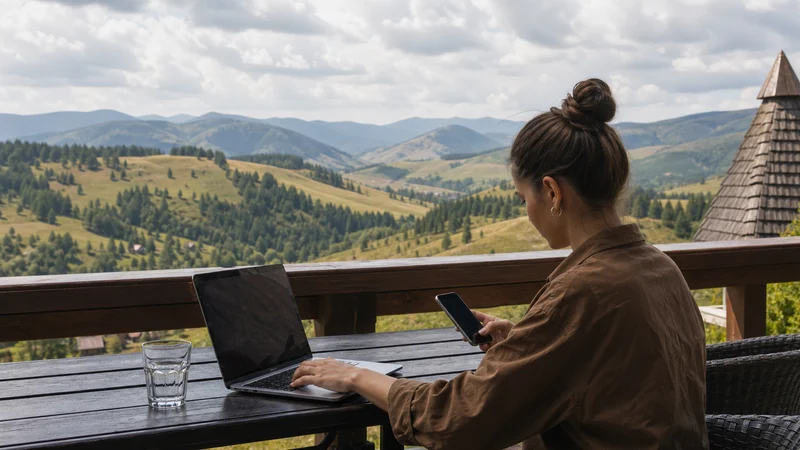

Unlimited data in Serbia can be useful for frequent video, remote work or several devices, but the word “unlimited” does not answer every buying question. Speed management, hotspot rules, validity and network availability can still differ by plan.
Travellers should compare the current product terms with their real activities. A smaller fixed allowance may be a better fit when the trip mainly involves maps, messages and occasional bookings.
NoveSIM travel eSIMs are data-only. We do not provide a Serbian phone number, conventional calls or SMS; internet calls and messaging use mobile data.
Quick answer: Choose an unlimited Serbia plan only after checking validity, any fair-use or speed conditions, hotspot support and the included coverage. For light sightseeing use, a fixed allowance can be simpler and more economical.
Top Serbia eSIMs

Serbia eSIM
Fixed
1 GB, 7 days3.50$2 GB, 15 days5.50$3 GB, 30 days7.00$Unlimited
Unlimited, 1 day3.50$Unlimited, 3 days8.50$Unlimited, 5 days14.00$
Balkans eSIM
Fixed
1 GB, 7 days5.00$2 GB, 15 days8.00$3 GB, 30 days10.50$Unlimited
Unlimited, 1 day5.50$Unlimited, 3 days12.50$Unlimited, 5 days19.50$Europe Extra eSIM
Fixed
1 GB, 7 days2.50$2 GB, 15 days4.00$3 GB, 30 days5.00$Unlimited
Unlimited, 1 day3.00$Unlimited, 3 days6.00$Unlimited, 5 days10.00$Europe+ eSIM
Fixed
1 GB, 7 days3.00$2 GB, 15 days4.50$3 GB, 30 days6.00$Unlimited
Unlimited, 1 day3.00$Unlimited, 3 days7.00$Unlimited, 5 days11.50$Europe Lite eSIM
Fixed
1 GB, 7 days2.50$2 GB, 15 days4.00$3 GB, 30 days5.00$Unlimited
Unlimited, 1 day3.00$Unlimited, 3 days6.00$Unlimited, 5 days10.00$What “Unlimited” Needs to Tell You
The label should be read together with the plan details. Some offers may manage speed after a usage threshold, limit tethering or define how much high-speed data is available within a day. Conditions can change, so use the current product description rather than a general assumption.
An unlimited allowance also does not guarantee a particular radio technology or speed. Performance depends on the plan, partner network, device, location and congestion.
Unlimited and Fixed Data Compared
| Travel pattern | Likely starting point | Check before purchase |
|---|---|---|
| Maps, messages and bookings | Fixed allowance | Validity and realistic daily use |
| Regular video streaming | Larger or unlimited plan | Speed-management terms |
| Remote work | Plan matched to calls and files | Hotspot, stability and backup connection |
| Several tethered devices | High-data plan | Hotspot support and device battery |
| Very short city break | Often fixed allowance | Complete trip validity |
When Unlimited Data Is Worth Considering
Heavy navigation alone rarely explains unlimited use. The stronger cases are repeated video, large file transfers, frequent meetings or a permitted hotspot serving another device. Even then, trusted accommodation WiFi can provide a useful second connection.
Remote workers should not depend on the word “unlimited” as a promise of uninterrupted meetings. Coverage changes and local congestion still apply; the Serbia coverage guide explains those limits.
When a Fixed Allowance Is Enough
Maps, messaging, email and occasional searches are generally lighter than streaming and cloud backup. Download the base map, entertainment and large work files before leaving WiFi, then use cellular data for live changes.
For a weekend or brief visit, the short-trip Serbia guide helps organise validity and essential tasks without buying data that is unlikely to be used.
Hotspot and Laptop Use
Confirm that the selected plan supports hotspot before using the phone as a router. A laptop can download updates or synchronise cloud folders in the background, consuming data and draining the phone battery.
Pause these processes, use a strong hotspot password and disconnect equipment after the task. If a work call is critical, keep a second connectivity option rather than assuming one cellular link will never experience congestion.
Validity Still Matters
An unlimited plan is not useful after its validity ends. Count every travel day according to the plan’s activation rules, including arrival and departure, and do not start service early without understanding when the clock begins.
Install the profile on reliable WiFi when allowed, then use the Serbia activation guide to select the correct data line on arrival.
Control Unnecessary Consumption
- Download operating-system and application updates on trusted WiFi.
- Pause automatic cloud-photo and video backup.
- Reduce streaming quality when high resolution adds no travel value.
- Check which apps use cellular data in the background.
- Save tickets and maps offline even with an unlimited plan.
These steps also protect battery life and help when coverage temporarily disappears on a road or rail journey.
Set Up the Travel Line Correctly
- Confirm that the phone is unlocked and eSIM compatible.
- Install the plan according to its timing instructions.
- Select the Serbia eSIM for mobile data.
- Enable Data Roaming for the travel profile.
- Turn off cellular-data switching to the home SIM.
- Disconnect WiFi and test a normal website.
If data is connected but unexpectedly slow in several suitable locations, use the Serbia slow-data diagnostic rather than deleting the eSIM.
Related Articles
- Mobile Data for a Short Serbia Trip
- Mobile Data in Serbia
- Serbia eSIM Coverage
- Activate an eSIM in Serbia
- Slow Mobile Data in Serbia
FAQ
Is unlimited data in Serbia truly unrestricted?
Check the exact plan. Fair-use, high-speed, hotspot or validity conditions may apply even when the total allowance is described as unlimited.
Do I need unlimited data for Google Maps and messaging?
Usually not. Those tasks are relatively light when maps are downloaded and large media or backups are controlled.
Can I use an unlimited Serbia eSIM as a hotspot?
Only when the selected plan and device support tethering. Review the current hotspot terms before purchase.
Does unlimited data guarantee 5G?
No. 5G depends on the plan, phone, supported frequencies, available network and local coverage.
Final Recommendation
Choose unlimited data in Serbia for sustained heavy use only after reading the current speed, fair-use, hotspot and validity conditions.
Use a fixed allowance when maps, messaging and bookings form most of the trip, and prepare large files on WiFi.
Neither option replaces correct eSIM settings, realistic coverage expectations or offline copies of essential travel information.