


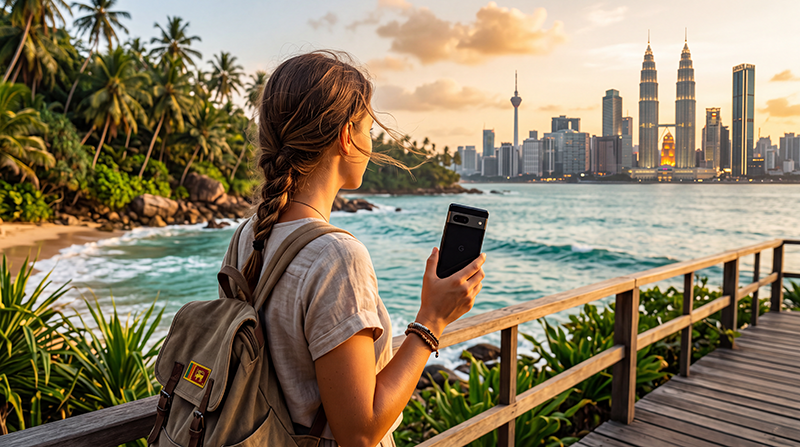

Sri Lanka and Malaysia are a fantastic combination for travelers looking to experience tropical beaches, vibrant cities, rainforests, tea plantations and diverse cultures in one trip. Many visitors start their journey in Kuala Lumpur before exploring Langkawi or Penang, then continue to Sri Lanka to discover Colombo, Ella, Kandy and the island’s famous coastline.
Reliable mobile internet makes every part of your journey easier, from navigating airports and booking transport to finding restaurants, using Google Maps and staying in touch with family.
For most international travelers, a travel eSIM is the easiest way to stay connected because it can be installed before departure and activated immediately after landing.
Quick answer: install your travel eSIM before leaving home, activate it after arrival and enjoy seamless mobile data throughout both countries.
Top Malaysia eSIMs

Malaysia eSIM
Fixed
1 GB, 7 days€ 4.012 GB, 15 days€ 7.133 GB, 30 days€ 9.35Unlimited
Unlimited, 1 day€ 5.35Unlimited, 3 days€ 12.92Unlimited, 5 days€ 20.94
Sri Lanka eSIM
Fixed
1 GB, 7 days€ 4.452 GB, 15 days€ 7.133 GB, 30 days€ 9.35Unlimited
Unlimited, 1 day€ 4.90Unlimited, 3 days€ 11.14Unlimited, 5 days€ 17.37
Should You Buy One eSIM or Two?
Your best option depends on your itinerary. Many regional Asia eSIM plans include both Sri Lanka and Malaysia, while country-specific plans are designed for only one destination.
| Option | Best For | Main Advantage |
|---|---|---|
| Regional Asia eSIM | Multi-country trips | One installation |
| Separate country eSIMs | Long stays | Dedicated plans |
| Local SIM cards | Local phone number | Good for extended travel |
| International roaming | Emergency use | No setup required |
Why Choose an eSIM?
- Install before departure.
- No physical SIM card required.
- No airport queues.
- Keep your regular phone number.
- Automatic network switching between supported countries.
- Perfect for Dual SIM smartphones.
- Fast activation after arrival.
How Does a Regional eSIM Work?
Once installed, your phone automatically connects to supported local mobile networks whenever you arrive in a covered country.
If your regional plan includes both Sri Lanka and Malaysia, there is no need to install another eSIM or replace a physical SIM card during your journey.
How to Activate Your eSIM
- Purchase your travel eSIM.
- Install it while connected to WiFi.
- Travel to Malaysia or Sri Lanka.
- Enable the eSIM.
- Select it for Mobile Data.
- Enable Data Roaming.
- Leave Network Selection on Automatic.
Your QR code and installation instructions are delivered instantly after purchase and remain available in your NoveSIM account.
Coverage Across Both Countries
| Destination | Expected Coverage |
|---|---|
| Kuala Lumpur | Excellent |
| Penang | Excellent |
| Langkawi | Very Good |
| Colombo | Excellent |
| Kandy | Excellent |
| Ella | Very Good |
| Galle | Excellent |
| Remote mountain areas | Good |
Coverage is generally excellent in cities, airports and popular tourist destinations. In remote mountain regions and national parks, signal may occasionally become weaker.
How Much Data Do You Need?
| Trip Style | Recommended Data |
|---|---|
| One-week holiday | 10 GB |
| Two-week multi-country trip | 20 GB |
| Heavy social media use | 30 GB |
| Remote work | Unlimited or large plan |
Google Maps, messaging and travel apps consume relatively little data, while streaming, hotspot use and cloud backups require larger plans.
Can You Use Google Maps?
Yes. Google Maps works exceptionally well throughout both Malaysia and Sri Lanka and is one of the most useful travel apps for navigation, public transport, restaurants and attractions.
Offline maps are recommended before visiting remote beaches, mountain regions or national parks.
Does WhatsApp Work?
Yes. Your WhatsApp account continues using your existing phone number while your eSIM provides mobile data.
You can communicate with hotels, airlines, tour operators, drivers and friends without changing your account.
Recommended Mobile Settings
| Setting | Recommended Value |
|---|---|
| Mobile Data | Travel eSIM |
| Calls | Primary SIM |
| SMS | Primary SIM |
| Data Roaming | ON (eSIM) |
| Automatic Data Switching | OFF |
| Network Selection | Automatic |
| APN | data.esim if required |
Sri Lanka & Malaysia eSIM APN Settings
Most phones configure the APN automatically. If manual configuration is required, use the following settings.
| Field | Value |
|---|---|
| APN | data.esim |
| Username | Leave blank |
| Password | Leave blank |
| Authentication | None |
What If Your eSIM Doesn’t Connect?
- Confirm the eSIM is enabled.
- Select it for Mobile Data.
- Enable Data Roaming.
- Keep Network Selection on Automatic.
- Verify the APN is data.esim.
- Turn Airplane Mode on for 30 seconds.
- Restart your phone.
Travel Tips
- Install your eSIM before departure.
- Download offline Google Maps.
- Keep boarding passes and hotel bookings available offline.
- Carry a power bank.
- Use hotel WiFi for large uploads.
- Disable roaming on your primary SIM.
- Keep your QR code until your trip ends.
- Monitor your mobile data usage.
Related Guides
- Sri Lanka eSIM
- Malaysia eSIM
- Mobile Data in Sri Lanka
- Google Maps in Sri Lanka
- How Much Data Do You Need?
- Best Network in Sri Lanka
FAQ
Can one eSIM work in both Sri Lanka and Malaysia?
Yes. Many regional Asia eSIM plans include both countries, allowing you to travel without changing SIM cards.
Should I install the eSIM before traveling?
Yes. Installing your eSIM before departure allows you to connect immediately after landing.
Will WhatsApp keep my existing number?
Yes. WhatsApp continues using your current phone number while the eSIM provides mobile data.
How much data do I need for both countries?
Most travelers find that 20 GB is sufficient for a typical two-week holiday covering Malaysia and Sri Lanka.
What APN should I use?
If manual configuration is required, use data.esim.
Final Recommendation
A regional Asia eSIM is one of the easiest ways to stay connected while traveling through Malaysia and Sri Lanka. It lets you keep your regular SIM card, avoid airport queues and enjoy reliable mobile internet across both destinations.
Install your eSIM before departure, enable Data Roaming after arrival and use data.esim if manual APN configuration is required.