


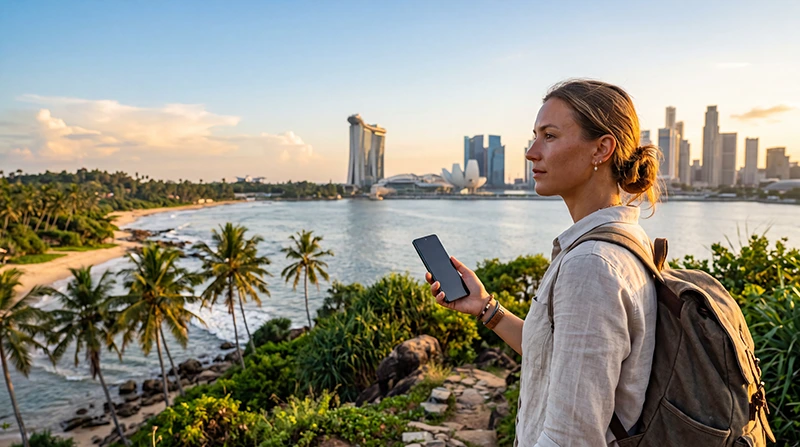

A Sri Lanka and Singapore eSIM connects two destinations with very different travel patterns. Singapore is compact, while a Sri Lanka itinerary can include long road or rail journeys, hill country and coastal areas where route-level coverage matters.
A regional plan simplifies the flight handover when it names both countries. Separate plans can provide a clearer Sri Lanka partner or allowance for a longer circuit.
NoveSIM travel eSIMs are data-only and do not supply a Sri Lankan or Singaporean number, conventional calls or SMS.
Quick answer: Choose one regional eSIM only after confirming Sri Lanka and Singapore, the Sri Lankan partner network, the full route and shared allowance. Install before departure and download maps, bookings and driver details because a country listing cannot guarantee continuous service on every rural road or rail section.
Top Singapore eSIMs

Singapore eSIM
Fixed
1 GB, 7 days3.50$2 GB, 15 days5.00$3 GB, 30 days6.00$Unlimited
Unlimited, 1 day4.00$Unlimited, 3 days7.00$Unlimited, 5 days10.00$
Sri Lanka eSIM
Fixed
1 GB, 7 days5.00$2 GB, 15 days8.00$3 GB, 30 days10.50$Unlimited
Unlimited, 1 day5.50$Unlimited, 3 days12.50$Unlimited, 5 days19.50$
Asia eSIM
Fixed
1 GB, 7 days5.00$2 GB, 15 days9.00$3 GB, 30 days12.00$Unlimited
Unlimited, 1 day6.50$Unlimited, 3 days17.50$Unlimited, 5 days28.50$Global eSIM
Fixed
1 GB, 7 days13.00$2 GB, 15 days25.00$3 GB, 30 days35.00$Unlimited
Unlimited, 1 day18.50$Unlimited, 3 days52.50$Unlimited, 5 days87.00$South East Asia eSIM
Fixed
1 GB, 7 days6.00$2 GB, 15 days9.50$3 GB, 30 days12.50$Unlimited
Unlimited, 1 day6.50$Unlimited, 3 days15.50$Unlimited, 5 days24.00$Sri Lanka and Singapore eSIM route checklist
Check the Sri Lanka route, not only the country
- List cities, hill-country stops, beaches and transfers.
- Identify the partner network used by the plan.
- Review current coverage for the longest routes.
- Save accommodation and driver contacts offline.
- Download maps before leaving a reliable connection.
Temporary gaps can occur on remote or mountainous routes. Offline preparation is part of connectivity planning, not evidence that the eSIM is incorrectly installed.
One regional eSIM or separate plans?
| Approach | Best fit | Trade-off |
|---|---|---|
| Regional eSIM | Short combined trip and simple handover | Shared data and partner choice |
| Separate country plans | Long Sri Lanka circuit | Requires correct line selection |
| Local Sri Lanka SIM | Local-number or specific domestic package need | Current visitor purchase and registration process |
For the Singapore side, compare plans with the Singapore eSIM guide.
Prepare before the flight
- Install the regional profile or both country profiles over Wi-Fi.
- Label separate profiles by destination.
- Verify validity through the final travel day.
- Keep automatic network selection enabled.
- Disable home-line roaming and automatic data fallback.
- Test the new partner after landing with Wi-Fi off.
Reserve enough data for Sri Lanka
Longer navigation sessions, transport coordination and inconsistent accommodation Wi-Fi may shift more activity to mobile data. Video uploads and hotspot work remain the biggest consumers.
Use Singapore data planning for the city stay, then reserve a separate route and offline-backup margin for Sri Lanka.
If the eSIM fails to reconnect
Confirm the country is included, the plan is valid and the correct line is selected. Enable travel-line roaming, toggle airplane mode and test a supported local partner. Do not copy a local retail APN into the travel profile.
The Singapore troubleshooting guide provides the safe diagnostic order for the same profile settings.
Related Articles
- Best eSIM for Singapore
- Singapore Network Guide
- How Much Data for Singapore?
- Singapore and Indonesia eSIM
FAQ
Can one eSIM cover Sri Lanka and Singapore?
Yes, if the exact regional plan names both countries and the Sri Lankan partner suits the planned route.
Will it work throughout Sri Lanka?
No plan guarantees continuous reception on every rural, mountain or rail route. Check current coverage and keep maps and bookings offline.
Should I use a separate Sri Lanka plan?
It may be better for a long circuit, larger allowance or specific partner-network need. A regional plan is simpler for a short visit.
Can I keep WhatsApp on my normal number?
Yes. WhatsApp can retain the registered number while the travel eSIM supplies data.
Final Recommendation
Choose by explicit two-country inclusion and the Sri Lankan route—not a regional label alone.
Install before departure, preserve offline transport details and budget shared data for the longer or less predictable leg.
Use separate plans when Sri Lanka coverage or allowance needs outweigh the convenience of one profile.
For a Sri Lanka and Singapore eSIM, keep the installed profile and preserve data.esim unless support supplies another APN.